About
What PowerQalc does
PowerQalc brings the Qalculate engine to your Command Palette workflow. Type expressions as you search and get live results — then copy the answer with Enter or save it to history with Ctrl+Enter.
Mixed-unit math: Do real arithmetic with incompatible units in one expression — 5 miles + 10 km, 10 mph * 2 hours, (5 ft + 8 in) to cm — then convert when you want. Most calculators make you convert everything first.
Built-in constants: Hundreds of physical, chemical, and mathematical constants — use them by name with automatic units. Examples: FineStructure, planck to eV s, proton_mass to MeV/c^2, PlanckLength to nm, k_B to J/K, SpeedOfLight to mph.
Session memory: ans() reuses the previous result; variables persist for the session. Solve equations like 10 mph * x = 20 mi to min.
More: algebra, calculus, currency, dates, trigonometry, percentages (240 * 15%), and simple conversions like 100 miles to km.
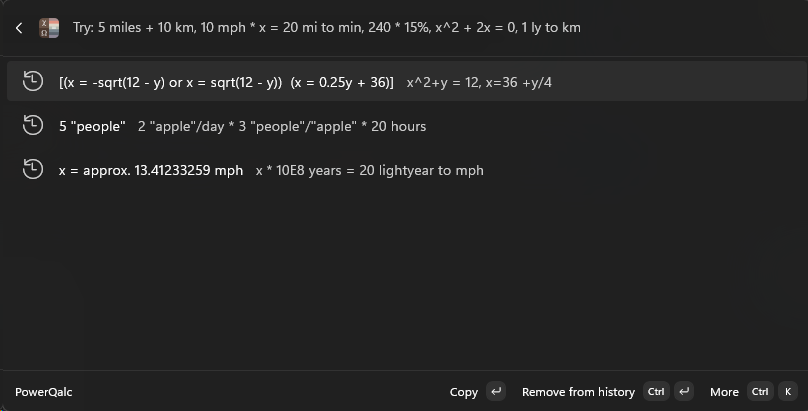
How it works: Open PowerQalc from Command Palette, type an expression, and results update live. Recent calculations appear when the search box is empty. Usage and help is seeded once in history.
Requirements: Windows 10/11 with PowerToys and Command Palette enabled. Includes the Qalculate CLI (qalc) — no separate install needed.