About
What Home Assistant does
Control your Home Assistant instance from Command Palette. The extension exposes per-domain pages for lights, switches, scenes, scripts, climate, cameras, sensors and helpers, plus pages for your calendars, Assist, and any Home Assistant action.
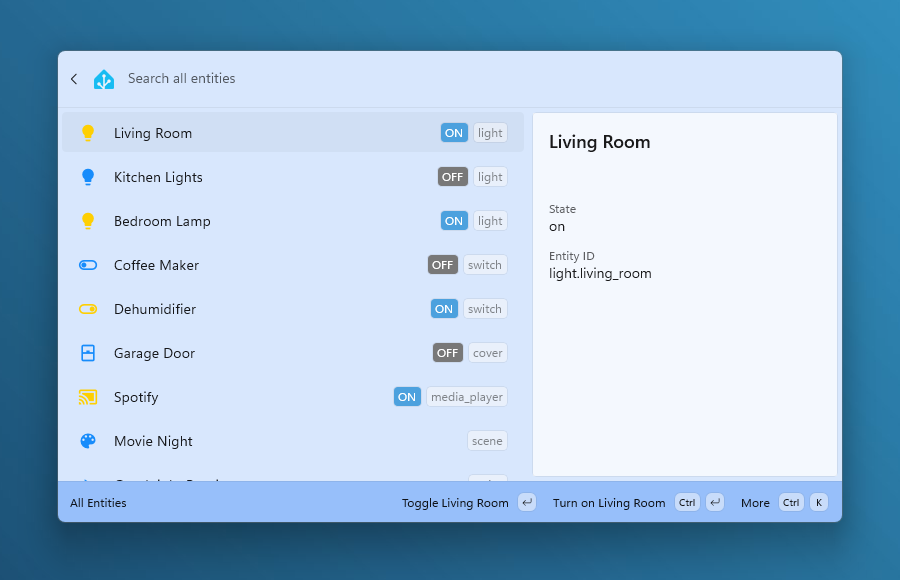
Press Enter on an entity to toggle, turn on, run or press it; entities without a direct service action open in your Home Assistant dashboard. Lights offer brightness and colour presets, covers and fans expose position and speed, and media players get transport controls, all from the context menu.
All Entities covers everything on the instance. It opens on whatever changed most recently, loads more entities as you scroll, and search matches the friendly name, the entity ID, or the area a device sits in.
You provide the URL of your instance and a long-lived access token in settings, plus optional custom HTTP headers for proxies such as Cloudflare Access. Requests go directly from your machine to your Home Assistant. Nothing is sent to the developer or any third party, and there is no telemetry.
Requires Windows 10 2004 or later, Microsoft PowerToys with Command Palette support, and a reachable Home Assistant instance (2024.04 or newer).