
About
What Visual Studio / Code does
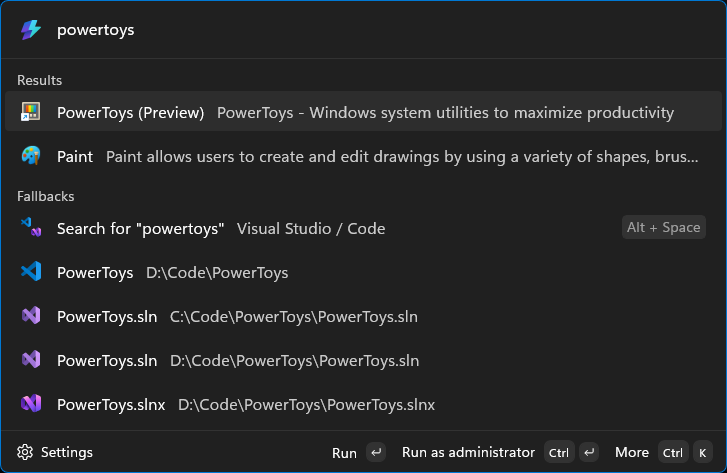
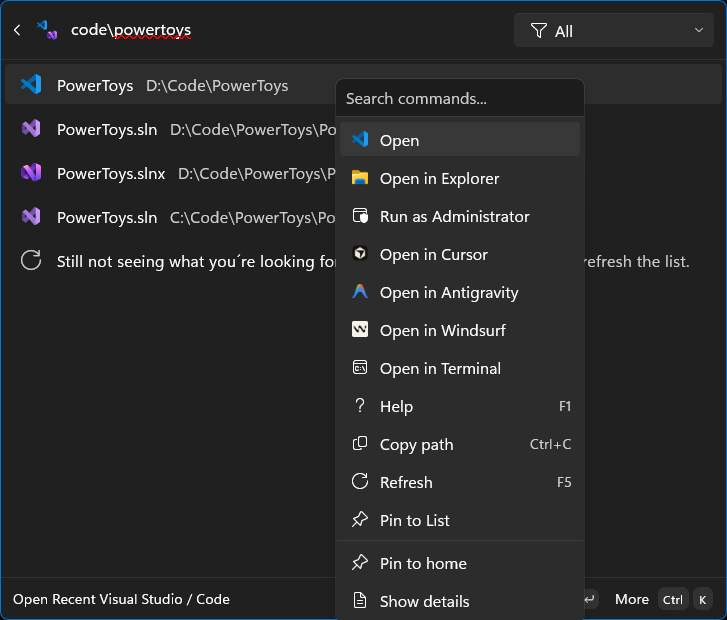
A unified launcher for Visual Studio solutions and Visual Studio Code workspaces (including support for Cursor, Windsurf, and Google Antigravity).
Key Features: - Unified Interface: Access all your projects from one place. - Deep Integration: Supports Local, WSL, SSH, and Dev Container workspaces. - Smart Launching: Automatically switches to existing windows for Visual Studio solutions. - Global Search: Injects top-matching workspaces directly into the Command Palette search. - Advanced Pinning: Keep your favorites accessible with 'Pin to Home' and 'Pin to Dock'. - Performance Optimized: Built with Native AOT for fast startup and low memory usage. - Contextual Actions: Quick access to 'Open as Administrator', 'Open in Terminal', 'Copy Path', and more.