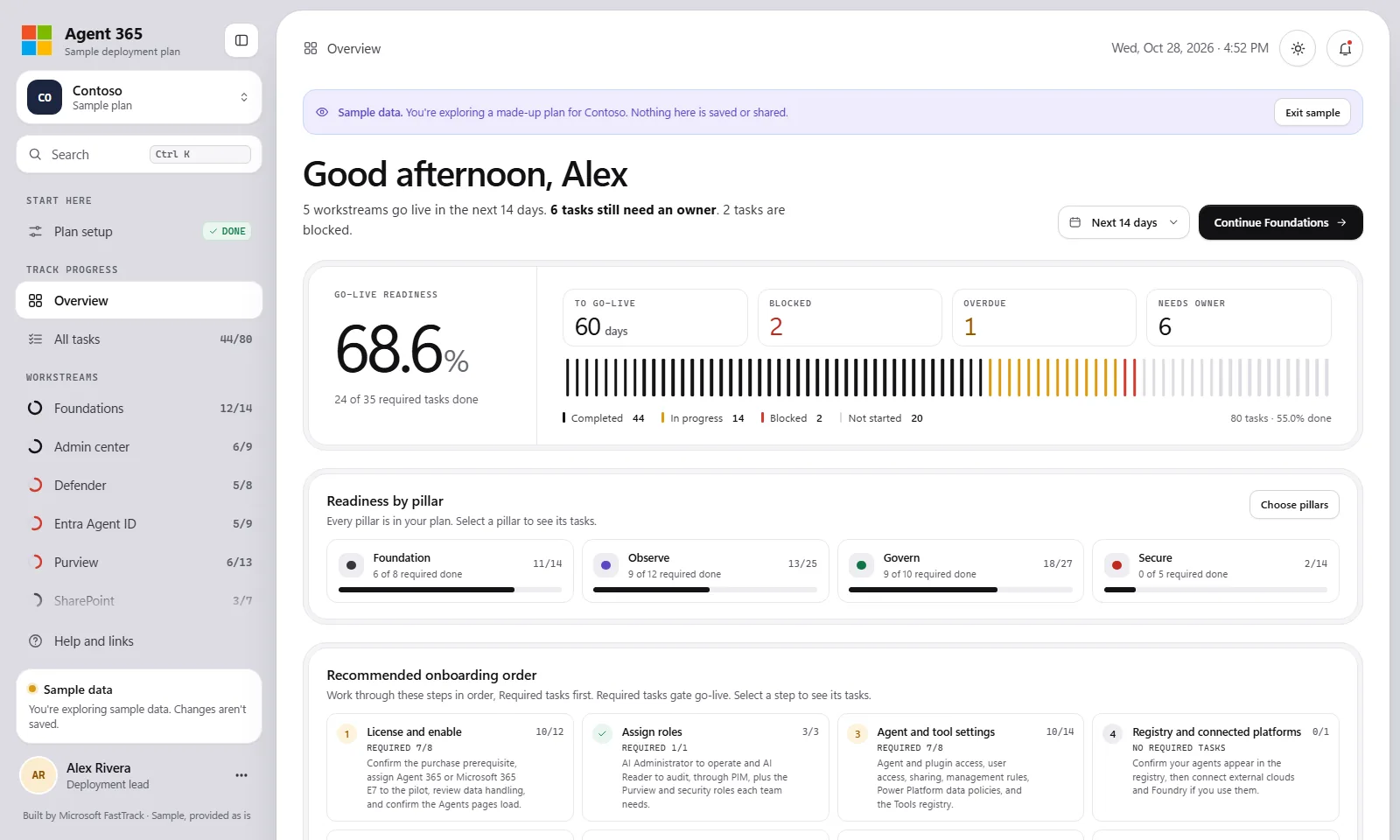
What it is
A self-contained, offline tracker for planning and tracking a Microsoft Agent 365 enablement. It organizes the work into workstreams with role-based tasks, shows a readiness dashboard, and exports to Excel, CSV, or JSON. It opens with a made-up plan for Contoso so you can explore before you start your own.
Why use it
- Scope the plan by agent type, pillar, or feature so each team sees the tasks that apply to it.
- Track every task through to the go-live baseline, with owners, dates, and notes, and watch readiness on the dashboard.
- Share the plan with your steering group as an Excel workbook (a dashboard plus one sheet per workstream), a CSV task list for Planner, DevOps, or Jira, or a printable report.
- Work entirely offline: it is a single file with no server, sign-in, tracking, or network requests.
How to use it
- Open
index.htmlin a modern browser, or use the hosted copy from the catalog. - Explore the sample plan, then start your own: set the customer name, deployment lead, sponsor, and go-live date.
- Scope the plan, then work through the tasks by workstream and role, marking status, owners, dates, and notes as you go.
- Export to Excel, CSV, or a JSON backup, or print or save a report. Your plan autosaves in your browser on that device, so use the JSON backup to move it or share it.
Prerequisites
- Modern web browser
- Appropriate Microsoft 365, Agent 365, security, compliance, identity, and endpoint licenses for the features you plan to enable
- Administrative roles required by the tasks you choose to perform