Deploy a new Finance and Operations ppac environment in your Demo environment
In this lab, you’ll configure a Finance and Operations Demo environment so that you can demonstrate the value of relevant AI agents to customers.
Prerequisites
To run this lab, you’ll need a Finance and Operations Demo environment that is hosted on Business Applications Demo Hub. We provide instructions for accessing the Demo Hub and requesting the environment for reference as Exercise 0.
It’s important that you request the demo prior to this workshop. It can take several hours for the system to provision the environment after you make the request.
Disclaimer
The agents that you’ll configure in this lab are considered production ready previews. The agents do employ most privacy and security measures typically present in generally available online services. You may use such previews to process personal data or other data that is subject to legal or regulatory compliance requirements.
Tools and technologies used in this lab
In this lab, you’ll use a variety of tools and technologies to configure the demo environment, including:
- Azure portal
- Copilot Studio
- Microsoft 365 admin center
- Microsoft Graph Explorer
- Power Apps Maker portal
- Power Automate portal
- Power Platform admin center
- Teams admin center
- Windows PowerShell
You may not be familiar with all these tools. The instructions will provide prescriptive guidance and screenshots to help you perform any required steps.
Architecture
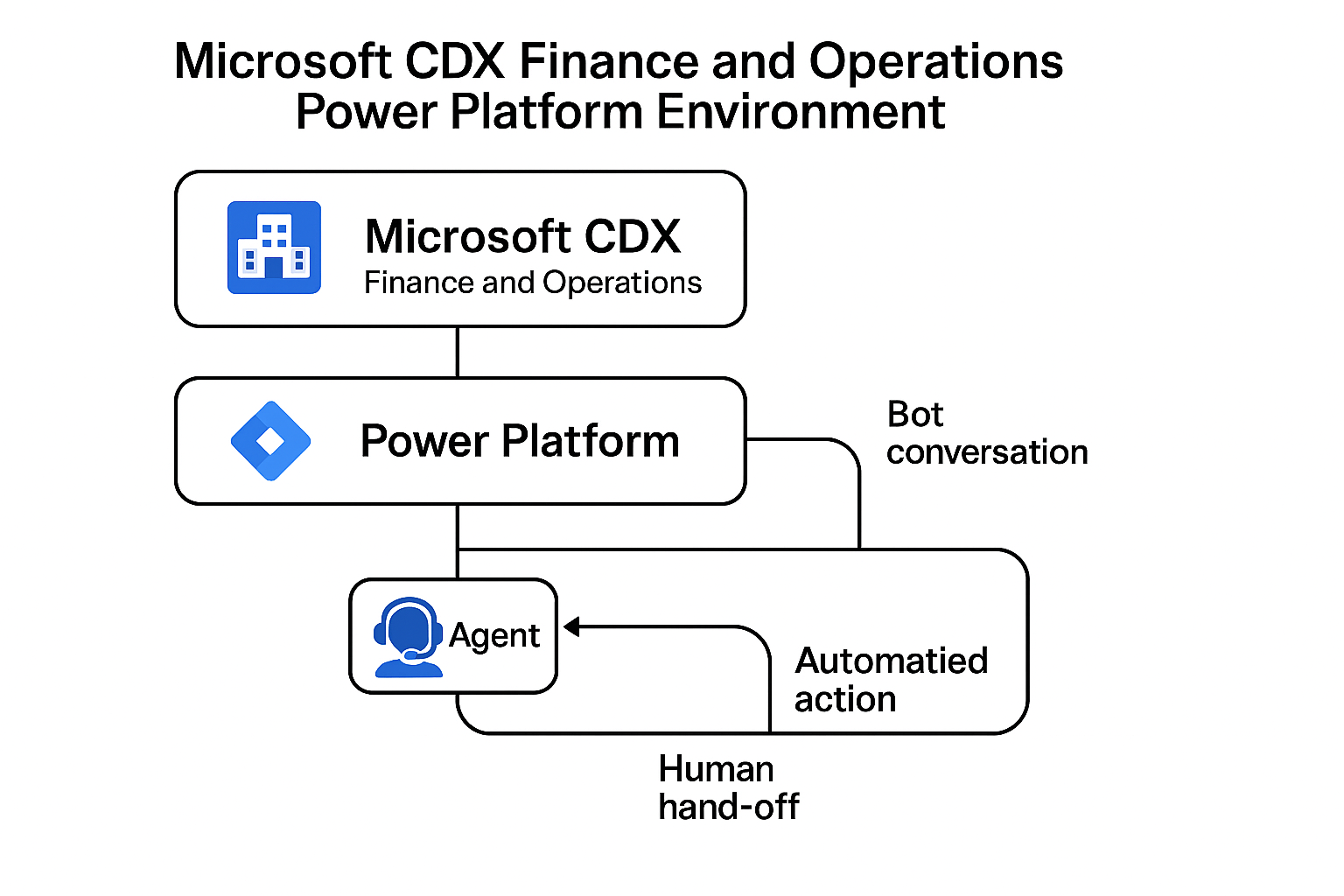
The Finance and Operations Demo environment provisions a number of related technologies. The following diagram shows key components and their relationships.
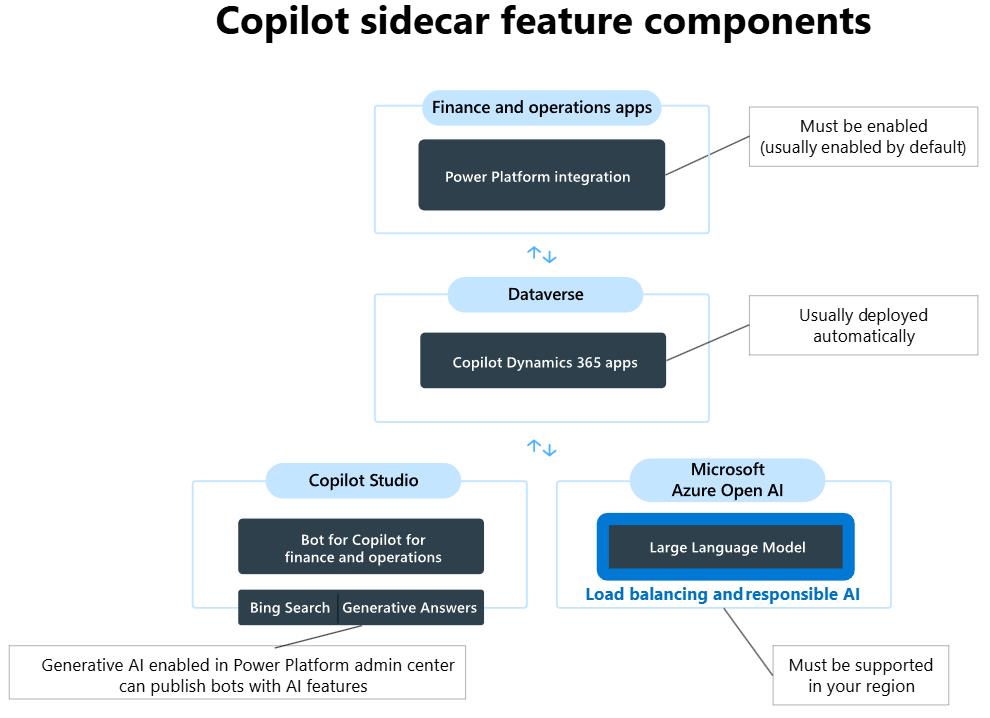
Finance and Operations apps support two fundamental types of Copilot features:
Sidecar features - These features are opened in a pane on the right side of the page. They provide natural-language chat features. Summary and content-generation features - These features are embedded in each application.
Exercises
This lab has the following exercises:
- Request and validate a Finance and Operations Demo environment
- Configure global settings for the demo environment