
Challenge 02 - Build Your MVP
< Previous Challenge - Home - Next Challenge >
Introduction
It’s time to build the first version of WanderAI’s Travel Planner service! In this challenge, you will create a Flask web application that leverages the Microsoft Agent Framework to generate personalized travel itineraries.
Your application will accept user travel preferences through a web form and use an AI agent to create beautiful, customized trip plans. The agent will have access to tools that provide real-time information like weather data and current date/time.
Description
You need to build a Flask web application with the following components:
User Interface:
- A form where users enter their travel preferences (travel date, trip duration, interests, special requests)
Backend:
- Flask web server with appropriate routes
- AI agent that creates travel plans using the Microsoft Agent Framework
- Tool functions for getting data (weather, random destinations, current time)
Output:
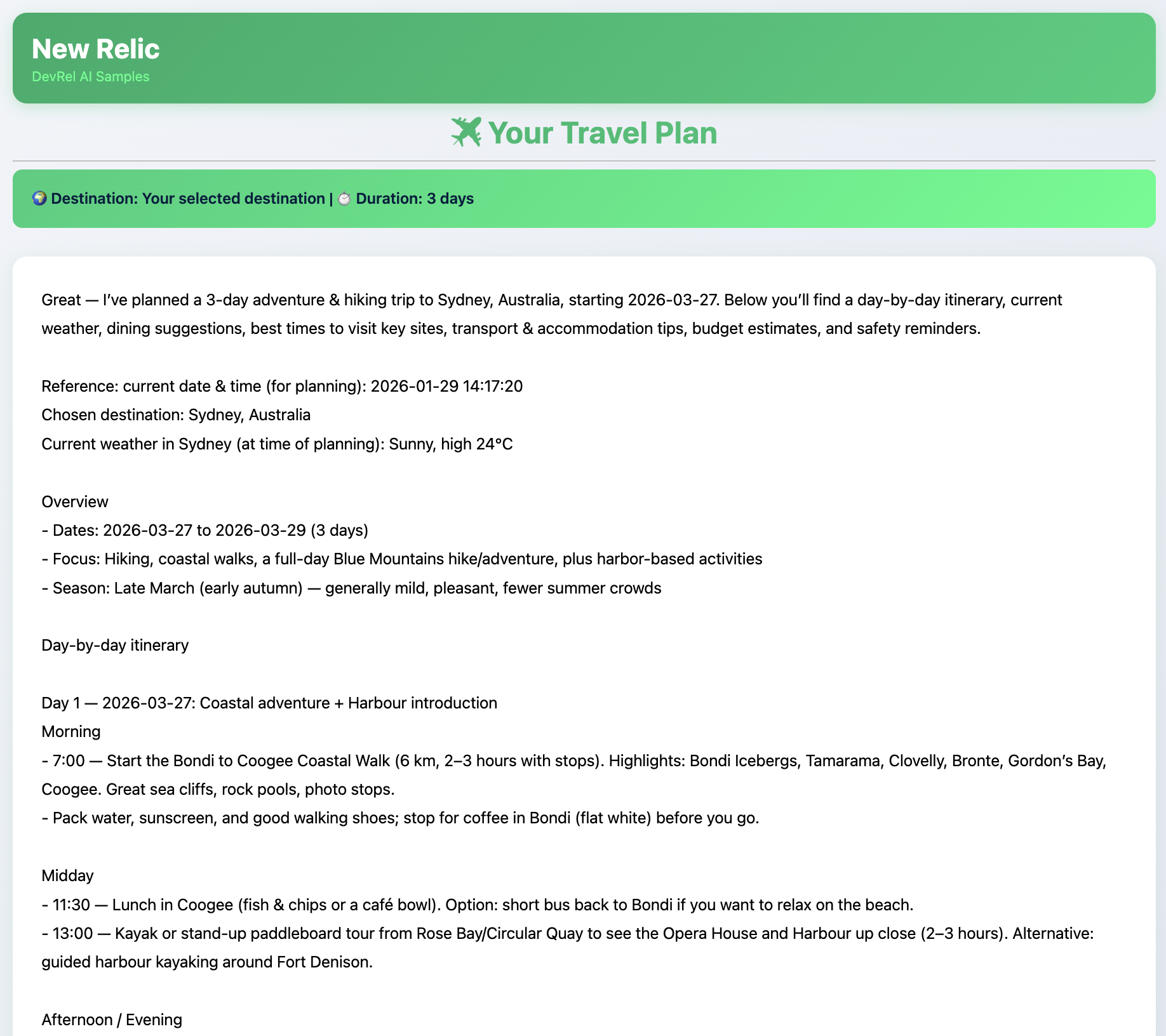
- Formatted HTML page with travel itinerary
- Beautiful presentation of the AI’s recommendations
Components to Build
Your application needs these key pieces:
- Tool Functions - Helper functions the agent can call:
get_random_destination()- Verify or select a destinationget_weather()- Get current weather for a locationget_datetime()- Return current date/time
- Flask App - Web server with routes:
- GET
/- Serve the home page form - POST
/plan- Accept travel preferences, run agent, return results
- GET
- Agent Setup - Create the AI agent:
- Initialize OpenAI client (using Microsoft Foundry)
- Create
ChatAgentwith tools - Set system instructions for travel planning
- Templates - HTML pages:
templates/index.html- The form pagetemplates/result.html- The results pagetemplates/error.html- Error page
Environment Setup
Your application needs the following environment variables configured in a .env file:
MSFT_FOUNDRY_ENDPOINT- Endpoint URL for Microsoft Foundry (e.g. https://your-resource-name.openai.azure.com/openai/v1/)MSFT_FOUNDRY_API_KEY- API key for LLM accessMODEL_ID- Model to use (e.g.,gpt-5-mini)OPENWEATHER_API_KEY(optional) - For real weather data
Starter Code
A starter code file web_app.py with implementation guidance comments is provided in the Resources folder. This file outlines the structure you need to implement but leaves the core logic for you to figure out.
Use your knowledge from Challenge 01 or use a tool like GitHub Copilot to complete the tasks.
The files in your Codespace provide the necessary resources and structure to help you get started. These are not complete implementations but rather scaffolds to guide you in building the application. You will need to fill in the logic for the Flask routes, agent setup, and tool functions based on your understanding of the concepts covered in Challenge 01.
List of existing files in the Codespace:
web_app.py- Starter code for the Flask applicationtemplates/index.html- Starter HTML template for the form pagetemplates/result.html- Starter HTML template for the results pagetemplates/error.html- Starter HTML template for the error pagestatic/styles.css- CSS file for styling the HTML pagesrequirements.txt- Python dependencies for the projectrun.sh- Script to set up environment and run the Flask app
Success Criteria
To complete this challenge successfully, you should be able to:
- Verify that the Flask app runs without errors
- Demonstrate that the web form loads at
http://localhost:5002 - Demonstrate submitting a travel request through the form
- Verify that the AI agent returns a formatted travel plan
- Show that the plan includes information from your tool functions (weather, date/time)
Once you have met these criteria, you will have successfully built the MVP for WanderAI’s Travel Planner service! Leverage the run.sh script to start your application. The first time you run it, it will install dependencies and set up the environment. Initially, no .env file will exist, so the script will create one and terminate. Add your API keys and other required environment variables listed above. Run the script again to start the Flask server.
If everything is set up correctly, you should see output indicating the Flask app is running on http://localhost:5002. Open that URL in your web browser to access the travel planner form.
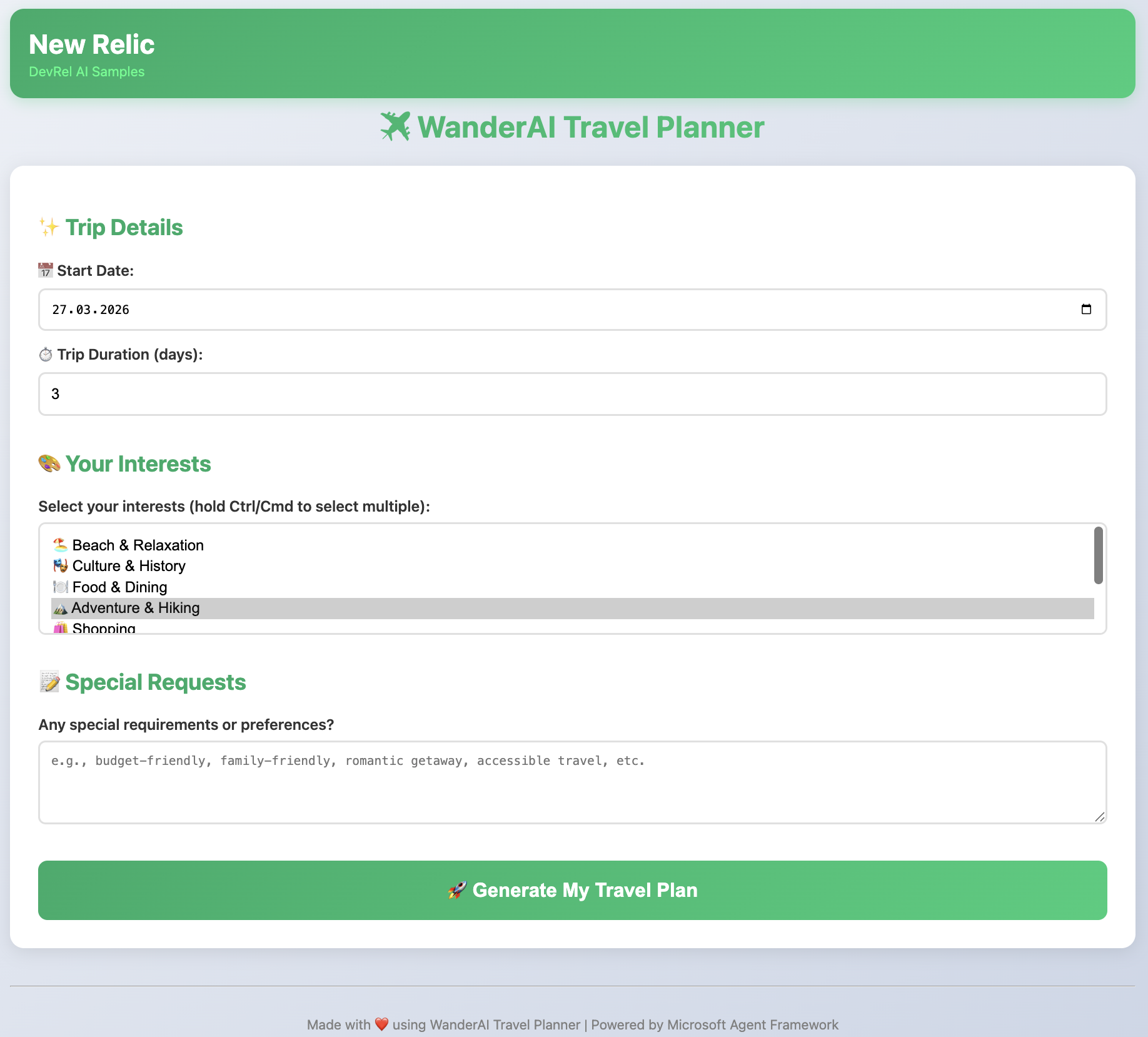
Once you enter your travel preferences and submit the form, the AI agent will process your request and generate a personalized travel itinerary. The results page will display the recommended destinations, activities, accommodations, and other details in a user-friendly format.
Learning Resources
- Microsoft Agent Framework Documentation
- Flask Documentation
- Flask Quickstart
- Python asyncio Documentation
Tips
- Start small - Get the form rendering first, then add the agent logic
- Test tools individually - Make sure each tool works before integrating
- Use the starter code - The implementation guidance comments help you complete each section
- Debug with print() or logging - Log what the agent is thinking
- Use async properly - The
agent.run()method must be awaited in an async context - If you get stuck, ask your coach for hints or refer to the provided hints file
Advanced Challenges (Optional)
- Add an API endpoint (
POST /api/plan) that returns JSON instead of HTML for future mobile app support - Integrate with a real weather API using your
OPENWEATHER_API_KEY - Add input validation to the form fields
- Implement caching for weather data to reduce API calls