ai-agents-for-beginners

(മേൽ കാണുന്ന ചിത്രം ക്ലിക്ക് ചെയ്ത് ഈ പാഠത്തിന്റെ വീഡിയോ കാണുക)
പ്ലാനിംഗ് ഡിസൈൻ
പരിചയം
ഈ പാഠം ഉൾക്കൊള്ളുന്നത്:
- ഒരു വ്യക്തമായ പൊതുലക്ഷ്യം നിർവചിച്ച് സങ്കീർണമുള്ള ഒരു کارروിതിയെ കൈകാര്യം ചെയ്യാവുന്ന ഉപപ്രവൃത്തികളായി വിഭജിക്കുക.
- കൂടുതൽ വിശ്വസനീയവും യന്ത്രം വായിക്കാവുന്നതുമായ പ്രതികരണങ്ങൾക്ക് ഘടനാപരമായ ഔട്ട്പുട്ടിനെ പ്രയോജനപ്പെടുത്തിയുള്ള സമീപനങ്ങൾ ഉപയോഗിക്കുക.
- ഗതിശീലമായ ടാസ്ക്കുകളും അപ്രതീക്ഷിത ഇൻപുട്ടുകളും കൈകാര്യം ചെയ്യാൻ ഇവന്റ്-പ്രേരിത സമീപനം പ്രയോജനപ്പെടുത്തുക.
പഠന ലക്ഷ്യങ്ങൾ
ഈ പാഠം പൂർത്തിയാക്കിയതിനു ശേഷം നിങ്ങൾക്ക് ഇതുകൾ മനസ്സിലാകും:
- ഒരു AI ഏജന്റിനായി പൊതുലക്ഷ്യം തിരിച്ചറിഞ്ഞ് അതു എന്താണ് നേടണം എന്ന് വ്യക്തമായി ഉറപ്പാക്കുക.
- ഒരു സങ്കീർണ ടാസ്ക് കൈകാര്യം ചെയ്യാവുന്നതായ ചെറിയ ഉപടാസ്കുകളായി വിഭജിച്ച് അവ ലോകികമായ ക്രമത്തിൽ സംഘടിപ്പിക്കുക.
- ഏജന്റുകൾക്ക് ആവശ്യമായ ഉപകരണങ്ങൾ (ഉദാ., തിരയൽ ഉപകരണങ്ങൾ അല്ലെങ്കിൽ ഡാറ്റാ അനലിറ്റിക്സ് ടൂളുകൾ) നൽകുകയും അവ എപ്പോൾ എന്തുവിധം ഉപയോഗിക്കണമെന്ന് തീരുമാനിക്കുകയും ഉയർന്നുവരുന്ന അപ്രതീക്ഷിത സാഹചര്യങ്ങളെ കൈകാര്യം ചെയ്യുക.
- ഉപടാസ്കുകളുടെ ഫലങ്ങൾ മൂല്യനിർണ്ണയം ചെയ്ത് പ്രവർത്തനക്ഷമത അളക്കുകയും അന്തിമ ഔട്ട്പുട്ട് മെച്ചപ്പെടുത്താൻ പ്രവർത്തനങ്ങൾ ആവർത്തിക്കുക.
പൊതു ലക്ഷ്യം നിർവചിക്കൽ এবং ഒരു ടാസ്ക് വിഭജിക്കൽ
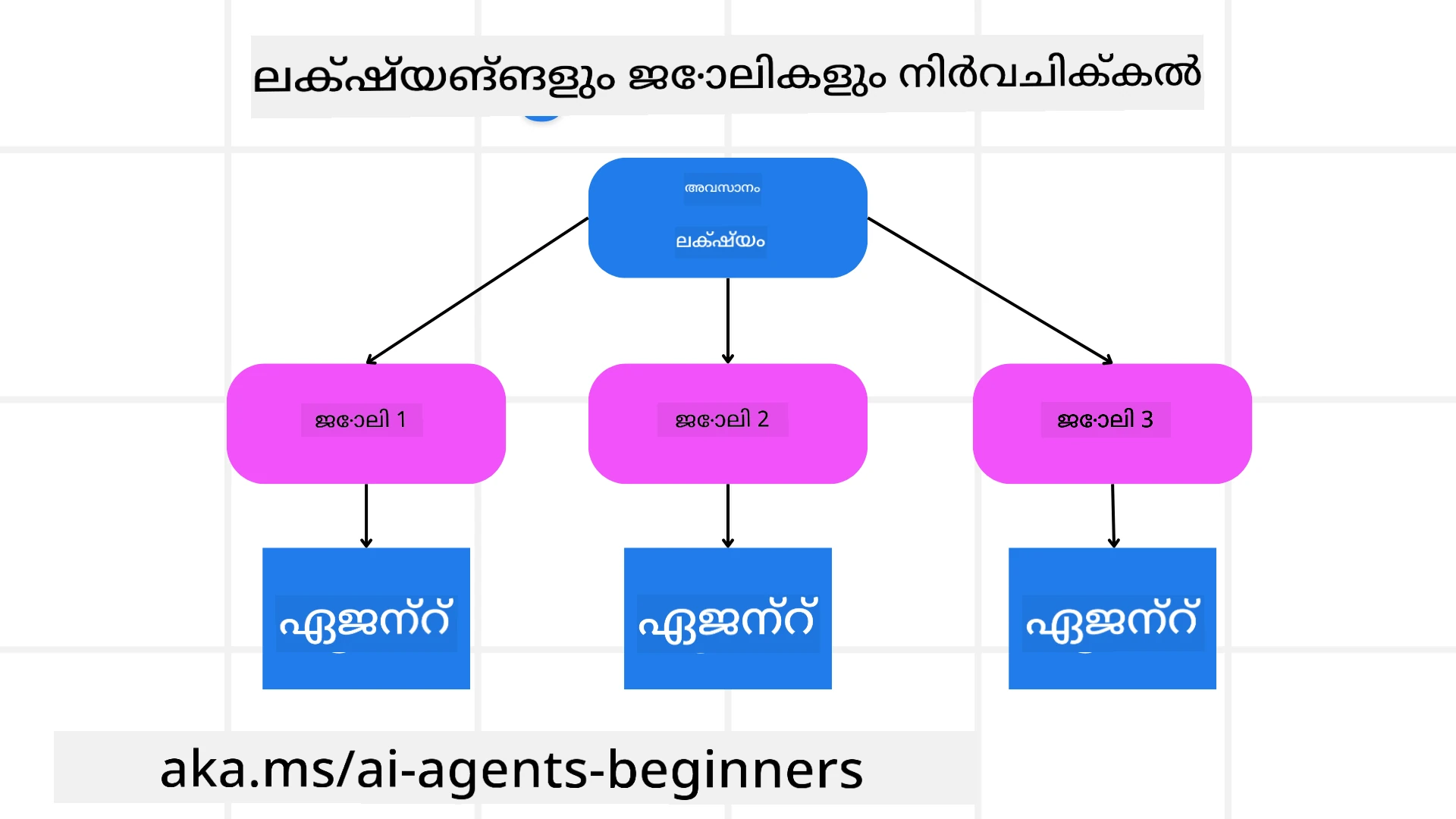
വാസ്തവ ലോകത്തിലെ പല ജോലികളും ഒറ്റ ഘട്ടത്തിൽ കൈകാര്യം ചെയ്യാൻ വളരെ സങ്കീർണമാണ്. ഒരു AI ഏജന്റ് അതിന്റെ പ്ലാനിംഗിനും നടപടികൾക്കുമായി ഒരു സംക്ഷിപ്ത ഉദ്ദേശ്യം വേണമെന്നർത്ഥമാണ്. ഉദാഹരണത്തിന്, താഴെ കാണുന്ന ലക്ഷ്യം പരിഗണിക്കുക:
"3-ദിവസത്തെ യാത്രാ പരിപാടി സൃഷ്ടിക്കുക."
ഈതിൻ്റെ ശൈലി ലളിതമാണ് എങ്കിലും അത് ഫൈനൽ രൂപത്തിന് മെച്ചപ്പെടുത്തേണ്ടതുണ്ട്. ലക്ഷ്യം όσο കൂടുതല് വ്യക്തമായിരിക്കുമോ, ഏജന്റ് (മറ്റു മനുഷ്യ സഹപ്രവർത്തകരും) ശരിയായ ഫലം ലക്ഷ്യമിട്ട് കൂടുതൽ ഫോകസ് ചെയ്യാൻ സാധിക്കും — ഉദാഹരണത്തിന്, വിമാന ഓപ്ഷനുകൾ, ഹോട്ടൽ ശുപാർശകൾ, പ്രവർത്തന നിർദേശങ്ങൾ എന്നിവ ഉൾക്കൊള്ളുന്ന സമഗ്രമായ യാത്രാപദ്ധതി സൃഷ്ടിക്കുക.
ടാസ്ക് വിഭജനം
വലുതോ സങ്കീർണമായോ ഉള്ള ടാസ്കുകൾ ചെറിയ, ലക്ഷ്യ-കേന്ദ്രീകൃത ഉപടാസ്കുകളായി വിഭജിക്കുമ്പോൾ കൂടുതൽ കൈകാര്യം ചെയ്യാവുന്നതായിരിക്കും. യാത്രാ പരിപാടിയുടെ ഉദാഹരണത്തിന്, നിങ്ങൾ ലക്ഷ്യം ഇങ്ങനെ വിഭജിക്കാം:
- ഫ്ലൈറ്റ് ബുക്കിംഗ്
- ഹോട്ടൽ ബുക്കിംഗ്
- കാർ വാടക
- വ്യക്തിഗതമാക്കൽ
ഓരോ ഉപടാസ്ക്കും പ്രത്യേകം ഏജന്റുകൾ അല്ലെങ്കിൽ പ്രക്രിയകൾ കൈകാര്യം ചെയ്യാം. ഒരു ഏജന്റ് മികച്ച വിമാന ഡീലുകൾ അന്വേഷിക്കാൻ പ്രത്യേകത കൈകൊള്ളാമെന്നപോലെ മറ്റൊരാൾ ഹോട്ടൽ ബുക്കിംഗിൽ ശ്രദ്ധ ചെലുത്തും. ഒരു ഏകോപിപ്പിക്കുന്ന അല്ലെങ്കിൽ “ഡൗൺസ്ട്രീം” ഏജന്റ് പിന്നീട് ഈ ഫലങ്ങൾ ഒരേ ഏകാഭിനിവേശമായ യാത്രാപദ്ധതിയാക്കി ഉപയോക്താവിന് സമർപ്പിക്കാം.
ഈ മോഡ്യൂളർ സമീപനം ക്രമാതീത മെച്ചപ്പെടുത്തലുകൾക്കും അനുമതിയേടുന്നു. ഉദാഹരണത്തിന്, ഭക്ഷണ ശുപാർശകൾക്കോ പ്രാദേശിക പ്രവർത്തന നിർദേശങ്ങൾക്കോ പ്രത്യേക ഏജന്റുകൾ ചേർക്കുകയും സമയം തോറും യാത്രാപദ്ധതി മെച്ചപ്പെടുത്തുകയും ചെയ്യാം.
ഘടനാപരമായ ഔട്ട്പുട്ട്
Large Language Models (LLMs) ഘടനാപരമായ ഔട്ട്പുട്ട് (ഉദാ., JSON) സൃഷ്ടിക്കാൻ കഴിയും, ഇതു ഡൗൺസ്ട്രീം ഏജന്റുകൾക്കോ സേവനങ്ങൾക്കോ parse ചെയ്യാനും_PROCESS ചെയ്യാനും എളുപ്പമാക്കുന്നു. ഇത് പ്രത്യേകിച്ച് മൾട്ടി-ഏജന്റ് പ്രസ്ഥാനത്തിൽ ഉപകാരപ്രദമാണ്, ഇവിടെ പ്ലാനിംഗ് ഔട്ട്പുട്ട് ലഭിച്ചതിന് ശേഷം നാം ഈ ടാസ്കുകൾ പ്രവർത്തിപ്പിക്കാം.
താഴെയുള്ള Python സ്നിപ്പെറ്റ് ഒരു ലളിതമായ പ്ലാനിംഗ് ഏജന്റ് ഒരു ലക്ഷ്യം ഉപടാസ്കുകളാക്കി വിഭജിക്കുകയും ഘടനാപരമായ പദ്ധതി സൃഷ്ടിക്കുകയും ചെയ്യുന്നത് കാണിക്കുന്നു:
from pydantic import BaseModel
from enum import Enum
from typing import List, Optional, Union
import json
import os
from typing import Optional
from pprint import pprint
from agent_framework.azure import AzureAIProjectAgentProvider
from azure.identity import AzureCliCredential
class AgentEnum(str, Enum):
FlightBooking = "flight_booking"
HotelBooking = "hotel_booking"
CarRental = "car_rental"
ActivitiesBooking = "activities_booking"
DestinationInfo = "destination_info"
DefaultAgent = "default_agent"
GroupChatManager = "group_chat_manager"
# യാത്ര ഉപടാസ്ക് മോഡൽ
class TravelSubTask(BaseModel):
task_details: str
assigned_agent: AgentEnum # നാം ടാസ്ക് ഏജന്റിന് നിയോഗിക്കാൻ ആഗ്രഹിക്കുന്നു
class TravelPlan(BaseModel):
main_task: str
subtasks: List[TravelSubTask]
is_greeting: bool
provider = AzureAIProjectAgentProvider(credential=AzureCliCredential())
# ഉപയോക്താവിന്റെ സന്ദേശം നിർവചിക്കുക
system_prompt = """You are a planner agent.
Your job is to decide which agents to run based on the user's request.
Provide your response in JSON format with the following structure:
{'main_task': 'Plan a family trip from Singapore to Melbourne.',
'subtasks': [{'assigned_agent': 'flight_booking',
'task_details': 'Book round-trip flights from Singapore to '
'Melbourne.'}
Below are the available agents specialised in different tasks:
- FlightBooking: For booking flights and providing flight information
- HotelBooking: For booking hotels and providing hotel information
- CarRental: For booking cars and providing car rental information
- ActivitiesBooking: For booking activities and providing activity information
- DestinationInfo: For providing information about destinations
- DefaultAgent: For handling general requests"""
user_message = "Create a travel plan for a family of 2 kids from Singapore to Melbourne"
response = client.create_response(input=user_message, instructions=system_prompt)
response_content = response.output_text
pprint(json.loads(response_content))
മൾട്ടി-ഏജന്റ് ഓർക്കസ്ട്രേഷൻയോടെ പ്ലാനിംഗ് ഏജന്റ്
ഈ ഉദാഹരണത്തിൽ, ഒരു സെമാന്റിക് റൂട്ടർ ഏജന്റ് ഒരു ഉപയോക്തൃ അഭ്യർഥന (ഉദാ., “എനിക്ക് എന്റെ യാത്രയ്ക്കുള്ള ഹോട്ടൽ പ്ലാൻ വേണം.”) സ്വീകരിക്കുന്നു.
പ്ലാനർ പിന്നീട്:
- ഹോട്ടൽ പ്ലാൻ സ്വീകരിക്കുന്നു: പ്ലാനർ ഉപയോക്താവിന്റെ സന്ദേശം സ്വീകരിക്കുകയും, ഉപയോഗയോഗ്യമായ ഏജന്റുകളുടെ വിശദാംശങ്ങൾ ഉൾപ്പെടെയുള്ള സിസ്റ്റം പ്രോംപ്റ്റിന്റെ അടിസ്ഥാനത്തിൽ ഘടനാപരമായ ferð പ്ലാൻ ഉത്പാദിപ്പിക്കുകയും ചെയ്യുന്നു.
- ഏജന്റുകളും അവരുടെ ടൂളുകളും പട്ടികപ്പെടുത്തുന്നു: ഏജന്റ് രജിസ്ട്രിയിൽ (ഫ്ലൈറ്റ്, ഹോട്ടൽ, കാർ വാടക, പ്രവർത്തനങ്ങൾ എന്നിവയ്ക്ക്) ലഭ്യമായ ഫംഗ്ഷനുകൾ അല്ലെങ്കിൽ ഉപകരണങ്ങൾ ഉൾപ്പെടെയുള്ള ഏജന്റുകളുടെ പട്ടിക കൂടുതലായി സൂക്ഷിക്കുന്നു.
- പദ്ധതി അനുയോജ്യമായ ഏജന്റുകൾക്ക് റൂട്ടുചെയ്യുന്നു: ഉപടാസ്കുകളുടെ എണ്ണത്തിന്റെ അടിസ്ഥാനത്തിൽ, പ്ലാനർ തൽസമയം ഒരു സമർപ്പിത ഏജന്റിന് സന്ദേശം നേരിട്ട് അയയ്ക്കാം (ഒറ്റ-ടാസ്ക് സാഹചര്യം) അല്ലെങ്കിൽ മൾട്ടി-ഏജന്റ് സഹകരണത്തിനായി ഒരു ഗ്രൂപ്പ് ചാറ്റ് മാനേജറിലൂടെ കോഓർഡിനേറ്റ് ചെയ്യാം.
- ഫലം സംഗ്രഹിക്കുന്നു: ഒടുവിൽ, പ്ലാനർ സൃഷ്ടിച്ച പദ്ധതി സാധുതയ്ക്കായി സംഗ്രഹിക്കുന്നു. തერლPython കോഡ് സാമ്പിൾ ഈ ഘട്ടങ്ങൾ വിശദീകരിക്കുന്നു:
from pydantic import BaseModel
from enum import Enum
from typing import List, Optional, Union
class AgentEnum(str, Enum):
FlightBooking = "flight_booking"
HotelBooking = "hotel_booking"
CarRental = "car_rental"
ActivitiesBooking = "activities_booking"
DestinationInfo = "destination_info"
DefaultAgent = "default_agent"
GroupChatManager = "group_chat_manager"
# യാത്ര ഉപടാസ്ക് മോഡൽ
class TravelSubTask(BaseModel):
task_details: str
assigned_agent: AgentEnum # നാം ടാസ്ക് ഏജന്റിന് നിയോഗിക്കാൻ ആഗ്രഹിക്കുന്നു
class TravelPlan(BaseModel):
main_task: str
subtasks: List[TravelSubTask]
is_greeting: bool
import json
import os
from typing import Optional
from agent_framework.azure import AzureAIProjectAgentProvider
from azure.identity import AzureCliCredential
# ക്ലയന്റ് സൃഷ്ടിക്കുക
provider = AzureAIProjectAgentProvider(credential=AzureCliCredential())
from pprint import pprint
# ഉപയോക്താവിന്റെ സന്ദേശം നിർവചിക്കുക
system_prompt = """You are a planner agent.
Your job is to decide which agents to run based on the user's request.
Below are the available agents specialized in different tasks:
- FlightBooking: For booking flights and providing flight information
- HotelBooking: For booking hotels and providing hotel information
- CarRental: For booking cars and providing car rental information
- ActivitiesBooking: For booking activities and providing activity information
- DestinationInfo: For providing information about destinations
- DefaultAgent: For handling general requests"""
user_message = "Create a travel plan for a family of 2 kids from Singapore to Melbourne"
response = client.create_response(input=user_message, instructions=system_prompt)
response_content = response.output_text
# JSON ആയി ലോഡ് ചെയ്തശേഷം പ്രതികരണത്തിന്റെ ഉള്ളടക്കം പ്രിന്റ് ചെയ്യുക
pprint(json.loads(response_content))
What follows is the output from the previous code and you can then use this structured output to route to assigned_agent and summarize the travel plan to the end user.
{
    "is_greeting": "False",
    "main_task": "Plan a family trip from Singapore to Melbourne.",
    "subtasks": [
        {
            "assigned_agent": "flight_booking",
            "task_details": "Book round-trip flights from Singapore to Melbourne."
        },
        {
            "assigned_agent": "hotel_booking",
            "task_details": "Find family-friendly hotels in Melbourne."
        },
        {
            "assigned_agent": "car_rental",
            "task_details": "Arrange a car rental suitable for a family of four in Melbourne."
        },
        {
            "assigned_agent": "activities_booking",
            "task_details": "List family-friendly activities in Melbourne."
        },
        {
            "assigned_agent": "destination_info",
            "task_details": "Provide information about Melbourne as a travel destination."
        }
    ]
}
An example notebook with the previous code sample is available ഇവിടെ.
ആവർത്തനപരമായ പ്ലാനിംഗ്
കുറച്ചു ടാസ്കുകൾക്ക് ഒരു ബാക്ക്-ആന്റ്-ഫോർത്ത് അല്ലെങ്കിൽ പുനർ-യോഗ്യമായ പ്ലാനിംഗ് ആവശ്യമായേക്കാം, ഒത്ത് പൊതു ഉപടാസ്കിന്റെ ഫലം അടുത്ത ടാസ്കിനെ ബാധിക്കുമ്പോൾ. ഉദാഹരണത്തിന്, ഏജന്റ് വിമാനങ്ങൾ ബുക്ക് ചെയ്യുമ്പോൾ അനിയന്വേഷിച്ച ഡാറ്റാ ഫോർമാറ്റ് കണ്ടെത്തിയാൽ, അത് ഹോട്ടൽ ബുക്കിംഗിലേക്ക് മാറുന്നതിന് മുമ്പായി തന്ത്രം ക്രമീകരിക്കാൻ ആവാം.
കൂടാതെ, ഉപയോക്താവിന്റെ അഭിപ്രായം (ഉദാ., മനുഷ്യൻ ഒരു വർക്കിൽ മുമ്പത്തെ ഫ്ലൈറ്റ് ഇഷ്ടപ്പെടുന്നു എന്ന് തീരുമാനിക്കുന്നത്) ഭാഗികമായ പുനർ-പ്ലാനിനെ പ്രേരിപ്പിക്കാം. ഈ ഗതിശൈലിചിന്തനപരമായ, ആവർത്തനപരമായ സമീപനം അന്തിമ പരിഹാരം യഥാർത്ഥ ലോകത്തിന്റെ നിയന്ത്രണങ്ങൾക്കും മാറ്റത്തിന്റെ സാധ്യതകൾക്കുമായി പൊരുത്തപ്പെടാൻ ഉറപ്പു നൽകുന്നു.
ഉദാ., സാമ്പിൾ കോഡ്
from agent_framework.azure import AzureAIProjectAgentProvider
from azure.identity import AzureCliCredential
#.. മുൻ കോഡിനെ പോലെ തന്നെ, ഉപയോക്താവിന്റെ ചരിത്രവും നിലവിലെ പദ്ധതിയും മുന്നോട്ട് കൈമാറുക

system_prompt = """You are a planner agent to optimize the
    Your job is to decide which agents to run based on the user's request.
    Below are the available agents specialized in different tasks:
    - FlightBooking: For booking flights and providing flight information
    - HotelBooking: For booking hotels and providing hotel information
    - CarRental: For booking cars and providing car rental information
    - ActivitiesBooking: For booking activities and providing activity information
    - DestinationInfo: For providing information about destinations
    - DefaultAgent: For handling general requests"""

user_message = "Create a travel plan for a family of 2 kids from Singapore to Melbourne"

response = client.create_response(
    input=user_message,
    instructions=system_prompt,
    context=f"Previous travel plan - {TravelPlan}",
)
# .. പുനഃരൂപീകരിച്ച് ടാസ്കുകൾ ബന്ധപ്പെട്ട ഏജന്റുകൾക്ക് അയയ്ക്കുക
For more comprehensive planning do checkout Magnetic One ബ്ലോഗ് പോസ്റ്റ് for solving complex tasks.
സംഗ്രഹം
ഈ ലേഖനത്തിൽ നാം എങ്ങനെ ലഭ്യമായ ഏജന്റുകൾക്ക് ഡൈനാമിക്കായി തിരഞ്ഞെടുക്കാൻ കഴിയുന്ന ഒരു പ്ലാനർ സൃഷ്ടിക്കാമെന്ന ഉദാഹരണം കണ്ടു. പ്ലാനറിന്റെ ഔട്ട്പുട്ട് ടാസ്കുകൾ വിഭജിക്കുകയും അവ നിർവ്വചിച്ച ഏജന്റുകൾക്ക് അപരാഹ്യമായി നിർവഹിക്കപ്പെടാനുള്ള വിധത്തിൽ ഏവപ്പെടുത്തുകയും ചെയ്യുന്നു. ഈ ഏജന്റുകൾക്ക് ടാസ്ക് നിർവഹിക്കാൻ ആവശ്യമുള്ള ഫംഗ്ഷനുകൾ/ടൂളുകൾ ആക്സസ് ചെയ്യാൻ കഴിയുമെന്ന് ഭാവിപ്പിക്കുന്നു. ഏജന്റുകൾക്ക് പുറമേ പ്രതിബിംബനം, സംഗ്രാഹകൻ, റൗണ്ട് റോബിൻ ചാറ്റ് പോലുള്ള മറ്റ് മാതൃകകളും ഉൾപ്പെടുത്താവുന്നതാണ് കൂടുതൽ ആനുകൂല്യങ്ങൾക്കായി.
അധിക വിഭവങ്ങൾ
Magentic One - A Generalist multi-agent system for solving complex tasks and has achieved impressive results on multiple challenging agentic benchmarks. Reference: Magentic One. ഈ നടപ്പാക്കലിൽ ഓർക്കസ്ട്രേറ്റർ ടാസ്ക്-നിർദ്ദിഷ്ട പദ്ധതികൾ സൃഷ്ടിച്ച് ലഭ്യമായ ഏജന്റുകൾക്ക് ഈ ടാസ്കുകൾ നിയോഗിക്കുന്നു. പ്ലാനിംഗിന് പുറമേ ഓർക്കസ്ട്രേറ്റർ ടാസ്കിന്റെ പുരോഗതിയെ നിരീക്ഷിക്കാൻ ഒരു ട്രാക്കിംഗ് മെക്കാനിസം ഉപയോഗിക്കുകയും ആവശ്യത്തിന് പുനർ-പ്ലാൻ ചെയ്യുകയും ചെയ്യുന്നു.
പ്ലാനിംഗ് ഡിസൈൻ പാറ്റേൺ സംബന്ധിച്ച് കൂടുതല് ചോദ്യങ്ങളുണ്ടോ?
Join the Microsoft Foundry Discord to meet with other learners, attend office hours and get your AI Agents questions answered.
മുൻപത്തെ പാഠം
വിശ്വസനീയമായ AI ഏജന്റുകൾ നിർമാണം
അടുത്ത പാഠം
അസ്വീകരണം: ഈ രേഖ AI വിവർത്തന സേവനം Co-op Translator (https://github.com/Azure/co-op-translator) ഉപയോഗിച്ച് വിവർത്തനം ചെയ്തതാണ്. ഞങ്ങൾ കൃത്യതയ്ക്കായി ശ്രമിച്ചുവെങ്കിലും, യാന്ത്രിക വിവർത്തനങ്ങളില് പിഴവുകൾ അല്ലെങ്കിൽ തെറ്റായ വിവരങ്ങള് ഉണ്ടായിരിക്കാമെന്ന് ദയവായി ശ്രദ്ധിക്കുക. അതിന്റേതായ ഭാഷയിലെ മൂല രേഖയെ അധികാരപരമായ സ്രോതസ്സായി പരിഗണിക്കണം. നിർണായക വിവരങ്ങൾക്ക് അനുഭവസമ്പന്നനായ മനുഷ്യ വിവർത്തനത്തെ ശുപാർശ ചെയ്യുന്നു. ഈ വിവർത്തനത്തിന്റെ ഉപയോഗത്തിൽ നിന്നുണ്ടാകുന്ന ഏതെങ്കിലും തെറ്റിദ്ധാരണകൾക്കും തെറ്റായ വ്യാഖ്യാനങ്ങൾക്കും ഞങ്ങൾ ഉത്തരവാദികളല്ല.