ai-agents-for-beginners

(ഈ പാഠത്തിന്റെ വിഡിയോ കാണാൻ മുകളിൽ നൽകിയ ചിത്രം ക്ലിക്ക് ചെയ്യുക)
പദ്ധതിയിടൽ രൂപകൽപ്പന
പരിചയം
ഈ പാഠം ഉൾക്കൊള്ളുന്നതാണ്
- ഒരു വ്യക്തമായ സംഖ്യാപരമായ ലക്ഷ്യത്തെ നിർവചിച്ച്, ഒരു ജടിലമായ കാര്യത്തെ നിയന്ത്രിക്കാവുന്ന ചെറിയ കാര്യങ്ങളായി വിഭജിക്കൽ.
- കൂടുതൽ വിശ്വസനീയവും യന്ത്രം വായിക്കാവുന്നതുമായ പ്രതികരണങ്ങൾക്ക് സംരചിതമായ ഔട്ട്പുട്ട് ഉപയോഗിക്കൽ.
- നാടകീയമായ കാര്യങ്ങൾക്കും അതിശയകരമായ ഇൻപുട്ടുകൾക്കും കൈകാര്യം ചെയ്യാൻ ഒരു ഇവന്റ്-ഡ്രിവൻ സമീപനം പ്രയോഗിക്കൽ.
പഠന ലക്ഷ്യങ്ങൾ
ഈ പാഠം പൂർത്തിയാക്കിയ ശേഷം, നിങ്ങൾക്ക് ഉണ്ടായിരിക്കും:
- ഒരു AI ഏജന്റിനുള്ള് ഒരു ആകെ ലക്ഷ്യം തിരിച്ചറിയുകയും ക്രമീകരിക്കുകയും ചെയ്യുക, ഉറപ്പാക്കുക അത് എന്ത് സാദ്ധ്യമാക്കണം എന്ന് വ്യക്തമാക്കുക.
- ഒരു ജടില കാര്യത്തെ നിയന്ത്രിക്കാവുന്ന ചെറിയ ഉപകാര്യങ്ങളായി വിഭജിച്ച് അവയെ ഒരു തനിക്ക് അനുയോജ്യമായ മുറിവ് ക്രമത്തിലാക്കി ക്രമീകരിക്കുക.
- ഏജന്റുകൾ ഉചിതമായ ഉപകരണങ്ങളോടുകൂടി സജ്ജമാക്കി (ഉദാ: തിരച്ചിൽ ഉപകരണങ്ങൾ അല്ലെങ്കിൽ ഡാറ്റ അനാലിറ്റിക്സ് ഉപകരണങ്ങൾ), അവ എപ്പോൾ എങ്ങനെ ഉപയോഗിക്കും എന്ന് തീരുമാനം എടുക്കുക, കൂടാതെ അനീപ്ത അവസ്ഥകൾ കൈകാര്യം ചെയ്യുക.
- ഉപാര്യ ഫലം വിലയിരുത്തുക, പ്രകടനം അളക്കുക, അപേക്ഷകൾ രണ്ടാനായി മെച്ചപ്പെടുത്താൻ చర్యകൾ ആവർത്തിക്കുക.
ആകെ ലക്ഷ്യം നിർവചിക്കുകയും ഒരു കാര്യം വിഭജിക്കുകയും ചെയ്യുക
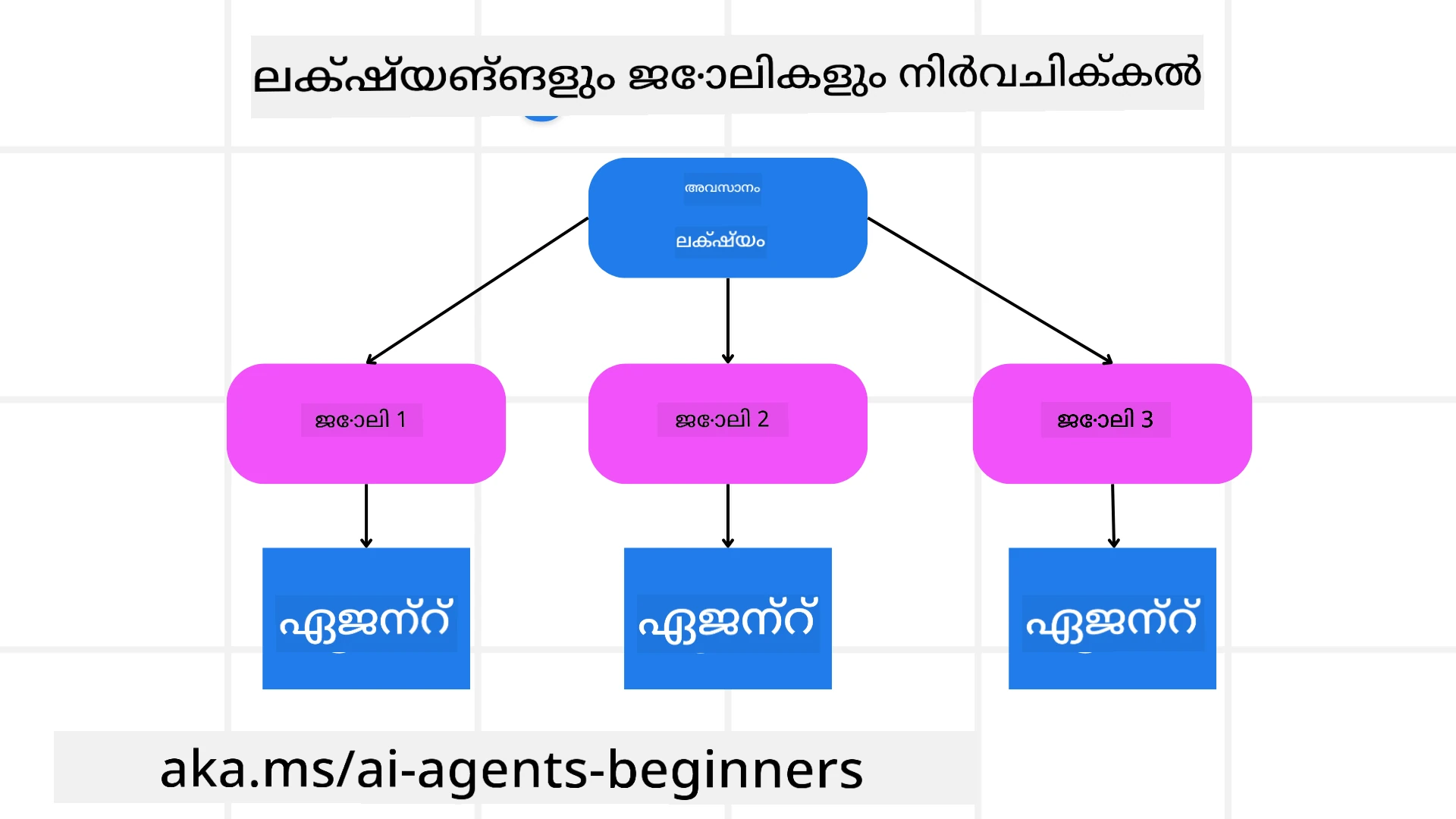
ഉള്ളിലുള്ള ജടിലമായ കാര്യങ്ങൾ ഒരിക്കൽ നടപടിയോടെ കൈകാര്യം ചെയ്യാനാകാത്തവയാണ്. ഒരു AI ഏജന്റിന് പദ്ധതിയിടലിനും പ്രവർത്തനങ്ങൾക്ക് ഒരു സംക്ഷിപ്ത ലക്ഷ്യം ആവശ്യമാണ്. ഉദാഹരണത്തിന്, ലക്ഷ്യമായി പരിഗണിക്കുക:
"3-ദിവസ аялിക്കാനുള്ള യാത്രാ പദ്ധതി ഉണ്ടാക്കുക."
ഇത് ഒരു ലളിതമായ വിശദീകരണമാണെങ്കിലും, ഇതിന് മെച്ചപ്പെടുത്തലുകൾ ആവശ്യമുണ്ട്. ലക്ഷ്യം যত കൂടുതൽ വ്യക്തമായും, ഏജന്റ് (മനുഷ്യ സഹകരണക്കാരും ഉൾപ്പെടെ) ശരിയായ ഫലം നേടാൻ കൂടുതൽ ശ്രദ്ധ കേന്ദ്രീകരിച്ചേക്കാം, ഉദാഹരണത്തിന്, വിമാന ഓപ്ഷനുകൾ, ഹോട്ടൽ നിർദ്ദേശങ്ങൾ, പ്രവർത്തന നിർദ്ദേശങ്ങൾ ഉൾക്കൊള്ളുന്ന സമഗ്രമായ യാത്രാസൂചിക ഉണ്ടാക്കുക.
കാര്യ വിഭജനം
വലിയ അല്ലെങ്കിൽ സങ്കീർണ്ണമായ കാര്യങ്ങൾ ചെറിയ, ലക്ഷ്യാനുഭവമുള്ള ഉപകാര്യങ്ങളായി വിഭജിക്കുമ്പോൾ കൂടുതൽ കൈകാര്യം ചെയ്യാനാകും. യാത്രാ പദ്ധതിയുടെ ഉദാഹരണത്തിൽ, നിങ്ങൾ ലക്ഷ്യം വിഭജിക്കാവുന്നതെ:
- വിമാന ബുക്കിംഗ്
- ഹോട്ടൽ ബുക്കിംഗ്
- കാർ വാടക
- വ്യക്തിഗതമാക്കൽ
ഓരോ ഉപകാര്യവും സമർപ്പിത ഏജന്റുകൾക്കോ പ്രക്രിയകൾക്കോ കൈകാര്യം ചെയ്യാവുന്നതാണ്. ഒരു ഏജന്റ് മികച്ച വിമാന ഡീലുകൾക്കായി തിരയുകയിൽ വിദഗ്ധനാകാം, മറ്റൊരു ഏജന്റ് ഹോട്ടൽ ബുക്കിംഗിൽ ശ്രദ്ധ കേന്ദ്രീകരിക്കും, ഇങ്ങനെ തുടരും. ഒരു ഏകോപിപ്പിക്കുന്ന അല്ലെങ്കിൽ “ഡൗൺസ്ട്രീം” ഏജന്റ് ഈ ഫലങ്ങൾ ഒരുസമഗ്രമായ യാത്രാസൂചികയാക്കി ഉപയോക്താവിനായി സമാഹരിക്കും.
ഈ ഘടക’approach രീതി വ്യാപകമായ മെച്ചപ്പെടുത്തലുകൾക്കും അനുമതിക്കുന്നു. ഉദാഹരണത്തിന്, ഭക്ഷണ നിർദ്ദേശങ്ങൾക്കോ പ്രാദേശിക പ്രവർത്തന നിർദ്ദേശങ്ങൾക്കോ പ്രത്യേക ഏജന്റുകളെ ചേർക്കുക, സമയത്തിനൊപ്പം പദ്ധതി മെച്ചപ്പെടുത്തുക.
സംരചിത ഔട്ട്പുട്ട്
വലിയ ഭാഷാ മോഡലുകൾ (LLMs) സംരചിത ഔട്ട്പുട്ട് (ഉദാ: JSON) സൃഷ്ടിക്കാം, ഇത് ഡൗൺസ്ട്രീം ഏജന്റുകൾക്കോ സേവനങ്ങൾക്കോ പാഴ്സും പ്രോസസുകളും എളുപ്പമാണ്. പ്രത്യേകിച്ച്, മൾട്ടി-ഏജന്റ് സന്ദർഭത്തിൽ ഇത് ഉപയുക്തമാണ്, ഇവിടെ പദ്ധതി ഔട്ട്പുട്ട് ലഭിച്ചശേഷം ഈ കാര്യങ്ങൾ പ്രവർത്തിപ്പിക്കാം.
താഴെ കൊടുത്തിരിക്കുന്ന Python സ്ക്റിപ്റ്റ് ഒരു ലളിതമായ പദ്ധതിയിടൽ ഏജന്റ് ഒരു ലക്ഷ്യം ഉപകാര്യങ്ങളായി വിഭജിച്ച് ഒരു സംരചിത പദ്ധതി സൃഷ്ടിക്കുന്നത് കാണിക്കുന്നു:
from pydantic import BaseModel
from enum import Enum
from typing import List, Optional, Union
import json
import os
from typing import Optional
from pprint import pprint
from agent_framework.foundry import FoundryChatClient
from azure.identity import AzureCliCredential

class AgentEnum(str, Enum):
    FlightBooking = "flight_booking"
    HotelBooking = "hotel_booking"
    CarRental = "car_rental"
    ActivitiesBooking = "activities_booking"
    DestinationInfo = "destination_info"
    DefaultAgent = "default_agent"
    GroupChatManager = "group_chat_manager"

# യാത്രാ ഉപപ്രവൃത്തി മാതൃക
class TravelSubTask(BaseModel):
    task_details: str
    assigned_agent: AgentEnum  # ഞാൻ ഏജന്റിനു പ്രവർത്തി നല്കണമെന്ന് ആഗ്രഹിക്കുന്നു

class TravelPlan(BaseModel):
    main_task: str
    subtasks: List[TravelSubTask]
    is_greeting: bool

provider = FoundryChatClient(
    project_endpoint=os.environ["AZURE_AI_PROJECT_ENDPOINT"],
    model=os.environ["AZURE_AI_MODEL_DEPLOYMENT_NAME"],
    credential=AzureCliCredential(),
)

# ഉപയോക്തൃ സന്ദേശം നിർവ്വചിക്കുക
system_prompt = """You are a planner agent.
    Your job is to decide which agents to run based on the user's request.
    Provide your response in JSON format with the following structure:
{'main_task': 'Plan a family trip from Singapore to Melbourne.',
 'subtasks': [{'assigned_agent': 'flight_booking',
               'task_details': 'Book round-trip flights from Singapore to '
                               'Melbourne.'}
    Below are the available agents specialised in different tasks:
    - FlightBooking: For booking flights and providing flight information
    - HotelBooking: For booking hotels and providing hotel information
    - CarRental: For booking cars and providing car rental information
    - ActivitiesBooking: For booking activities and providing activity information
    - DestinationInfo: For providing information about destinations
    - DefaultAgent: For handling general requests"""

user_message = "Create a travel plan for a family of 2 kids from Singapore to Melbourne"

response = client.create_response(input=user_message, instructions=system_prompt)

response_content = response.output_text
pprint(json.loads(response_content))
മൾട്ടി-ഏജന്റ് ഏകോപിപ്പിക്കൽ കൊണ്ട് പദ്ധതിയിടൽ ഏജന്റ്
ഈ ഉദാഹരണത്തിൽ, ഒരു സെമാന്റിക് റൂട്ടർ ഏജന്റ് ഒരു ഉപയോക്തൃ അഭ്യർത്ഥന സ്വീകരിക്കുന്നു (ഉദാ., “എന്റെ യാത്രയ്ക്ക് ഒരു ഹോട്ടൽ പദ്ധതി വേണ്ടിയാണ്.”).
പിന്നീട് പദ്ധതിയിടൽ:
- ഹോട്ടൽ പദ്ധതി സ്വീകരിക്കുന്നു: ഉപയോക്തൃ സന്ദേശം, ലഭ്യമായ ഏജന്റ് വിവരങ്ങൾ ഉൾപ്പെടുന്ന സിസ്റ്റം പ്രോമ്പ്റ്റ് അടിസ്ഥാനമാക്കി, ഒരു സംരചിത യാത്രാ പദ്ധതി സൃഷ്ടിക്കുന്നു.
- ഏജന്റുകളും അവരുടെ ഉപകരണങ്ങളും ലിസ്റ്റ് ചെയ്യുന്നു: ഏജന്റ് രജിസ്ട്രി വിമാന, ഹോട്ടൽ, കാറു വാടക, പ്രവർത്തനങ്ങൾ തുടങ്ങിയവയ്ക്ക് ഏജന്റുകളുടെ പട്ടികയും അവരെ ആകെയുള്ള ഫംഗ്ഷനുകളും അല്ലെങ്കിൽ ഉപകരണങ്ങളും സൂക്ഷിക്കുന്നു.
- പദ്ധതി സങ്കരിച്ചത് യോഗ്യമായ ഏജന്റുകൾക്ക് വഴിവച്ച് അയക്കും: ഉപകാര്യങ്ങളുടെ എണ്ണത്തെ ആശ്രയിച്ചുകൊണ്ട്, പദ്ധതി നേരിട്ട് ഒരു സമർപ്പിത ഏജന്റിലേക്ക് സന്ദേശം അയക്കും (ഒറ്റ-കാര്യ സാഹചര്യങ്ങൾക്കായി) അല്ലെങ്കിൽ മൾട്ടി-ഏജന്റ് സഹകരണത്തിനായി ഗ്രൂപ്പ് ചാറ്റ് മാനേജർ വഴി ഏകോപിപ്പിക്കും.
- ഫലം സംഗ്രഹിക്കുന്നു: അവസാനം, പദ്ധതിയിടൽ സൃഷ്ടിച്ച പദ്ധതിയുടെ സംഗ്രഹം വായനക്ക് നൽകുന്നു. താഴെ കൊടുത്തിരിക്കുന്ന Python കോഡ് സാംപിൾ ഈ ഘട്ടങ്ങൾ വ്യക്തമാക്കുന്നു:
from pydantic import BaseModel

from enum import Enum
from typing import List, Optional, Union

class AgentEnum(str, Enum):
    FlightBooking = "flight_booking"
    HotelBooking = "hotel_booking"
    CarRental = "car_rental"
    ActivitiesBooking = "activities_booking"
    DestinationInfo = "destination_info"
    DefaultAgent = "default_agent"
    GroupChatManager = "group_chat_manager"

# യാത്ര സബ്ടാസ്ക് മോഡൽ

class TravelSubTask(BaseModel):
    task_details: str
    assigned_agent: AgentEnum # ടാസ്ക് ഏജന്റിന് നിക്ഷേപിക്കാൻ ആഗ്രഹിക്കുന്നു

class TravelPlan(BaseModel):
    main_task: str
    subtasks: List[TravelSubTask]
    is_greeting: bool
import json
import os
from typing import Optional

from agent_framework.foundry import FoundryChatClient
from azure.identity import AzureCliCredential

# ക്ലയന്റ് സൃഷ്ടിക്കുക

provider = FoundryChatClient(
    project_endpoint=os.environ["AZURE_AI_PROJECT_ENDPOINT"],
    model=os.environ["AZURE_AI_MODEL_DEPLOYMENT_NAME"],
    credential=AzureCliCredential(),
)

from pprint import pprint

# ഉപയോക്തൃ സന്ദേശം നിർവചിക്കുക

system_prompt = """You are a planner agent.
    Your job is to decide which agents to run based on the user's request.
    Below are the available agents specialized in different tasks:
    - FlightBooking: For booking flights and providing flight information
    - HotelBooking: For booking hotels and providing hotel information
    - CarRental: For booking cars and providing car rental information
    - ActivitiesBooking: For booking activities and providing activity information
    - DestinationInfo: For providing information about destinations
    - DefaultAgent: For handling general requests"""

user_message = "Create a travel plan for a family of 2 kids from Singapore to Melbourne"

response = client.create_response(input=user_message, instructions=system_prompt)

response_content = response.output_text

# JSON ആയി ലോഡ് ചെയ്ത ശേഷം പ്രതികരണ സാരാംശം പ്രിന്റ് ചെയ്യുക

pprint(json.loads(response_content))
മുൻകൂട്ടി കൊടുത്ത കോഡിൽ നിന്നുള്ള ഔട്ട്പുട്ട് താഴെ കാണിച്ചിരിക്കുന്നു, തുടർന്ന് ഈ സംരചിത ഔട്ട്പുട്ട് assigned_agent -നു വഴിനയിക്കാൻ ഉപയോഗിച്ച്, യാത്രാ പദ്ധതി ഉപയോക്താവിന് സംഗ്രഹിക്കാവുന്നതാണ്.
{
    "is_greeting": "False",
    "main_task": "Plan a family trip from Singapore to Melbourne.",
    "subtasks": [
        {
            "assigned_agent": "flight_booking",
            "task_details": "Book round-trip flights from Singapore to Melbourne."
        },
        {
            "assigned_agent": "hotel_booking",
            "task_details": "Find family-friendly hotels in Melbourne."
        },
        {
            "assigned_agent": "car_rental",
            "task_details": "Arrange a car rental suitable for a family of four in Melbourne."
        },
        {
            "assigned_agent": "activities_booking",
            "task_details": "List family-friendly activities in Melbourne."
        },
        {
            "assigned_agent": "destination_info",
            "task_details": "Provide information about Melbourne as a travel destination."
        }
    ]
}
മുൻകൂട്ടി കൊടുത്തിരിക്കുന്ന കോഡ് സാംപിളിനുള്ള ഒരു ഉദാഹരണ നോട്ട്ബുക്ക് ഇവിടെ ലഭ്യമാണ്.
ആവർത്തിത പദ്ധതിയിടൽ
ചില കാര്യങ്ങൾക്ക് പിന്പുറം പരിഗണനയോ പുനഃക്രമീകരണവുമാണ് ആവശ്യമുള്ളത്, ഒരുപടി ഫലങ്ങൾ അടുത്ത ഘട്ടത്തെ സ്വാധീനിക്കുന്നു. ഉദാഹരണത്തിന്, ഏജന്റ് വിമാന ബുക്കിംഗിൽ അസാധാരണമായ ഡാറ്റ ഫോർമാറ്റ് കണ്ടുപിടിച്ചാൽ, ഹോട്ടൽ ബുക്കിംഗിലേക്ക് പോകുന്നതിനു മുൻപ് തന്ത്രം മാറ്റേണ്ടി വരാം.
കൂടാതെ, ഉപയോക്തൃ പ്രതികരണം (ഉദാ. ഒരുവാള് മുമ്പത്തെ വിമാനത്തെക്കാൾ ആഗ്രഹിക്കുന്നതായി മാനുഷികയായി തീരുമാനിക്കുന്നത്) ഭാഗിക പുനഃക്രമീകരണം തുടക്കം കുറിക്കും. ഈ ശക്തമായ, ആവർത്തിത സമീപനം അന്തിമ പരിഹാരം യഥാർത്ഥ ജീവിത പരിമിതികൾക്കും മാറുന്ന ഉപയോക്തൃ ഇഷ്ടങ്ങൾക്കും അനുസൃതമാക്കുന്നു.
ഉദാ: കോഡ്
import os
from agent_framework.foundry import FoundryChatClient
from azure.identity import AzureCliCredential
#.. മുമ്പത്തെ കോഡുപോലേയും, ഉപയോക്തൃ ചരിത്രവും, നിലവിലെ പദ്ധതിയും പാസ്സ് ചെയ്യുക
system_prompt = """You are a planner agent to optimize the
Your job is to decide which agents to run based on the user's request.
Below are the available agents specialized in different tasks:
- FlightBooking: For booking flights and providing flight information
- HotelBooking: For booking hotels and providing hotel information
- CarRental: For booking cars and providing car rental information
- ActivitiesBooking: For booking activities and providing activity information
- DestinationInfo: For providing information about destinations
- DefaultAgent: For handling general requests"""
user_message = "Create a travel plan for a family of 2 kids from Singapore to Melbourne"
response = client.create_response(
input=user_message,
instructions=system_prompt,
context=f"Previous travel plan - {TravelPlan}",
)
# .. പുനർക്രമീകരിച്ച് പ്രവർത്തികൾ соответствующих ഏജന്റുകളിലേക്ക് അയയ്ക്കുക
കൂടുതൽ സമഗ്രമായ പദ്ധതിയിടലിനു Magnetic One ബ്ലോഗ്പോസ്റ്റ് പരിശോധിക്കുക, സങ്കീർണ്ണ കാര്യങ്ങൾ പരിഹരിക്കുന്നതിന്.
സമാരംഭം
ഈ ലേഖനത്തിൽ, നാം ലഭ്യമായ ഏജന്റുകൾ ഡൈനാമിക്കായി തിരഞ്ഞെടുക്കാനാകുന്ന ഒരു പദ്ധതിയിടൽ എജന്റ് ക്രമീകരിക്കുന്ന രീതി പരിശോധിച്ചു. പദ്ധതിയിടൽ എജന്റിന്റെ ഔട്ട്പുട്ട് കാര്യങ്ങൾ വിഭജിക്കുകയും, ഏജന്റുകൾക്ക് നിയോഗിക്കുകയും ചെയ്യുന്നു മുൻകൂട്ടി പ്രവർത്തിപ്പിക്കാൻ. ഏജന്റുകൾക്ക് ആവശ്യമായ മുന്നണി/ഉപകരണങ്ങൾ പ്രാപ്യമാണെന്ന് കരുതുന്നു. ഏജന്റുകളോടൊപ്പം റഫ്ലക്ഷൻ, സംക്ഷേപകർ, റൗണ്ട് റോബിൻ ചാറ്റ് പോലുള്ള മറ്റ് ഘടകങ്ങളും ഉൾപ്പെടുത്താം കൂടുതൽ ഇഷ്ടാനുസൃതമാക്കാൻ.
അധിക വിഭവങ്ങൾ
Magentic One - സങ്കീർണ്ണ കാര്യങ്ങൾ പരിഹരിക്കുന്ന ഒരു ആകെ മുന്നേറ്റക്കാരൻ മൾട്ടി-ഏജന്റ് സിസ്റ്റം, നിരവധി പ്രയാസപ്പെട്ട ഏജന്റിക് ബെഞ്ച്മാർക്കുകളിൽ മികച്ച ഫലം കൈവരിച്ചു. റഫറൻസ്: Magentic One. ഈ നടപ്പാക്കലിൽ ഏകോപിപ്പിച്ചവൻ കാര്യ-നിർദ്ദിഷ്ട പദ്ധതികൾ സൃഷ്ടിച്ച് ലഭ്യമായ ഏജന്റുകൾക്ക് ഉത്തരവാദിത്തം നൽകുന്നു. പദ്ധതിയിടലിനൊപ്പം ഏകോപിപ്പിച്ചവൻ പ്രവർത്തന പുരോഗതി നിരീക്ഷിക്കാൻ ഒരു ട്രാക്കിംഗ് യന്ത്രം ഉപയോഗിക്കുകയും ആവശ്യമായപ്പോൾ പുനഃക്രമീകരണവും നടത്തുന്നു.
പദ്ധതിയിടൽ രൂപകൽപ്പന പാറ്റേണിനെ കുറിച്ച് കൂടുതൽ ചോദ്യങ്ങളുണ്ടോ?
മറ്റ് പഠനാർത്ഥികളുമായി കൂടാൻ, ഓഫീസ് മണിക്കൂറുകളിൽ പങ്കെടുക്കാൻ, നിങ്ങളുടെ AI ഏജന്റുകളുമായി ബന്ധപ്പെട്ട ചോദ്യങ്ങൾക്ക് മറുപടി കിട്ടാൻ Microsoft Foundry Discordയിൽ ചേരൂ.
മുൻപത്തെ പാഠം
വിശ്വാസയോഗ്യമായ AI ഏജന്റുകൾ നിർമ്മിക്കൽ
അടുത്ത പാഠം
മൾട്ടി-ഏജന്റ് രൂപകൽപന പാറ്റേൺ
അറിയിപ്പ്: ഈ രേഖ AI പരിഭാഷാ സേവനം Co-op Translator ഉപയോഗിച്ച് പരിഭാഷപ്പെടുത്തിയതാണ്. ഞങ്ങൾ കൃത്യതയ്ക്കായി ശ്രമിക്കുന്നുവെങ്കിലും, ഓട്ടോമേറ്റഡ് പരിഭാഷകളിൽ പിഴവുകൾ അല്ലെങ്കിൽ തെറ്റായ വിവരങ്ങൾ ഉണ്ടാകാൻ സാധ്യതയുണ്ട്. അതിന്റെ സ്വാഭാവിക ഭാഷയിലുള്ള അസൽ രേഖയാണ് പ്രാമാണികമായ ഉറവിടമായി പരിഗണിക്കേണ്ടത്. നിർണായകമായ വിവരങ്ങൾക്ക്, പ്രൊഫഷണൽ മനുഷ്യ പരിഭാഷ ശുപാർശ ചെയ്യുന്നു. ഈ പരിഭാഷ ഉപയോഗിച്ച് ഉണ്ടാകുന്ന തെറ്റിദ്ധാരണകൾ അല്ലെങ്കിൽ തെറ്റായ വ്യാഖ്യാനങ്ങൾക്കായി ഞങ്ങൾ ഉത്തരവാദികളല്ല.