ai-agents-for-beginners
Exploring Microsoft Agent Framework
Introduction
Dis lesson go cover:
- Understanding Microsoft Agent Framework: Key Features and Value
- Exploring the Key Concepts of Microsoft Agent Framework
- Advanced MAF Patterns: Workflows, Middleware, and Memory
Learning Goals
After you finish dis lesson, you go sabi how to:
- Build Production Ready AI Agents using Microsoft Agent Framework
- Apply the core features of Microsoft Agent Framework to your Agentic Use Cases
- Use advanced patterns including workflows, middleware, and observability
Code Samples
Code samples for Microsoft Agent Framework (MAF) fit be found inside dis repository under xx-python-agent-framework and xx-dotnet-agent-framework files.
Understanding Microsoft Agent Framework
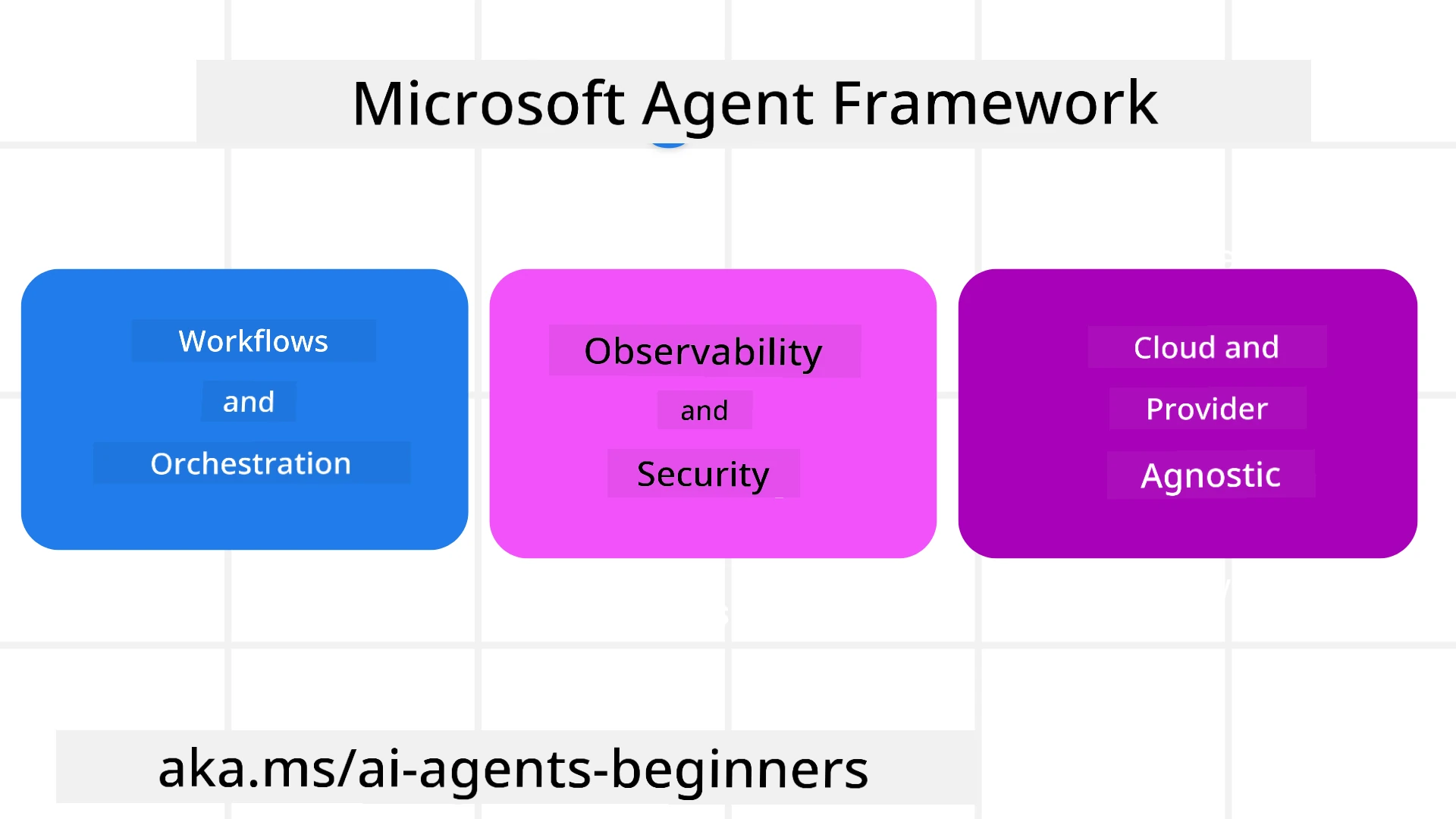
Microsoft Agent Framework (MAF) na Microsoft unified framework wey dem dey use build AI agents. E get flexibility to handle plenty different agentic use cases wey dem dey see for both production and research environment including:
- Sequential Agent orchestration for situations wey step-by-step workflows dey needed.
- Concurrent orchestration for situations wey agents gats do tasks for same time.
- Group chat orchestration for situations wey agents fit collaborate together for one task.
- Handoff Orchestration for situations wey agents dey hand off task to one anoda as subtasks de finish.
- Magnetic Orchestration for situations wey manager agent dey create and modify task list and dey handle coordination of subagents to finish task.
To deliver AI Agents for Production, MAF also get features for:
- Observability through OpenTelemetry wey dey track every action of the AI Agent including tool invocation, orchestration steps, reasoning flows and performance monitoring through Microsoft Foundry dashboards.
- Security by hosting agents natively on Microsoft Foundry wey get security controls like role-based access, private data handling and built-in content safety.
- Durability as Agent threads and workflows fit pause, resume and recover from errors to allow longer running process.
- Control as human in the loop workflows dey supported where tasks go need human approval.
Microsoft Agent Framework dey focused to be interoperable by:
- Being Cloud-agnostic - Agents fit run inside containers, on-prem and across many different cloud platforms.
- Being Provider-agnostic - Agents fit be created with your preferred SDK like Azure OpenAI and OpenAI
- Integrating Open Standards - Agents fit use protocols like Agent-to-Agent (A2A) and Model Context Protocol (MCP) to find and use other agents and tools.
- Plugins and Connectors - Connections fit join data and memory services like Microsoft Fabric, SharePoint, Pinecone and Qdrant.
Make we check how these features dey apply to some core concepts of Microsoft Agent Framework.
Key Concepts of Microsoft Agent Framework
Agents
Creating Agents
To create agent na by defining the inference service (LLM Provider),
set of instructions for AI Agent to follow, and assign am with a name:
agent = AzureOpenAIChatClient(credential=AzureCliCredential()).create_agent( instructions="You are good at recommending trips to customers based on their preferences.", name="TripRecommender" )
Dis one dey use Azure OpenAI but agents fit be created with different services including Microsoft Foundry Agent Service:
AzureAIAgentClient(async_credential=credential).create_agent( name="HelperAgent", instructions="You are a helpful assistant." ) as agent
OpenAI Responses, ChatCompletion APIs
agent = OpenAIResponsesClient().create_agent( name="WeatherBot", instructions="You are a helpful weather assistant.", )
agent = OpenAIChatClient().create_agent( name="HelpfulAssistant", instructions="You are a helpful assistant.", )
or MiniMax, wey provide OpenAI-compatible API with large context windows (up to 204K tokens):
agent = OpenAIChatClient(base_url="https://api.minimax.io/v1", api_key=os.environ["MINIMAX_API_KEY"], model_id="MiniMax-M3").create_agent( name="HelpfulAssistant", instructions="You are a helpful assistant.", )
or remote agents using A2A protocol:
agent = A2AAgent( name=agent_card.name, description=agent_card.description, agent_card=agent_card, url="https://your-a2a-agent-host" )
Running Agents
Agents dem dey run with .run or .run_stream methods for non-streaming or streaming responses.
result = await agent.run("What are good places to visit in Amsterdam?")
print(result.text)
async for update in agent.run_stream("What are the good places to visit in Amsterdam?"):
    if update.text:
        print(update.text, end="", flush=True)
Every agent run fit get options to customize parameters like max_tokens wey agent fit use, tools wey agent fit call, and even the model wey the agent go use.
Dis dey useful if specific models or tools dey needed for your user task.
Tools
Tools fit be defined when you dey define the agent:
def get_attractions( location: Annotated[str, Field(description="The location to get the top tourist attractions for")], ) -> str: """Get the top tourist attractions for a given location.""" return f"The top attractions for {location} are."


# Wen yuu de create ChatAgent direct

agent = ChatAgent( chat_client=OpenAIChatClient(), instructions="You are a helpful assistant", tools=[get_attractions]
and also when you dey run the agent:
result1 = await agent.run( "What's the best place to visit in Seattle?", tools=[get_attractions] # Tool we dem provide just for dis run )
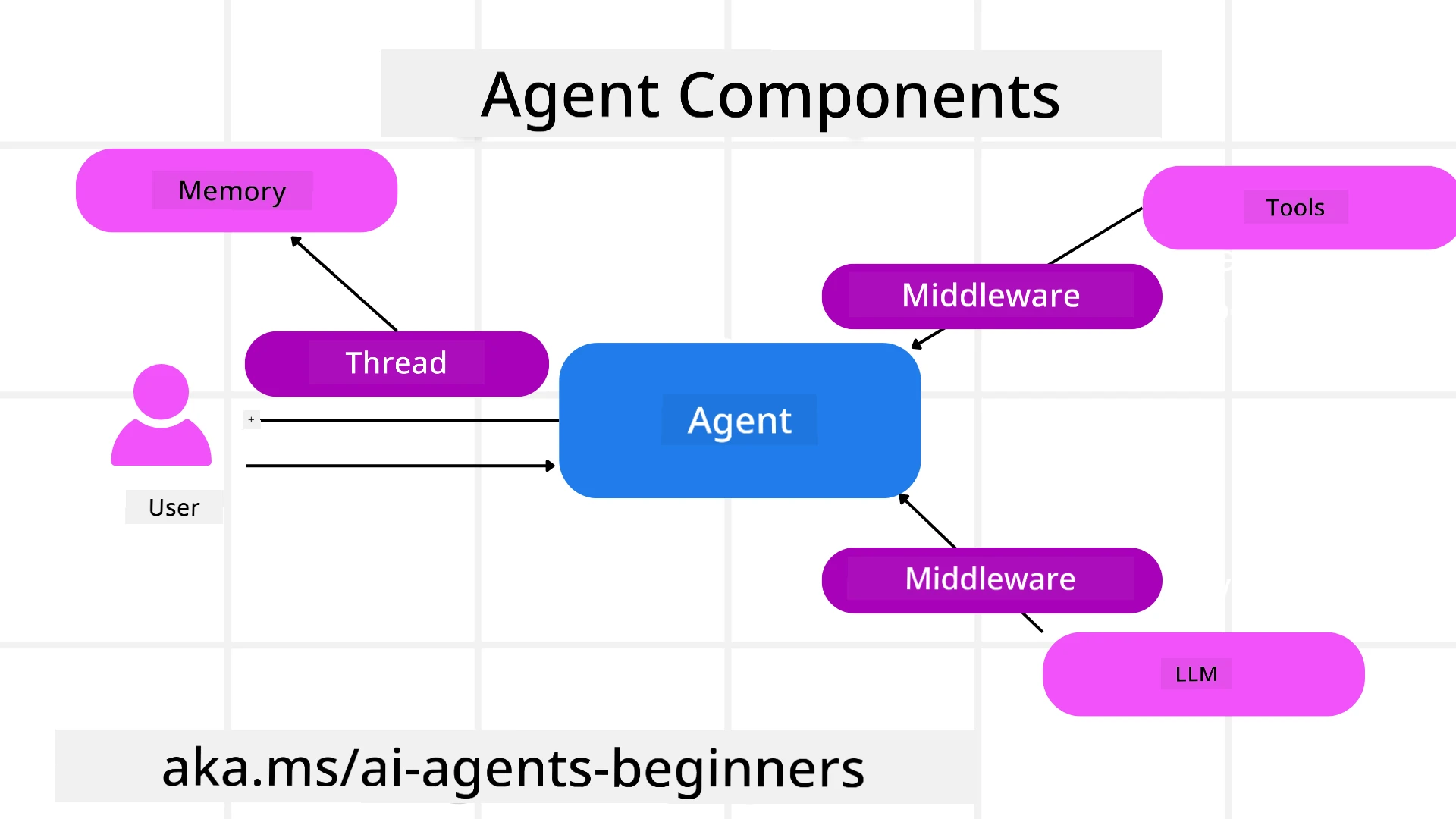
Agent Threads
Agent Threads dey handle multi-turn conversations. Threads fit be created either by:
- Using
get_new_thread()wey dey enable thread to dey saved over time - Creating thread automatically when you run agent and the thread go last only for the current run.
To create thread, code go be like dis:
# Make new thread.
thread = agent.get_new_thread() # Run di agent wit di thread.
response = await agent.run("Hello, I am here to help you book travel. Where would you like to go?", thread=thread)
You fit serialize the thread to store am for later use:
# Make new thread.
thread = agent.get_new_thread()

# Run the agent wit di thread.

response = await agent.run("Hello, how are you?", thread=thread)

# Serialize di thread for keep.

serialized_thread = await thread.serialize()

# Deserialize di thread state after you don load am from keep.

resumed_thread = await agent.deserialize_thread(serialized_thread)
Agent Middleware
Agents dey interact with tools and LLMs to finish user tasks. For some cases, we wan execute or track inside these interactions. Agent middleware dey allow us to do dis through:
Function Middleware
Dis middleware allow us execute action between agent and function/tool wey e dey call. Example na when you wan log function call.
Code below next define if next middleware or actual function go call.
async def logging_function_middleware(
    context: FunctionInvocationContext,
    next: Callable[[FunctionInvocationContext], Awaitable[None]],
) -> None:
    """Function middleware that logs function execution."""
    # Pre-processing: Log bifo function go start to run
    print(f"[Function] Calling {context.function.name}")

    # Continue to next middleware or function execution
    await next(context)

    # Post-processing: Log after function don run finish
    print(f"[Function] {context.function.name} completed")
Chat Middleware
Dis middleware dey allow execute or log action between agent and requests between LLM.
E get important info like messages wey dem go send to AI service.
async def logging_chat_middleware(
    context: ChatContext,
    next: Callable[[ChatContext], Awaitable[None]],
) -> None:
    """Chat middleware that logs AI interactions."""
    # Pre-processing: Log before AI call
    print(f"[Chat] Sending {len(context.messages)} messages to AI")

    # Continue to next middleware or AI service
    await next(context)

    # Post-processing: Log after AI response
    print("[Chat] AI response received")
Agent Memory
Like we cover for Agentic Memory lesson, memory na key thing to enable agent work for different contexts. MAF get different kinds of memories:
In-Memory Storage
Dis na memory wey dey store for threads during application runtime.
# Make new thread.
thread = agent.get_new_thread() # Make the agent run wit the thread.
response = await agent.run("Hello, I am here to help you book travel. Where would you like to go?", thread=thread)
Persistent Messages
Dis memory dey used to store conversation history across different sessions. E dey defined with chat_message_store_factory :
from agent_framework import ChatMessageStore

# Make one custom message store
def create_message_store():
    return ChatMessageStore()

agent = ChatAgent(
    chat_client=OpenAIChatClient(),
    instructions="You are a Travel assistant.",
    chat_message_store_factory=create_message_store
)
Dynamic Memory
Dis memory dey add to context before agents dey run. These memories fit store for external services like mem0:
from agent_framework.mem0 import Mem0Provider

# Di Mem0 dey use for advanced memory kain dem get
memory_provider = Mem0Provider(
    api_key="your-mem0-api-key",
    user_id="user_123",
    application_id="my_app"
)

agent = ChatAgent(
    chat_client=OpenAIChatClient(),
    instructions="You are a helpful assistant with memory.",
    context_providers=memory_provider
)
Agent Observability
Observability important for to build reliable and maintainable agentic systems. MAF join OpenTelemetry to give tracing and meters for better observability.
from agent_framework.observability import get_tracer, get_meter

tracer = get_tracer()
meter = get_meter()
with tracer.start_as_current_span("my_custom_span"):
    # make sometin
    pass
counter = meter.create_counter("my_custom_counter")
counter.add(1, {"key": "value"})
Workflows
MAF get workflows wey be pre-defined steps to finish task and them go include AI agents as parts inside those steps.
Workflows dem get different parts wey dey allow better control flow. Workflows also make multi-agent orchestration and checkpointing to save workflow states possible.
Main parts of workflow na:
Executors
Executors go receive input messages, perform their tasks, then produce output messages. Dis dey push workflow forward to complete big task. Executors fit be AI agent or custom logic.
Edges
Edges dey define flow of messages inside workflow. Dem fit be:
Direct Edges - Simple one-to-one connection between executors:
from agent_framework import WorkflowBuilder

builder = WorkflowBuilder()
builder.add_edge(source_executor, target_executor)
builder.set_start_executor(source_executor)
workflow = builder.build()
Conditional Edges - Activate after condition meet. For example, when hotel rooms no dey available, executor fit suggest oda options.
Switch-case Edges - Route messages to different executors based on conditions. For example, if travel customer get priority access and their tasks go through another workflow.
Fan-out Edges - Send one message to many targets.
Fan-in Edges - Gather many messages from different executors and send to one target.
Events
To make observability better for workflows, MAF get built-in events for execution like:
WorkflowStartedEvent- Workflow execution startWorkflowOutputEvent- Workflow produce outputWorkflowErrorEvent- Workflow get errorExecutorInvokeEvent- Executor start processingExecutorCompleteEvent- Executor finish processingRequestInfoEvent- Request dey issued
Advanced MAF Patterns
Sections for top cover key concepts of Microsoft Agent Framework. As you dey build more complex agents, here be some advanced patterns to consider:
- Middleware Composition: Chain many middleware handlers (logging, auth, rate-limiting) using function and chat middleware for finer control over agent behavior.
- Workflow Checkpointing: Use workflow events and serialization to save and resume long agent processes.
- Dynamic Tool Selection: Mix RAG over tool descriptions with MAF tool registration to show only relevant tools per query.
- Multi-Agent Handoff: Use workflow edges and conditional routing to manage handoffs between specialized agents.
Hosting LangChain / LangGraph Agents on Microsoft Foundry
Microsoft Agent Framework na framework-interoperable — you no be limited to agents writ with MAF. If you don get agent buil with LangChain or LangGraph, you fit run am as Microsoft Foundry hosted agent so Foundry go manage runtime, sessions, scaling, identity, and protocol endpoints, while your agent logic remain inside LangGraph.
Dis one dey done with langchain_azure_ai.agents.hosting package, wey expose compiled LangGraph graph over same protocols wey Foundry hosted agents dey use.
1. Install the hosting extra:
pip install -U "langchain-azure-ai[hosting]>=1.2.4" azure-identity
hosting extra dey install Foundry protocol libraries: azure-ai-agentserver-responses (OpenAI-compatible /responses endpoint) and azure-ai-agentserver-invocations (generic /invocations endpoint).
2. Choose a hosting protocol:
| Protocol | Host class | Endpoint | Use when |
|---|---|---|---|
| Responses | ResponsesHostServer |
/responses |
When you want OpenAI-compatible chat, streaming, response history, conversation threading — dis one be recommended default for conversational agents. |
| Invocations | InvocationsHostServer |
/invocations |
When you need custom JSON shape, webhook-style endpoint, or non-conversational processing. |
Because Responses API na primary API for agent-style development in Foundry, start with ResponsesHostServer for most agents.
3. Configure environment variables (az login first so DefaultAzureCredential go authenticate):
export FOUNDRY_PROJECT_ENDPOINT="https://<resource>.services.ai.azure.com/api/projects/<project>"
export FOUNDRY_MODEL_NAME="gpt-5-mini"
When agent run later as hosted agent in Foundry, platform dey inject FOUNDRY_PROJECT_ENDPOINT automatically.
4. Expose LangGraph agent over Responses protocol:
import os

from azure.ai.projects import AIProjectClient
from azure.identity import DefaultAzureCredential, get_bearer_token_provider
from langchain.agents import create_agent
from langchain_openai import ChatOpenAI
from langchain_azure_ai.agents.hosting import ResponsesHostServer

_AZURE_AI_SCOPE = "https://ai.azure.com/.default"


def build_chat_model() -> ChatOpenAI:
    project_endpoint = os.environ["FOUNDRY_PROJECT_ENDPOINT"].rstrip("/")
    deployment = os.environ.get("FOUNDRY_MODEL_NAME", "gpt-5-mini")
    credential = DefaultAzureCredential()
    project = AIProjectClient(endpoint=project_endpoint, credential=credential)
    openai_client = project.get_openai_client()
    token_provider = get_bearer_token_provider(credential, _AZURE_AI_SCOPE)

    # ChatOpenAI here dey target di Foundry project OpenAI-compatible (Responses) endpoint.
    return ChatOpenAI(
        model=deployment,
        base_url=str(openai_client.base_url),
        api_key=token_provider,
    )


def main() -> None:
    graph = create_agent(build_chat_model(), tools=[])
    port = int(os.environ.get("PORT", "8088"))
    ResponsesHostServer(graph).run(port=port)


if __name__ == "__main__":
    main()
Run am locally with python main.py, then send Responses request to http://localhost:8088/responses.
Key behaviors:
- Conversations: Clients go continue conversation by passing
previous_response_idorconversationID. If your graph compiled with LangGraph checkpointer, Foundry go key conversation state to checkpoint (use durable checkpointer for production;MemorySaverdey okay for local test). - Human-in-the-loop: If your graph dey use LangGraph
interrupt(),ResponsesHostServergo show pending interrupt as Responsesfunction_call/mcp_approval_requestitem, and clients go continue with matchingfunction_call_output/mcp_approval_response. - Deploy to Foundry: Use Azure Developer CLI —
azd ext install azure.ai.agents,azd ai agent init -m <manifest>,azd ai agent run(local, need Docker), thenazd provisionandazd deploy. Hosted-agent deployment need Foundry Project Manager role.
Runnable version of dis example dey inside code-samples/14-langchain-hosted-agent.py. For full walkthrough (Invocations protocol, custom request schemas, troubleshooting), check Host LangGraph agents as Foundry hosted agents.
Code Samples
Code samples for Microsoft Agent Framework dey inside dis repository under xx-python-agent-framework and xx-dotnet-agent-framework files.
Got More Questions About Microsoft Agent Framework?
Join Microsoft Foundry Discord to meet other learners, attend office hours and get your AI Agents questions answered.
Previous Lesson
Next Lesson
Building Computer Use Agents (CUA)
Disclaimer: Dis document don translate wit AI translation service Co-op Translator. Even tho we dey try make am correct, abeg make you know say automated translation fit get errors or mistakes. Di original document for dia own language na im be di correct source. For important info, make person wey sabi human translation do am. We no go responsible for any misunderstanding or wrong understanding wey fit happen because of dis translation.