ai-agents-for-beginners
探索 Microsoft Agent 框架
介绍
本课将涵盖:
- 理解 Microsoft Agent 框架:关键特性和价值
- 探索 Microsoft Agent 框架的关键概念
- 高级 MAF 模式:工作流、中间件和内存
学习目标
完成本课后,您将了解如何:
- 使用 Microsoft Agent 框架构建生产就绪的 AI 代理
- 将 Microsoft Agent 框架的核心功能应用于您的代理用例
- 使用包括工作流、中间件和可观察性在内的高级模式
代码示例
Microsoft Agent Framework (MAF) 的代码示例可以在本存储库的 xx-python-agent-framework 和 xx-dotnet-agent-framework 文件中找到。
理解 Microsoft Agent 框架
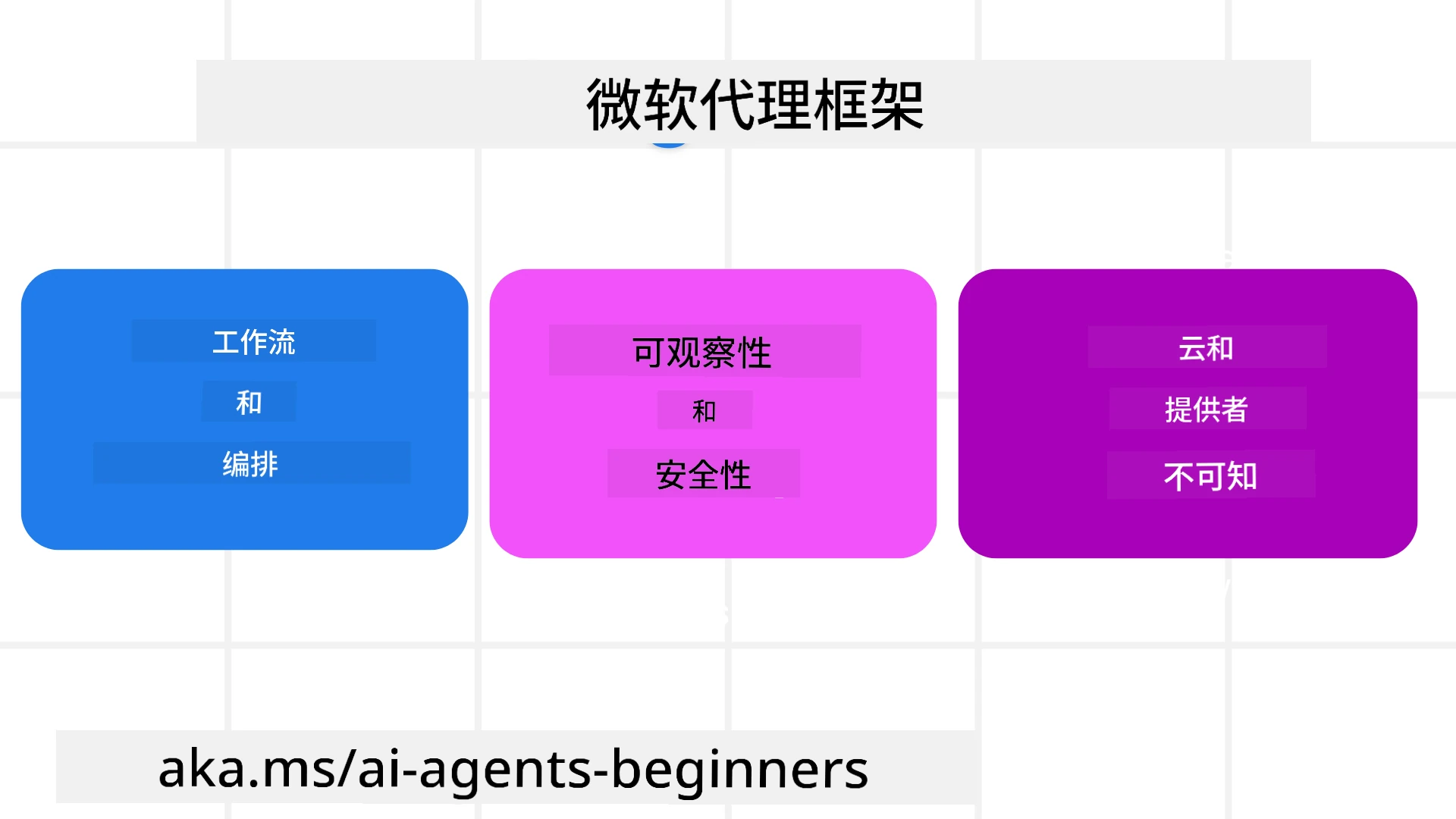
Microsoft Agent Framework (MAF) 是微软构建 AI 代理的统一框架。它提供了灵活性,以应对在生产和研究环境中看到的各种代理使用场景,包括:
- 顺序代理编排:适用于需要逐步工作流的场景。
- 并发编排:适用于代理需要同时完成任务的场景。
- 群聊编排:适用于代理共同协作完成一个任务的场景。
- 交接编排:适用于代理在完成子任务后相互交接任务的场景。
- 磁性编排:适用于管理代理创建和修改任务列表,并协调子代理完成任务的场景。
为了在生产中交付 AI 代理,MAF 还包括以下功能:
- 可观察性:通过使用 OpenTelemetry,跟踪 AI 代理的每个操作,包括工具调用、编排步骤、推理流程以及通过 Microsoft Foundry 仪表板的性能监控。
- 安全性:代理原生托管于 Microsoft Foundry,包含基于角色的访问控制、私有数据处理和内置内容安全等安全控制。
- 持久性:代理线程和工作流可以暂停、恢复和从错误中恢复,实现更长时间运行的流程。
- 控制:支持人工干预的工作流,任务可标记为需要人工审批。
Microsoft Agent Framework 还注重互操作性:
- 云无关性 — 代理可以在容器、本地环境及多个不同云上运行。
- 提供商无关性 — 代理可以通过您偏好的 SDK 创建,包括 Azure OpenAI 和 OpenAI。
- 集成开放标准 — 代理可以利用例如代理间通信(Agent-to-Agent,A2A)和模型上下文协议(Model Context Protocol,MCP)等协议来发现和使用其他代理及工具。
- 插件和连接器 — 可连接到数据和内存服务,如 Microsoft Fabric、SharePoint、Pinecone 和 Qdrant。
让我们来看这些特性如何应用于 Microsoft Agent 框架的一些核心概念。
Microsoft Agent 框架的关键概念
代理
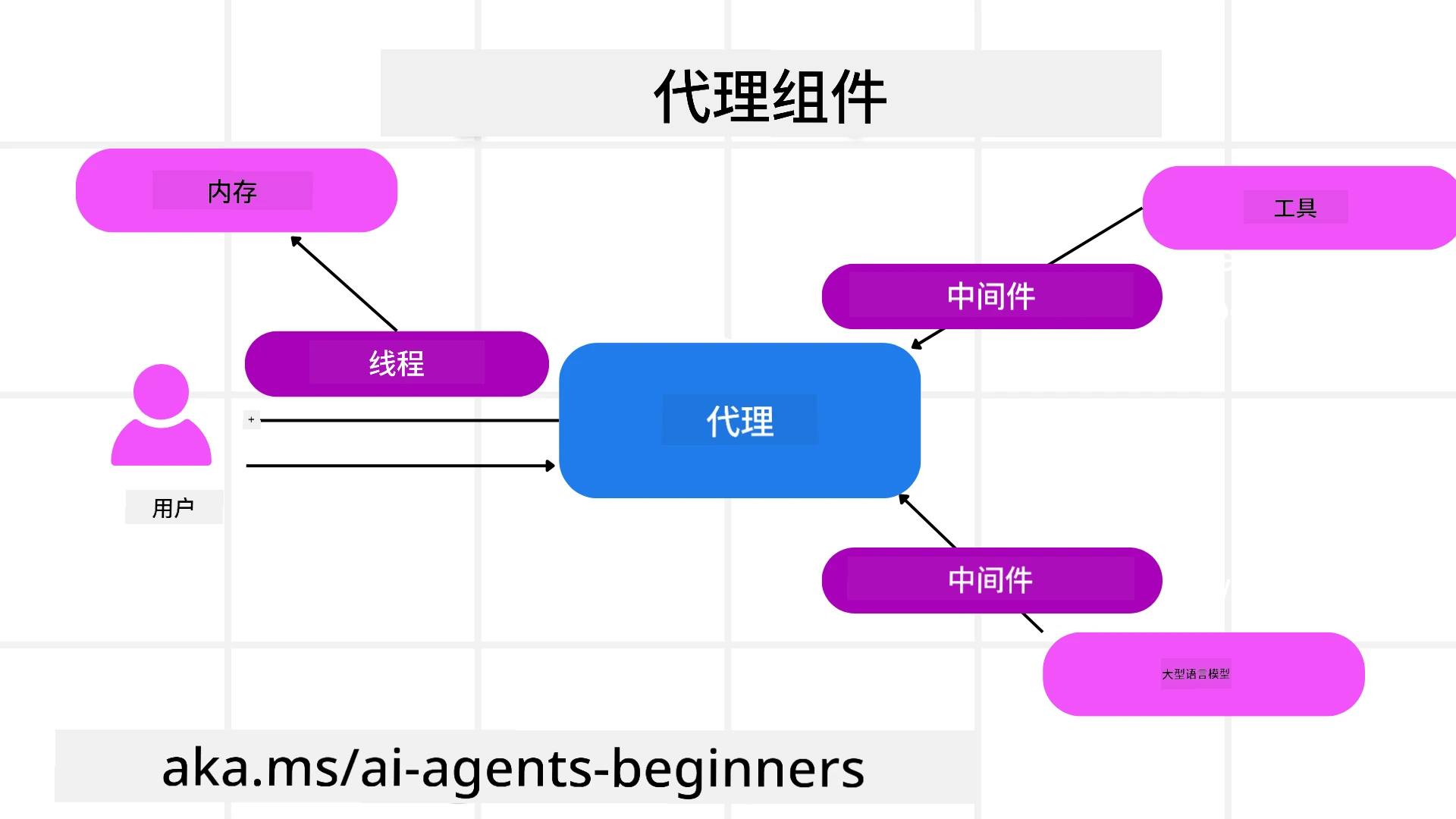
创建代理
代理的创建是通过定义推理服务(LLM 提供者)、一组供 AI 代理遵循的指令,以及分配的 name 完成的:
agent = AzureOpenAIChatClient(credential=AzureCliCredential()).create_agent( instructions="You are good at recommending trips to customers based on their preferences.", name="TripRecommender" )
上述使用了 Azure OpenAI,但代理也可以通过多种服务创建,包括 Microsoft Foundry Agent Service:
AzureAIAgentClient(async_credential=credential).create_agent( name="HelperAgent", instructions="You are a helpful assistant." ) as agent
OpenAI 的 Responses、ChatCompletion API
agent = OpenAIResponsesClient().create_agent( name="WeatherBot", instructions="You are a helpful weather assistant.", )
agent = OpenAIChatClient().create_agent( name="HelpfulAssistant", instructions="You are a helpful assistant.", )
或者使用 A2A 协议的远程代理:
agent = A2AAgent( name=agent_card.name, description=agent_card.description, agent_card=agent_card, url="https://your-a2a-agent-host" )
运行代理
代理通过 .run 或 .run_stream 方法运行,分别对应非流式或流式响应。
result = await agent.run("What are good places to visit in Amsterdam?")
print(result.text)
async for update in agent.run_stream("What are the good places to visit in Amsterdam?"):
    if update.text:
        print(update.text, end="", flush=True)
每次代理运行还可以自定义参数选项,如代理使用的 max_tokens、代理能调用的 tools 以及代理使用的 model 本身。
这在完成用户的特定任务时需要指定模型或工具时非常有用。
工具
工具既可在定义代理时指定:
def get_attractions( location: Annotated[str, Field(description="The location to get the top tourist attractions for")], ) -> str: """Get the top tourist attractions for a given location.""" return f"The top attractions for {location} are."


# 当直接创建一个ChatAgent时

agent = ChatAgent( chat_client=OpenAIChatClient(), instructions="You are a helpful assistant", tools=[get_attractions]
也可在运行代理时指定:
result1 = await agent.run( "What's the best place to visit in Seattle?", tools=[get_attractions] # 仅为此次运行提供的工具 )
代理线程
代理线程用于处理多轮对话。线程可以通过以下方式创建:
- 使用
get_new_thread(),允许线程随着时间保存 - 在运行代理时自动创建线程,但仅在当前运行期间存在
创建线程的代码如下:
# 创建一个新线程。
thread = agent.get_new_thread() # 使用该线程运行代理。
response = await agent.run("Hello, I am here to help you book travel. Where would you like to go?", thread=thread)
然后您可以将线程序列化以便后续存储使用:
# 创建一个新线程。
thread = agent.get_new_thread()

# 使用该线程运行代理。

response = await agent.run("Hello, how are you?", thread=thread)

# 将线程序列化以便存储。

serialized_thread = await thread.serialize()

# 从存储加载后反序列化线程状态。

resumed_thread = await agent.deserialize_thread(serialized_thread)
代理中间件
代理与工具和大模型交互以完成用户任务。在某些场景下,我们希望在这些交互过程中执行或跟踪操作。代理中间件允许我们通过以下方式实现:
函数中间件
此中间件允许我们在代理调用函数/工具之间执行操作。一个示例是在函数调用时做日志记录。
下面代码中的 next 用于定义下一个应调用的中间件或实际函数。
async def logging_function_middleware(
    context: FunctionInvocationContext,
    next: Callable[[FunctionInvocationContext], Awaitable[None]],
) -> None:
    """Function middleware that logs function execution."""
    # 预处理:函数执行前记录日志
    print(f"[Function] Calling {context.function.name}")

    # 继续下一个中间件或函数执行
    await next(context)

    # 后处理:函数执行后记录日志
    print(f"[Function] {context.function.name} completed")
聊天中间件
此中间件允许我们在代理与大模型请求之间执行或记录操作。
包含重要信息例如发送给 AI 服务的 messages。
async def logging_chat_middleware(
    context: ChatContext,
    next: Callable[[ChatContext], Awaitable[None]],
) -> None:
    """Chat middleware that logs AI interactions."""
    # 预处理:在调用 AI 之前记录日志
    print(f"[Chat] Sending {len(context.messages)} messages to AI")

    # 继续到下一个中间件或 AI 服务
    await next(context)

    # 后处理:在 AI 响应后记录日志
    print("[Chat] AI response received")
代理内存
如在“Agentic Memory”课程中介绍,内存是使代理能跨不同上下文操作的重要元素。MAF 提供了几种不同类型的内存:
内存存储
这是在应用运行时线程中存储的内存。
# 创建一个新线程。
thread = agent.get_new_thread() # 使用该线程运行代理。
response = await agent.run("Hello, I am here to help you book travel. Where would you like to go?", thread=thread)
持久消息
此内存用于跨不同会话存储对话历史。通过 chat_message_store_factory 定义:
from agent_framework import ChatMessageStore

# 创建自定义消息存储
def create_message_store():
    return ChatMessageStore()

agent = ChatAgent(
    chat_client=OpenAIChatClient(),
    instructions="You are a Travel assistant.",
    chat_message_store_factory=create_message_store
)
动态内存
此内存在代理运行前添加到上下文中。此类内存可存储在诸如 mem0 之类的外部服务中:
from agent_framework.mem0 import Mem0Provider

# 使用 Mem0 以实现高级内存功能
memory_provider = Mem0Provider(
    api_key="your-mem0-api-key",
    user_id="user_123",
    application_id="my_app"
)

agent = ChatAgent(
    chat_client=OpenAIChatClient(),
    instructions="You are a helpful assistant with memory.",
    context_providers=memory_provider
)
代理可观察性
可观察性对于构建可靠且可维护的代理系统至关重要。MAF 集成了 OpenTelemetry,以提供更好的追踪和计量指标。
from agent_framework.observability import get_tracer, get_meter

tracer = get_tracer()
meter = get_meter()
with tracer.start_as_current_span("my_custom_span"):
    # 做某事
    pass
counter = meter.create_counter("my_custom_counter")
counter.add(1, {"key": "value"})
工作流
MAF 提供工作流,即预定义的完成任务步骤,并包含 AI 代理作为这些步骤的组成部分。
工作流由不同组件组成,以实现更好的控制流程。工作流还支持多代理编排和检查点保存以保存工作流状态。
工作流的核心组件有:
执行器
执行器接收输入消息,执行分配的任务,然后生成输出消息。这推动工作流向完成更大任务前进。执行器可为 AI 代理或自定义逻辑。
边
边用于定义工作流中消息的流动。边可包括:
直接边 — 执行器之间的简单一对一连接:
from agent_framework import WorkflowBuilder

builder = WorkflowBuilder()
builder.add_edge(source_executor, target_executor)
builder.set_start_executor(source_executor)
workflow = builder.build()
条件边 — 在满足特定条件后激活。例如,当酒店房间不可用时,一个执行器可以建议其他选项。
开关-案例边 — 根据定义的条件将消息路由到不同执行器。例如,如果旅游客户有优先访问权限,则其任务将通过另一工作流处理。
分发边 — 将一条消息发送到多个目标。
汇聚边 — 收集来自不同执行器的多条消息并发送到一个目标。
事件
为了提供更好的工作流可观察性,MAF 提供内置执行事件,包括:
WorkflowStartedEvent- 工作流执行开始WorkflowOutputEvent- 工作流生成输出WorkflowErrorEvent- 工作流遇到错误ExecutorInvokeEvent- 执行器开始处理ExecutorCompleteEvent- 执行器处理完成RequestInfoEvent- 发出请求
高级 MAF 模式
以上部分涵盖了 Microsoft Agent 框架的关键概念。随着您构建更复杂的代理,这里有一些值得考虑的高级模式:
- 中间件组合:使用函数和聊天中间件组合多个中间件处理器(日志、认证、限流),以实现对代理行为的细粒度控制。
- 工作流检查点:使用工作流事件和序列化来保存和恢复长时间运行的代理流程。
- 动态工具选择:结合工具描述上的 RAG 和 MAF 的工具注册,根据查询仅呈现相关工具。
- 多代理交接:使用工作流边及条件路由协调专业代理之间的任务交接。
代码示例
Microsoft Agent Framework 的代码示例可以在本存储库的 xx-python-agent-framework 和 xx-dotnet-agent-framework 文件中找到。
对 Microsoft Agent 框架还有更多疑问吗?
加入 Microsoft Foundry Discord,与其他学习者交流,参加办公时间,并获得您的 AI 代理问题解答。
免责声明:
本文件使用人工智能翻译服务 Co-op Translator 进行翻译。尽管我们努力确保翻译的准确性,但请注意,自动翻译可能包含错误或不准确之处。原始文件的母语版本应被视为权威来源。对于关键信息,建议采用专业人工翻译。因使用本翻译而产生的任何误解或误释,我们概不负责。