Microsoft Agent Review Program

Know whether your agent is ready to ship

Microsoft experts help you review, debug, optimize, and validate your Copilot Studio agents, declarative agents, and skills. You use Agent Review Center, a tool you install in your own environment and keep.

Nominate an agent Watch the overview

  • For agents in testing, pilot, or production
  • Installed in your own environment
  • Results stored in Dataverse in that environment
  • You keep the tool afterward
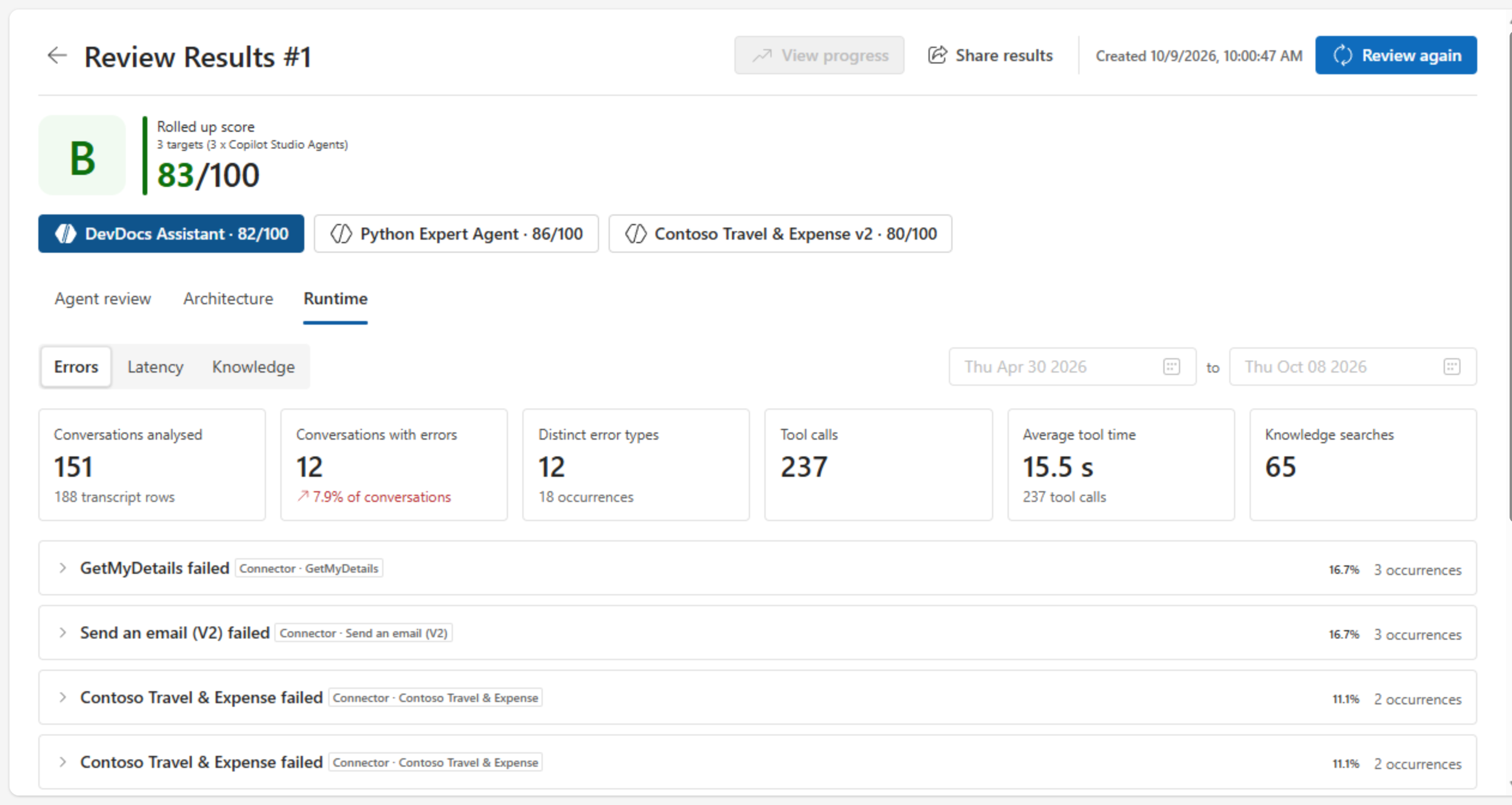
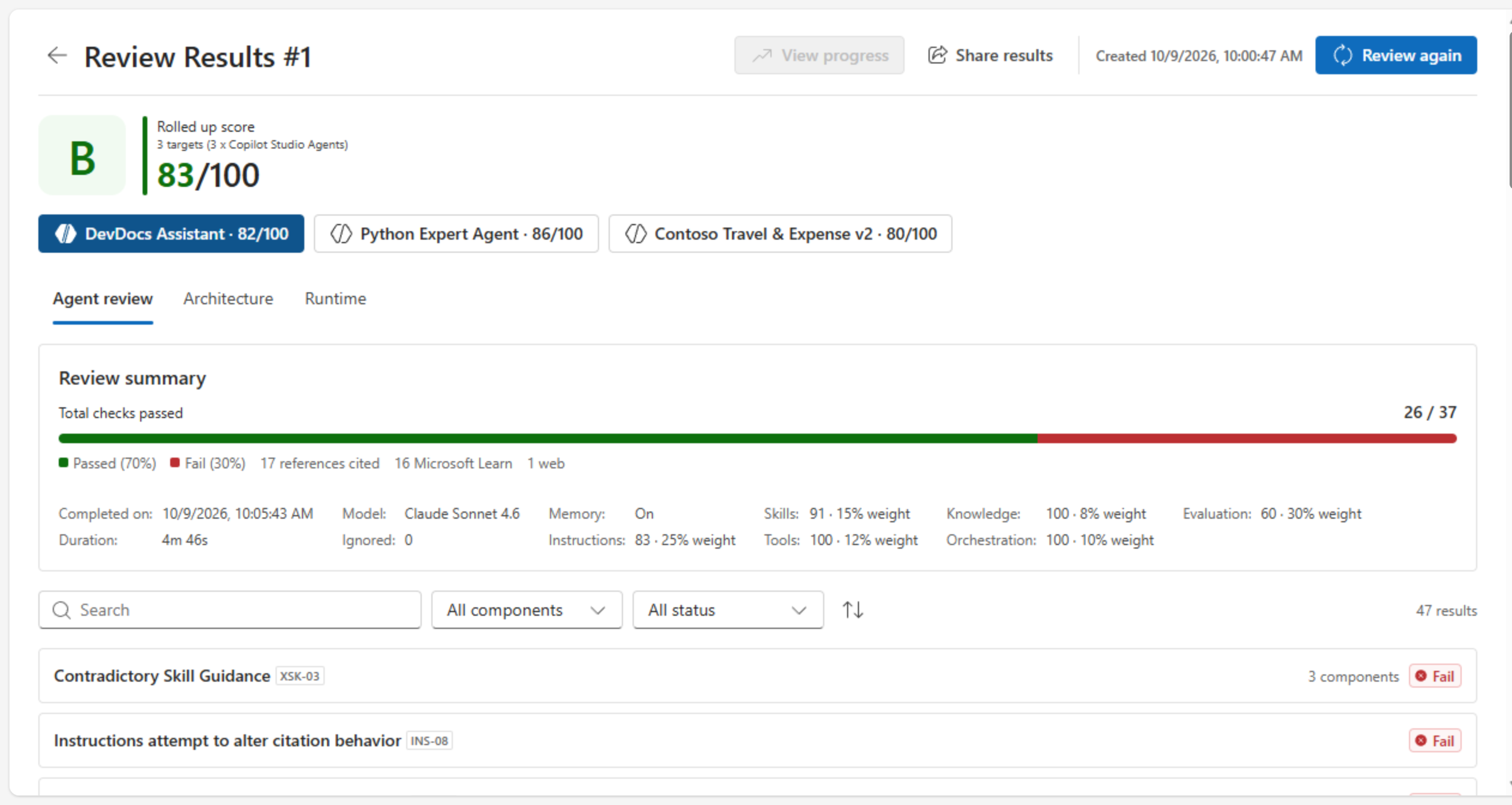
Agent Review Center showing a rolled-up score of B, 83 out of 100, across three Copilot Studio agents, with a review summary of 26 of 37 checks passed and a list of findings below.

The program and the tool

The Agent Review Program is an expert-guided service. Agent Review Center is the app it uses, installed in your own environment.

The service

Agent Review Program

Microsoft experts review your agent with you, help you fix what matters most, and re-run the review to check the fixes.

Who it’s for
Teams with an agent in testing, pilot, or production that has real conversations to analyze. Not sure? Ask your Microsoft contact.
How long it takes
Three sessions across four weeks.
What you leave with
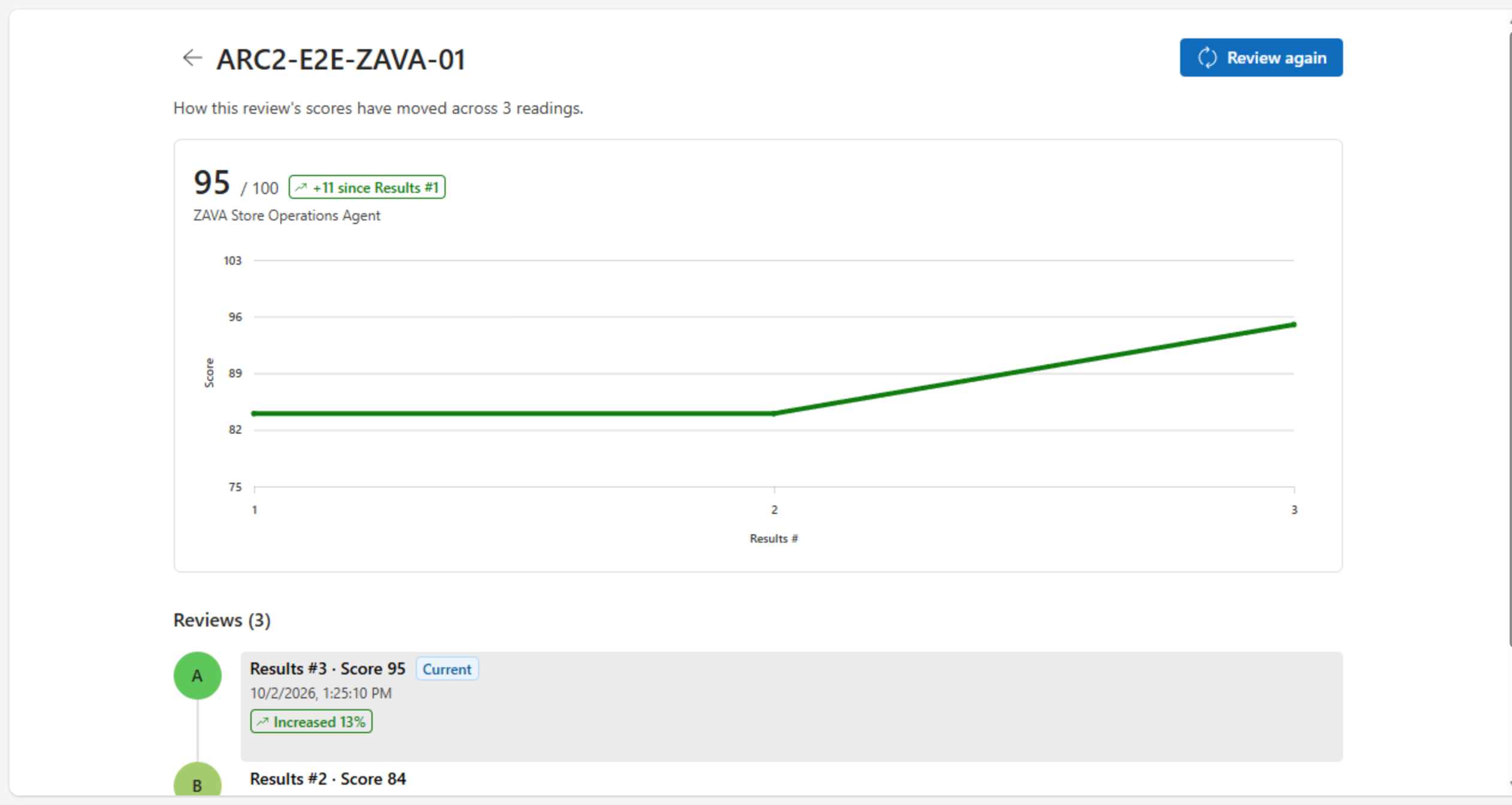
A prioritized list of fixes, and a before-and-after comparison against your baseline.
See how the program runs

The tool

Agent Review Center

A Power Platform app that scores how your agent is built and how it behaves in real conversations, and lists findings with fixes.

What it reviews
Copilot Studio agents, plus declarative agents and skills uploaded as files.
After the program
It stays installed, so you can review your agents whenever you need to.

More about Agent Review Center

See it in two minutes

A walkthrough of Agent Review Center (2 minutes 21 seconds).

How the program runs

Three sessions across four weeks. Microsoft experts guide each session, and your team works on the agent in between.

  1. Session 1

    1 hour · Week 1

    Discovery, tooling setup, and data preparation

    Confirm the use case, scope, success criteria, and top concerns. Install Agent Review Center and get the data ready for the review.

    You leave with: an agreed scope and a plan for the review.

  2. Session 2

    1–2 hours · Week 2

    Findings, patterns, and recommendations

    Walk through the risk-ranked findings in Agent Review Center, and agree which fixes to make, with the rationale for each.

    You leave with: a prioritized list of recommendations and agreed actions.

  3. Between sessions

    Week 3

    You implement the agreed fixes.

  4. Session 3

    1–2 hours · Week 4

    Re-run against the baseline

    Re-run the review, compare it with your baseline, and identify remaining gaps and follow-ups.

    You leave with: a final review summary and next steps.

  5. Beyond

    Keep the tool and review your agents whenever you need to.

What Agent Review Center is

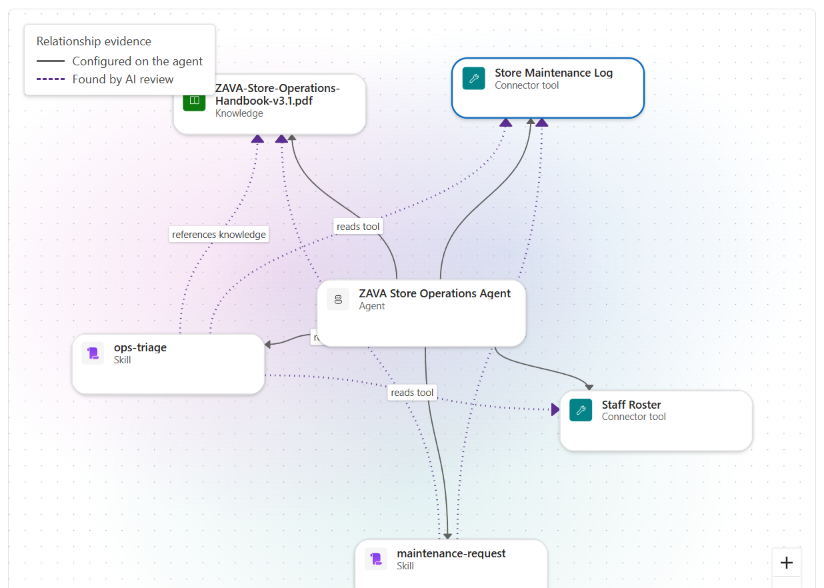
It reviews your agents against consistent architecture criteria, and tracks how their scores change over time.

How a review works

  1. Configuration checks

    Rules check how the agent is built: instructions, skills, tools, knowledge, orchestration, and evaluation coverage.

  2. AI-assisted checks

    The Review Agent Components flow runs AI-assisted checks through the Agents connector. Their findings are labeled AI generated, so check the evidence before you act.

  3. Runtime analysis

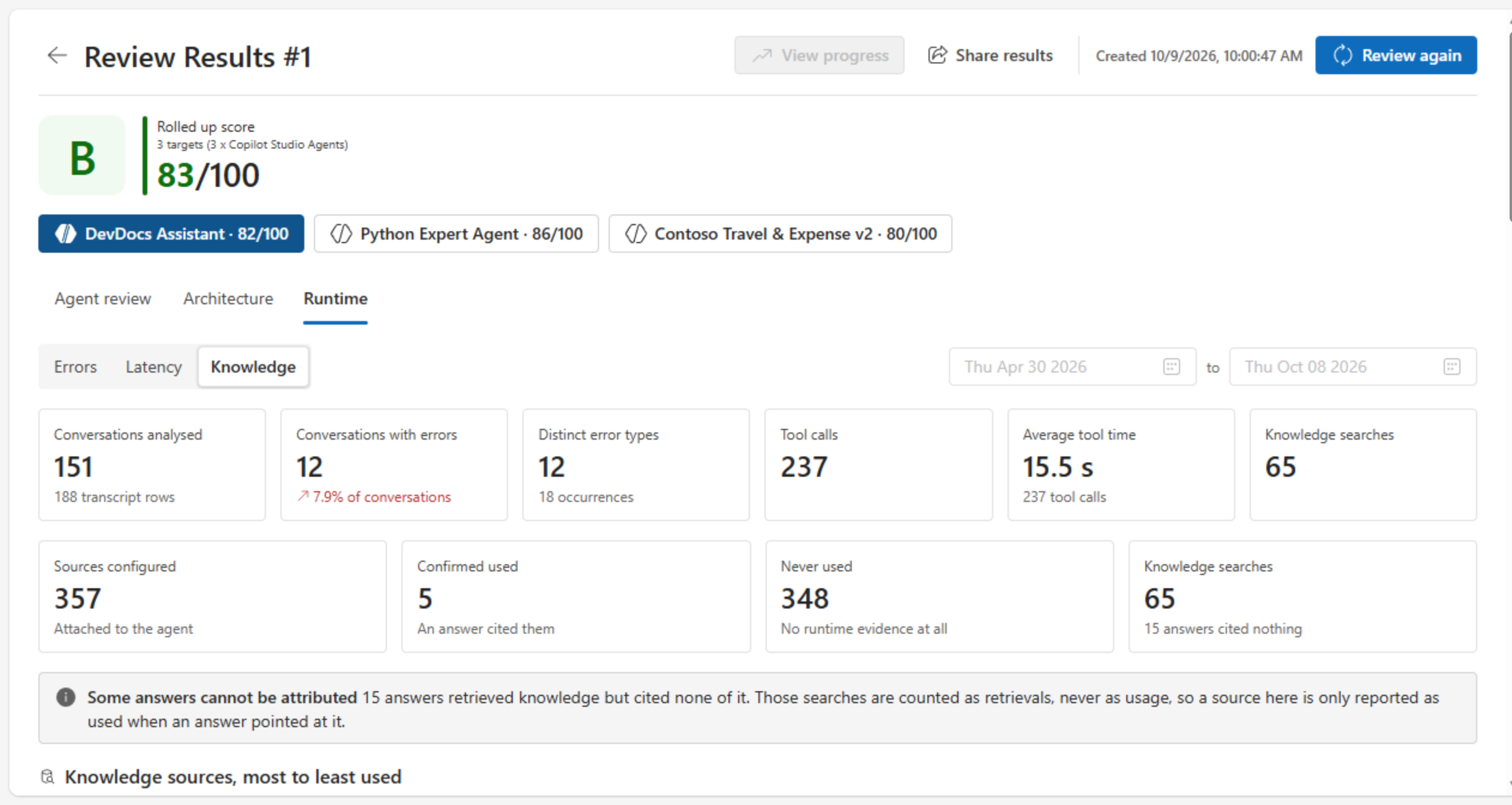
    For a Copilot Studio agent, its conversation transcripts show errors, latency, and which knowledge sources it actually uses.

You get a letter grade, a score out of 100, and findings with evidence and fixes. Select Review again after you fix, and compare against your baseline.

What it reviews, its features, and its limits are in the FAQ about Agent Review Center.

What you get back

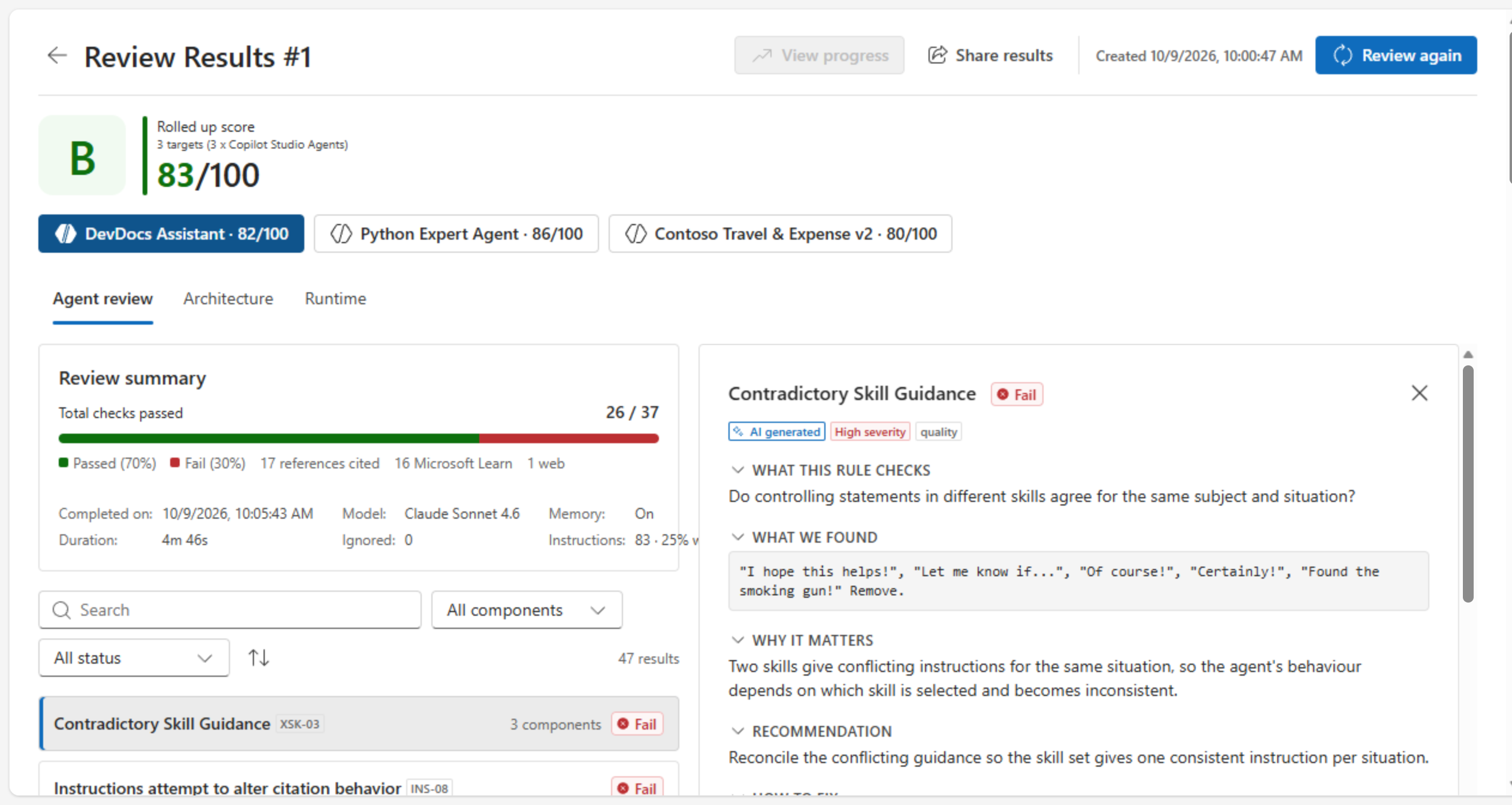
Taken from a sample review.

Install Agent Review Center

Most setup needs a Power Platform admin, and transcripts only build up after recording is on, so start early.

  1. Steps 1–2 · Prepare the environments

    Credits allocated, code apps on, and transcript recording on.

    Who: Power Platform admin or environment admin

  2. Step 3 · Allow the connectors

    Microsoft Dataverse, Agents, and Power Automate Management, together in the same group.

    Who: Power Platform admin

  3. Steps 4–5 · Import the solution and run the setup app

    Who: System Administrator in the environment

  4. Steps 6–8 · Share, verify, and run your first review

    Assign roles, share the agent and the app, then run the readiness checks.

    Who: System Administrator, agent owner, and reviewers

Agent Review Center solution

Version 20261016.1 · managed solution · 1.6 MB

Import the .zip as it is — don’t extract it.

What you need to bring

What your team puts in, and what Agent Review Center needs.

Your commitment

  1. A named owner with the right access

    One person who can work on the agent directly, with about 3–6 hours across the sessions.

  2. Agent Review Center installed

    Agreement to install and run Agent Review Center in your own environment. See the installation guide.

  3. An agent with a meaningful user base

    In testing, pilot, or production, with real conversations to analyze.

Licenses, capacity, and environment

Copilot Studio

Copilot Studio tenant license, plus a Copilot Studio User License for each person who uses Agent Review Center.

Power Apps Premium

Power Apps Premium coverage for each person who uses Agent Review Center (Premium license, pay-as-you-go, or App Pass).

Copilot Credits

Copilot Credits (Copilot Studio capacity pack or pay-as-you-go billing plan).

Dataverse environment

Standard release.

Nominate an agent

Pick an agent in testing, pilot, or production with enough real traffic for the findings to tell you something. We will scope it with you before anything starts.

Contact the Agent Review Program team

Questions about the program, whether your agent is a fit, or installing Agent Review Center? Email the team at serenaxie@microsoft.com. Don’t include transcripts or other sensitive data.

Email the Agent Review Program team