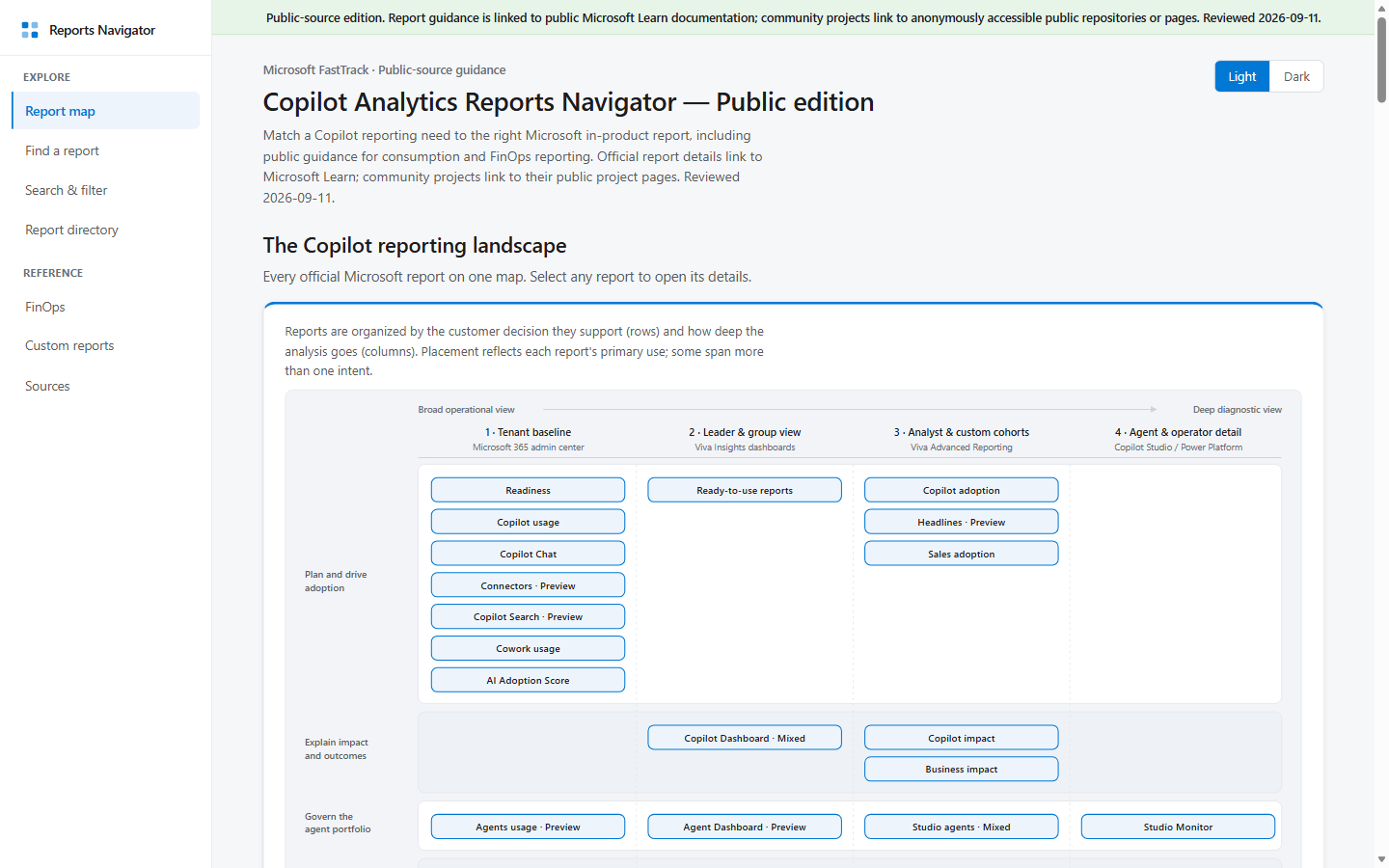
What it is
A self-contained interactive navigator for comparing 21 documented Microsoft reports and 22 public community projects related to Microsoft Copilot analytics and reporting.
Why use it
- Find reports by the questions they answer, the metrics they include, where they are accessed, and when their data becomes available.
- Compare documented Microsoft reports with public community projects without treating every item as generally available.
- Review public preview and verify-status labels before choosing a reporting approach.
How to use it
- Open the published navigator or download
index.htmland open it in a modern browser. - Use the question picker, search, or available filters to find relevant reports.
- Open the linked public documentation or project page to confirm current availability and requirements.
- Use the navigator as a selection guide; it does not query a tenant or connect to reporting data.
Prerequisites
- Modern web browser
- Access to the products, roles, licenses, and data sources required by any report you choose to use