File Processing
Upload a CSV of order IDs. The agent reads the file, calls tools for each order to enrich the data, and returns a completed spreadsheet.
File download only works in the Copilot Studio test pane at copilotstudio.microsoft.com.
The conversation
This works in the chat UI (with file upload) or the Copilot Studio test pane. Copy the prompt, attach the CSV, and send.
- 1You
I'm about to upload a CSV with order IDs. For each order, fill in all the empty columns and return the completed CSV.
Attach
chat-ui-lite/data/demo-orders.csvfrom the sample - Agent
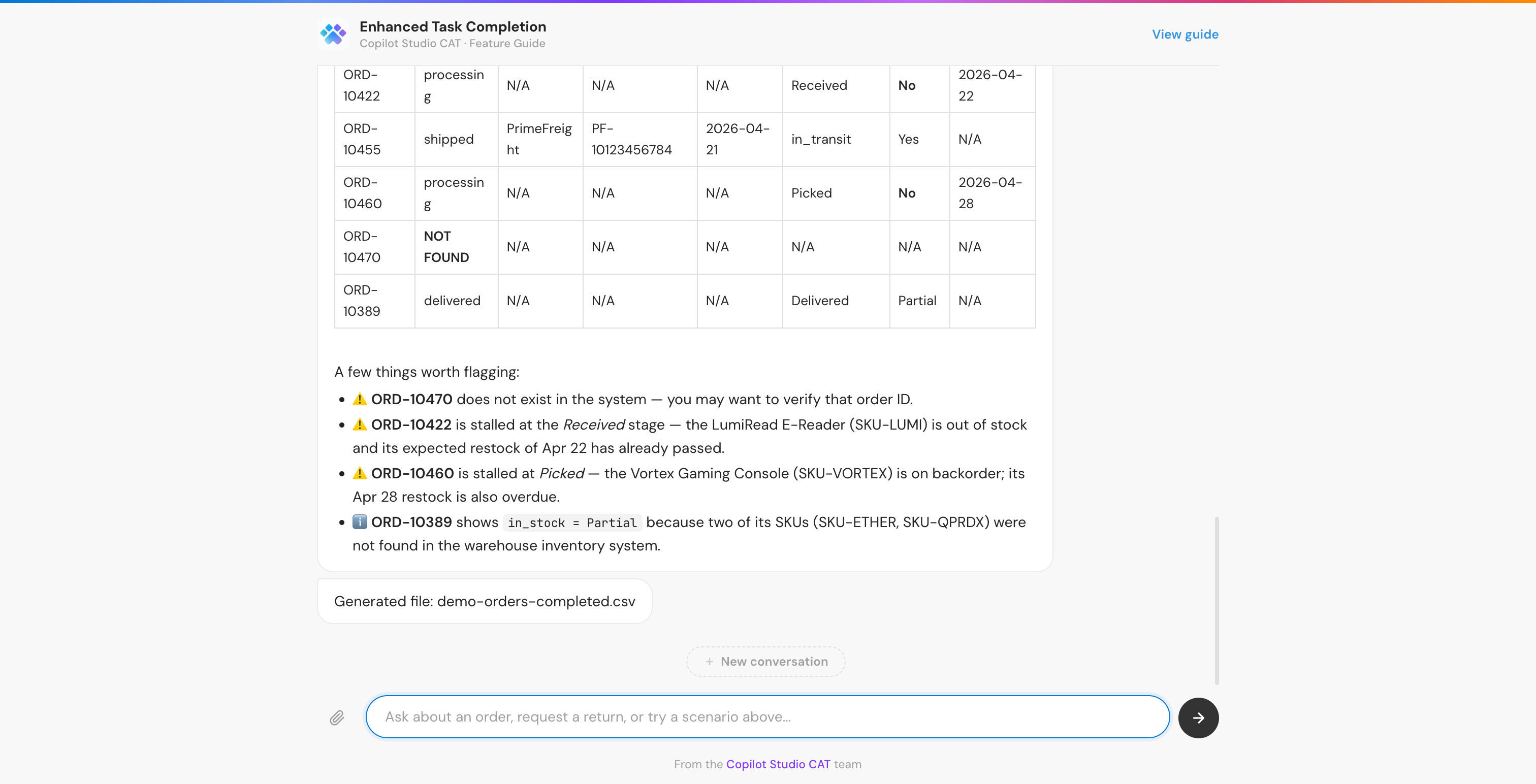
Reads the CSV, identifies 6 orders with empty columns
get_order ×6 in parallel for all rowsget_shipment ×3 for shipped/delivered ordersETC - Warehouse Management for stock and fulfillment infoCompiles results into a completed table and generates the output CSV.
What it looks like
ETC capabilities demonstrated
Chain tools intelligently
The agent reads the CSV, identifies the order ID column, then calls search_orders and get_order for each row, chaining file parsing with tool calls to enrich the data.
Adapt its plan
The agent figures out the CSV structure, determines which columns need filling, and iterates through rows. It adjusts its approach based on the file content it discovers.
File analysis and generation
The agent uses built-in tools (code interpreter) to parse the uploaded CSV, manipulate the data, and generate a completed file, combining tool calls with computation.