

| Namespace | Windows.Devices.Midi2.Diagnostics |
|---|---|
| Type Name | MidiDiagnostics |
| Type | WinRT Runtime Class |
| IDL | MidiDiagnostics.idl |
MidiDiagnostics has static functions for checking on the service without opening a session. Most applications don’t need them.
| Static Property | Description |
|---|---|
DiagnosticsLoopbackAEndpointDeviceId |
The endpoint device id of diagnostic loopback A, for development and support. Messages sent to A come in on B |
DiagnosticsLoopbackBEndpointDeviceId |
The endpoint device id of diagnostic loopback B, for development and support. Messages sent to B come in on A |
For more about these loopbacks, see About the Diagnostics Endpoints Transport.
| Static Method | Description |
|---|---|
PingService(pingCount) |
Sends pingCount ping messages to the ping endpoint, and reports whether they came back and how long they took. Gives up if the answers don’t arrive within a timeout the API works out. Returns a MidiServicePingResponseSummary |
PingService(pingCount, timeoutMilliseconds) |
The same, but gives up if the answers don’t arrive within timeoutMilliseconds |
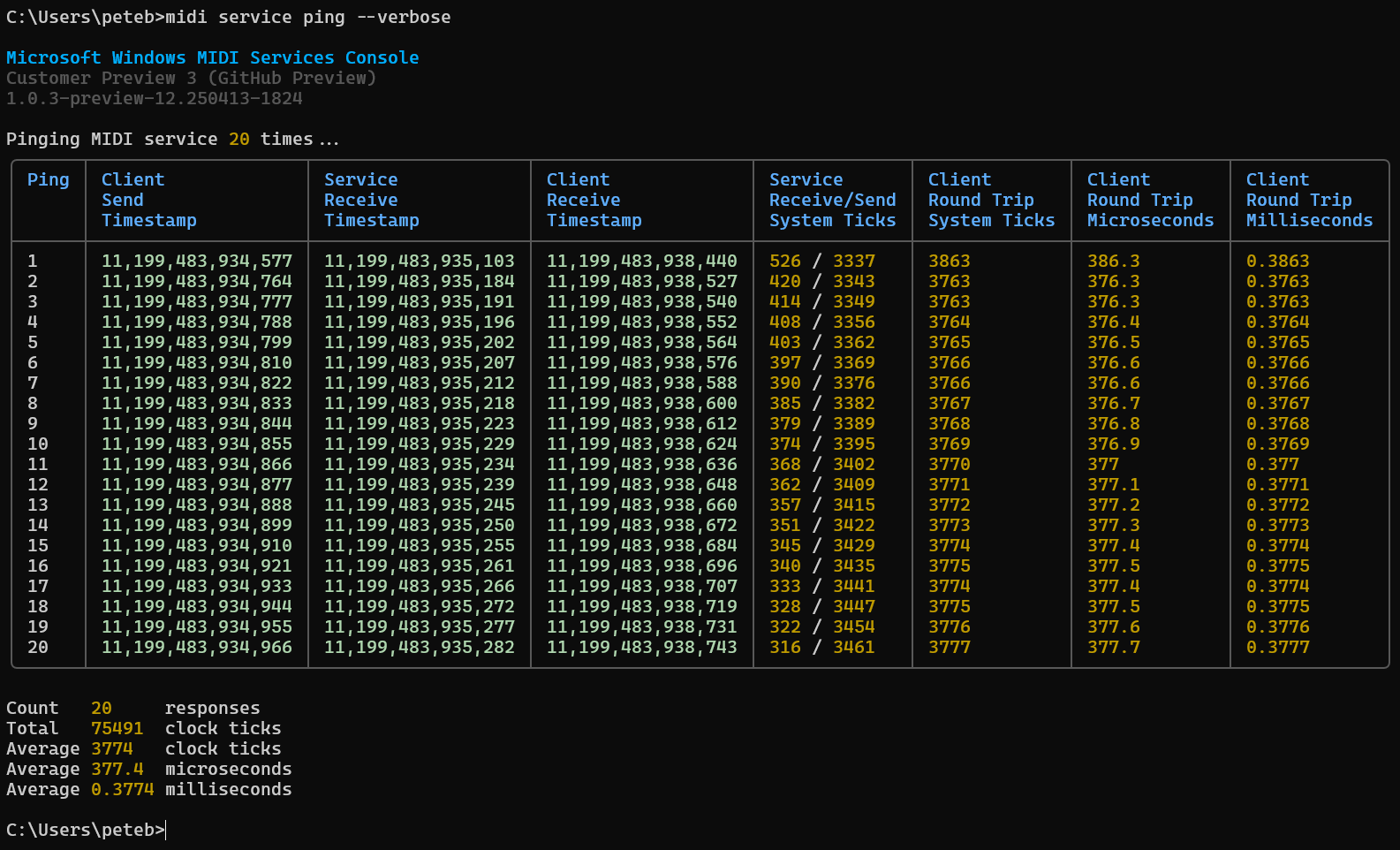
A ping is sent the same way as any other UMP message. The message itself is one Microsoft defined, because when this was built, MIDI 2.0 had no standard ping message. It goes to the diagnostics endpoint in the service, which works like any other transport. So how fast the pings come back, and whether they succeed, is a good sign of whether the service, the message queues between processes, and the client API are working.
The diagnostic ping endpoint doesn’t understand any other kind of message. Applications should only use it through the ping functions here.
A ping doesn’t tell you whether a particular transport or device has a problem. For example, if a USB MIDI device has stopped working, the ping still works, because it isn’t sent over USB.
Here’s what ping responses look like in the MIDI Console:
Windows MIDI Services is an open source project with all source available on GitHub. We have a great community on Discord as well. Between GitHub and Discord, you should find the information you are looking for.
