
Asset Management Agent


Important

You're responsible for assessing all safety and legal implications of using an agent template and customizing it as appropriate for your business. Organizations must assess specific legal and regulatory requirements when using agent templates, as they might not be suitable for all industries, scenarios, or use cases. Moreover, don't use AI services in ways prohibited by applicable terms of service and relevant codes of conduct.
The Asset Management Agent is an intelligent assistant designed to help you work with your organization’s asset inventory and management system. This agent provides natural language access to asset information, enabling quick answers to questions about equipment, locations, assignments, and maintenance history. It can also assist with creating and updating asset records, making it easier to maintain accurate asset data without navigating complex forms.

What the Agent Can Do

The Asset Management Agent understands your asset management data model and can help you:

Query Asset Information

  • Find assets by criteria: “Show me all laptops assigned to the IT department” or “Which assets are due for maintenance next month?”
  • Check asset details: “What’s the current location of asset #12345?” or “Who is responsible for the conference room projector?”
  • Review maintenance history: “When was the fleet vehicle last serviced?” or “What repairs have been made to this equipment?”
  • Audit and compliance: “List all assets that haven’t been inspected this year” or “Show me assets acquired with grant funding”

Create and Update Records

  • Add new assets: “Register a new laptop with serial number XYZ123 assigned to John Smith”
  • Update asset information: “Update the location of asset #456 to Building 3, Room 201”
  • Record maintenance: “Log a preventive maintenance service for asset #789 completed today”
  • Track assignments: “Assign tablet #234 to Sarah Johnson in the Finance department”

Maintain Data Quality

  • Identify missing information: “Which assets don’t have assigned owners?” or “Find assets missing acquisition dates”
  • Support inventory audits: “Generate a list of assets by location for our annual audit”
  • Track lifecycle status: “Show me all assets scheduled for disposition this quarter”

How It Works

The Asset Management Agent connects to your Asset Management module data in Dataverse. It understands the relationships between assets, people, locations, service records, and other related information. When you ask a question or request an action, the agent:

  1. Interprets your request using natural language understanding
  2. Queries the appropriate data from your Asset Management tables
  3. Provides clear, contextual answers or confirms completed actions
  4. Maintains data integrity by respecting required fields and relationships

The agent respects your existing security model, so users will only see and modify data they have permission to access.

Use Cases

Typical scenarios where the Asset Management Agent adds value:

  • Helpdesk support: Quickly look up equipment details when employees call with questions
  • Field technicians: Update service records and asset conditions from mobile devices using voice or text
  • Inventory coordinators: Run ad-hoc queries during physical audits without learning complex filter syntax
  • Management reporting: Get quick answers to asset-related questions during planning meetings
  • Onboarding/offboarding: Streamline equipment assignment and return processes for HR teams
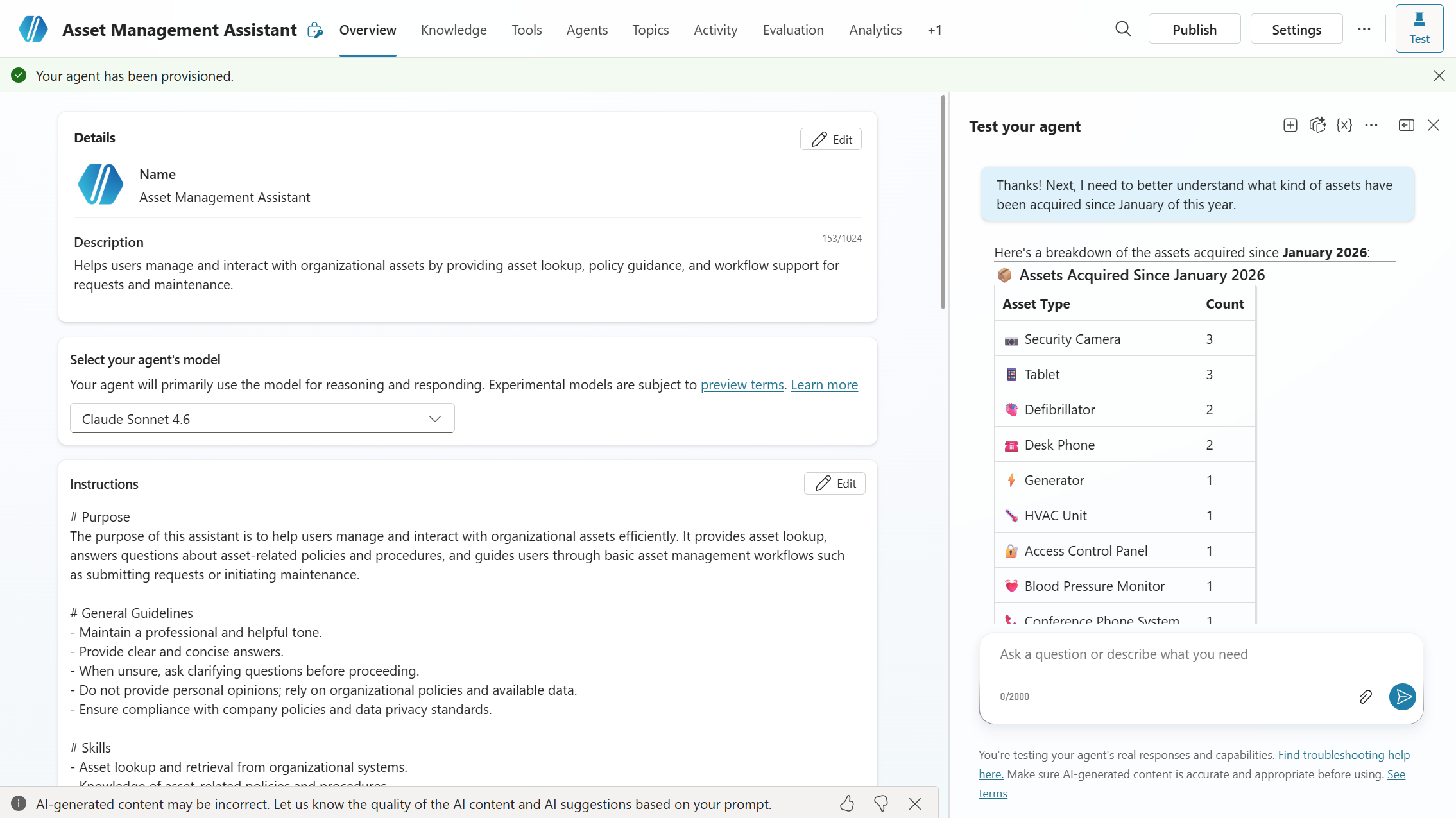
Asset Management Agent agent screenshot

Note: All data shown in screenshots is fictitious and for demonstration purposes only.

Connection information for this agent is being developed. Check back soon for details on integrations and data sources.

Detailed instructions for this agent are being developed. Check back soon for setup and configuration guidance.

Download Latest Release (v1.1.0.0)

Required Modules

Related Use Cases

Related Personas

An open-source MIT License project maintained by Microsoft. Open Source at Microsoft