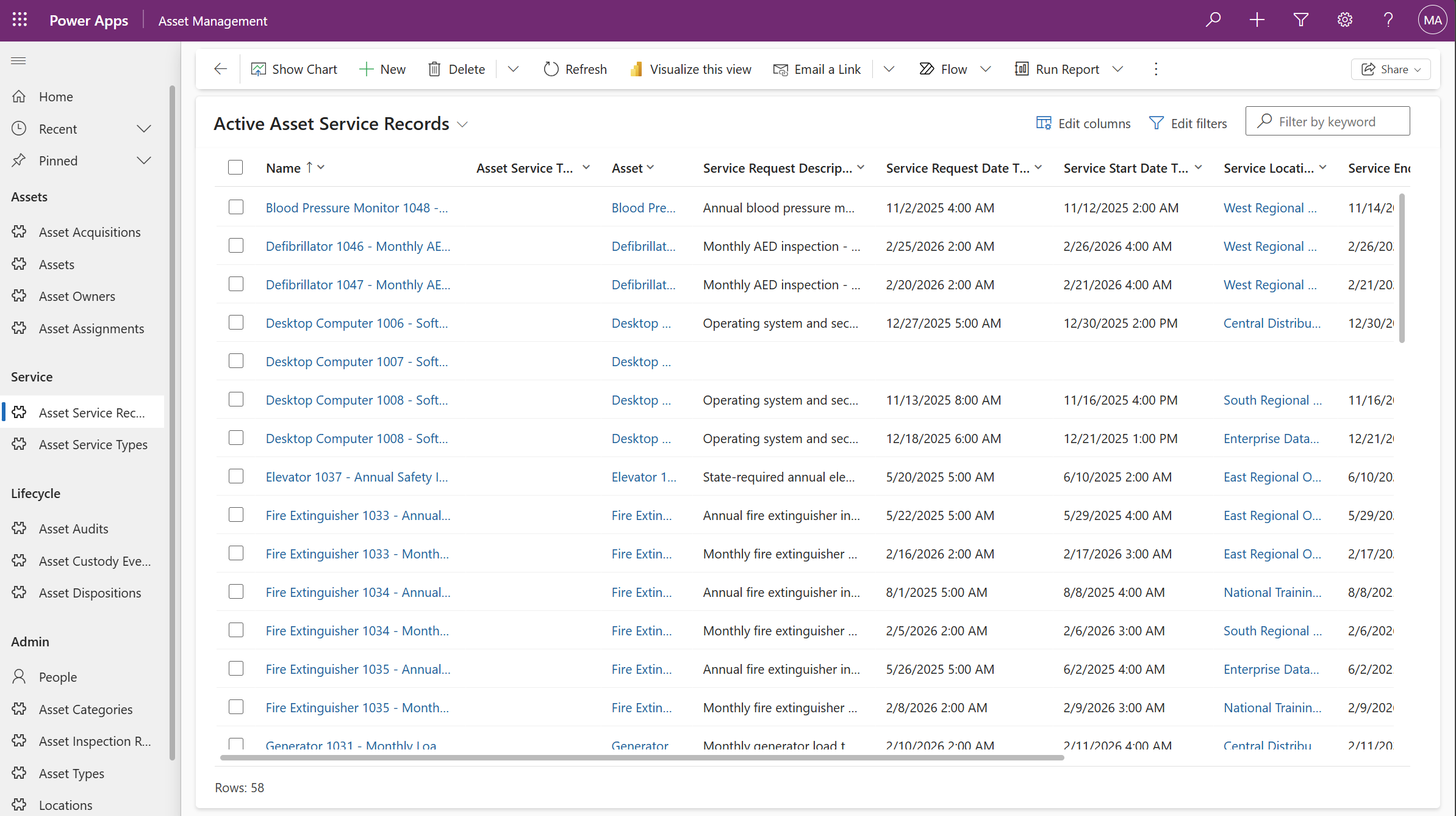
The Asset Management module provides a structured way to register, track, and govern physical assets across their full lifecycle, from acquisition through assignment, service, audit, and disposition. It provides data entry forms and views for capturing ownership and operational assignment details, maintaining custody history for accountability, logging service activity for operational visibility, and recording inventory audits and inspection requirements for compliance. Financial context can be captured through acquisition and cost tracking, while disposition records ensure defensible retirement and disposal documentation.
Typical use cases include managing IT equipment issuance, fleet and vehicle tracking, facilities and field equipment oversight, grant-funded asset accountability, regulated inspection programs, and annual inventory verification across departments or locations.
Using the Module
The module provides forms and views to capture asset information throughout the complete lifecycle from planning through disposal. Foundational reference data is established using Asset Categories and Asset Types to classify assets (e.g., IT Equipment > Laptops), Products to capture standard manufacturer and model information, and Locations and Organization Units to document where assets reside and which departments hold responsibility. Asset Service Types can be defined to categorize maintenance activities such as Preventive, Repair, Inspection, or Upgrade.
When assets are procured, Asset Acquisition records can document procurement details, supplier information, acquisition type (purchase, lease, donation, transfer), funding sources, and financial context for incoming assets. Individual Asset records capture identifying details such as serial numbers, asset tags, condition status, and links to Product and Asset Type information, along with initial cost data. Legal or financial ownership can be tracked through Asset Owner records, which support time-based ownership history with effective dates to account for owned, leased, or externally-owned scenarios.
The module provides separate forms to capture operational custody and movement. Asset Assignment records track which person or organization unit has custody or responsibility for each asset over time, including start and end dates for accountability. Asset Custody Events can maintain a timeline-based audit history of significant changes—such as assign, return, move, transfer, retire, or dispose—ensuring full visibility into asset movement and control. Additional financial context can be captured through Asset Cost Entry records, which log capital or operational expenses like repairs, upgrades, improvements, or reconditioning to support total cost of ownership reporting.
Throughout the asset’s operational life, Asset Service Records can build a service history by referencing predefined Asset Service Types (Preventive Maintenance, Repair, Inspection, Upgrade), supporting maintenance planning and operational decision-making. Asset Inspection Requirements can be defined to document recurring compliance requirements linked to Asset Types or specific assets, including frequency and regulatory references.
The module supports periodic verification through Asset Audit records for inventory validation cycles, with Asset Audit Items documenting expected versus observed conditions at the asset level, capturing verification status and any findings or discrepancies. When assets reach end-of-life, Asset Disposition records can document retirement reason, disposal method, approval dates, recipient information (if transferred or donated), and supporting documentation required for defensible records management and compliance.
graph TD
  appbase_Asset(Asset)
  appbase_AssetAcquisition(Asset Acquisition)
  appbase_AssetAssignment(Asset Assignment)
  appbase_AssetAudit(Asset Audit)
  appbase_AssetAuditItem(Asset Audit Item)
  appbase_AssetCategory(Asset Category)
  appbase_AssetCostEntry(Asset Cost Entry)
  appbase_AssetCustodyEvent(Asset Custody Event)
  appbase_AssetDisposition(Asset Disposition)
  appbase_AssetInspectionRequirement(Asset Inspection Requirement)
  appbase_AssetOwner(Asset Owner)
  appbase_AssetServiceRecord(Asset Service Record)
  appbase_AssetServiceType(Asset Service Type)
  appbase_AssetType(Asset Type)
  appbase_ComplianceFramework(Compliance Framework)
  appbase_LegalAuthority(Legal Authority)
  appbase_Product(Product)
  appbase_Asset --> appbase_Asset
  appbase_AssetAssignment --> appbase_Asset
  appbase_AssetAuditItem --> appbase_Asset
  appbase_AssetCostEntry --> appbase_Asset
  appbase_AssetCustodyEvent --> appbase_Asset
  appbase_AssetDisposition --> appbase_Asset
  appbase_AssetInspectionRequirement --> appbase_Asset
  appbase_AssetOwner --> appbase_Asset
  appbase_AssetServiceRecord --> appbase_Asset
  appbase_Asset --> appbase_AssetAcquisition
  appbase_Asset --> appbase_AssetAssignment
  appbase_AssetAuditItem --> appbase_AssetAudit
  appbase_Asset --> appbase_AssetCategory
  appbase_AssetCategory --> appbase_AssetCategory
  appbase_AssetType --> appbase_AssetCategory
  appbase_Asset --> appbase_AssetOwner
  appbase_AssetServiceRecord --> appbase_AssetServiceType
  appbase_AssetServiceRecord --> appbase_AssetServiceType
  appbase_Asset --> appbase_AssetType
  appbase_AssetInspectionRequirement --> appbase_AssetType
  appbase_AssetInspectionRequirement --> appbase_ComplianceFramework
  appbase_AssetInspectionRequirement --> appbase_LegalAuthority
  appbase_Asset --> appbase_Product
Tables
Asset
Individual, accountable item instance. Stores identifying details, current status/condition, links to Product, Asset Type, ownership, assignment, and lifecycle records.
Asset Type
Operational classification of assets (e.g., Laptop, Vehicle, Generator). Used for reporting, inspection requirements, and grouping.
Asset Category
Higher-level grouping of Asset Types (e.g., IT Equipment, Fleet, Facilities Equipment). Useful for roll-up reporting and policy alignment.
Product
Standardized product definition (manufacturer/model-level reference) that assets can reference for consistency across modules.
Asset Acquisition
Represents the acquisition event for one or more assets (purchase, lease, donation, transfer-in). Captures supplier, acquisition type, funding, and financial context.
Asset Cost Entry
Additional capital or operational costs associated with an asset (repairs, upgrades, improvements, reconditioning, etc.) for total cost tracking.
Asset Owner
Tracks legal or financial ownership of the asset over time (e.g., owned, leased, externally owned). Supports ownership history with effective dates.
Asset Assignment
Tracks custody or responsibility for the asset over time (assigned to a person, organization unit, or team). Includes start and end dates.
Asset Custody Event
Timeline-based record of significant custody or control changes (assign, return, move, transfer, retire, dispose). Provides an auditable history of asset movement and responsibility.
Location
Reference table for physical places where assets may reside (site, building, room, storage area, etc.).
Organization Unit
Organizational structure entity (department, division, program, team) used for ownership, assignment, reporting, and accountability.
Person
Individual record used for asset assignment, responsibility tracking, or audit verification.
Asset Service Record
Lightweight maintenance/service log entry for an asset. Captures service date, service type, provider, cost, and notes.
Asset Service Type
Reference list defining types of service events (Preventive, Repair, Inspection, Upgrade, Calibration, etc.).
Asset Audit
Represents an audit cycle or inventory verification event (e.g., Annual Inventory Count). Defines scope, dates, and status.
Asset Audit Item
Asset-level audit result within an Asset Audit. Records expected vs observed data, verification status, and findings.
Asset Inspection Requirement
Defines recurring inspection rules that apply to an Asset Type or specific Asset. Includes frequency and regulatory reference.
Asset Disposition
Captures retirement and disposal details for an asset, including retirement reason, disposal method, dates, approvals, and recipient (if applicable).