No, You Don't Need a Copilot License to Deploy Agents to Microsoft 365 Copilot
Standard harness
Microsoft 365 Copilot isn't just for licensed Copilot users. Learn how to deploy Copilot Studio agents to Copilot Chat users, how declarative agents are evolving, and why you no longer need an Azure subscription for prepaid capacity.

“Wait, my users need a Microsoft 365 Copilot license before they can use my agent in Copilot?”
Short answer: no. Copilot Chat, the version of Copilot available with most Microsoft 365 subscriptions, is enough. Your agent’s usage is covered through Copilot Credits, not per-user Copilot licensing. And as of April 2026, you don’t even need an Azure subscription to set that up.
This post covers why you’d want Microsoft 365 Copilot as a channel, how declarative agents are evolving, and how the billing just got simpler.
Teams Isn’t the Only Channel in Town
If you’ve been building agents in Copilot Studio, there’s a good chance you’ve been deploying them to Microsoft Teams. It’s one of the most popular channels to reach your employees, and there are solid patterns for making it production-ready.
But Teams has quirks as a channel. Conversations persist indefinitely, reinstalls don’t reset context, and you end up building workarounds for things that shouldn’t need workarounds. Session support is on the horizon for Teams, with the new supportsSessions property appearing in the preview app manifest schema, but it’s not here yet.
Microsoft 365 Copilot already gives you session-based conversations today. New chat, clean slate. No stale context from three weeks ago, no “why does the agent think I’m still asking about that other thing.” And yes, it’s a proper channel for your Copilot Studio agents, not just a home for declarative agents built in Agent Builder.
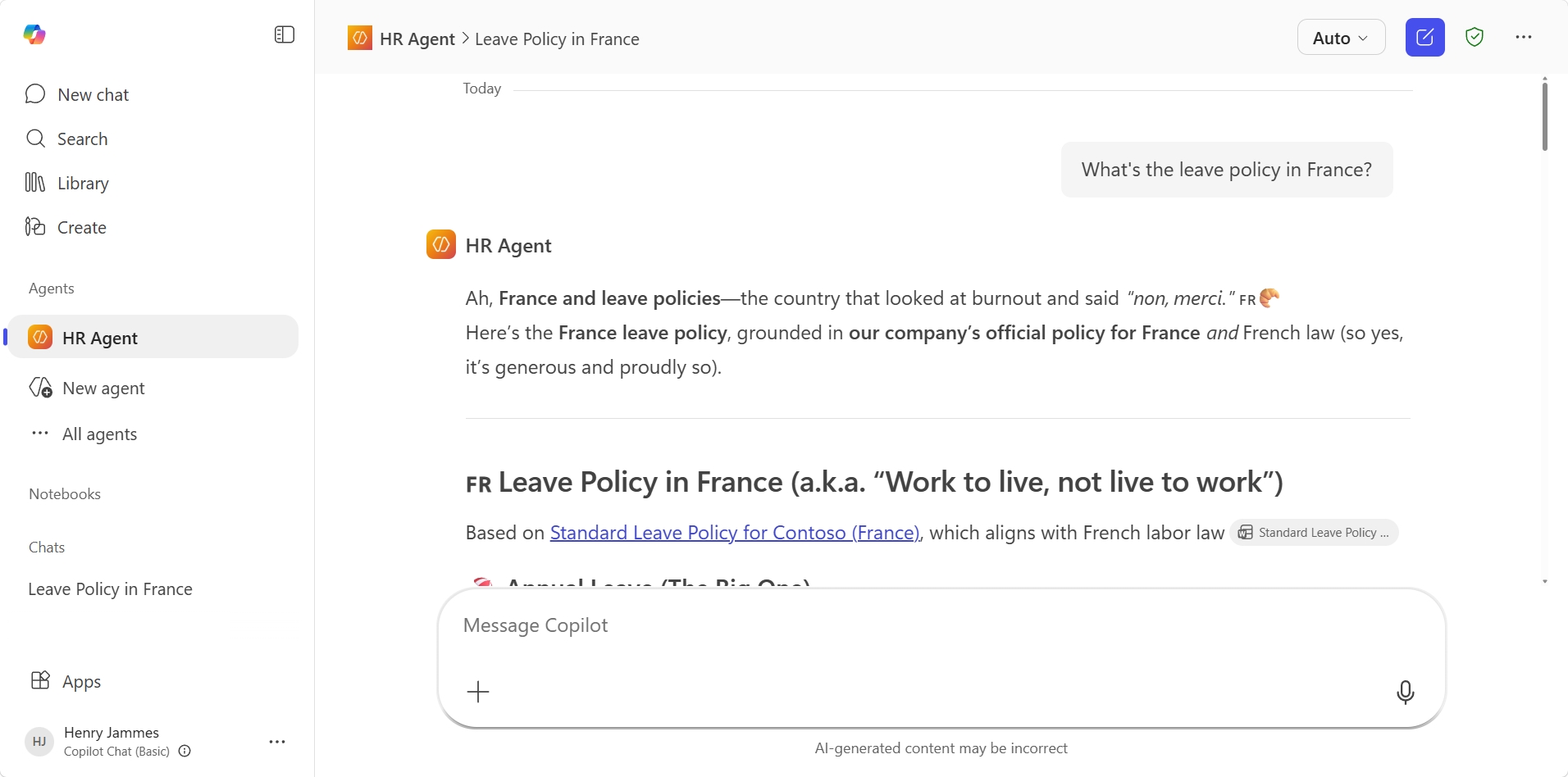 A declarative agent using a SharePoint knowledge source for grounding
Two Types of Agents
There are two types of agents you can create in Copilot Studio, and they run on very different engines.
Custom agents
These run on Copilot Studio’s own orchestrator, which comes in several flavors:
- Classic orchestration: Old school Natural Language Understanding (NLU), topic-based, with trigger phrases routing to specific conversation flows.
- Generative orchestration (also called mainline): The AI (based on a large language model) decides which topics, knowledge sources, and tools to invoke based on user intent.
- Enhanced task completion (experimental as of this post’s date): The agent asks clarifying questions before acting, chains tools intelligently, and recovers from errors on its own. Worth keeping an eye on.
Custom agents can be deployed to Teams, web chat, Microsoft 365 Copilot, and other channels. Their consumption is billed through Copilot Credits, or at no charge for Microsoft 365 Copilot licensed users.
Declarative agents
These run on the Microsoft 365 Copilot orchestrator, also sometimes referred to as Sydney. Instead of Copilot Studio managing the conversation, Microsoft 365 Copilot does. You provide instructions, knowledge sources, and actions through a declarative agent manifest, and the platform handles the rest.
Most people create declarative agents through Agent Builder, the no-code tool built right into Microsoft 365 Copilot, and for good reason: it’s fast and intuitive. Configure your instructions, add knowledge sources, toggle some capabilities, set up starter prompts, done.
For more advanced scenarios, developers have been using the Agents Toolkit to build declarative agents with capabilities that Agent Builder doesn’t expose. The declarative agent schema supports many capability types (web search, Dataverse, Teams messages, email, people search, code interpreter, Adaptive Cards, and more), actions backed by API plugins, worker agents, user overrides, and behavior controls. It’s pretty cool if you haven’t browsed through it.
But both have trade-offs. Agent Builder is limited in extensibility. The Agents Toolkit requires pro code. What if you could get enterprise-grade capabilities without writing TypeScript or JavaScript?
The Convergence: Declarative Agents from Copilot Studio
Users love the answer quality they get from declarative agents grounded on SharePoint, Outlook, Teams messages, web, and Copilot connectors (formerly Microsoft Graph connectors). This has been a frequent comparison point: answers from declarative agents and Copilot Studio custom agents, grounded on the same data, were often different.
Copilot Studio is gaining the ability to create declarative agents with the same M365-native knowledge types and answer quality, combined with Copilot Studio’s enterprise capabilities. And yes, this isn’t the first attempt at bridging this gap, but let’s not talk about that.
What you get that Agent Builder and the Agents Toolkit can’t give you on their own:
- Topics: Structured conversation flows alongside the AI-driven experience.
- Connectors and agent flows: Connect to line-of-business systems and trigger automations across hundreds of connectors, no code required.
- Agent evaluations: Test sets that simulate real-world scenarios, run every time you tweak instructions, swap a model, or update knowledge sources. Bulletproof agents that don’t regress.
- Managed Environments: Govern agents through the Power Platform admin center through environment groups and rules (allow or block connectors, enforce security settings, set sharing limits, etc.), manage your agents’ ALM and deployment pipelines with solutions.
The Licensing Picture
Microsoft 365 Copilot comes in two tiers:
| Copilot Chat | Microsoft 365 Copilot | |
|---|---|---|
| Cost | Available with Microsoft 365 | Add-on license |
| AI chat | Web-grounded | Web + organizational data (Microsoft Graph) |
| In-app experiences | Limited | Full (Teams, Word, Excel, etc.) |
| Agent Builder | Limited | Full |
| Copilot Studio custom agents | Billed through Copilot Credits | No charge |
| Declarative agents (advanced) | Billed through Copilot Credits | No charge |
For Copilot Studio custom agents, billing was always handled through Copilot Studio prepaid Copilot Credits, Copilot Studio pay-as-you-go or Copilot Credits Pre-Purchase Plan. Microsoft 365 Copilot licensed users get these interactions at no additional charge.
For declarative agents with advanced capabilities like enterprise data grounding such as SharePoint, Copilot Chat users needed a pay-as-you-go billing setup to cover consumption. That’s the part that just changed.
The Billing Evolution: From “You Need Azure” to “Just Buy Credits”
Phase 1: Pay-as-you-go (Azure required)
To let Copilot Chat users interact with declarative agents using premium knowledge sources, admins had to set up a pay-as-you-go billing plan in the Microsoft 365 admin center. This required an Azure subscription.
It worked, but it meant every organization needed Azure capabilities like subscriptions and resource groups just to let people use agents.
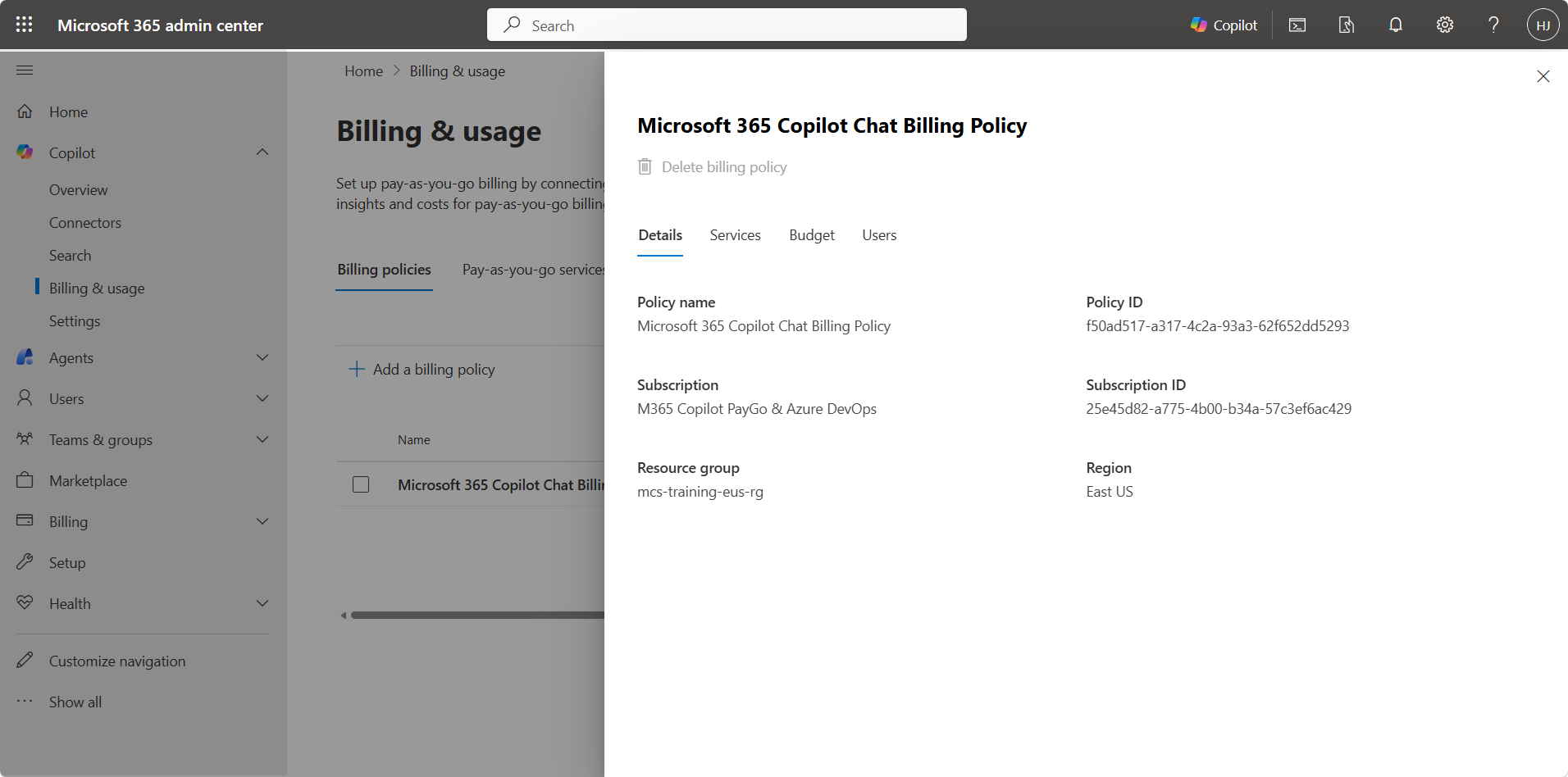 The pay-as-you-go billing policy requires an Azure subscription and resource group
Phase 2: Prepaid capacity packs (still needed Azure as fallback)
Microsoft introduced Copilot Studio capacity packs: prepaid subscriptions of 25,000 Copilot Credits per month. Credits were consumed first before any overage hit the Azure subscription.
Better, but you still needed pay-as-you-go billing enabled as a fallback. The system required an Azure subscription even if you only wanted prepaid credits. For organizations where Azure provisioning is a six-month procurement odyssey, this was a blocker.
Phase 3: Standalone prepaid credits (no Azure required)
Starting April 20, 2026 (Message Center ID: MC1279072), prepaid Copilot capacity packs work without pay-as-you-go billing.
What’s new:
- No Azure subscription required: Buy capacity packs, allocate credits, done.
- Copilot Credit Policies: Allocate prepaid credits to specific departments or user groups, scoped to Entra ID groups. Give HR 30,000,000 credits, IT 20,000, from the same pool.
- No overage risk: Without pay-as-you-go enabled, usage stops when prepaid capacity runs out. No surprise Azure bills.
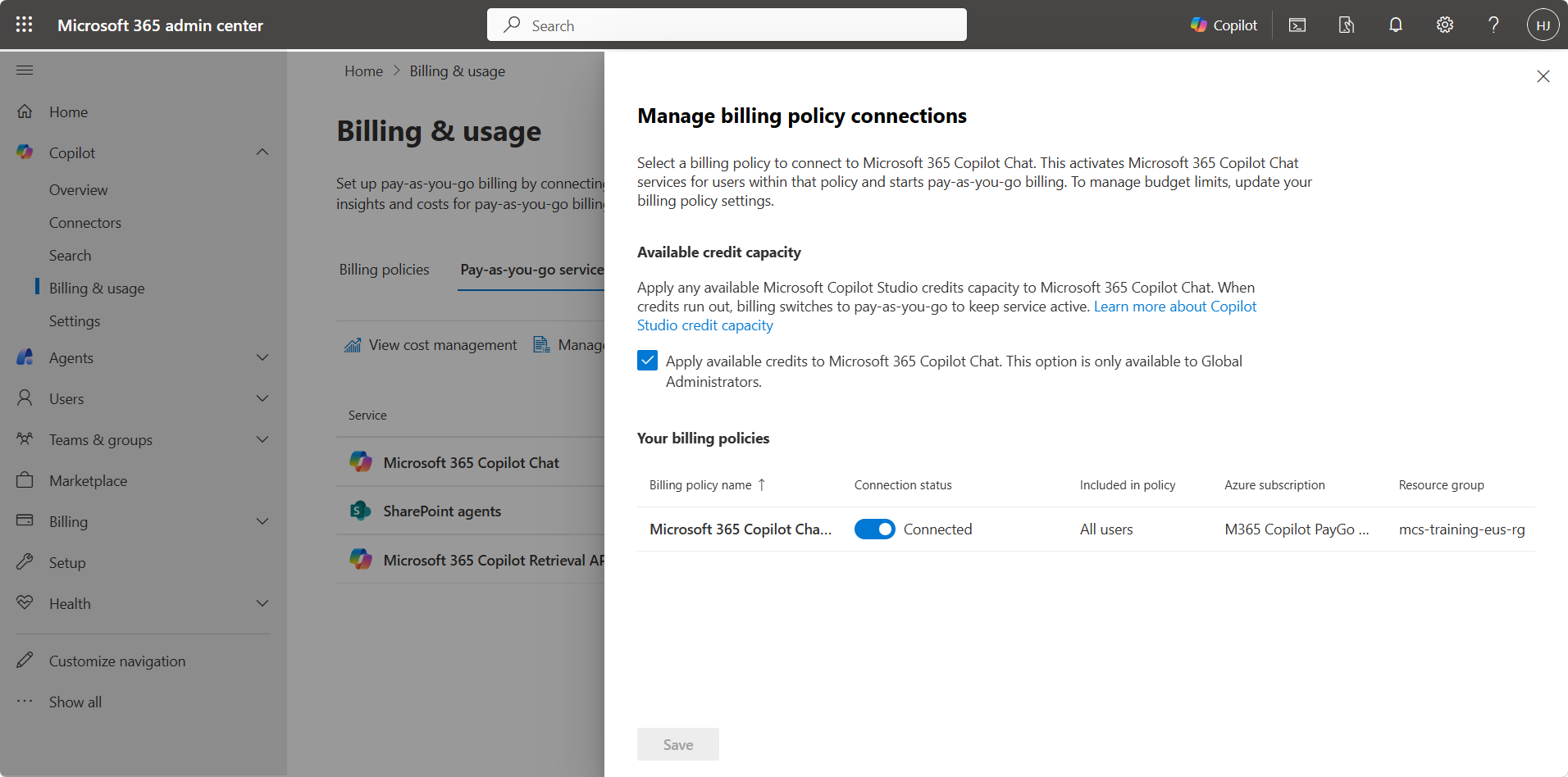 Applying prepaid Copilot Studio credits to Copilot Chat, still tied to a pay-as-you-go policy today
This rollout begins April 20, 2026 and is expected to complete by early May 2026 worldwide. If you don’t see the option yet, it’s still rolling out to your tenant.
Deploying Your Agent to Microsoft 365 Copilot
The deployment itself is straightforward. When you connect the Teams and Microsoft 365 Copilot channel, there’s a toggle to Make agent available in Microsoft 365 Copilot (selected by default). Users can then type @, select your agent from the list, and start chatting.
For enterprise rollouts, admins can auto-deploy and pin agents for specific user groups through the M365 Admin Center, the same way you’d distribute a Teams app. I covered the step-by-step in Deploying to Microsoft 365 Copilot.
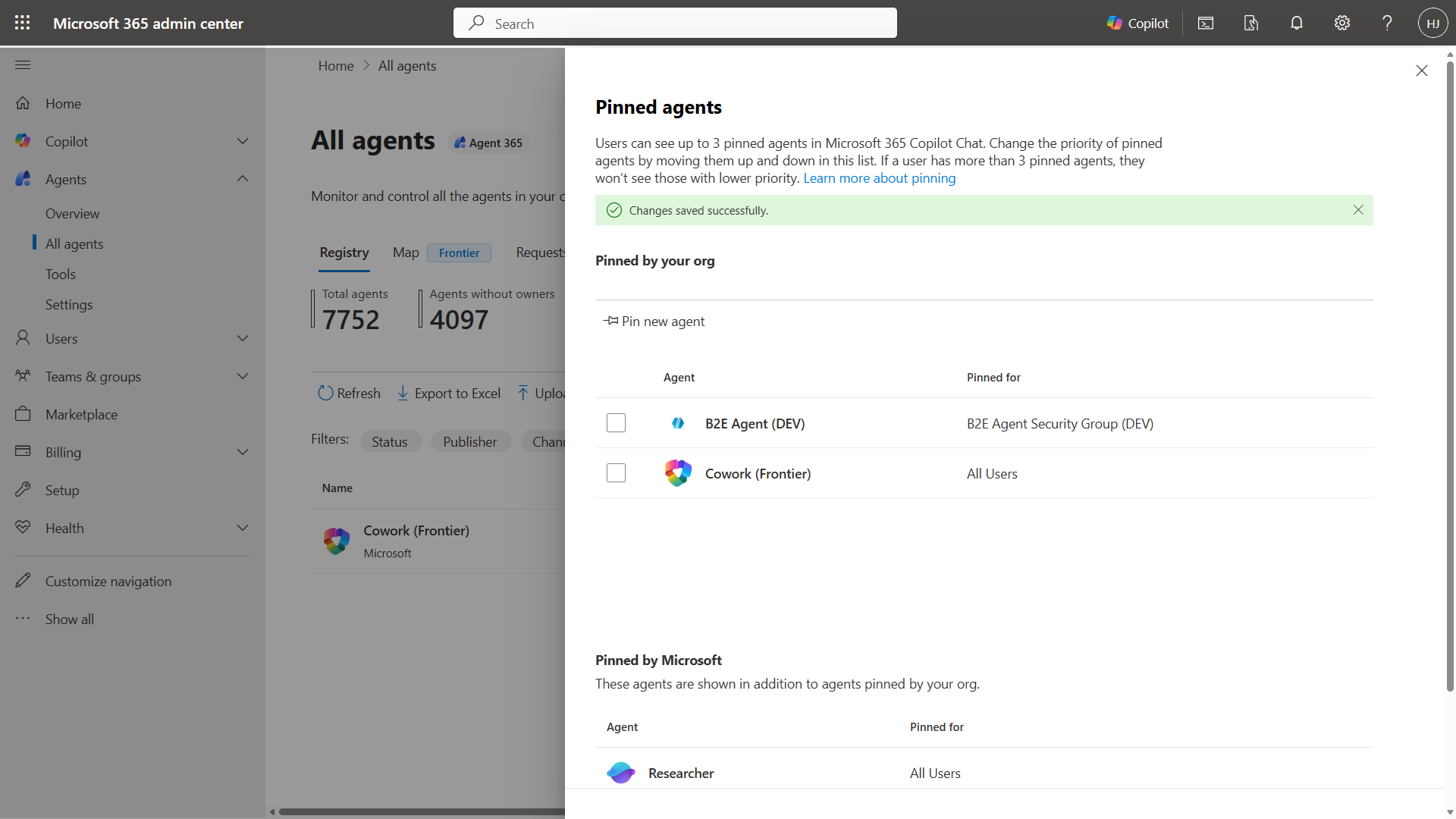 Pin agents in the M365 Admin Center for automatic deployment to target user groups
Watch out: no Conversation Start
One important gotcha. Microsoft 365 Copilot does not support the Conversation Start system topic. If you’re using Conversation Start to set global context variables (user language, country, department), those won’t fire in this channel.
The workaround: use an Activity Event-triggered topic that fires when context values are unknown, so variables get set on the user’s first message regardless of channel. I wrote up the pattern in Setting global context variables.
Other channel differences worth knowing
- GIF images are not rendered
- Embedded URLs in messages may be stripped for security (use citations instead)
-
Adaptive Cards work, but not
Action.Execute - Hand-off to a live agent is not supported
- Inactivity trigger fires but doesn’t post messages back to the user
- User feedback (reactions) is not supported
Teams and Microsoft 365 Copilot are inherently different channels with different runtime behaviors. Don’t assume that because your agent evaluates well in one, it’ll behave the same in the other. Test in both.
Key Takeaways
- Microsoft 365 Copilot is a channel, not just a product. Your Copilot Studio agents can live there alongside Teams, web chat, and other channels, with session-based conversations out of the box.
- Your users don’t need a Microsoft 365 Copilot license. Copilot Chat is enough. Consumption can be covered through Copilot Credits, not necessarily with per-user licensing.
- Declarative agents are coming to Copilot Studio, with the same answer quality users love from Agent Builder, plus topics, connectors, evaluations, and governance.
- No Azure subscription required. Prepaid capacity packs now work standalone, with Copilot Credit Policies for departmental allocation.
Are you deploying agents to Microsoft 365 Copilot, or sticking with Teams for now? Have you tried the new credit policies? I’d love to hear how your organization is handling the billing side of things.