

Export Conversation
How to export conversations in JSON or Markdown format
Export one or multiple conversations from the Chat page in JSON or Markdown format. A guided wizard walks you through format selection, packaging options, and download.
Exporting a Single Conversation
Right-click or click the ellipsis menu on any conversation in the sidebar to access the Export option.
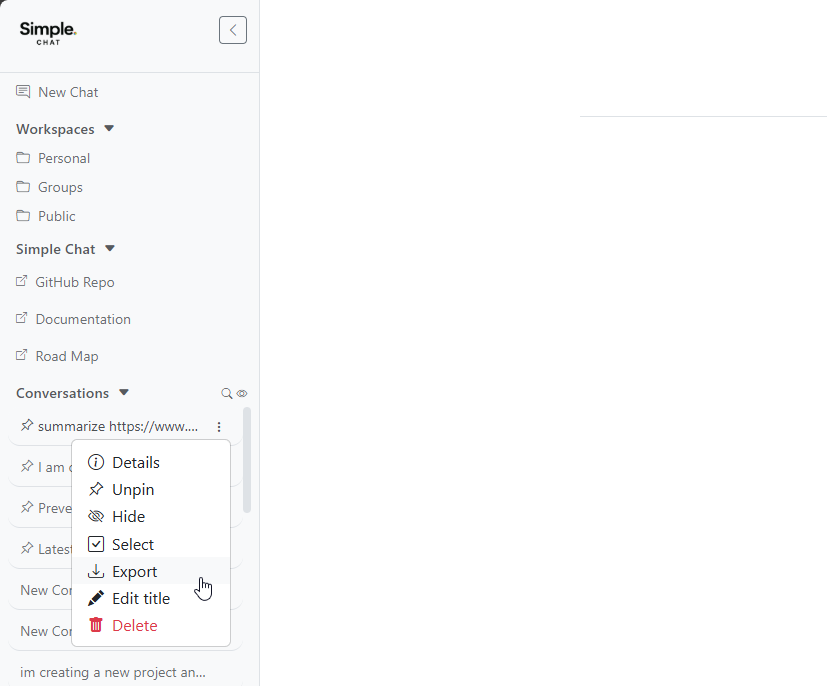
This opens the export wizard pre-loaded with the selected conversation.
Exporting Multiple Conversations
To export several conversations at once:
- Click Select from any conversation’s ellipsis menu to enter selection mode
- Check the conversations you want to export
- Click the export button in the selection toolbar
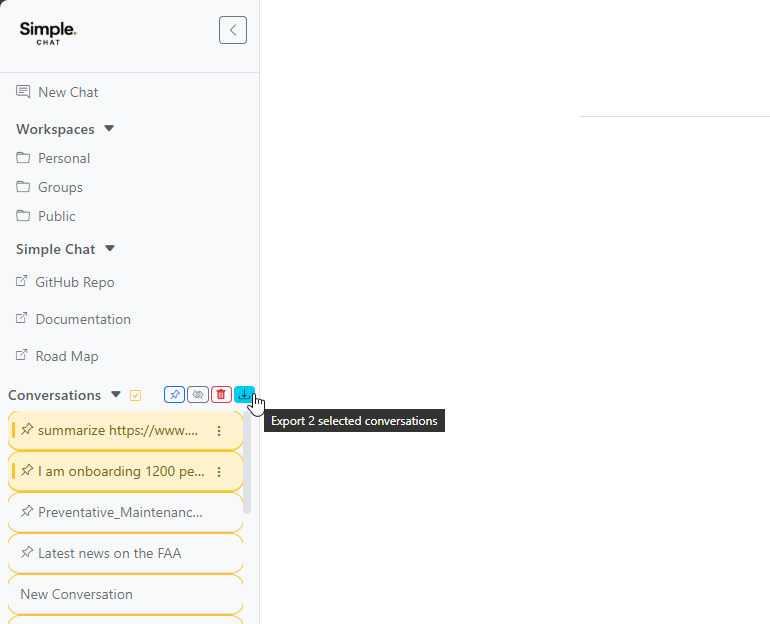
Export Wizard
The export wizard guides you through three steps.
Step 1: Choose Format
Select between two export formats:
- JSON – Structured data format, ideal for programmatic analysis or re-import
- Markdown – Human-readable format, great for documentation and sharing
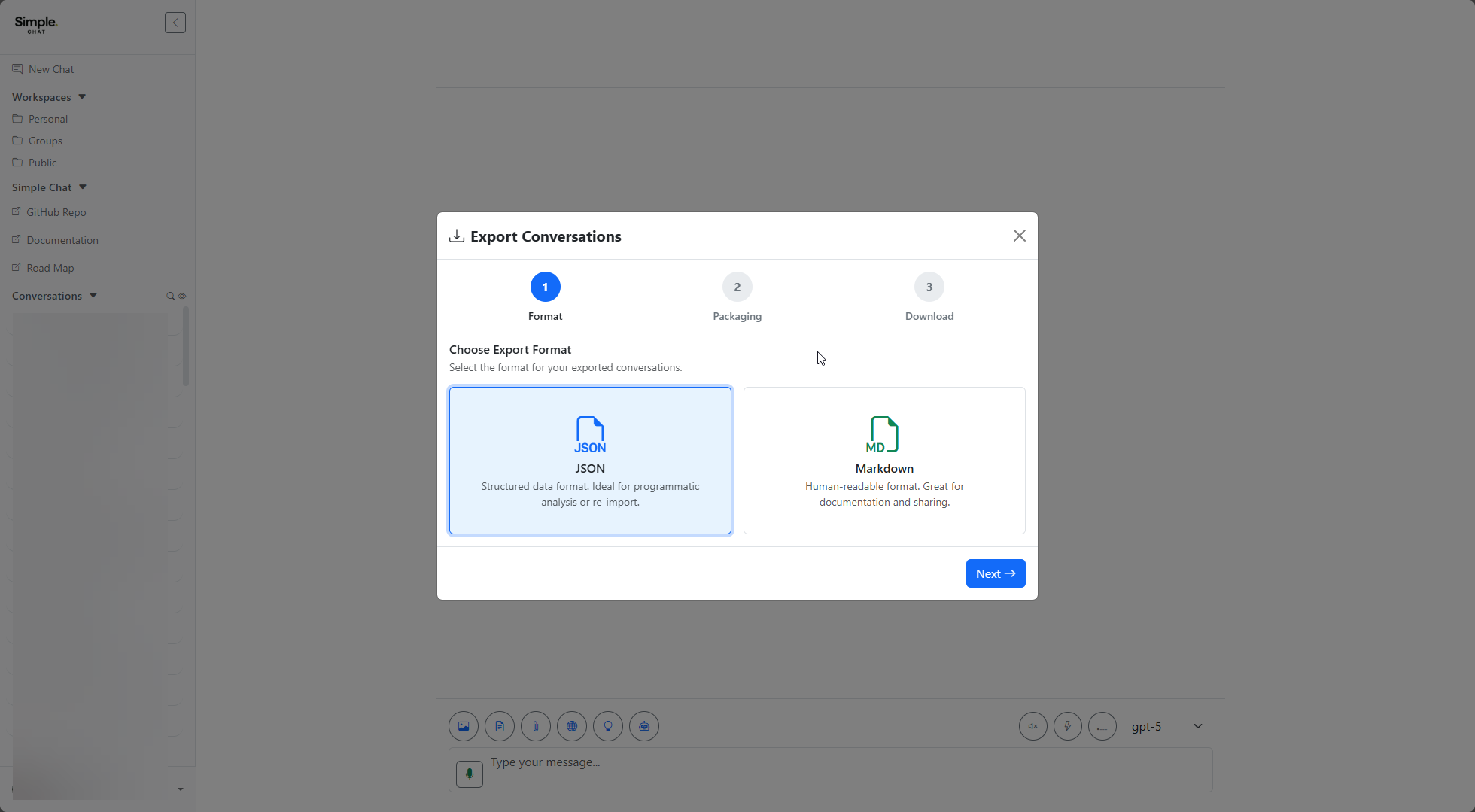
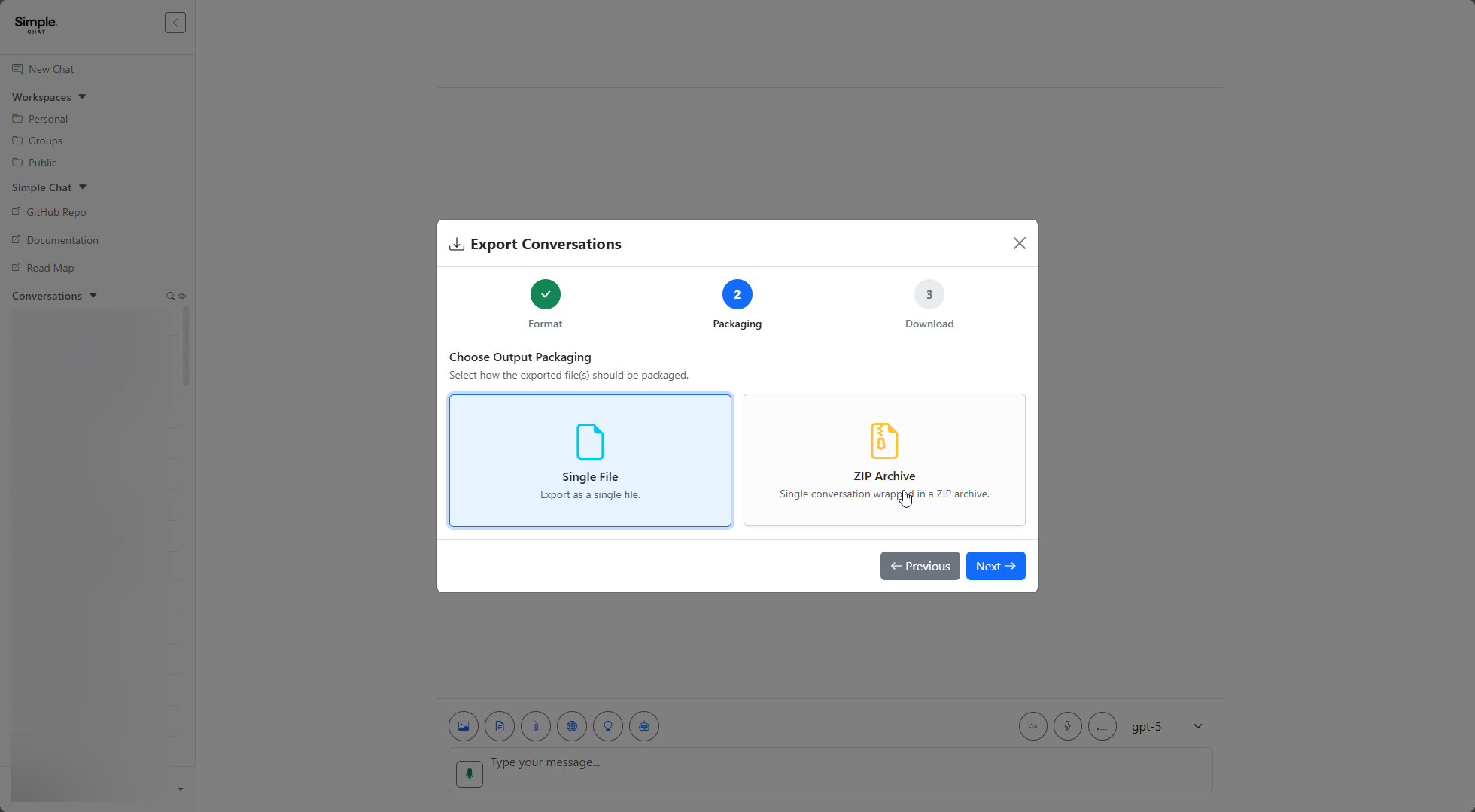
Step 2: Choose Packaging
Select how the exported file(s) should be packaged:
- Single File – All selected conversations combined into one file
- ZIP Archive – Each conversation as a separate file inside a ZIP
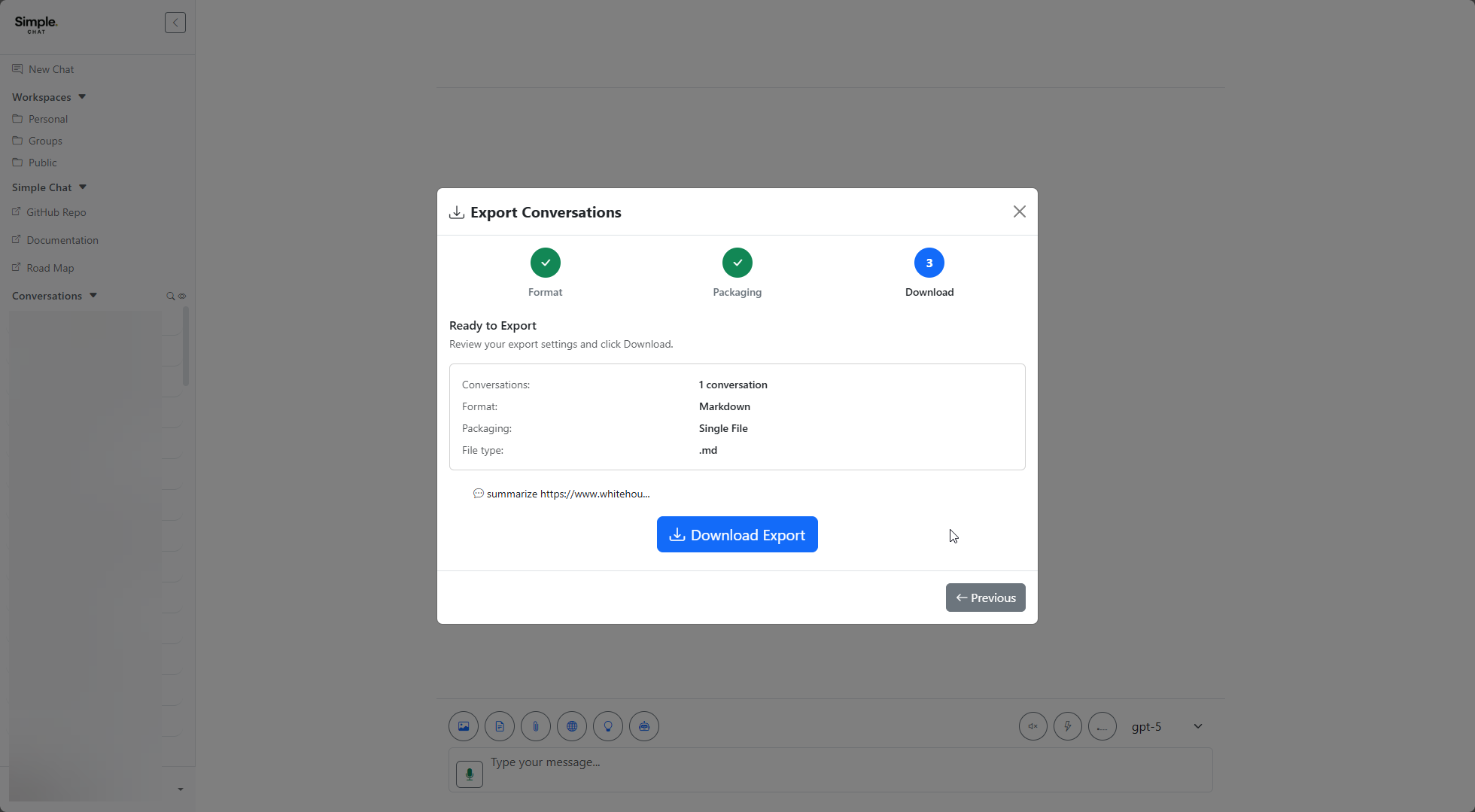
Step 3: Review and Download
Review your export settings and click Download Export to save the file.
The summary shows the number of conversations, chosen format, packaging type, and resulting file extension.
Notes
- Sensitive internal metadata is automatically stripped from exported data for security
- Export is limited to conversations you own
- When exporting a single conversation, the selection review step is skipped and the wizard starts directly at the format step