

Latest Release Highlights
Current feature guides with previous release highlights kept for reference
This page mirrors the curated in-app Latest Features experience for SimpleChat v0.261.001, keeps the v0.250.001 feature set in Previous Release, and preserves v0.239.001-v0.241.007 highlights in the archive below it.
Admin Setup and User View
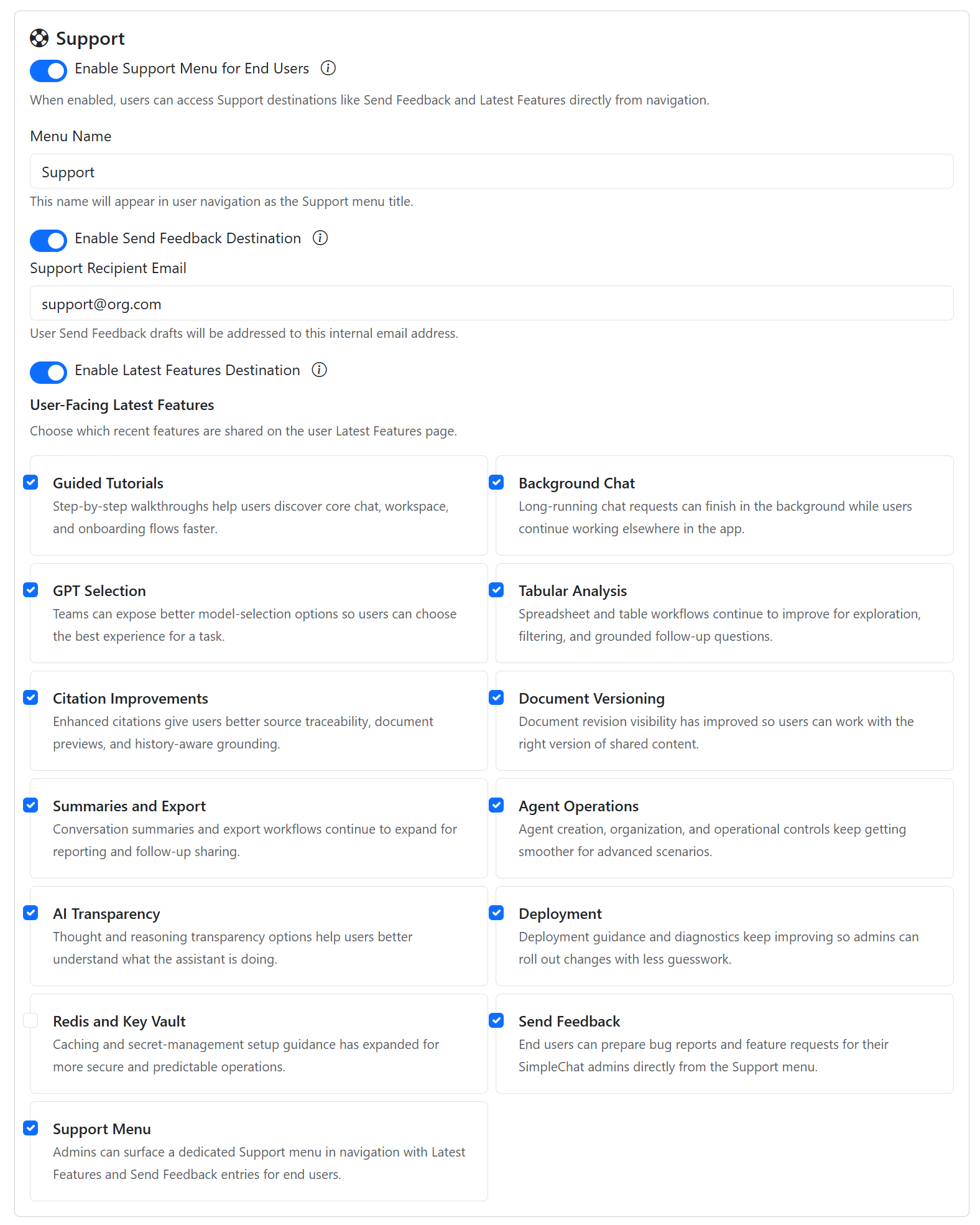
Admins control whether Latest Features are visible from the Support menu and can choose which current-release cards are shared with end users. Turn the destination on with Enable Latest Features Destination under Admin Settings > Help > Support Menu, then review the cards end users will see under Admin Settings > Help > User-Facing Latest Features.
Users see the curated set from Support > Latest Features. The guides below use the same screenshots as the in-app gallery. Two tiers are published here: the user-facing v0.261.001 set, and an admin-managed set covering the tenant controls behind those capabilities. The v0.250.001 and archive guides remain available below.
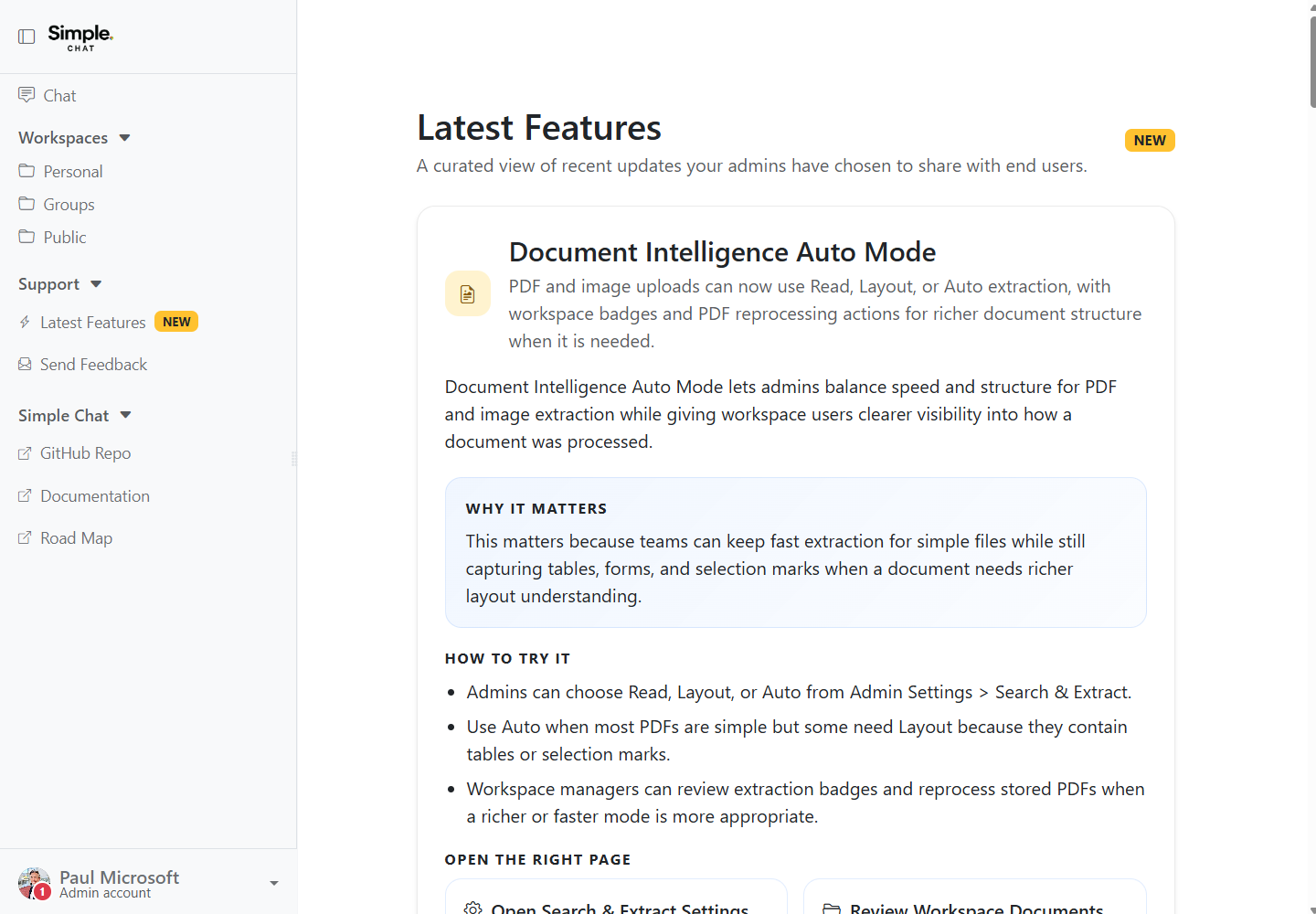
SimpleChat 0.261.001 Latest Features
Everything released after v0.250.001, consolidated into the SimpleChat 0.261.001 feature set your admins are currently sharing with end users.
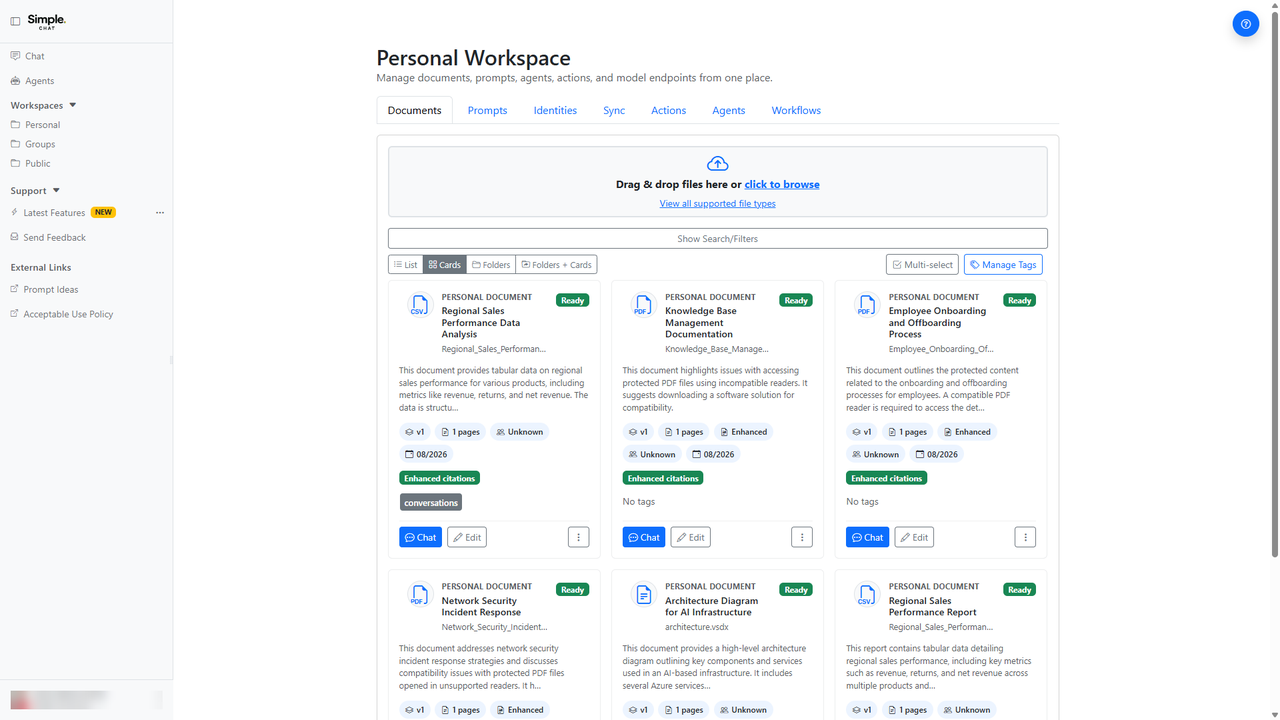
Sharper Document Extraction with Figure Descriptions
Enhanced extraction now reads charts, diagrams, and figures inside your documents and writes searchable descriptions of them, so answers can draw on pictures instead of skipping past them.
This matters because a large share of the meaning in reports, decks, and scanned documents lives in pictures, and until now that content was effectively invisible to search.
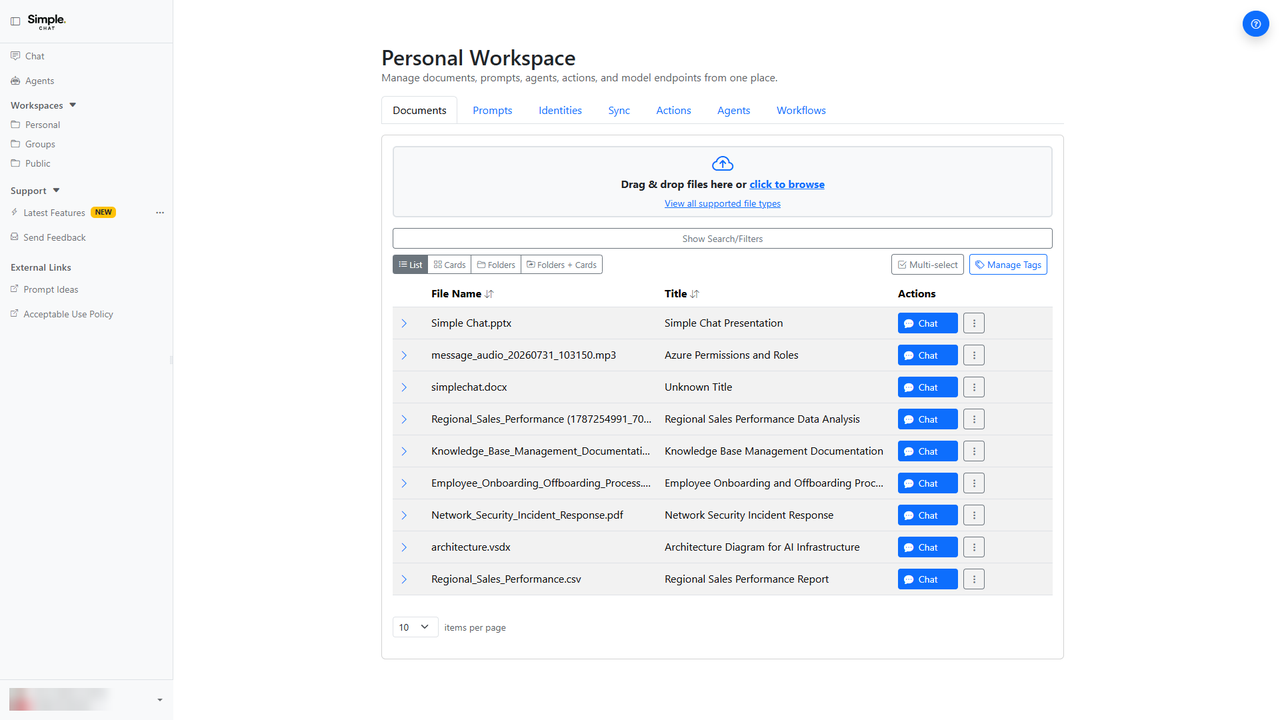
Pictures Inside Word and PowerPoint Are Now Searchable
Images embedded in Word and PowerPoint files, including SmartArt, Visio drawings, and chart graphics, are now analyzed and cited with the correct page or slide.
This matters because architecture diagrams, org charts, and process flows are often the whole point of a deck, and citations now point at the slide those visuals actually live on.
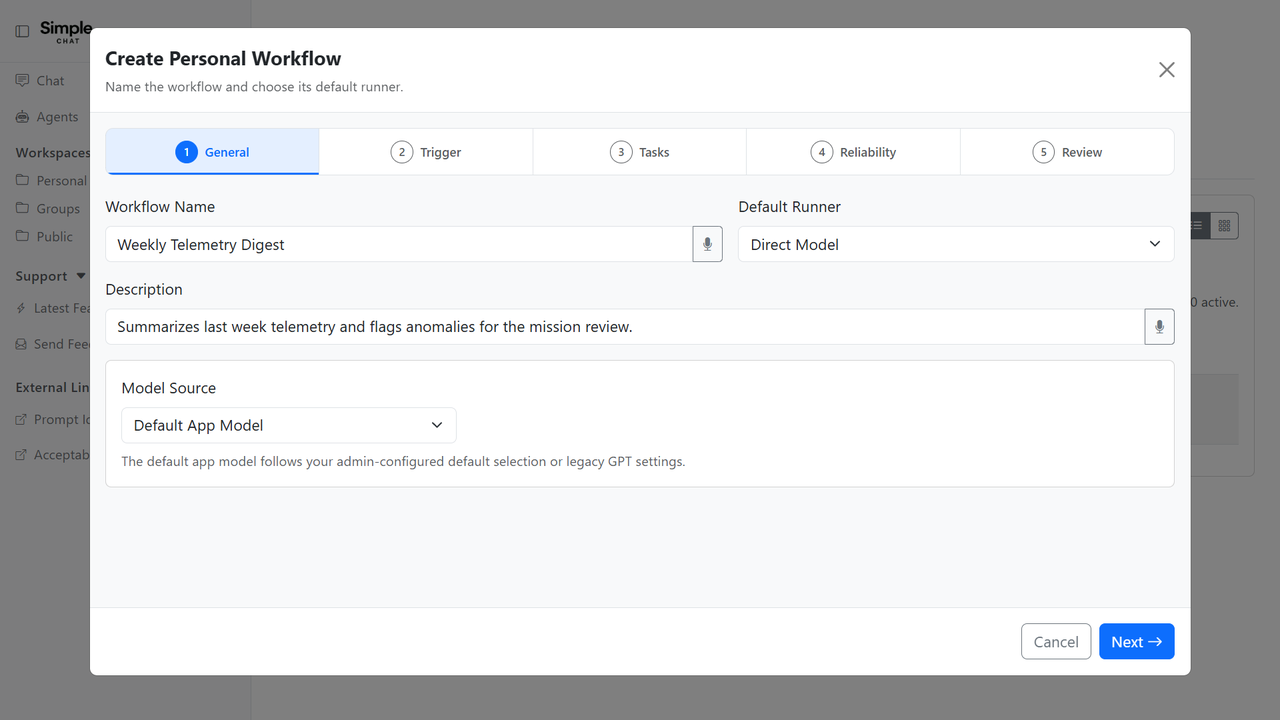
Multi-Step Workflows With Alert Rules
Workflows can now run an ordered sequence of tasks, each with its own model, agent, and documents, and can notify you through configurable alert rules instead of a single priority setting.
This matters because real work is rarely one prompt, and chaining steps with targeted notifications turns a workflow into something you can trust to run unattended.
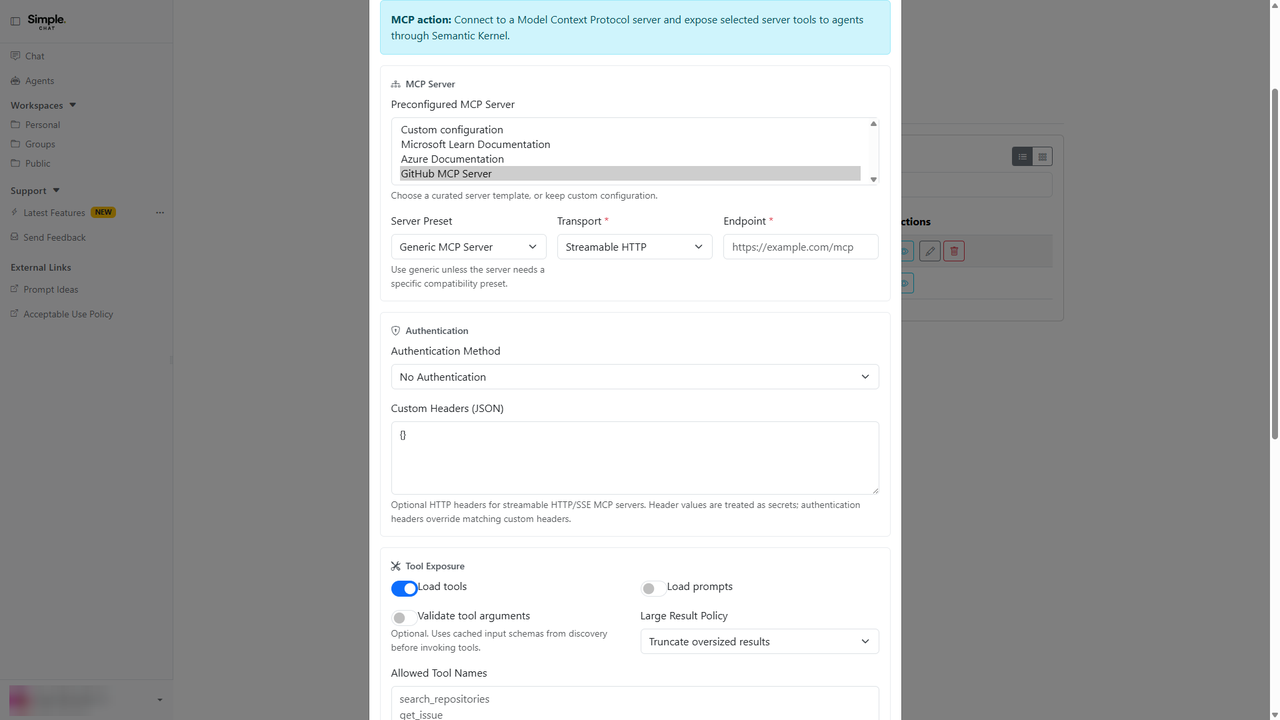
Model Context Protocol Connections
SimpleChat can now act as a governed MCP server for approved external clients, and outbound MCP actions gained presets, preconfigured catalogs, and a Test Connection button.
This matters because it lets SimpleChat participate in the wider tool ecosystem your organization already uses, without every team hand-rolling its own integration.
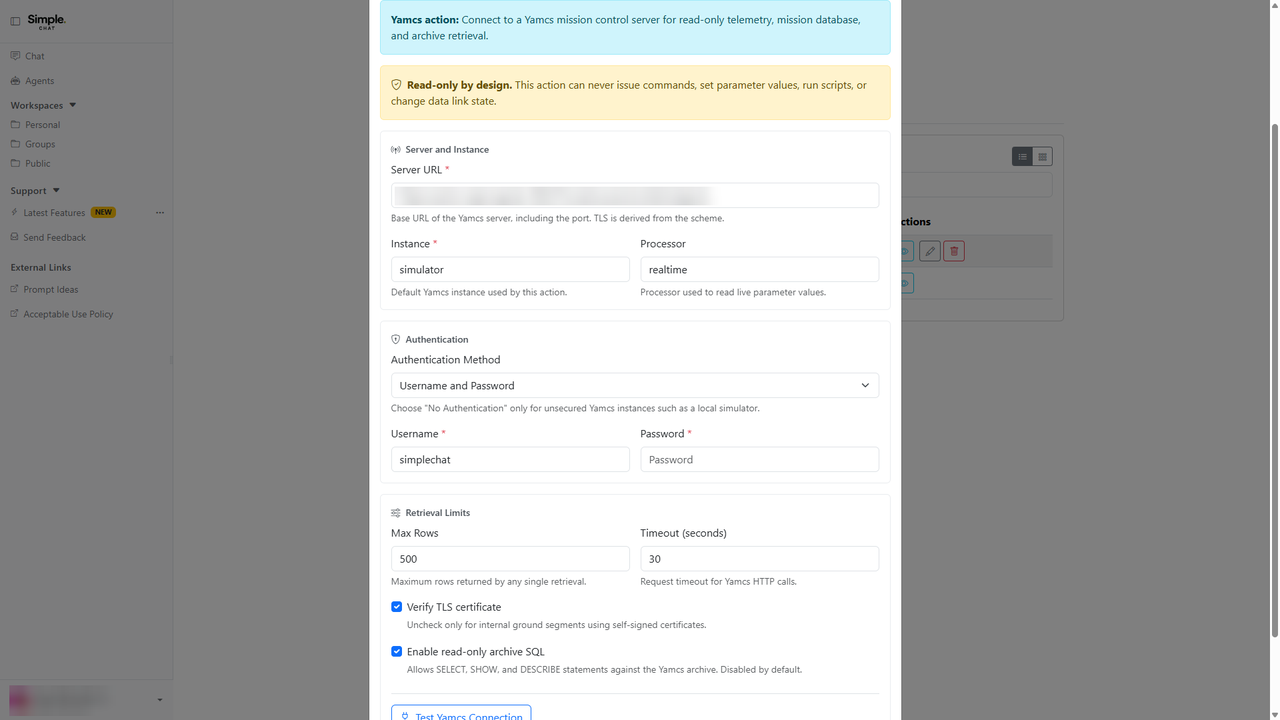
Yamcs Mission Control Integration
A new Yamcs action type connects agents to Yamcs mission control servers with eleven read-only tools covering telemetry, parameters, events, packets, alarms, and archive queries.
This matters because mission operators can ask plain-language questions about telemetry and alarms instead of hand-writing queries against the archive.
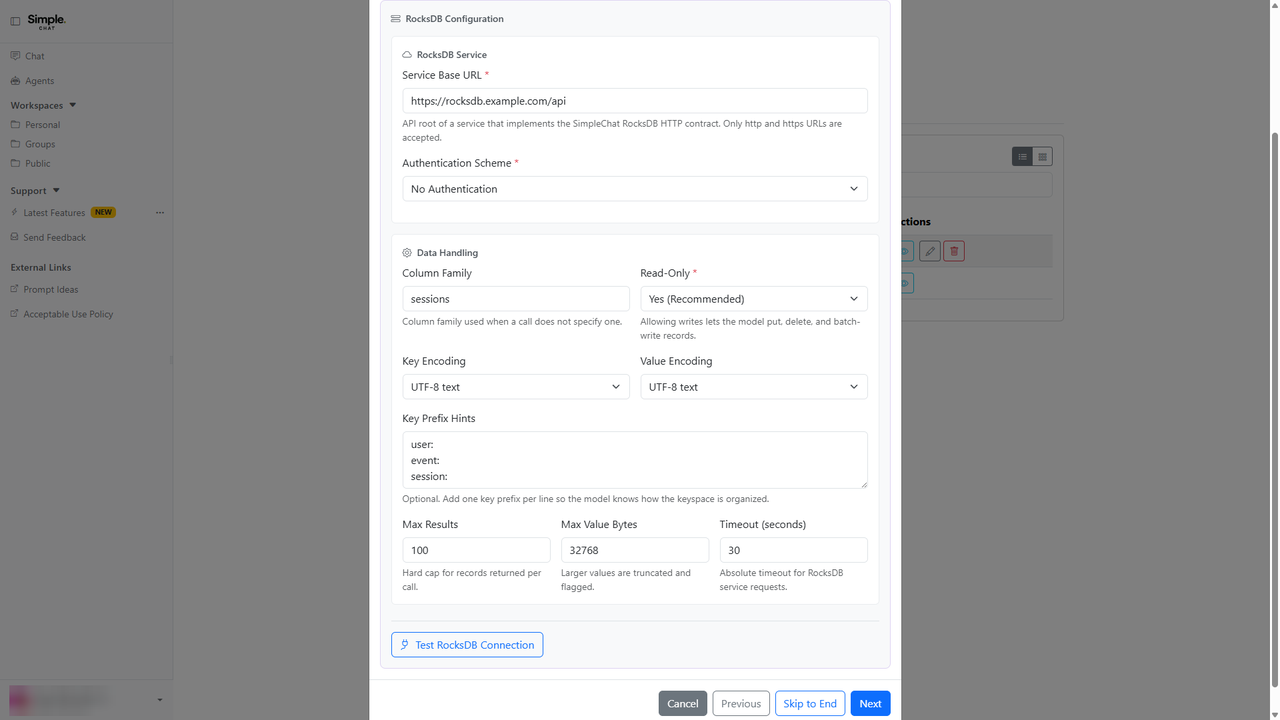
RocksDB Key-Value Store Action
A new RocksDB action type lets agents read from an ordered key-value store through a conforming HTTP and JSON service, with get, scan, and stats tools.
This matters because ordered key-value data is common in telemetry and logging systems, and agents can now query it directly instead of asking a person to run a lookup.
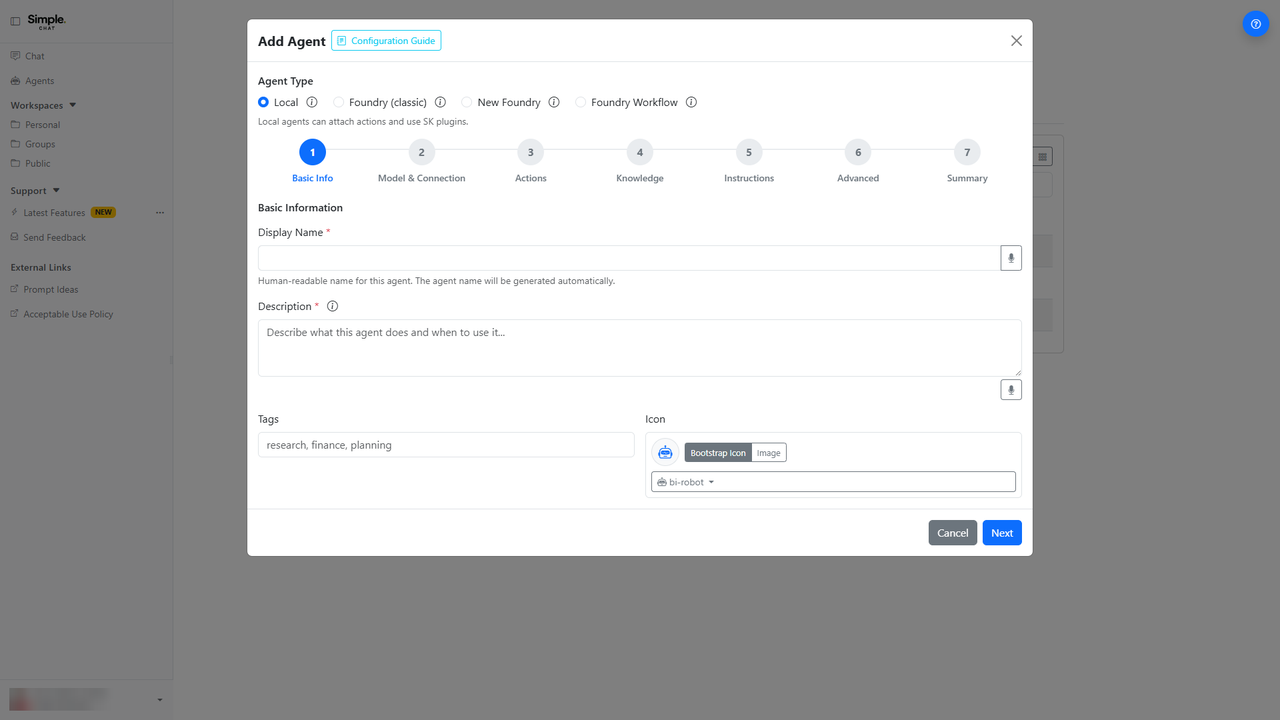
Reference Actions and Knowledge Directly in Agent Instructions
Agent instructions can now name the exact actions and documents an agent holds using autocompleted hash-action and hash-knowledge tokens, and the agent builder reorders its steps so instructions come last.
This matters because vague instructions are the most common reason an agent ignores a tool you gave it, and naming the capability directly removes that guesswork.
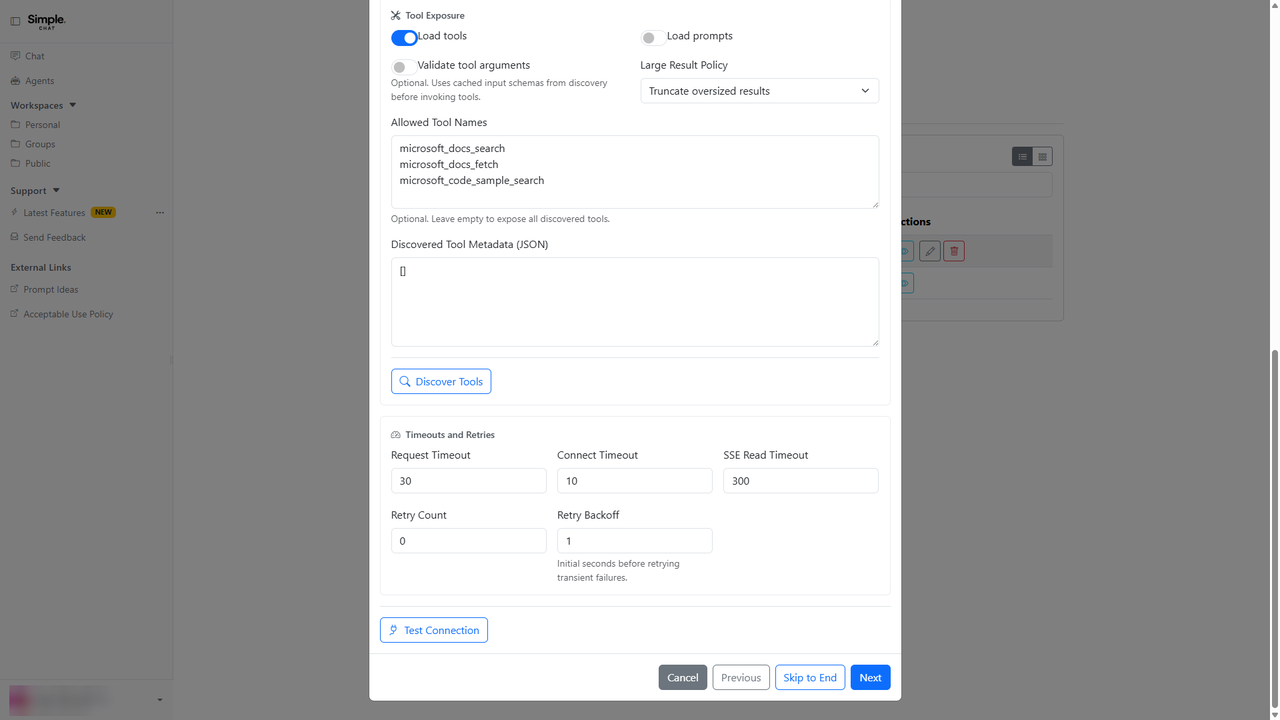
Test Connection Before You Save an Action
Test Connection is now available across twelve action types, verifying credentials and reachability without making you re-enter stored secrets.
This matters because a broken action used to surface as a confusing failure mid-conversation, and now you find out at setup time with a message that tells you what to fix.
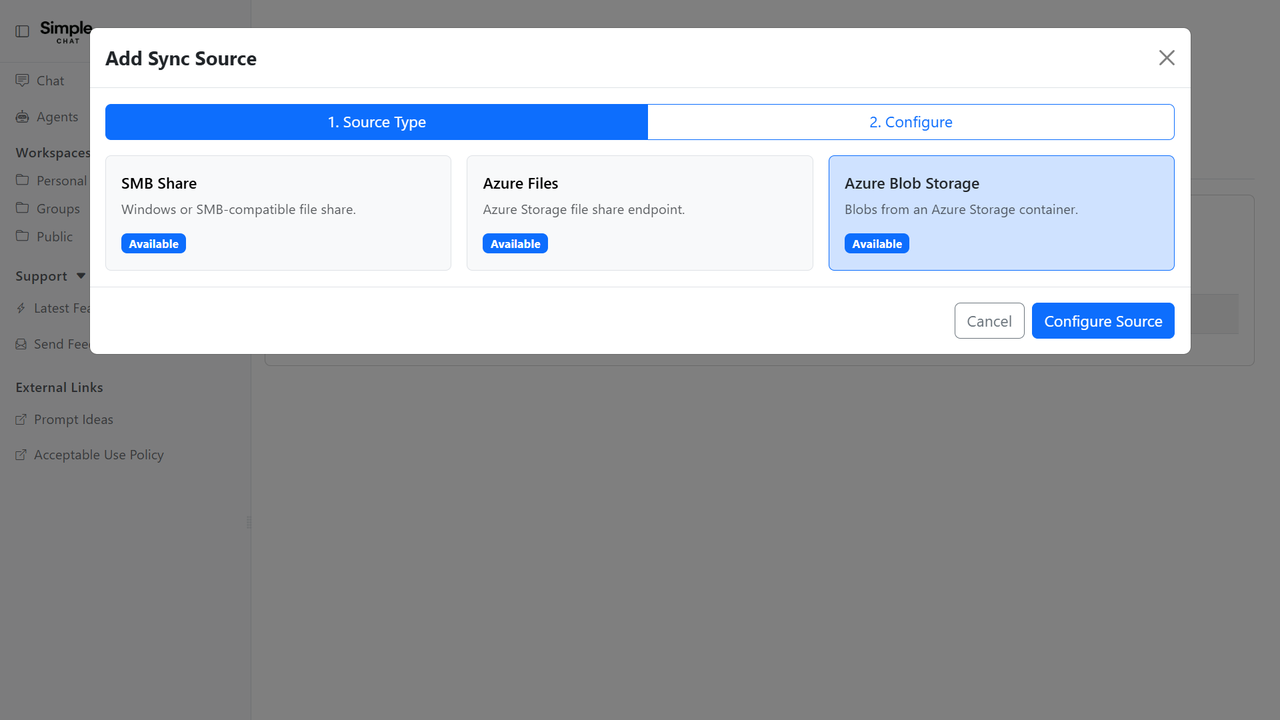
Sync Documents From Azure Blob Storage
Azure Blob Storage containers can now be used as File Sync sources for personal, group, and public workspaces, with folder browsing and change detection.
This matters because a lot of organizational content already lives in blob containers, and syncing it keeps workspace documents current without manual re-uploads.
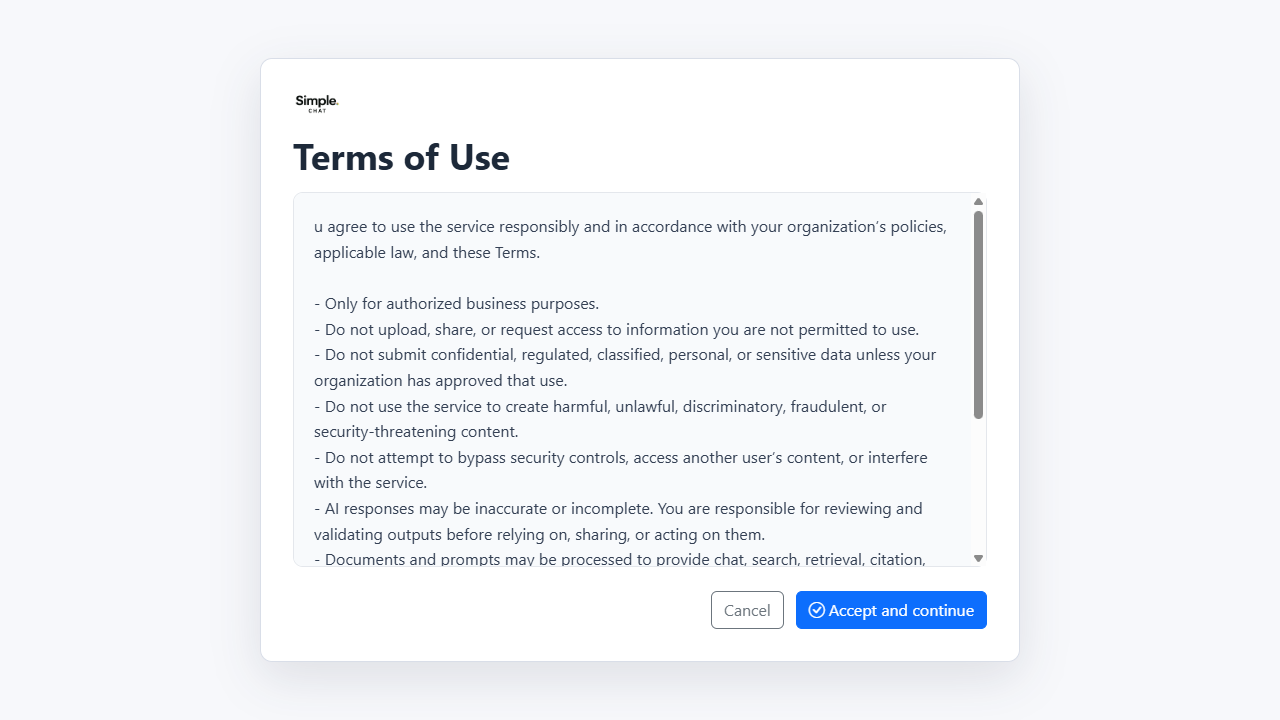
Terms of Use Acceptance
Your organization can require you to accept a terms of use or rules of behavior notice before using SimpleChat, with the reminder repeating on a schedule your admins choose.
This matters because many organizations must record that users acknowledged acceptable-use rules before working with an AI assistant.
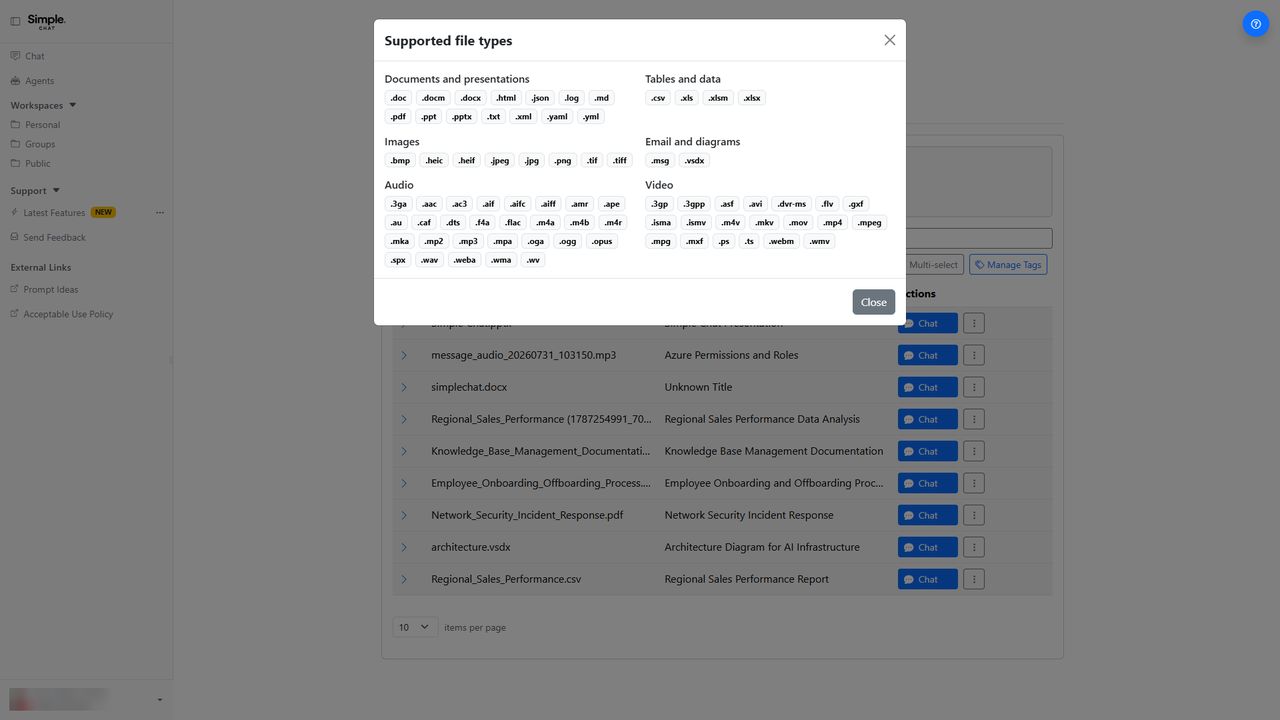
Upload Almost Any Audio File
Audio uploads now cover a much wider set of formats including AAC, FLAC, M4A, OGG, Opus, WAV, WebM audio, and WMA.
This matters because meeting recordings and voice memos arrive in whatever format the recording device produced, and converting them by hand first was a real obstacle.
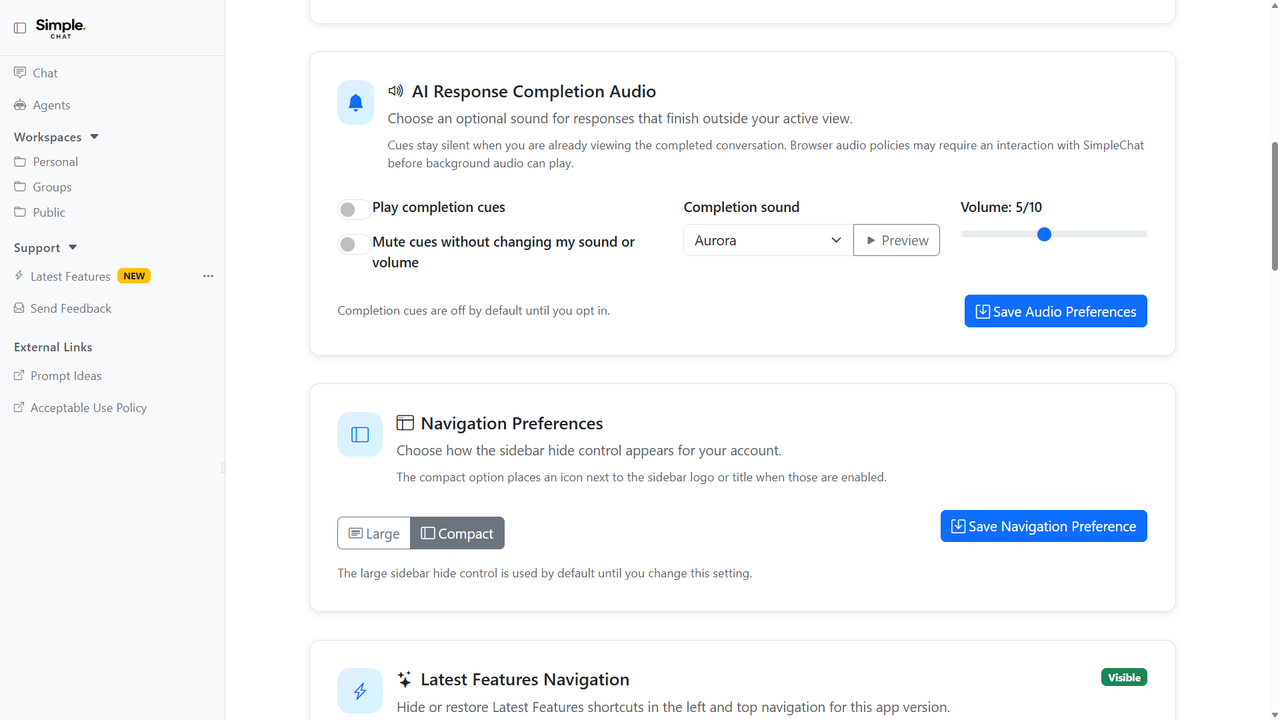
Know When a Long Answer Finishes
You can opt in to a sound when a response completes, a desktop notification when the answer lands in a tab you are not looking at, or both.
This matters because long research answers are worth stepping away from, and there was previously no way to know the response had arrived.
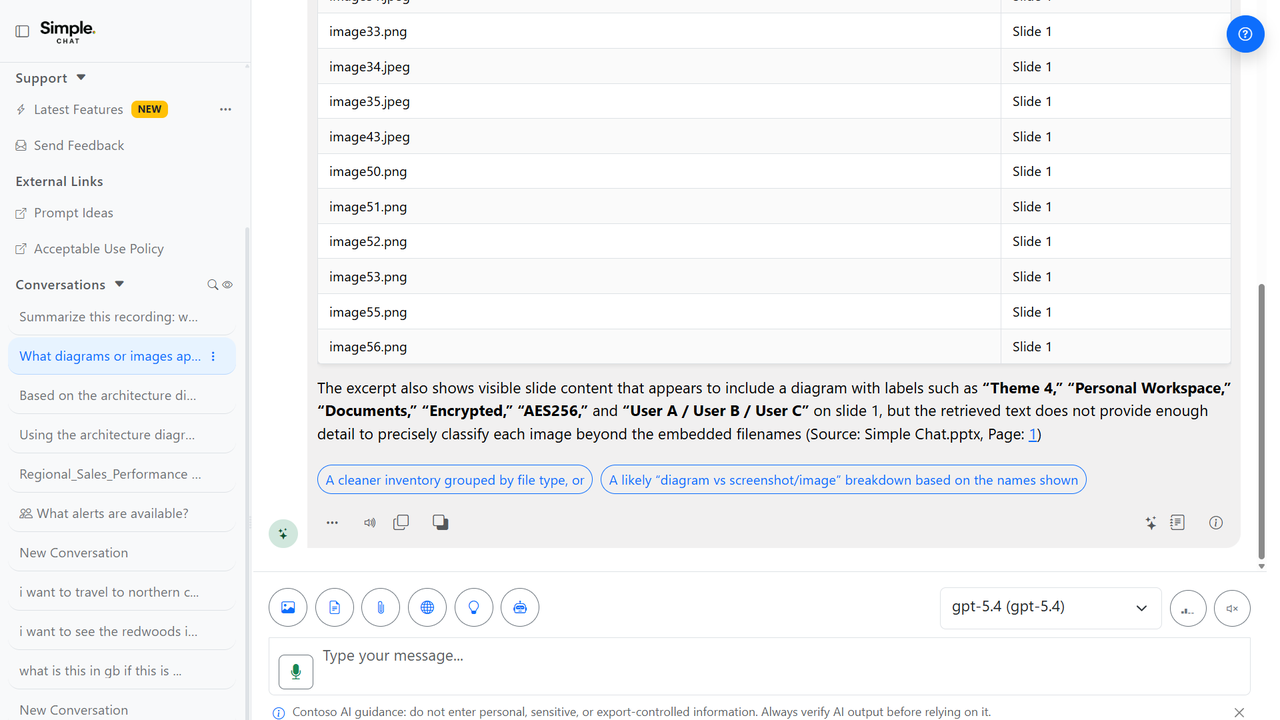
AI Usage Guidance in Chat
Your organization can display its own AI guidance directly under the chat composer, with control over how often it reappears.
This matters because AI usage rules differ by organization, and the reminder is most useful sitting right where you type rather than buried in a policy document.
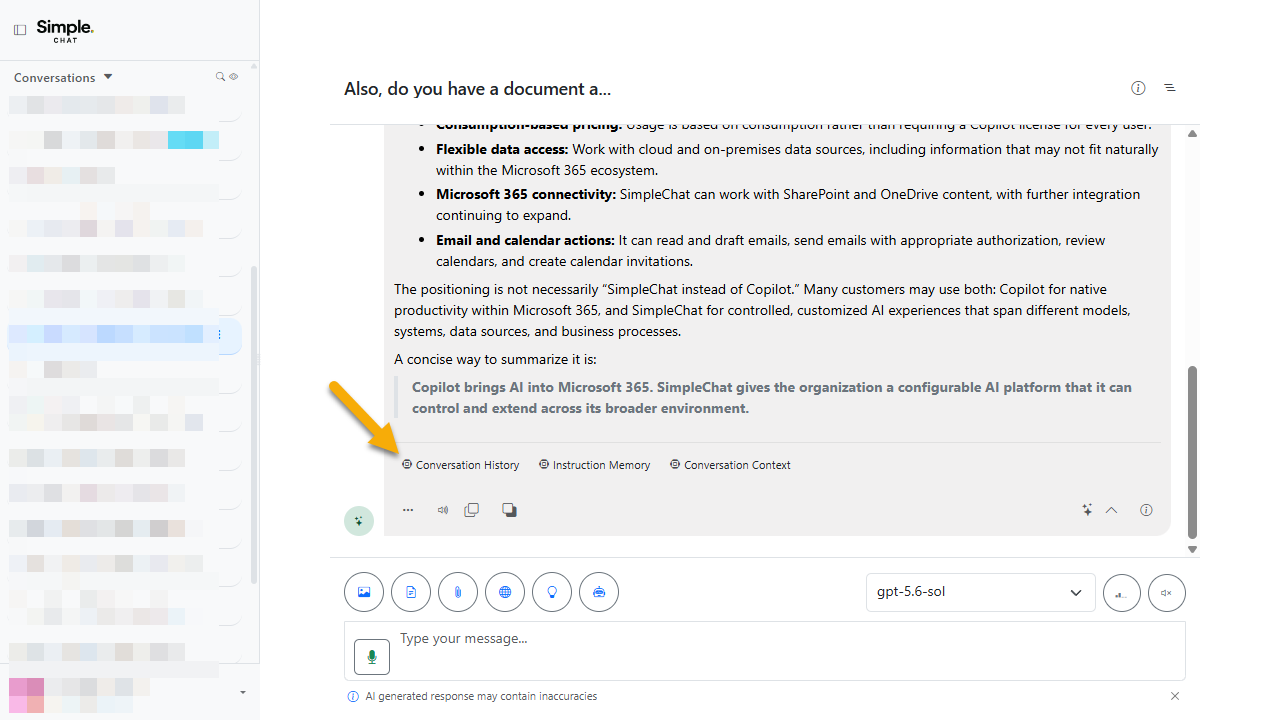
See Exactly What Shaped Each Answer
Every response now carries a Conversation Context citation showing the model, app version, workspace scope, selected documents, agent, and capabilities that were active when it was written.
This matters because when an answer surprises you, the first question is usually which model and which documents were actually in play, and now that is one click away.
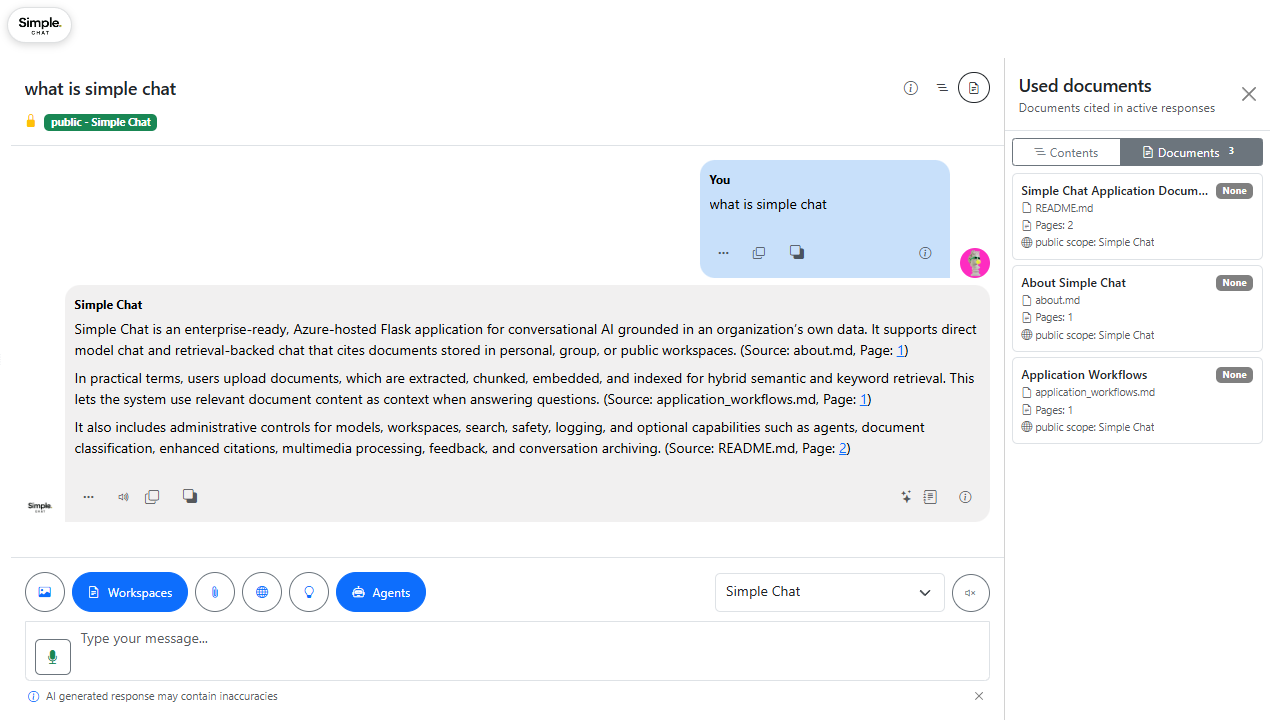
Used Documents View and Conversation Forking
A Used Documents mode shows only the documents actually cited in a conversation, and you can fork a conversation from any response to explore a different direction.
This matters because long conversations accumulate a lot of context, and both knowing what was actually used and being able to branch without losing the thread are hard problems otherwise.
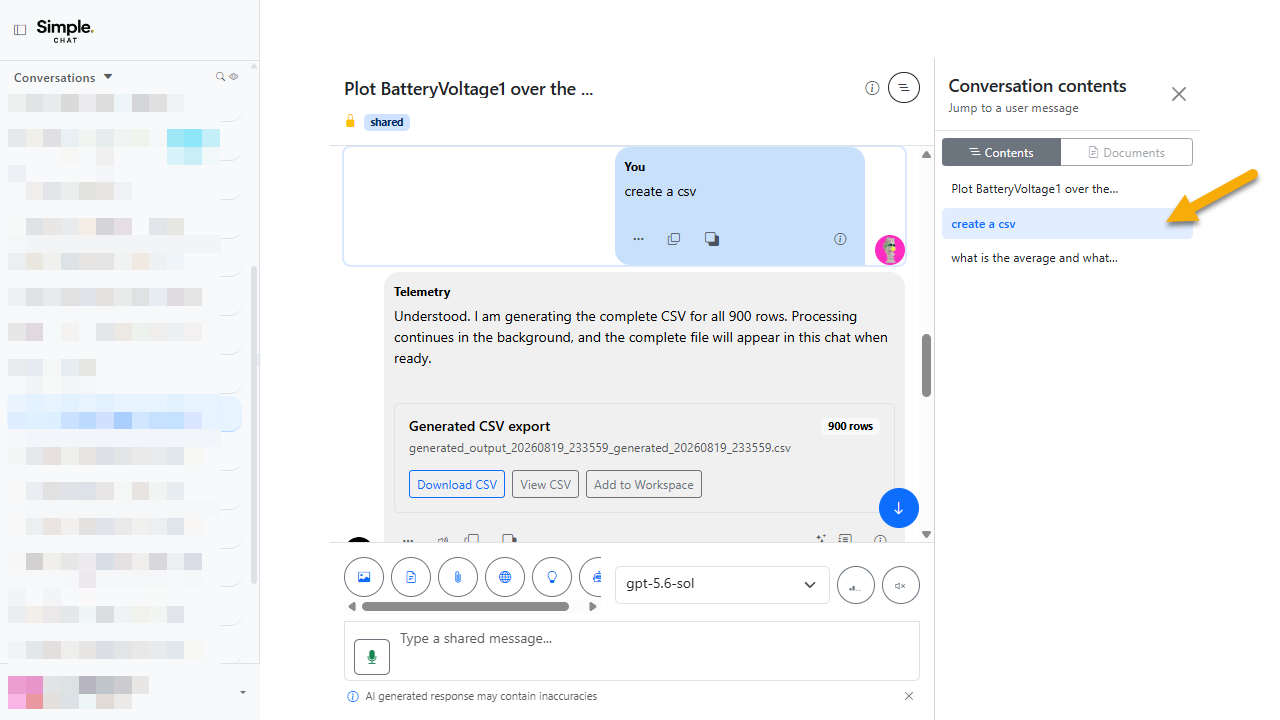
Jump Back to Any Earlier Prompt
A contents drawer indexes the questions you asked in a conversation so you can jump straight back to any of them instead of scrolling.
This matters because a long working session becomes hard to navigate, and the thing you want to return to is almost always a question you already asked.
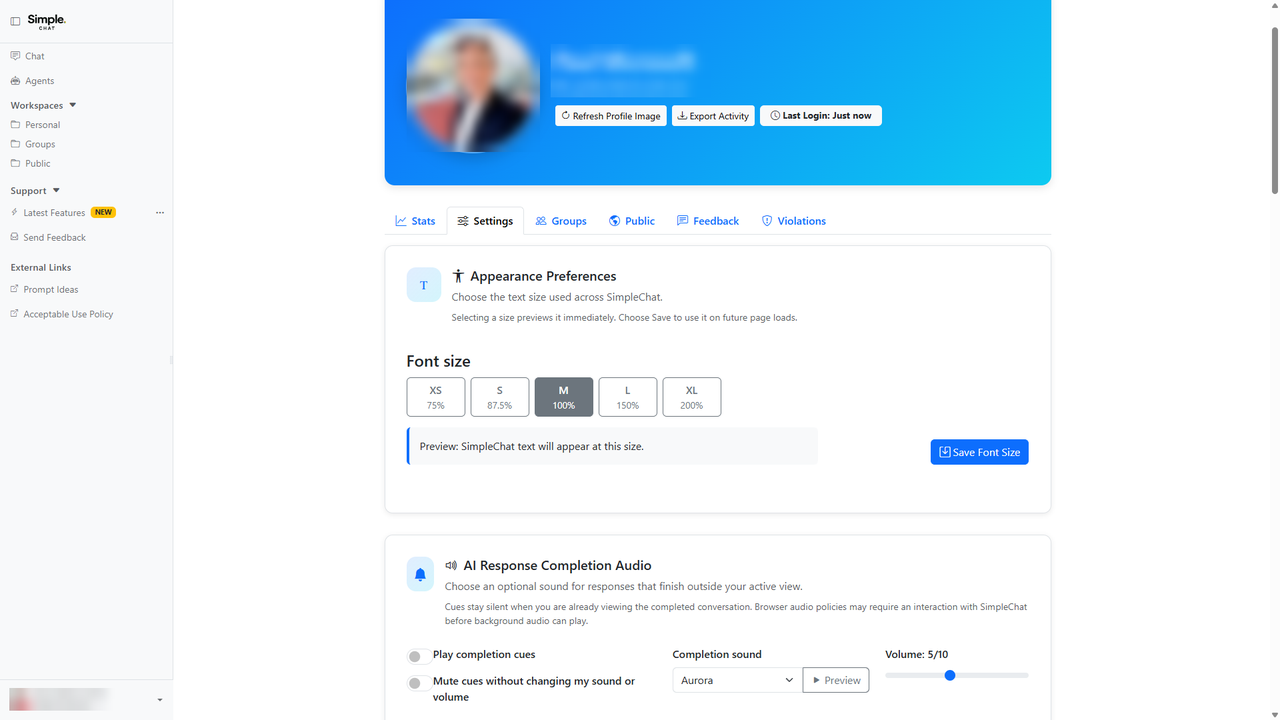
Choose Your Text Size
Five font size choices ranging from 75 percent to 200 percent are available on your profile, and the interface stays usable at 200 percent browser zoom.
This matters because readable text is an accessibility requirement, not a preference, and layouts that break under zoom effectively lock people out.
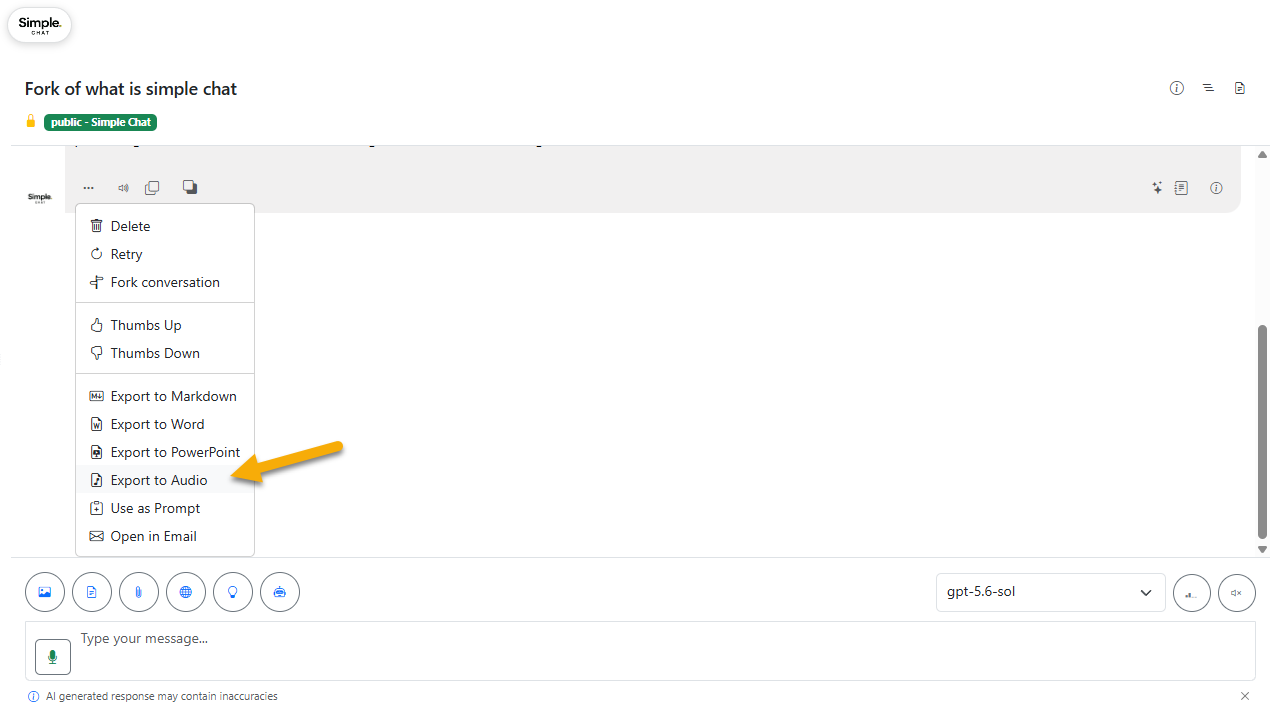
Download a Response as Audio
Any completed chat message can be exported as an MP3 using the configured speech voice and speed.
This matters because a long answer is sometimes easier to absorb on a commute than on a screen.
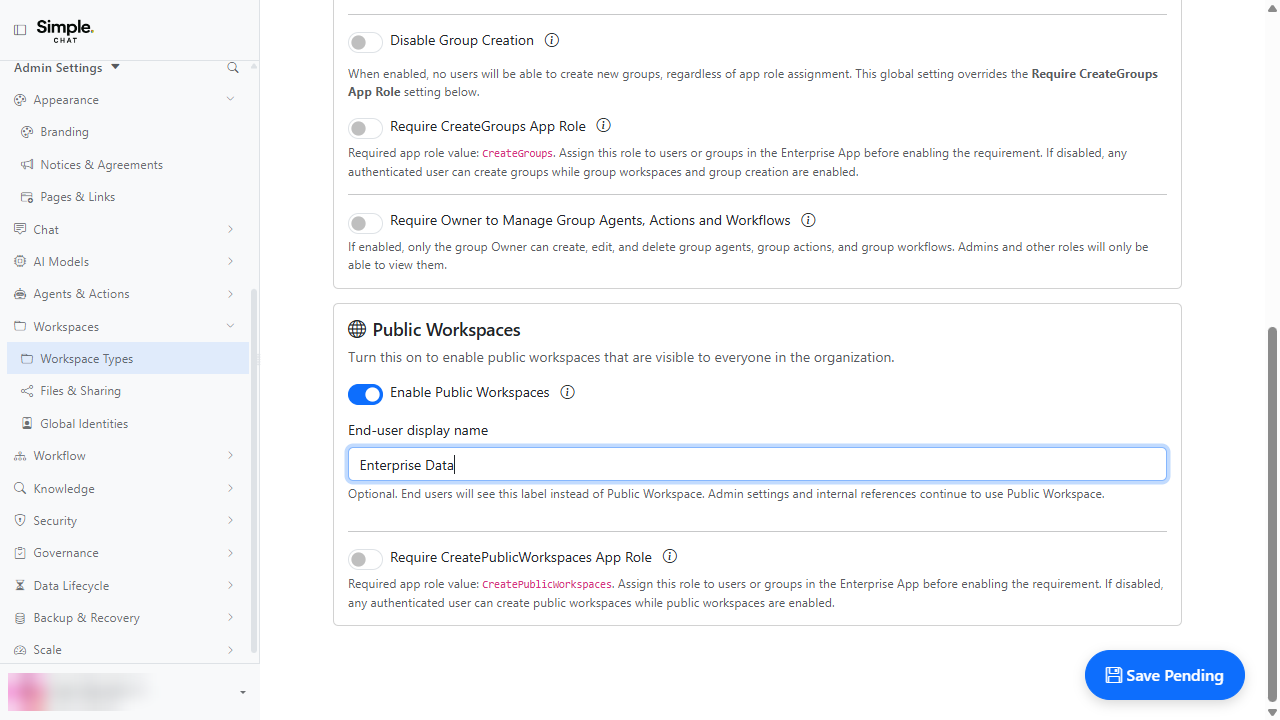
Public Workspace Can Carry Your Own Name
Your organization can rename the Public Workspace to something meaningful such as Domain Knowledge, and the new name appears everywhere in the interface.
This matters because shared knowledge collections usually already have a name inside your organization, and matching it removes a translation step for everyone.
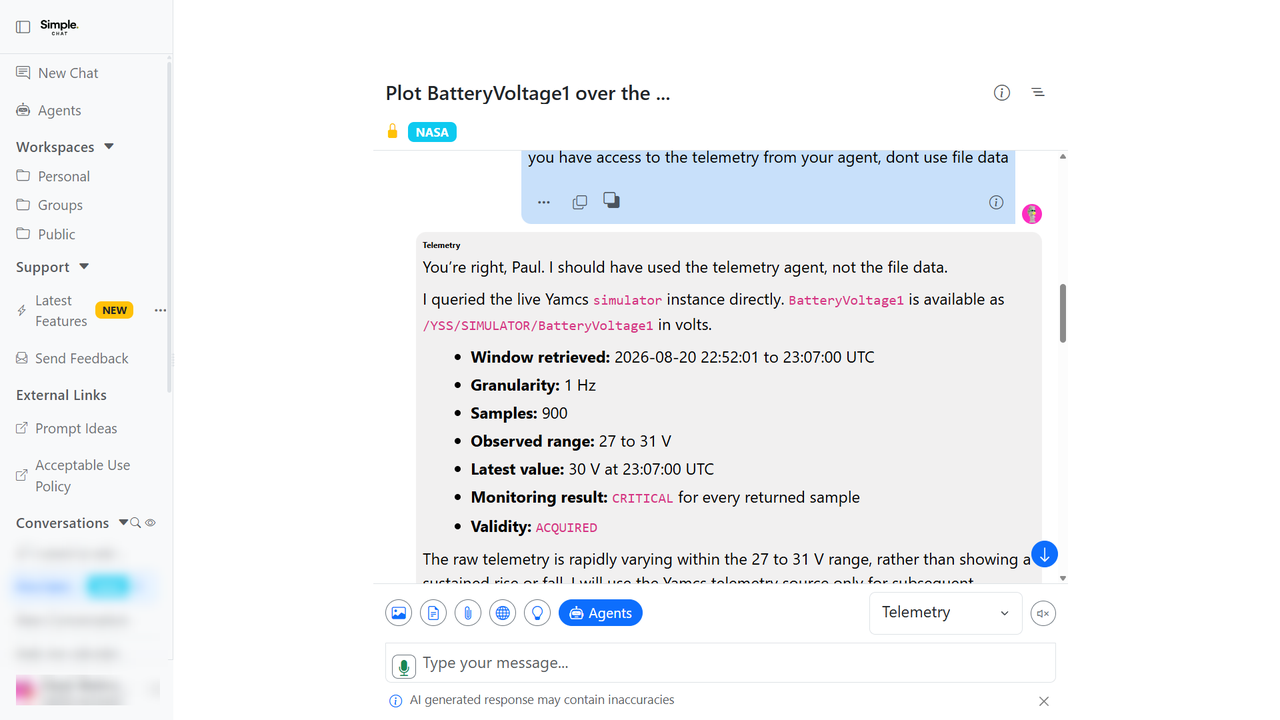
Chat Stops Yanking You to the Bottom
The conversation no longer jumps to the bottom while you are reading further up, and a floating control takes you to the newest content when you want it.
This matters because losing your place mid-paragraph while an answer is still streaming makes long responses genuinely hard to read.
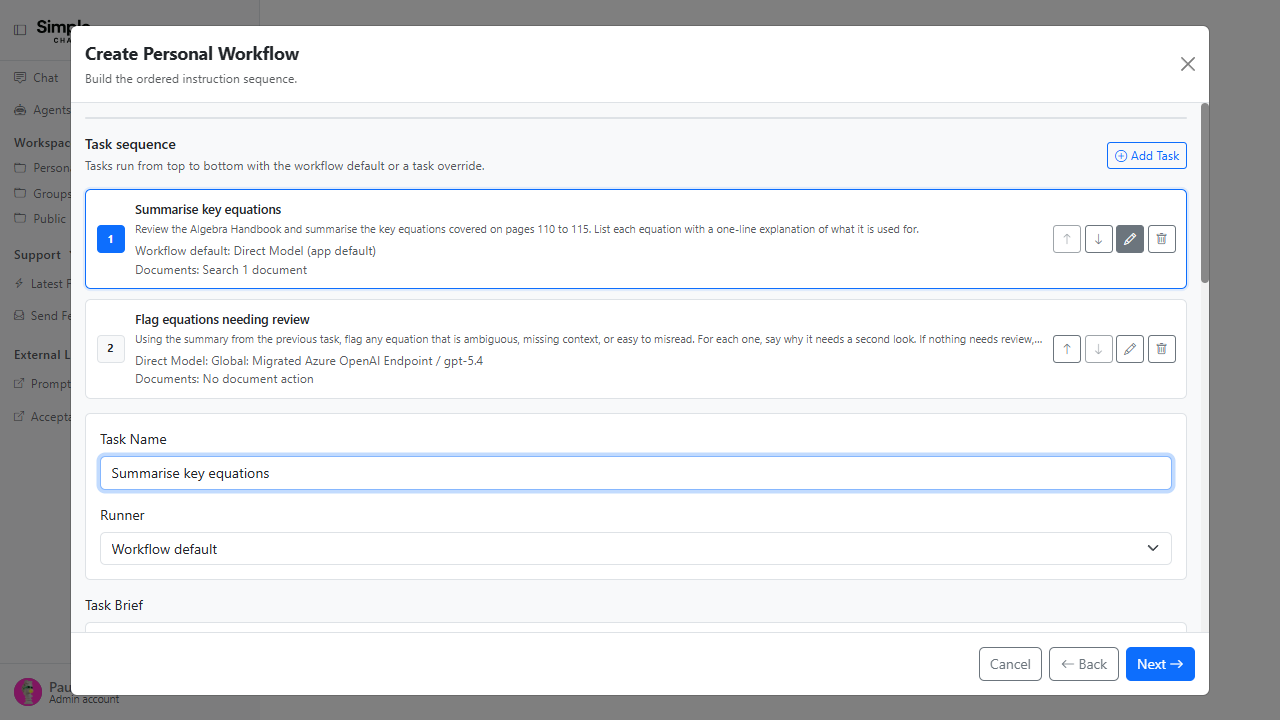
Stop a Running Workflow, and Give Each Task Its Own Model
You can cancel a workflow while it is still running, and every task in a workflow can use its own model or agent and its own documents.
This matters because a long workflow that is clearly going wrong no longer has to run to the end, and a multi-step workflow can use a fast model for early steps and a stronger one only where it counts.
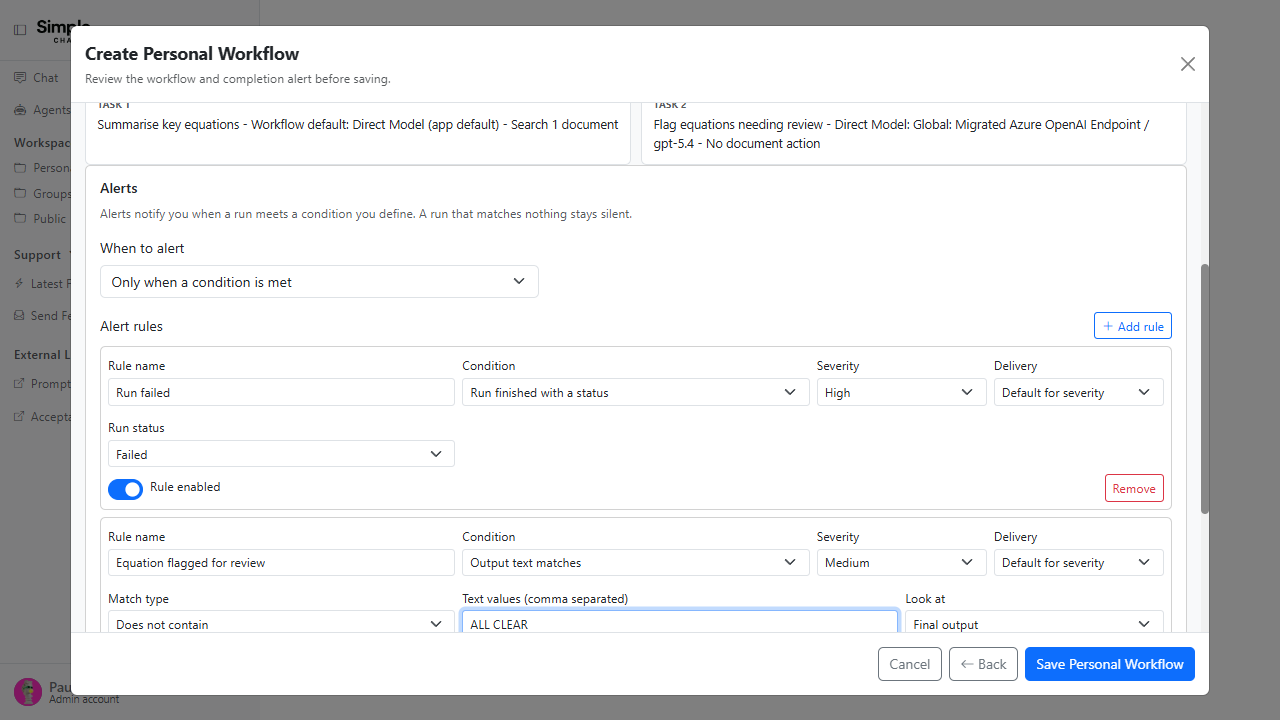
Workflow Alerts That Only Fire When They Should
Instead of notifying you on every run, a workflow now defines rules that describe why it should interrupt you, and a run that matches nothing stays completely silent.
This matters because a workflow that notifies you on every single run gets ignored, which defeats the point of running it unattended.
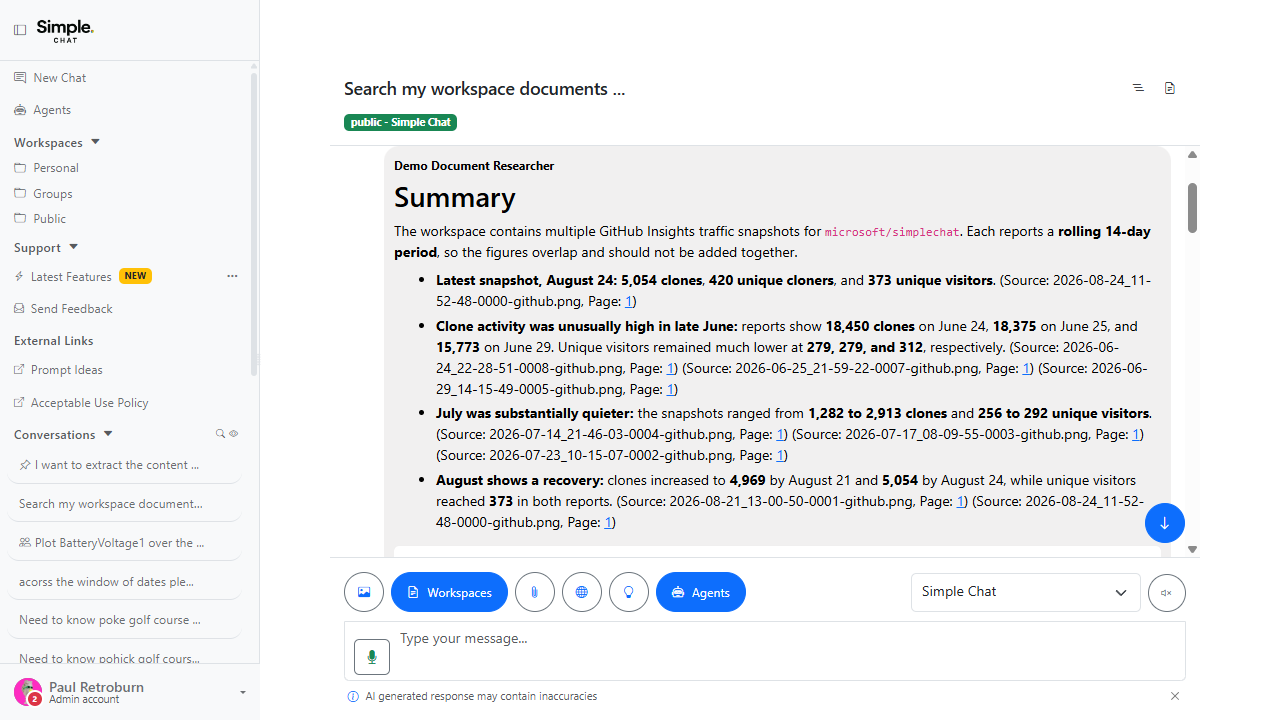
Agent Document Searches Now Produce Real Citations
Documents an agent finds through its document search action are now recorded as proper document sources instead of appearing only as a raw tool call.
This matters because an agent could previously read a dozen documents to answer you and none of them would show up as a source you could actually open and check.
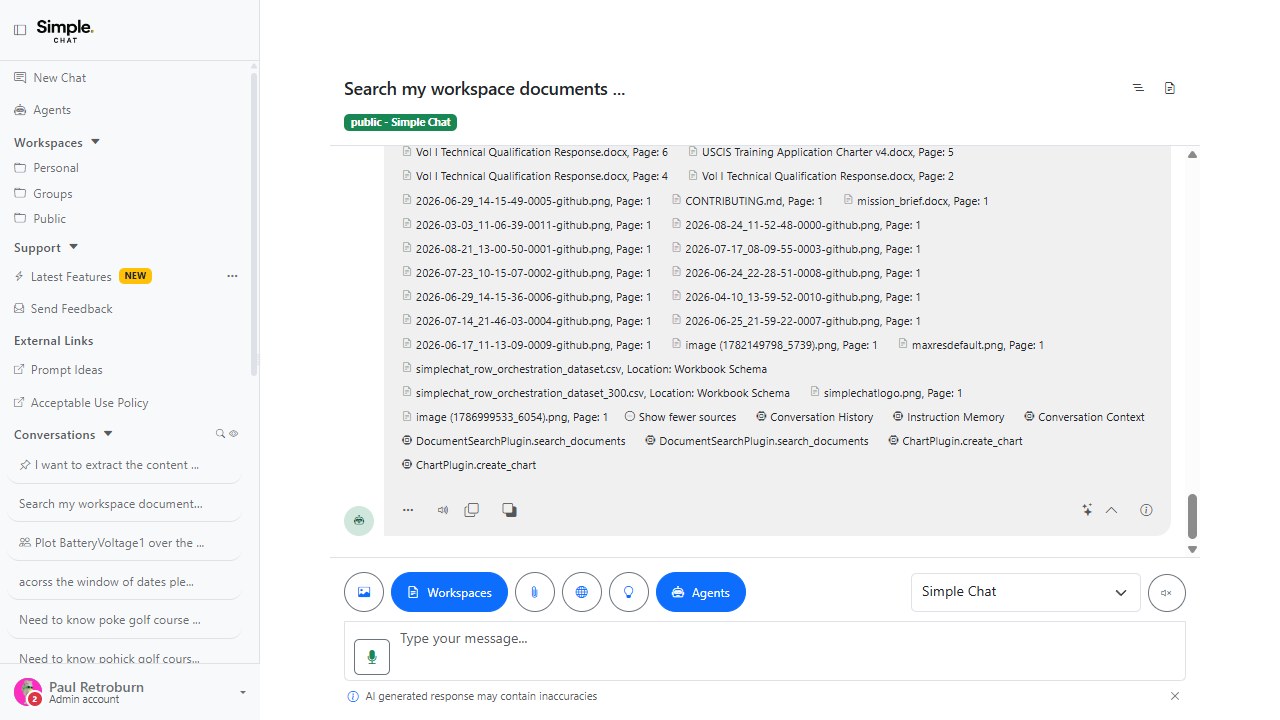
See Which Sources Were Actually Used
Everything retrieved still appears under Sources, while Used documents now follows only what the answer actually cited.
This matters because a search that returns sixty chunks used to make it impossible to tell which three actually shaped the answer you are reading.
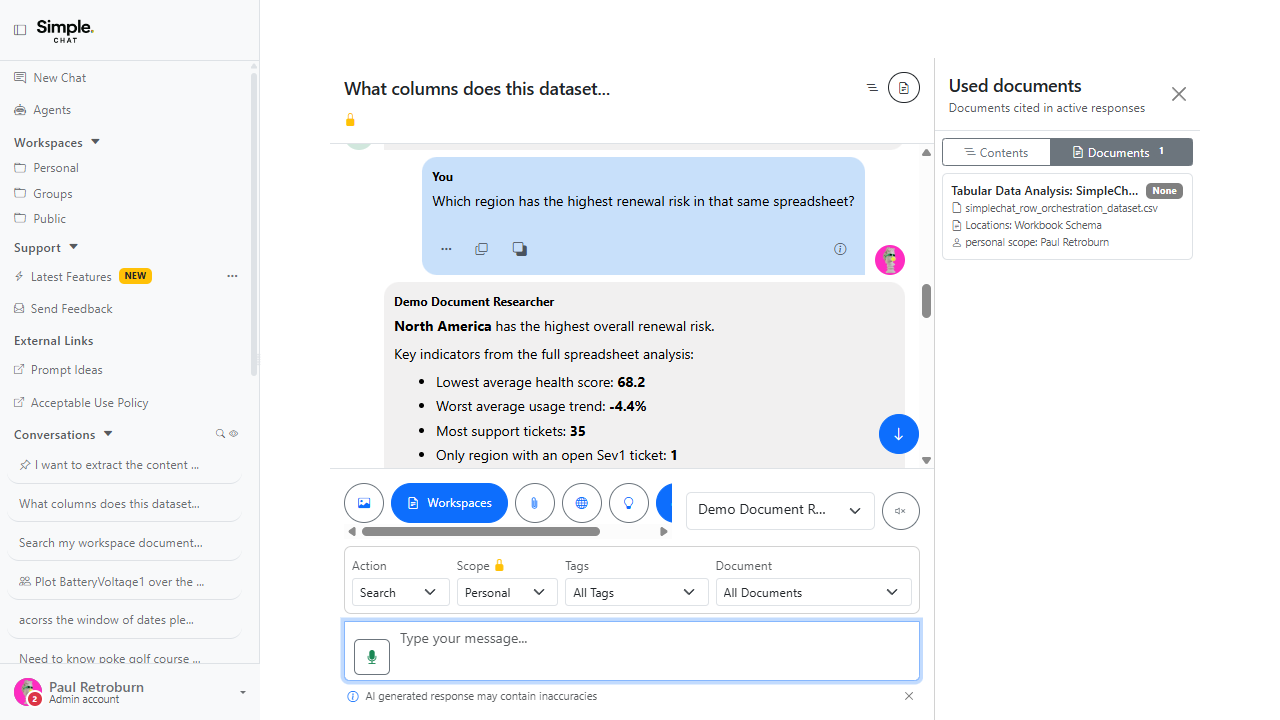
Refer Back to a File You Already Talked About
A follow-up question can say "that XML file" or "the same spreadsheet" and SimpleChat works out which source you mean.
This matters because natural follow-ups are how people actually talk, and reselecting the same document on every single turn is needless friction.
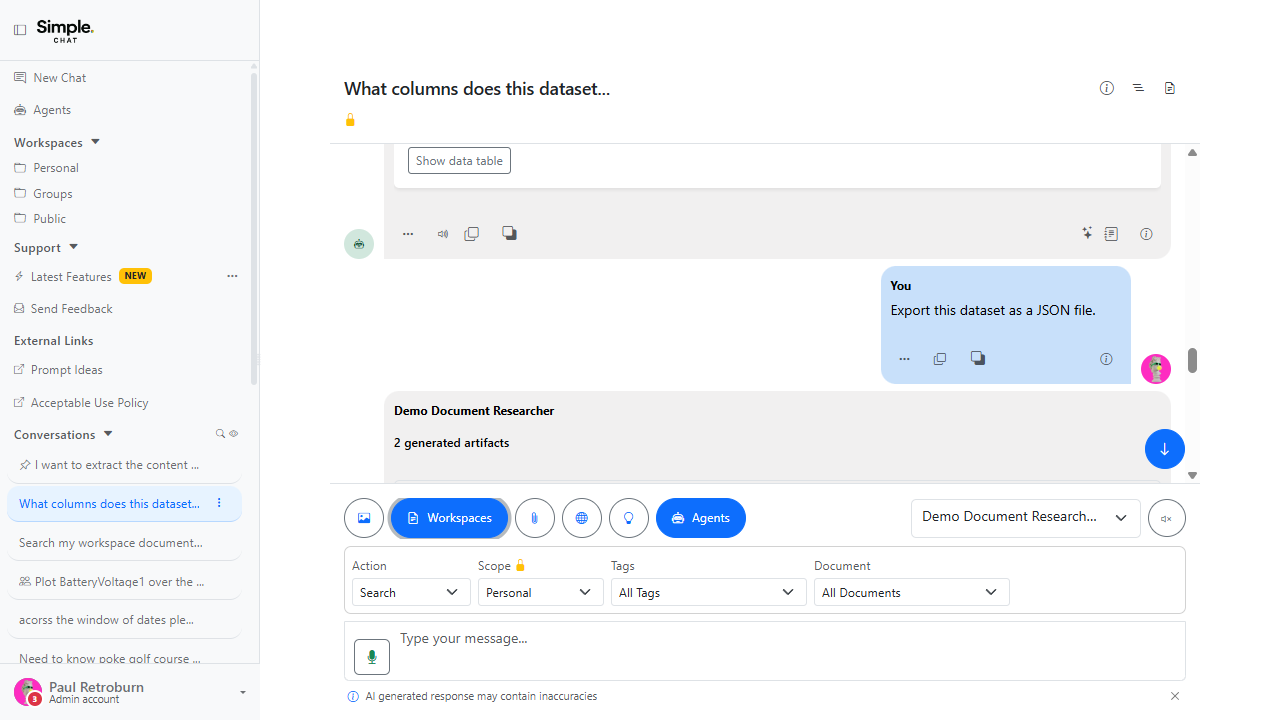
Get Answers Back as JSON or XML Files
Requests that produce JSON or XML are saved as downloadable artifacts instead of dumping file-shaped content into the middle of a reply.
This matters because a thousand-line JSON payload pasted into a chat bubble is not something you can actually use.
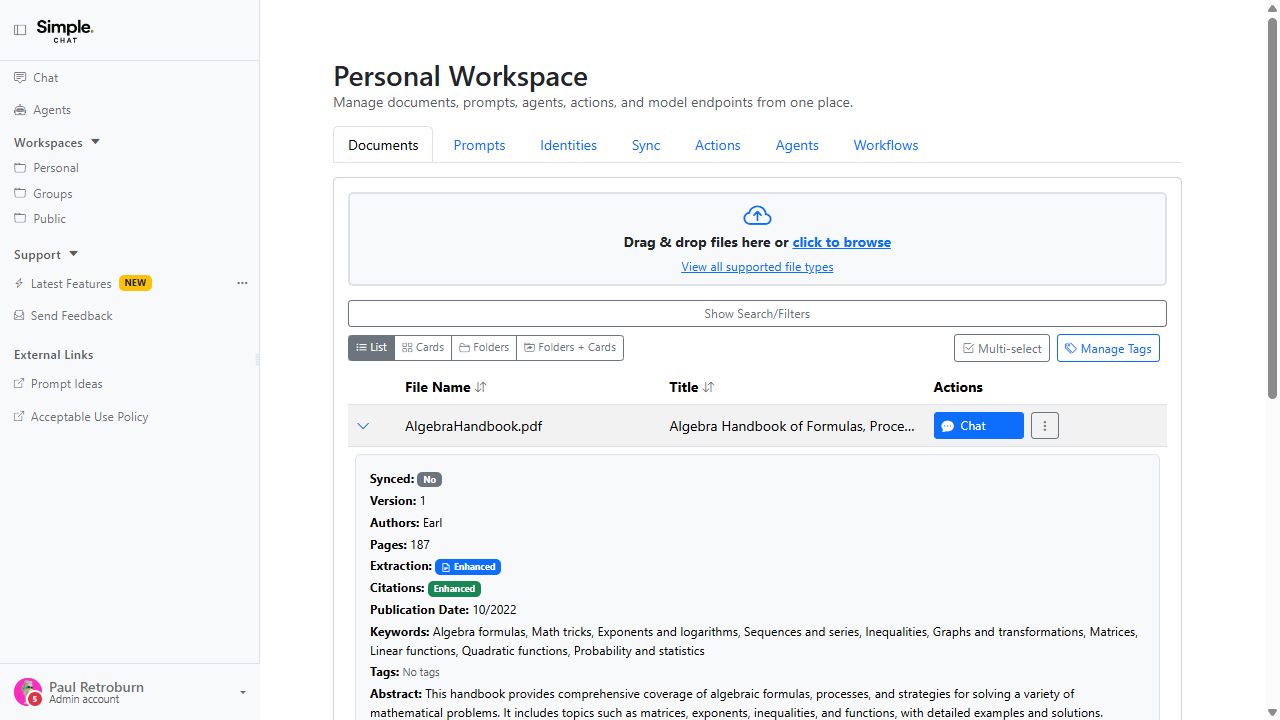
Mathematical Formulas Captured as LaTeX
Equations in PDFs and images can be captured as LaTeX instead of being approximated as ordinary OCR text.
This matters because an equation flattened into plain OCR text is usually wrong in a way that is easy to miss and hard to correct later.
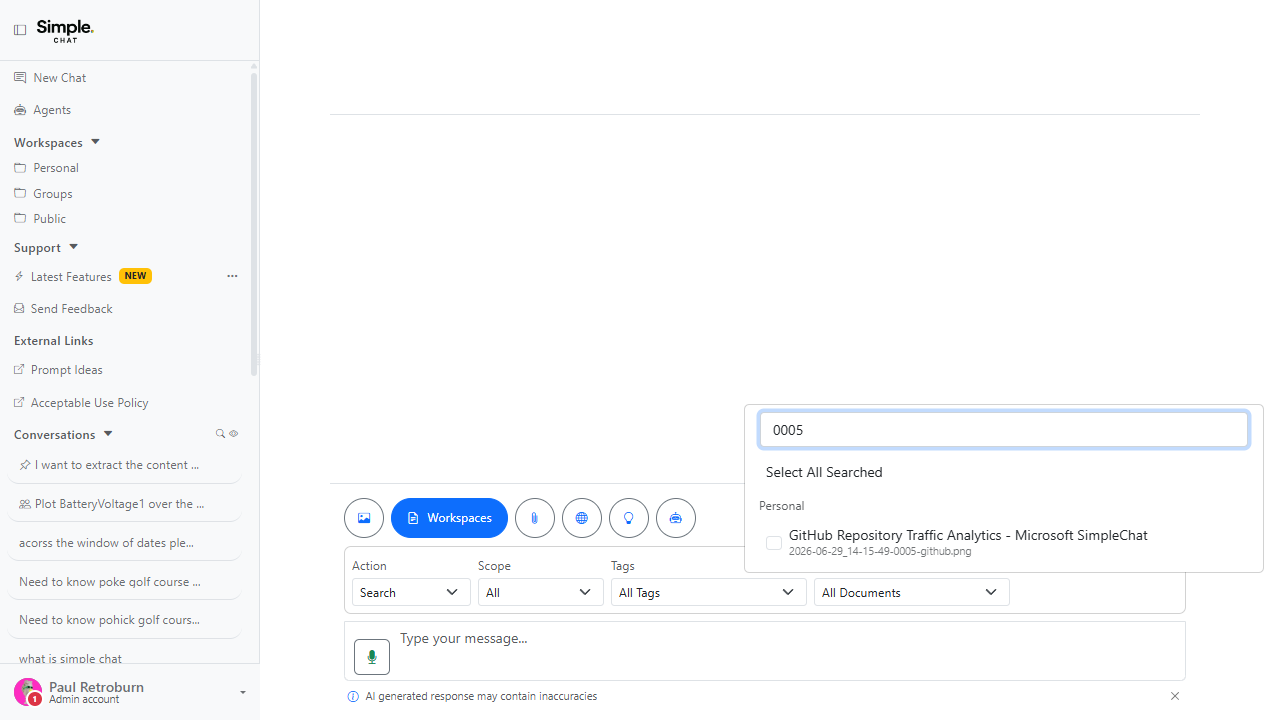
Find a Document by Its File Name
The document picker now matches file names, not just document titles, so a file is findable by what it is actually called.
This matters because any document with extracted title metadata used to be completely unfindable by its own file name.
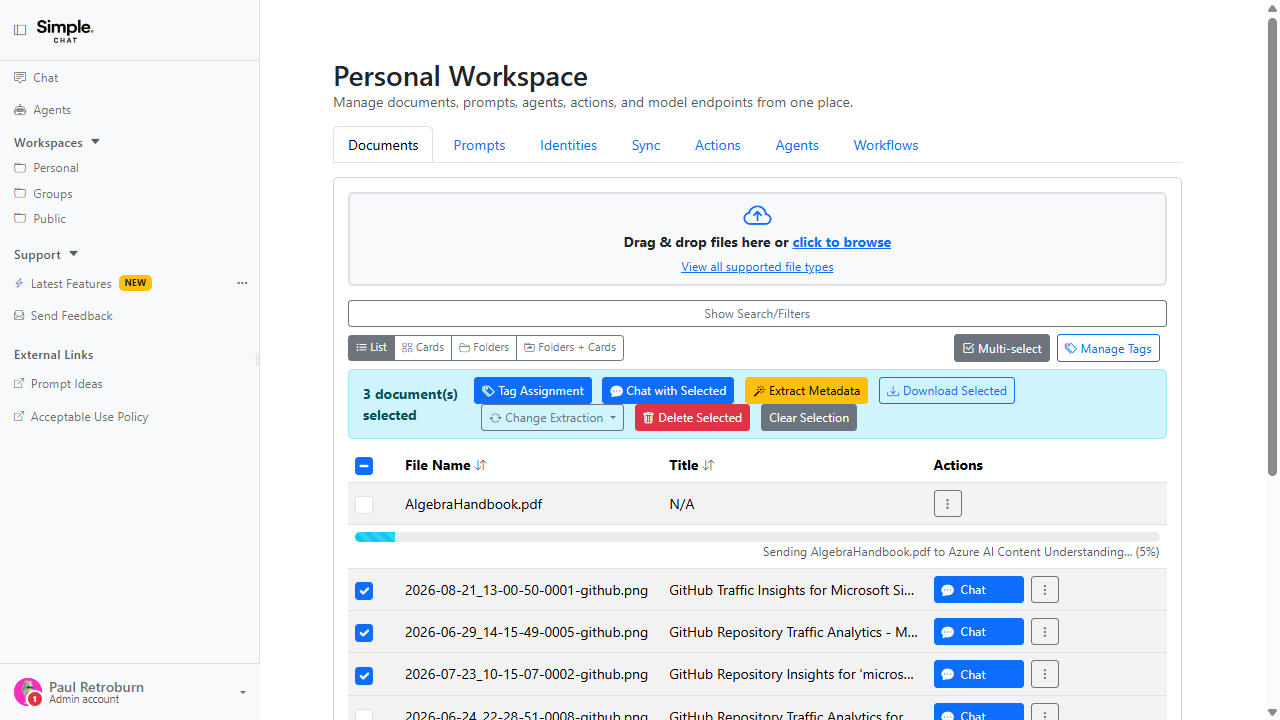
Extract Metadata for Many Documents at Once
The workspace multi-select bar now includes Extract Metadata, so a whole batch of documents can be enriched in one action.
This matters because running metadata extraction one document at a time does not scale past a handful of files.
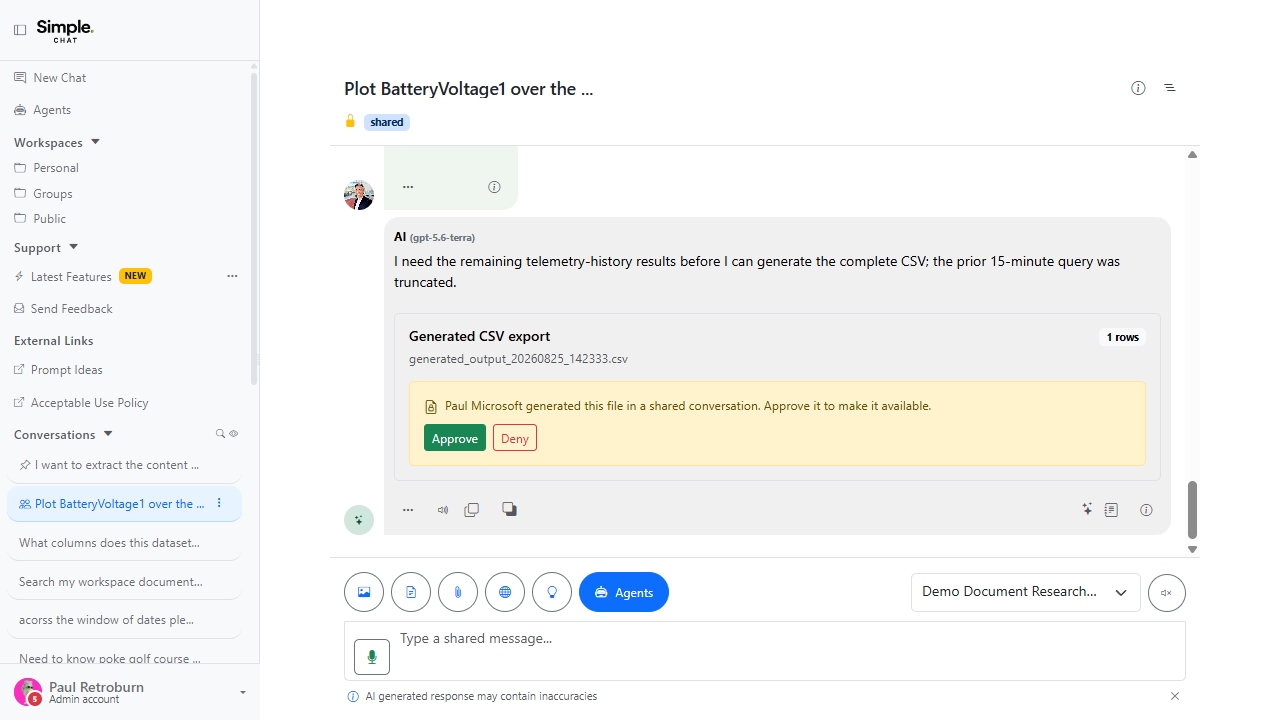
Shared Conversations: File Approvals and Faster Mentions
Files shared into a conversation now go through an approval step, and pressing Tab completes an @ mention.
This matters because shared conversations only work when everyone can see what has been contributed and can bring the right person in quickly.
Admin-Managed Latest Features
The newest capabilities admins can manage from Admin Settings. These cards focus on tenant controls, governance, and rollout guidance for the v0.261.001 feature set.
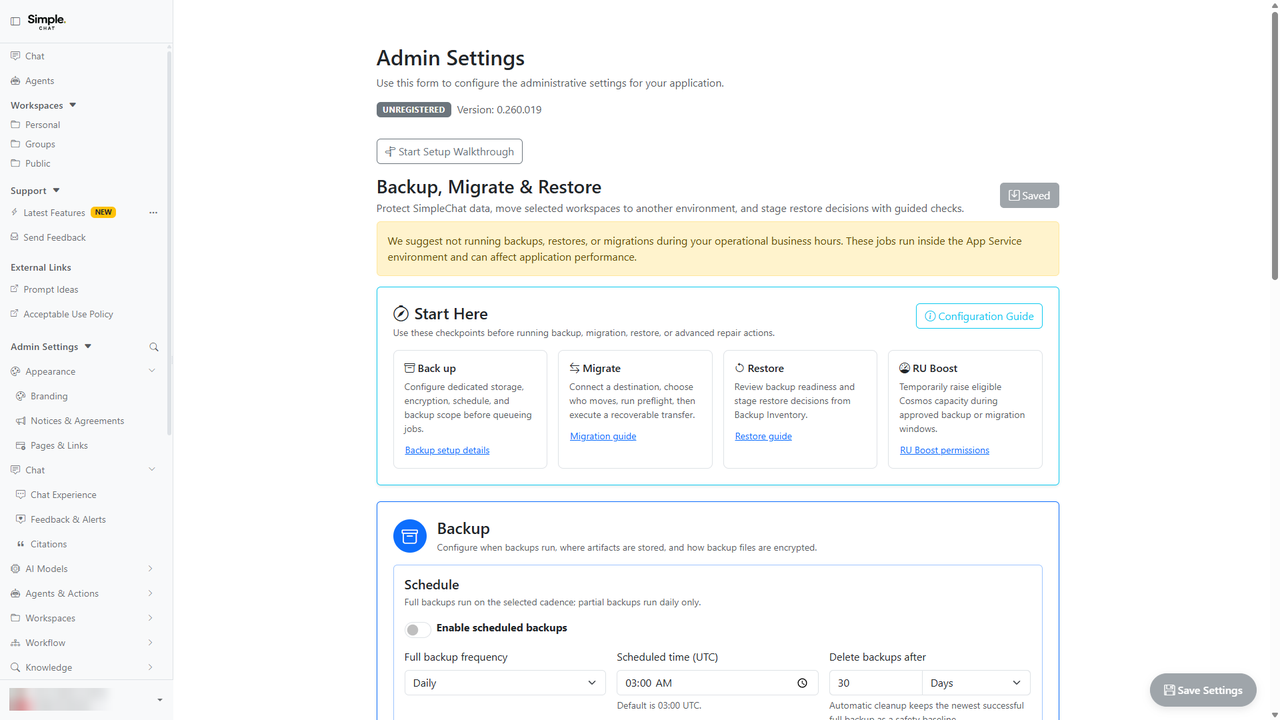
Enterprise Data Management: Backup, Restore & Migration
Admins can run durable backup, restore, migration, and inspection workflows from the refreshed Backup, Migrate & Restore experience.
This matters because tenant data operations can be planned, audited, resumed, and recovered without relying on one-off scripts.
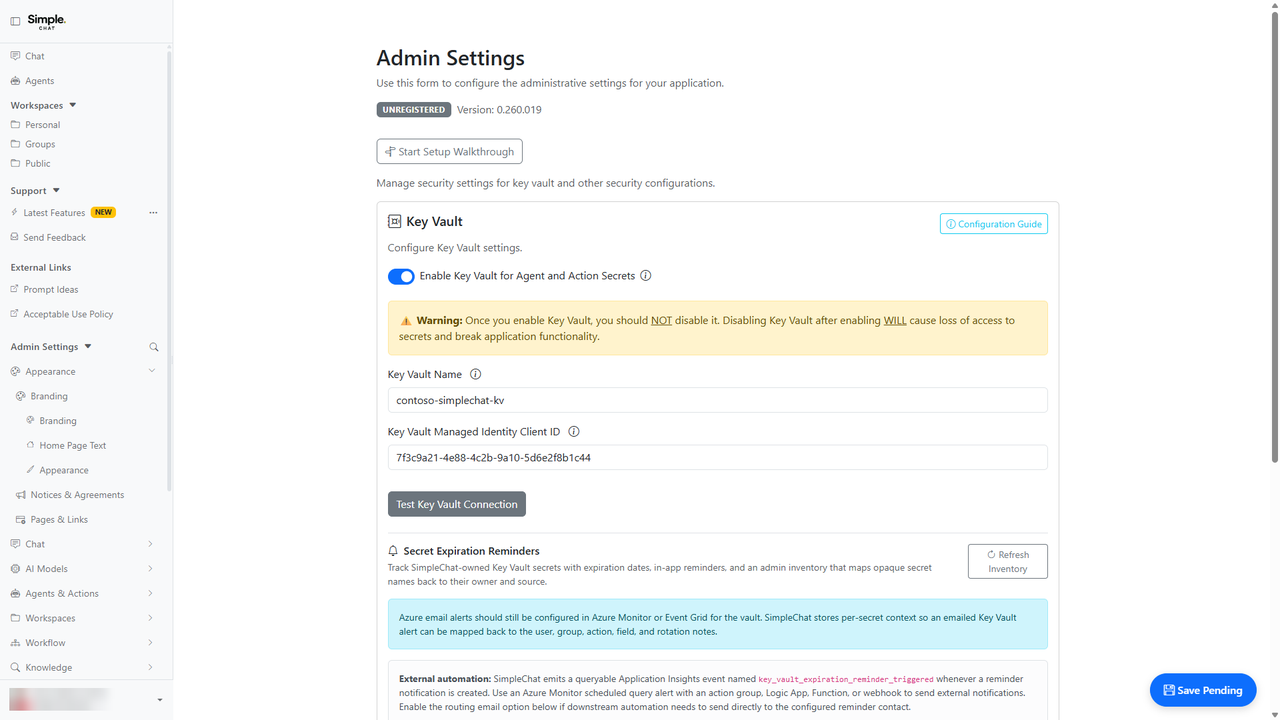
Key Vault Secret Expiration Reminders
Admins can track action secret expirations and route reminder signals before Key Vault-backed integrations break.
This matters because expiring integration secrets become visible operational work instead of surprise outages.
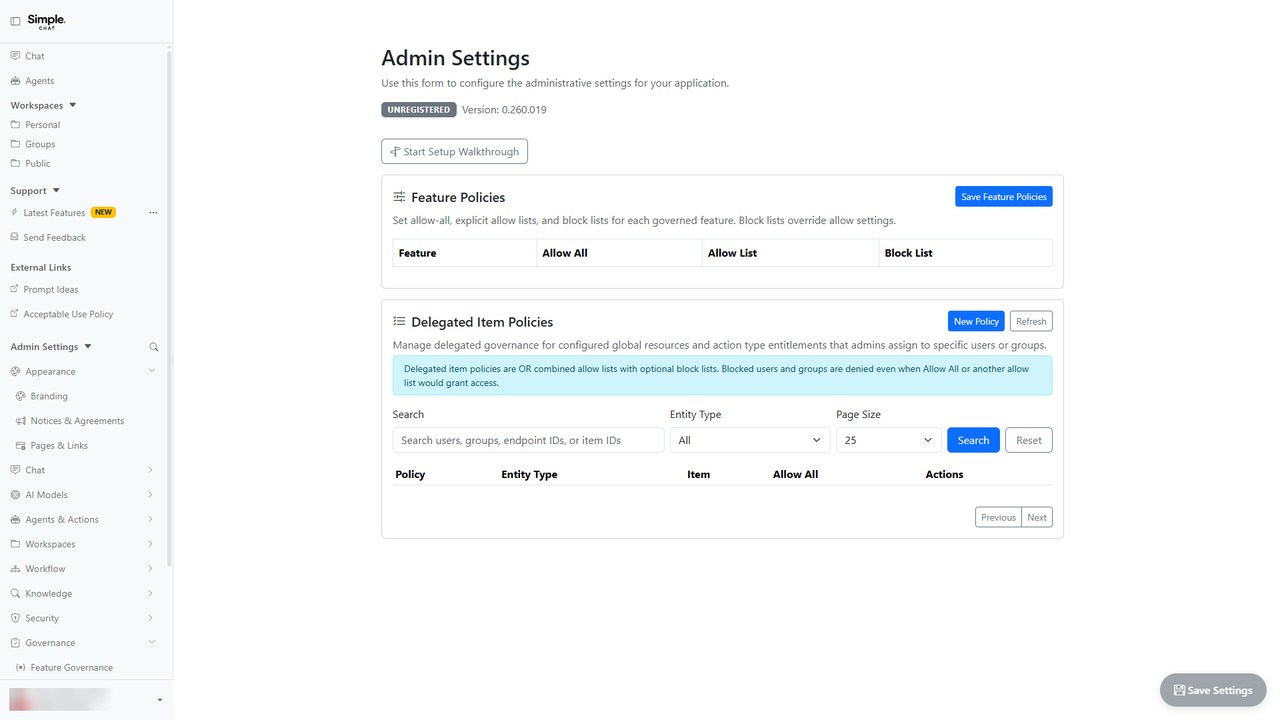
Governance Policy Block Lists & Admin Policy Tools
Admins can explicitly block users or groups and manage policies faster with duplicate, inverse, and principal review tools.
This matters because exception handling and access reviews are easier to enforce across models, agents, actions, and delegated items.
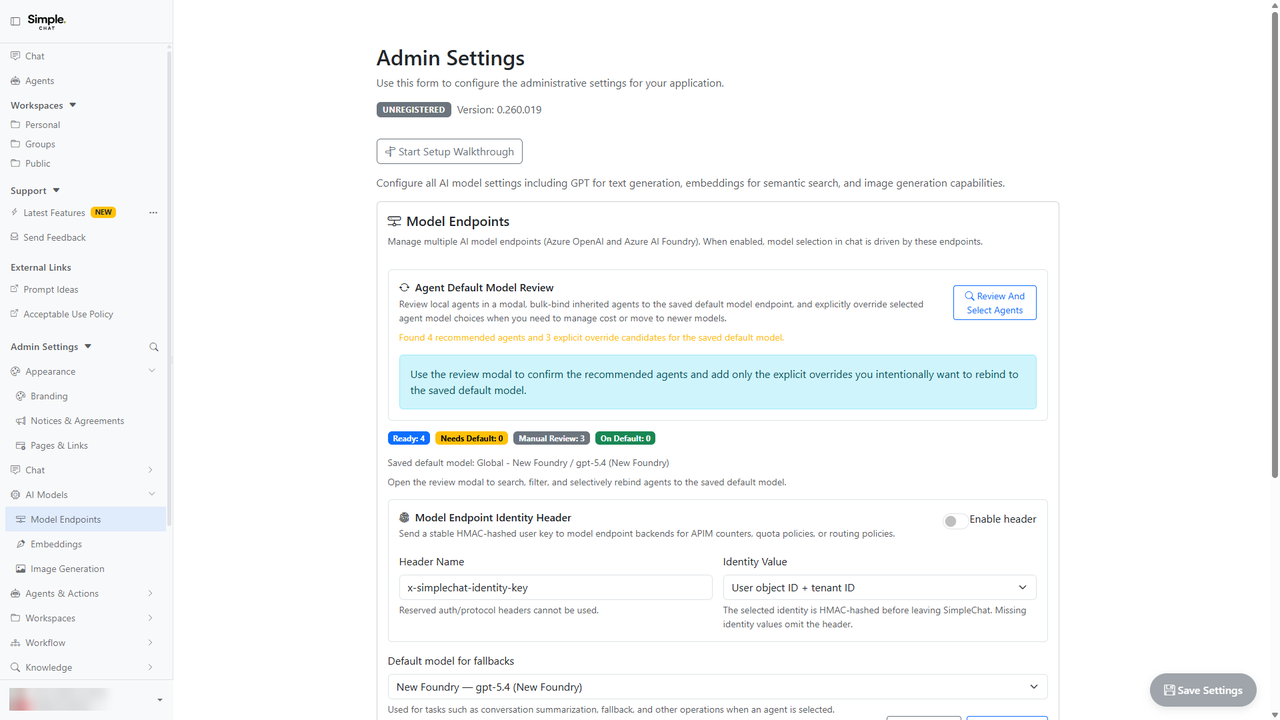
Model Endpoint User Identity Header for APIM
Admins can send stable hashed user identity headers with model endpoint calls for APIM routing, quota, and attribution scenarios.
This matters because APIM policies can enforce per-user quotas and cost attribution without leaking direct user identifiers.
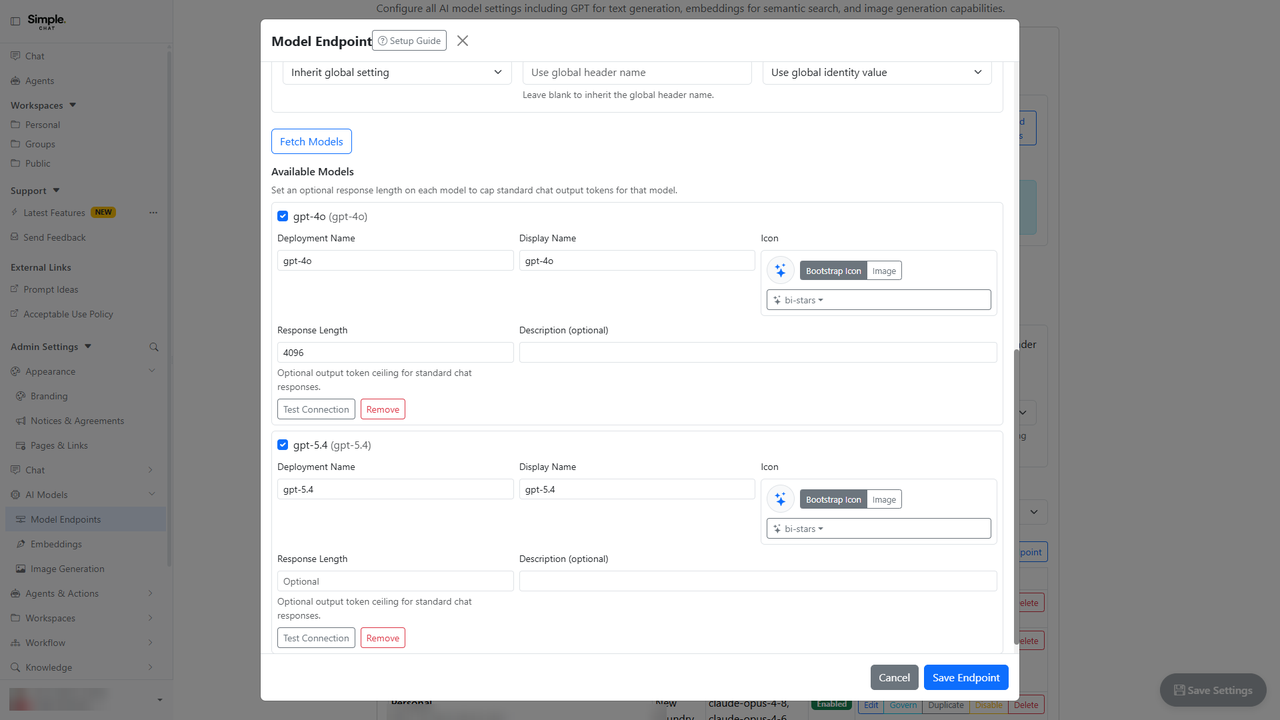
Per-Model Output Token Ceilings
Admins can set optional output-token ceilings per global model endpoint instead of relying on one tenant-wide response limit.
This matters because administrators can balance cost, latency, and answer depth independently for each deployed model.
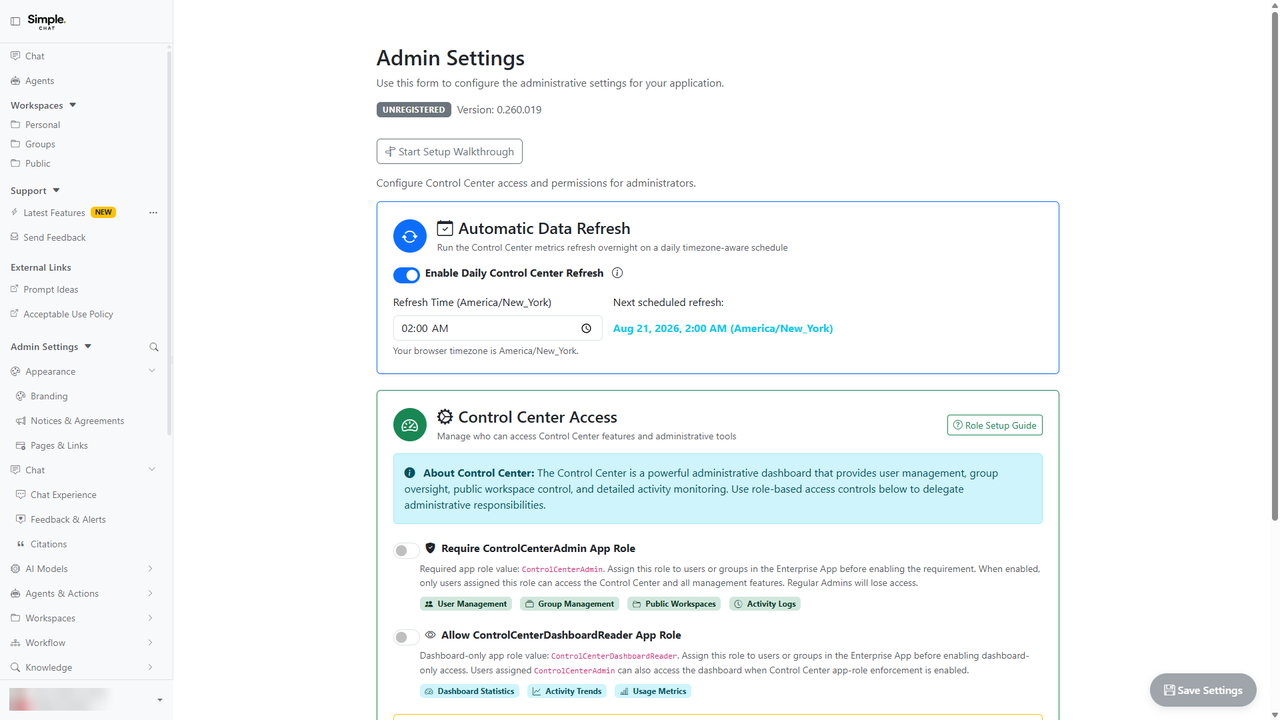
Scheduled Overnight Control Center Refresh
Admins can keep Control Center statistics fresh with a daily overnight refresh that is enabled by default.
This matters because operational dashboards are ready at the start of the day without manual refresh work.
Feedback & Safety Violation Archive / Delete Lifecycle
Admins can archive, restore, or permanently delete feedback and safety records with audit-aware controls.
This matters because moderation and feedback queues can be retained, cleaned up, and audited with clearer lifecycle rules.
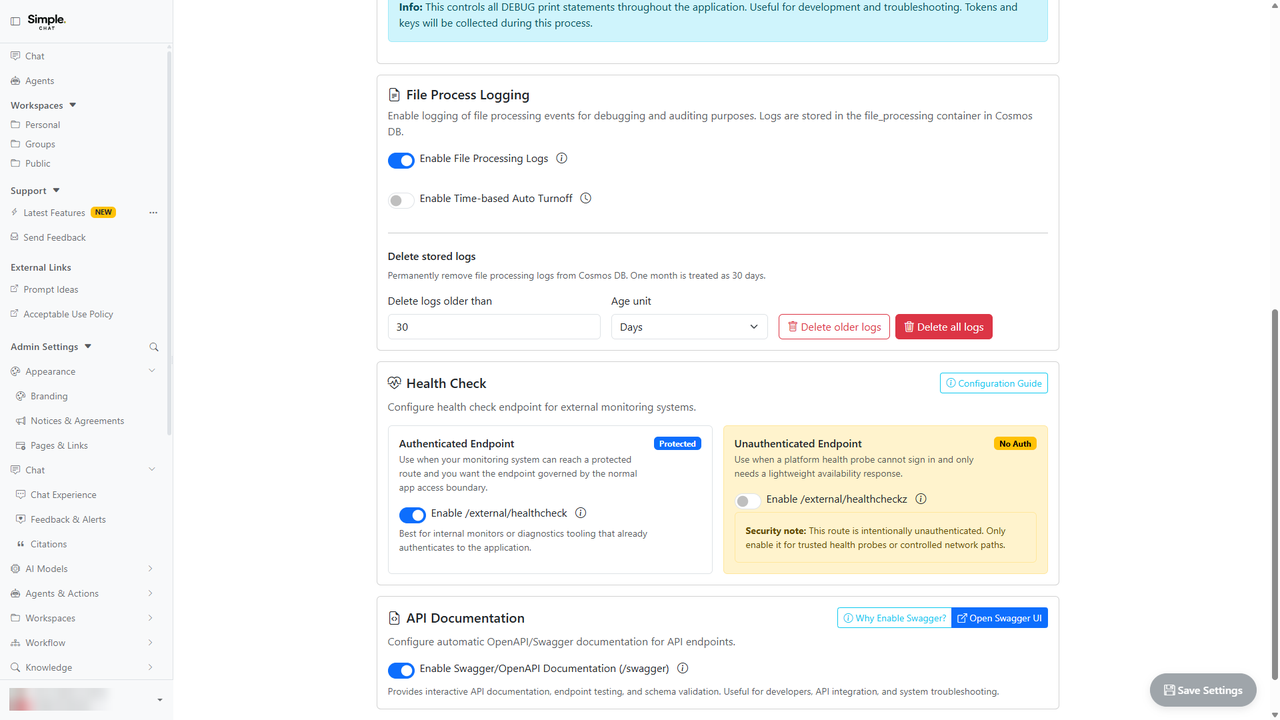
File Processing Log Cleanup
Admins can remove old file-processing logs by retention window or purge all logs with confirmation and activity logging.
This matters because log growth can be controlled while preserving deliberate confirmation and auditability for destructive cleanup.
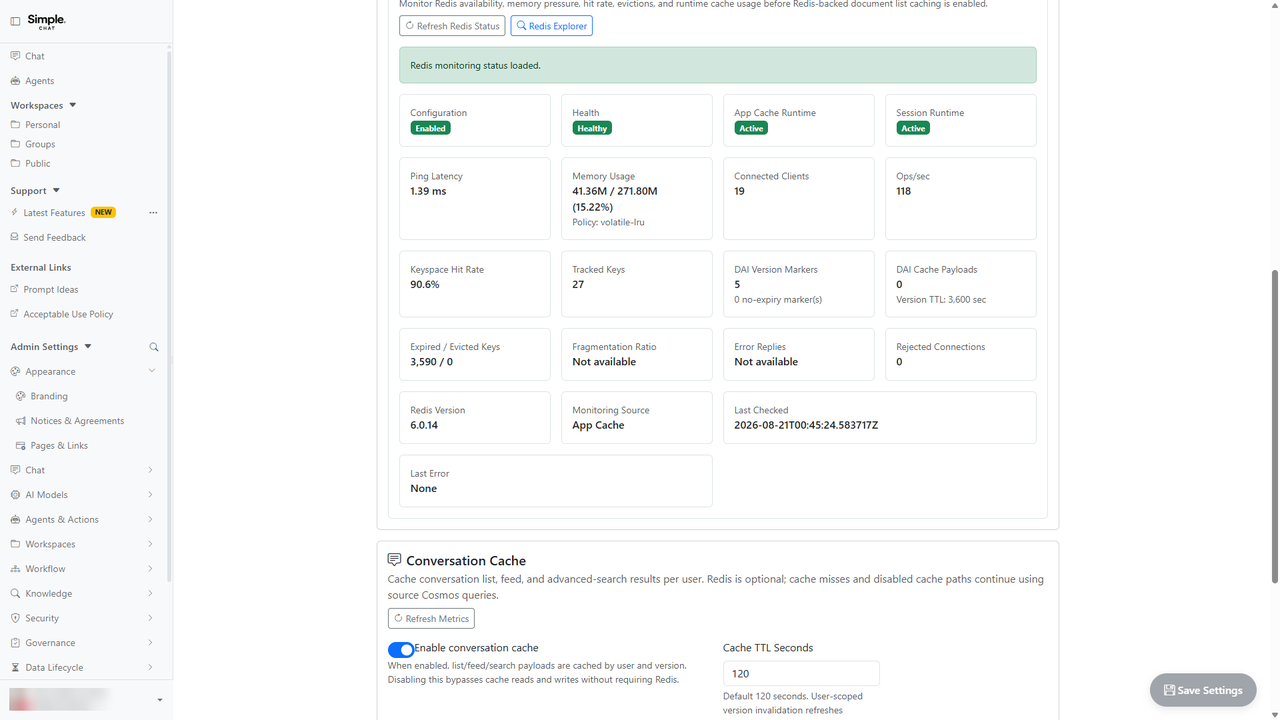
Redis Explorer & Cache Observability Dashboard
Admins can inspect Redis safely and monitor conversation and DAI cache behavior from Scale settings.
This matters because cache performance and cache safety can be observed without exposing sensitive values or using direct Redis tooling.
Auto-Login on Home Page (Entra SSO)
Admins can opt in to redirect unauthenticated home-page visits directly into Microsoft Entra sign-in.
This matters because SSO-first tenants can reduce landing-page friction while keeping the behavior explicit and opt-in.
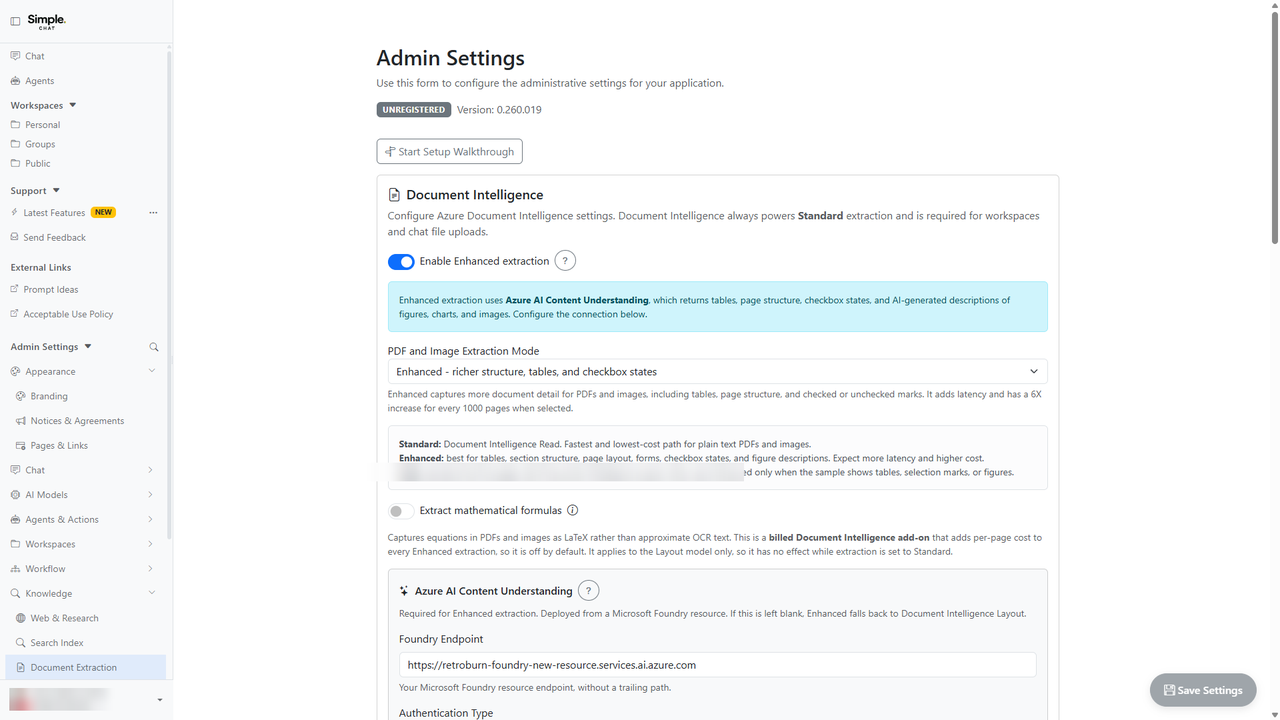
Enabling Azure AI Content Understanding Extraction
Admins can enable Enhanced extraction with Azure AI Content Understanding so users receive richer document and figure understanding.
This matters because admins can improve retrieval quality for visual documents while preserving controlled fallback visibility.
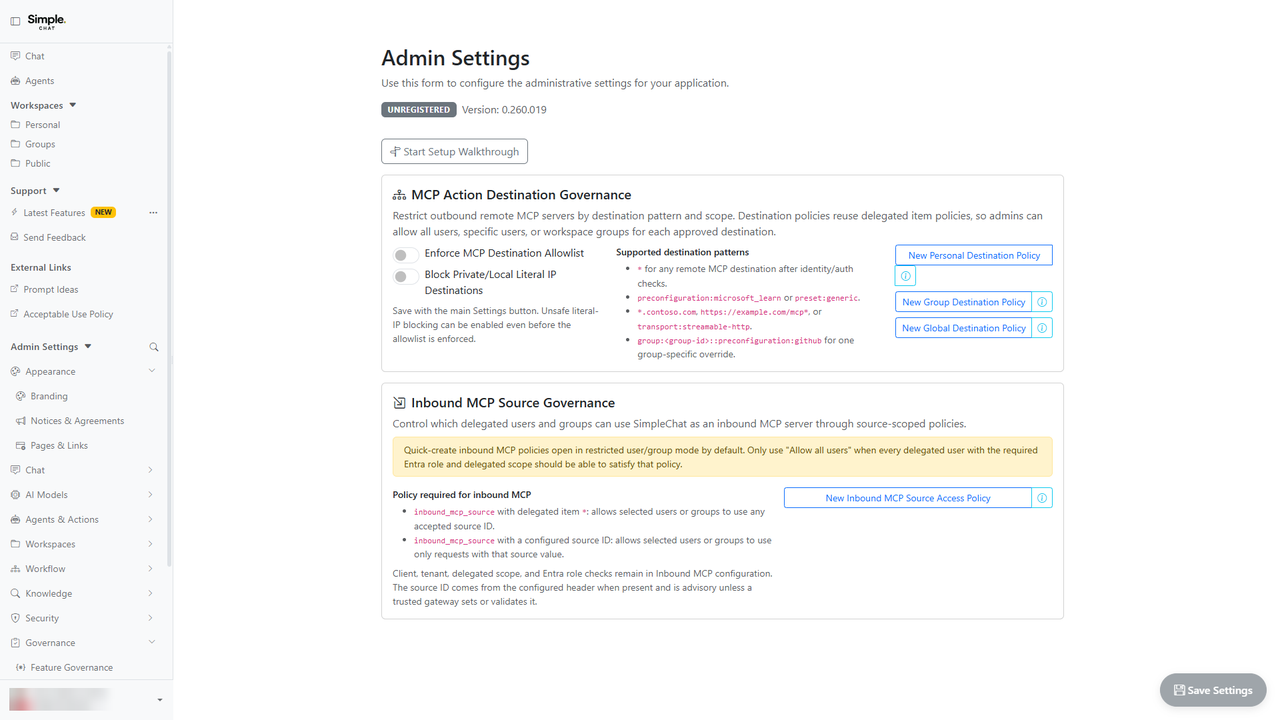
MCP Server Governance & Outbound Action Controls
Admins can govern inbound MCP server exposure and outbound MCP action destinations before users connect external tools.
This matters because admins can unlock MCP interoperability while controlling destinations, observability, and supported tool surfaces.
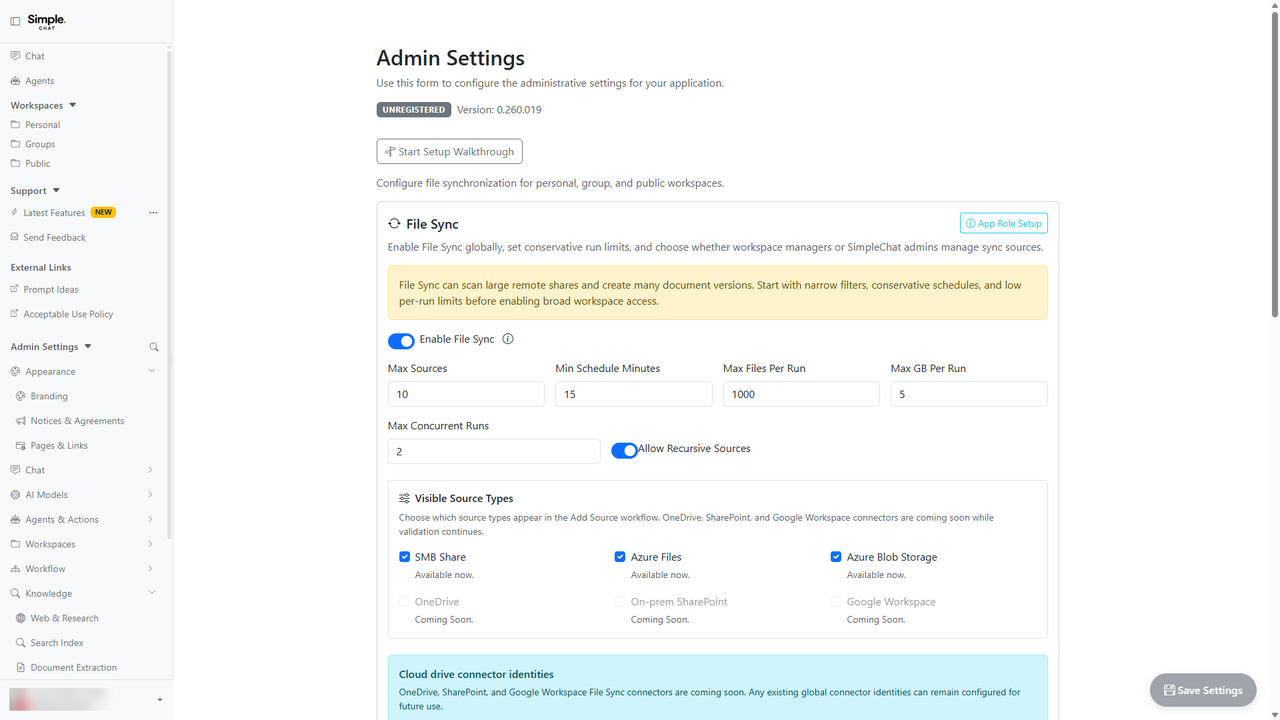
Azure Blob Storage File Sync Configuration
Admins can configure Azure Blob Storage containers as File Sync sources for personal, group, and public workspaces.
This matters because admins can connect governed storage sources without forcing users to manually upload every file.
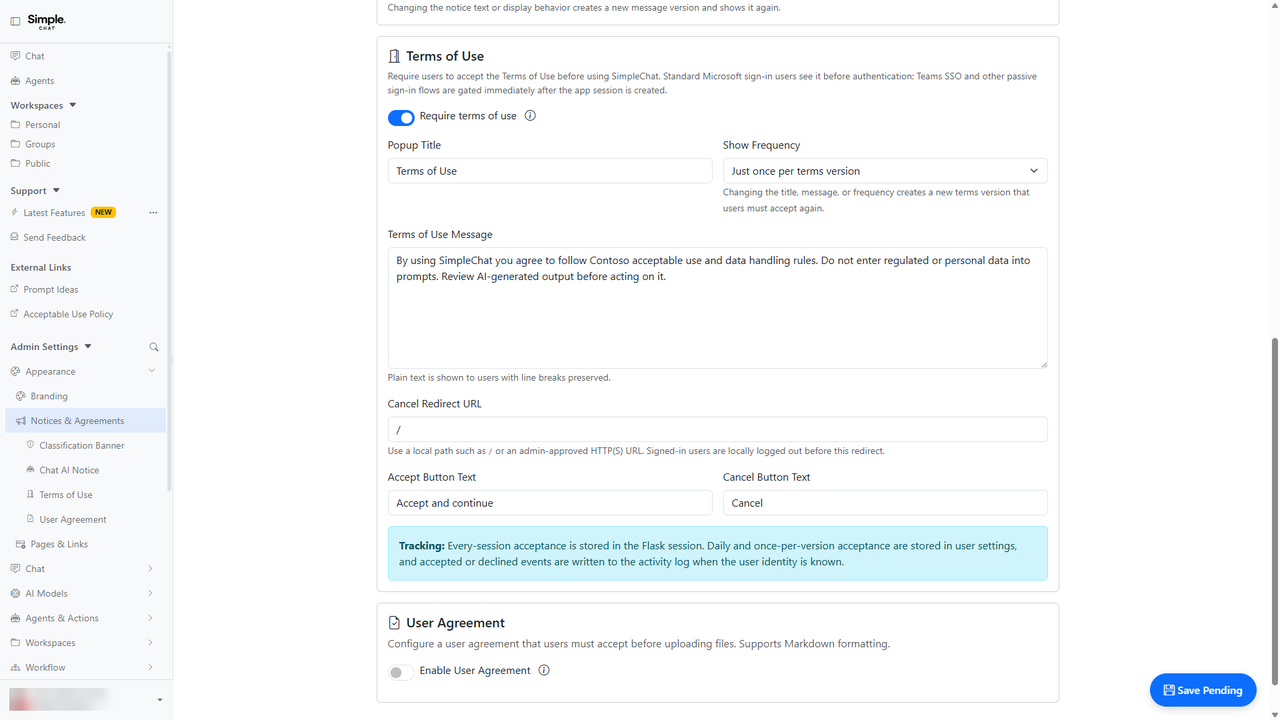
Terms of Use / Rules of Behavior Gate
Admins can require users to accept tenant terms or rules of behavior before accessing SimpleChat.
This matters because tenant access expectations can be acknowledged consistently and recorded before users interact with AI features.
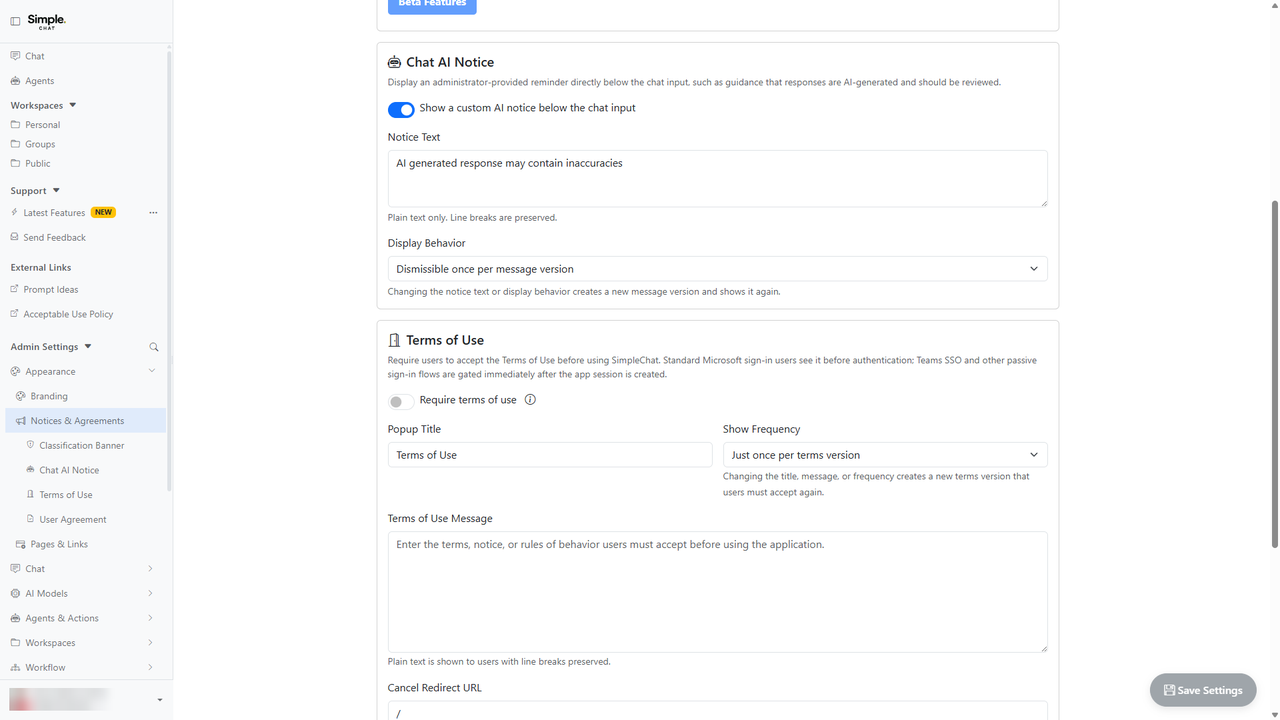
Configuring the Chat AI Usage Notice
Admins can publish custom Markdown AI guidance directly below the chat composer.
This matters because AI usage guidance can be kept visible at the point of use without custom template changes.
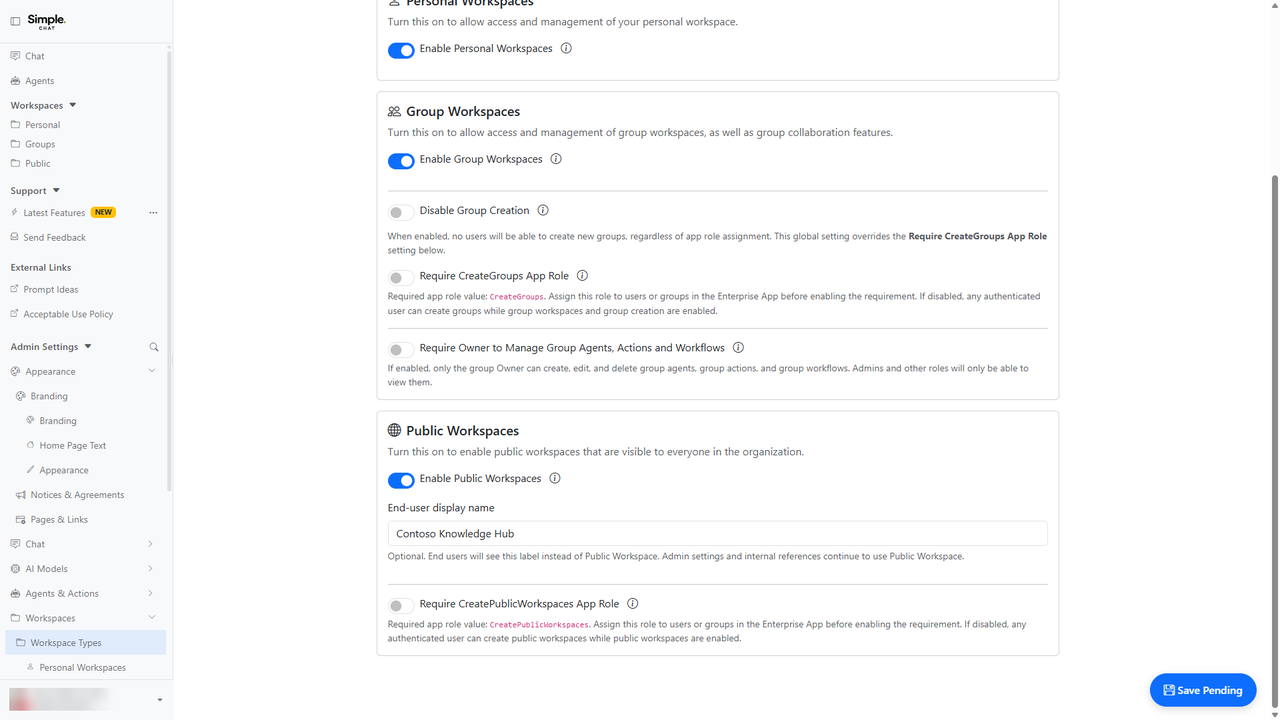
Custom Public Workspace Display Name
Admins can rename the Public Workspace label to a tenant-specific display name without changing internal identifiers.
This matters because admins can align shared knowledge areas with organizational terminology without data migration.
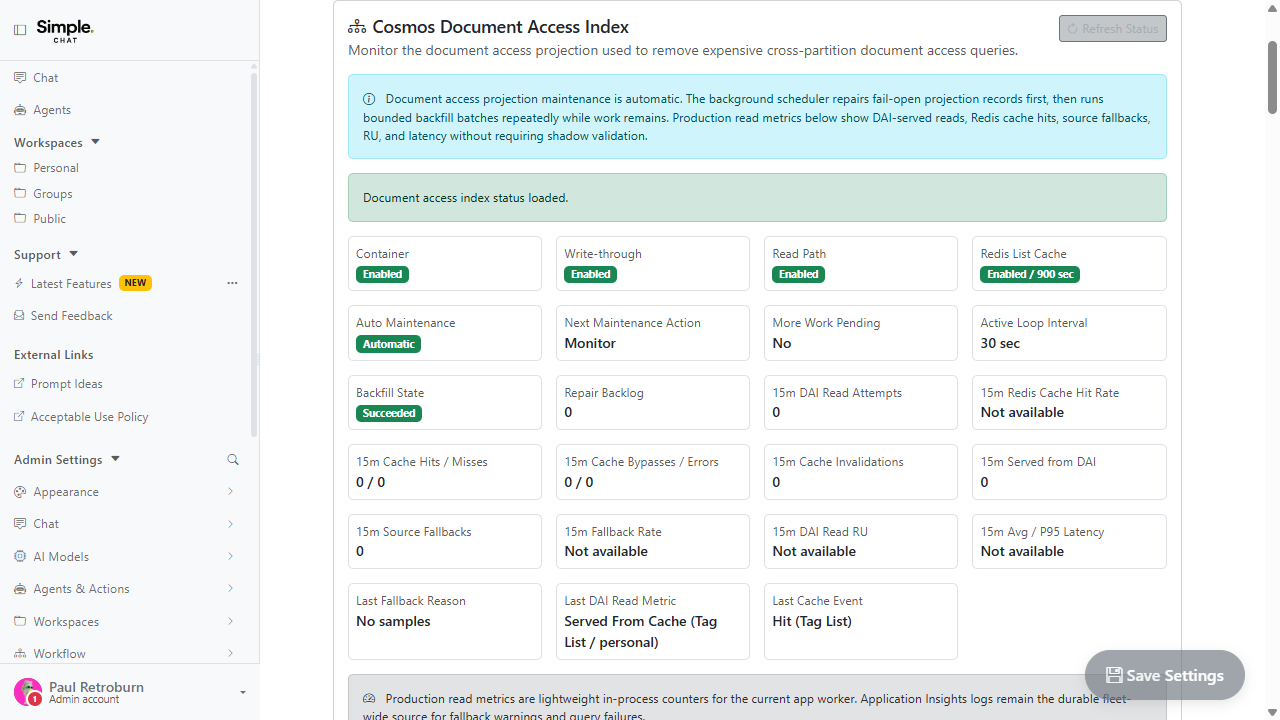
Document Access Index for Faster Workspace Reads
Admins can serve workspace document lists from a companion index partitioned by access scope instead of querying the source containers across every partition.
This matters because document list performance is dominated by a partitioning mismatch, and this addresses the cause rather than adding more throughput on top of it.
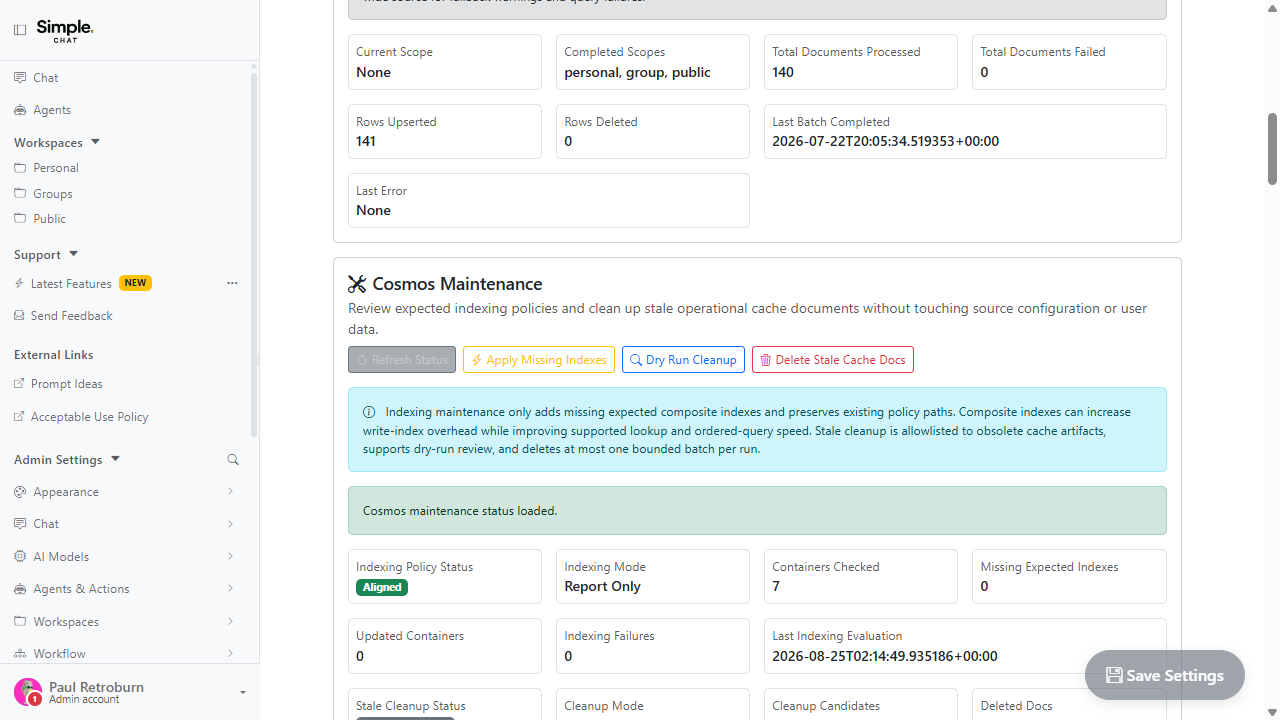
Cosmos Maintenance and Throughput Guardrails
Admins can apply missing Cosmos indexes, rebuild caches, and let SimpleChat scale throughput within explicit guardrails.
This matters because index and capacity changes are exactly the operations that should be deliberate, reversible, and bounded rather than automatic and silent.
Archive Previous Release Features The v0.250.001 feature set remains available for reference after the v0.260.001 feature set became current. v0.250.001 Show highlights

Personalized Model and Agent Access
Model and agent access can now be assigned to specific users or groups, so different people can see the AI capabilities approved for their work.
This matters because teams can make powerful AI tools available to the right people without turning every model or agent on for everyone.

Improved Tabular Analysis
Tabular analysis for CSV and Excel files can now page through larger results, preserve sheet context, use related document evidence, and create clearer chart or export outputs.
This matters because spreadsheet questions often need exact calculations, filtered rows, grouped results, and reusable exports rather than a short text summary.

Custom Pages
Admins can publish trusted internal custom pages, giving users new in-app pages for local guidance, dashboards, forms, or lightweight tools.
This matters because teams can tailor SimpleChat to local workflows without sending users to a separate unauthenticated site.

Tableau Action
Users with access can ask SimpleChat to discover Tableau projects, workbooks, views, datasources, and workbook details from approved Tableau environments.
This matters because users can find and reason about Tableau assets without manually switching between systems for every lookup.

Personal and Group Workflows
Users can create or run personal and group workflows for repeatable document analysis, File Sync refreshes, per-document runs, and generated Office outputs.
This matters because repeatable document work can move from one-off chat prompts into reusable personal or shared group automation.

Voice-Assisted Form Inputs
Speech-to-text controls now appear in supported agent, group, public workspace, document metadata, tag, and instruction fields when speech input is enabled.
This matters because many setup and metadata fields are easier to draft by voice, especially longer agent instructions or document descriptions.

Microsoft 365 Actions
Microsoft Graph actions expand M365 support so approved users can work with mail, drafts, calendar details, and calendar invites from SimpleChat.
This matters because common M365 tasks can become part of an agent-assisted workflow instead of requiring manual copying between apps.

Workspace-Backed Chat Uploads and Paste Support
Chat uploads now behave more like workspace uploads, and users can paste or drag files and images directly into the chat input.
This matters because users no longer need to decide whether chat or workspace upload is the right path before they start working with a file.

Enhanced Document Intelligence
Enhanced extraction can capture richer PDF and image structure, including tables, layout, and selection marks, and users can reprocess eligible documents from workspaces.
This matters because some documents need more than plain text extraction to answer accurately, especially forms, tables, scanned PDFs, and image-heavy files.

File Sync for SMB and Azure Files
File Sync can bring SMB share and Azure Files content into workspaces, with reusable identities and workflow triggers for automated refreshes.
This matters because workspace documents can stay closer to authoritative file shares instead of depending on repeated manual uploads.

Faster Conversation Lists
Conversation lists now load in pages, improving startup performance for users with large chat histories.
This matters because large conversation histories should not slow down everyday chat startup.

Group File Sharing and Approvals
Users can share personal or group documents with groups, and receiving groups can approve shared files before they become searchable.
This matters because collaboration often crosses workspace boundaries, but shared documents still need review and clear ownership.

Profile, Stats, and Preferences
Profile now brings together stats, groups, public workspaces, feedback, safety items, preferences, and CSV exports in a clearer experience.
This matters because users can understand their own activity and manage everyday preferences without needing an admin to change global settings.

Databricks Action
Users with access can use approved Databricks actions to run governed read-only SQL against Azure Commercial Databricks workspaces.
This matters because analytics data can be queried from SimpleChat without giving every user direct database tooling.

Layered Message Masking
Users can now apply multiple selected-text masks to the same message, including shared personal and group conversations.
This matters because users can hide multiple sensitive ranges in a message without losing control over previous masks.

Visio and Outlook MSG File Support
Users can upload Visio `.vsdx` diagrams and Outlook `.msg` email files so more everyday work artifacts can become searchable knowledge.
This matters because architecture diagrams, process diagrams, and email files often contain important context that should not be trapped outside workspace search.

Assigned Knowledge for Agents
Agents can be bound to specific workspace sources, documents, and tags so they answer from the knowledge selected for their role.
This matters because specialized agents can stay focused on the knowledge they were designed to use.

Deep Research and Source Review
Deep Research and Source Review can inspect web evidence more deeply with bounded traversal, source citation seeding, load-more support, and optional model-assisted link planning.
This matters because web-grounded answers are more useful when they are based on reviewed source pages instead of snippets alone.

URL Access in Chat
Users can paste URLs into Chat and have SimpleChat treat them as source links or plain text depending on the workflow and admin policy.
This matters because links are a natural way to bring external context into a chat, but they need bounded, policy-aware handling.

Conversation Source Continuity
Chat can now reuse document and citation context from earlier turns, reducing the need to reselect the same documents throughout a conversation.
This matters because multi-turn document conversations should remember the source trail you already built instead of making you start over every prompt.

Generated Markdown, Word, and PowerPoint Files
Agents and workflows can now create reusable Markdown, Word, and PowerPoint outputs that users can inspect, download, or promote into workspaces.
This matters because important results should become durable files when users need reports, decks, summaries, or workspace knowledge.
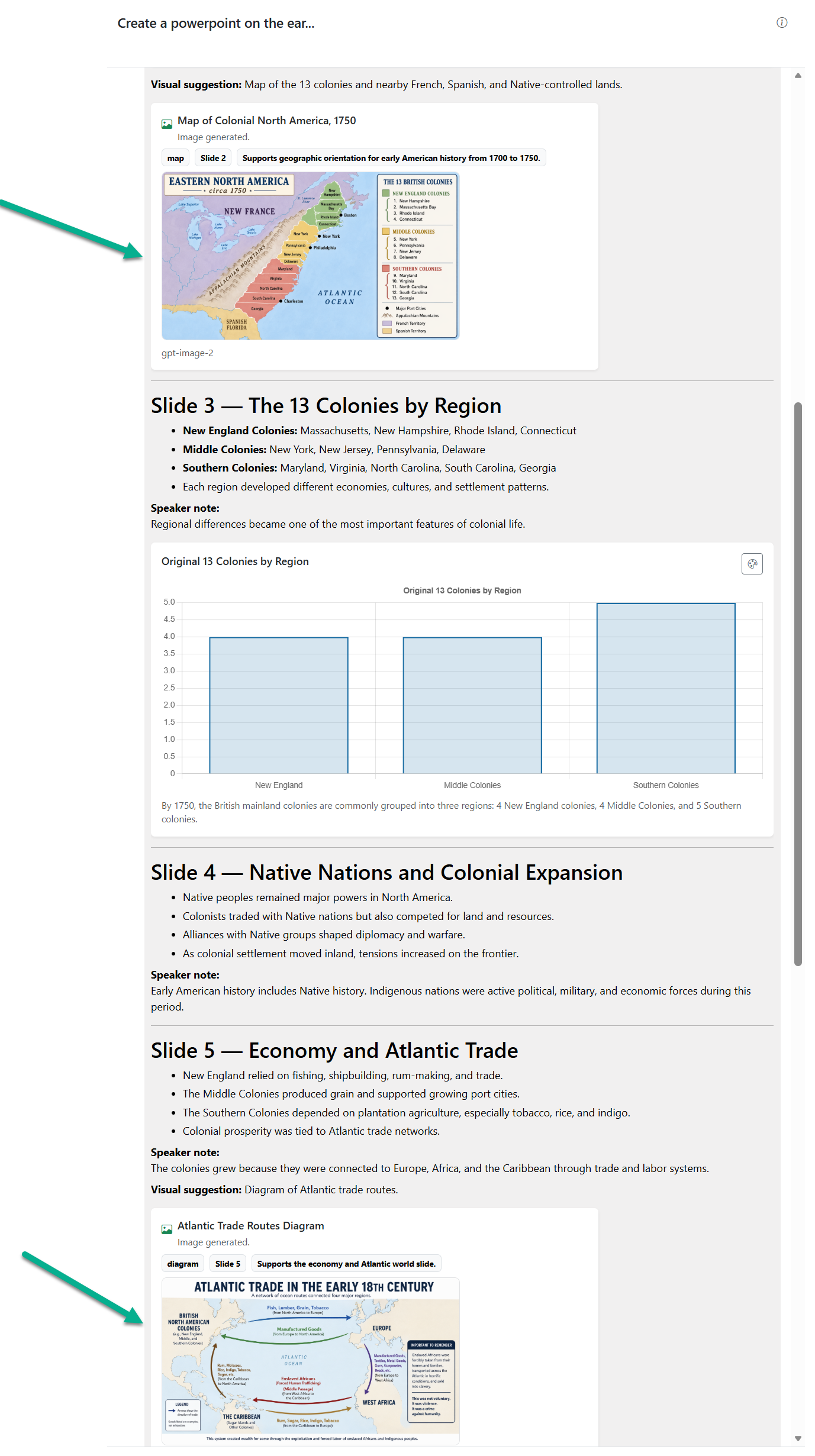
Multi Inline Image Generation
Chat can now create multiple inline images from one request, and model responses can propose useful images during an answer for you to approve before generation.
This matters because image creation can become part of the conversation flow without forcing users to send one image request at a time or accept unapproved generated media.

Workspace Cards and Folder Views
Workspace documents can now be browsed in list, card, folder, and folder-plus-card views with improved multi-select and action behavior.
This matters because large workspaces are easier to navigate when users can choose the browsing mode that fits the task.

Assistant Follow-Up Actions
Assistant responses can now show suggested next-step buttons that stage the prompt and start a cancelable send countdown.
This matters because useful assistant suggestions become one-click follow-up actions while users stay in control before sending.

Model and Agent Avatars
Model endpoint icons and uploaded model images now make model-only responses easier to recognize, while agent avatars remain prioritized for agent replies.
This matters because visual identity helps users understand whether a response came from a selected model or an agent.
Additional highlights from v0.250.001
- Model and agent governance, workflow automation, File Sync, document extraction, and enterprise actions defined the v0.250.001 feature set.
- Chat productivity, workspace browsing, generated artifacts, source review, and profile improvements remain documented for teams still rolling out that release.
Archive Archive Release Features The v0.239.001 through v0.241.007 guides remain available for longer-term archive reference. v0.239.001 - 0.241.007 Show highlights
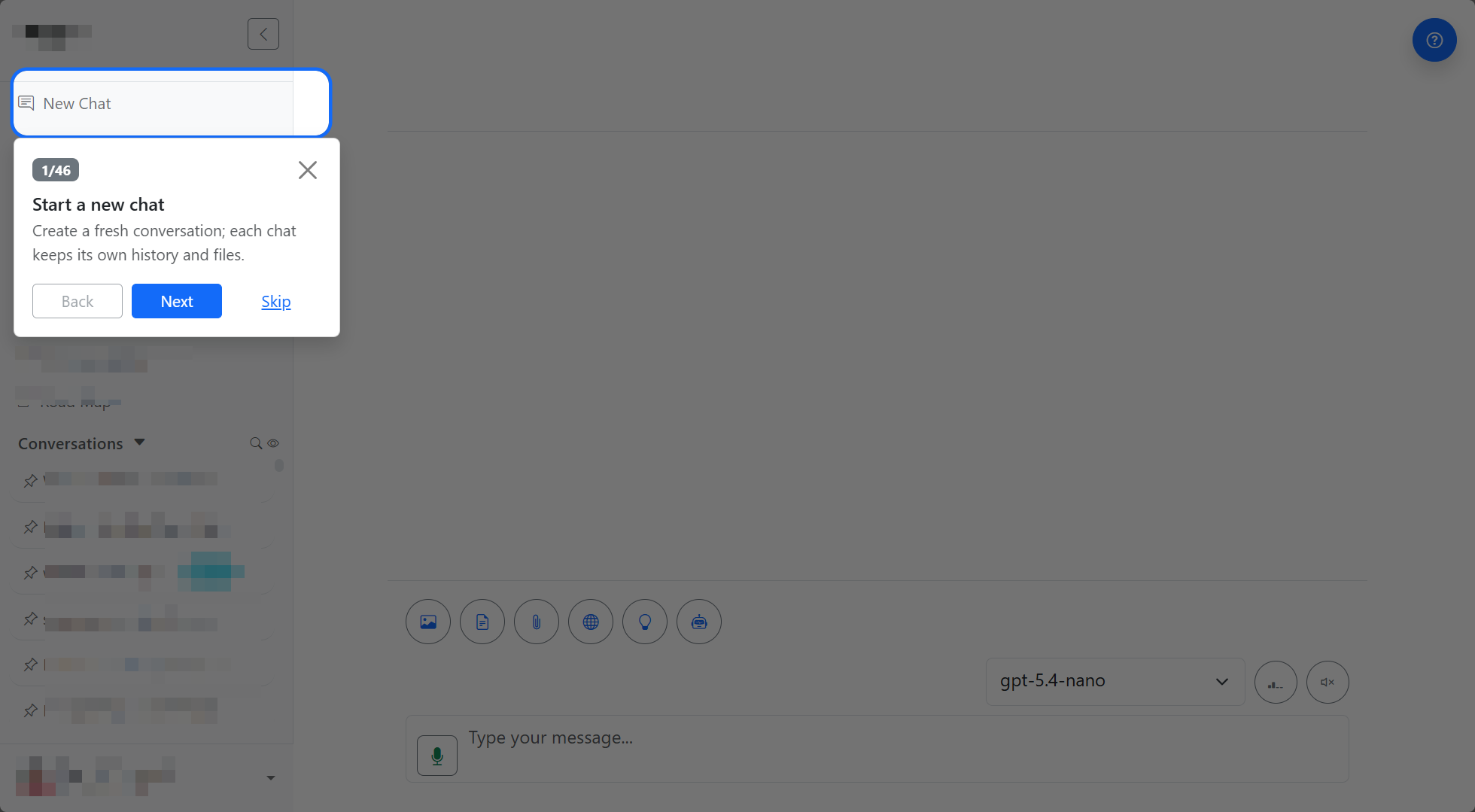
Guided Tutorials
Step-by-step walkthroughs help users discover core chat, workspace, and onboarding flows in context instead of hunting through the interface first.
The fastest way to learn a new workflow is usually inside the workflow itself, with the right controls highlighted as you go.
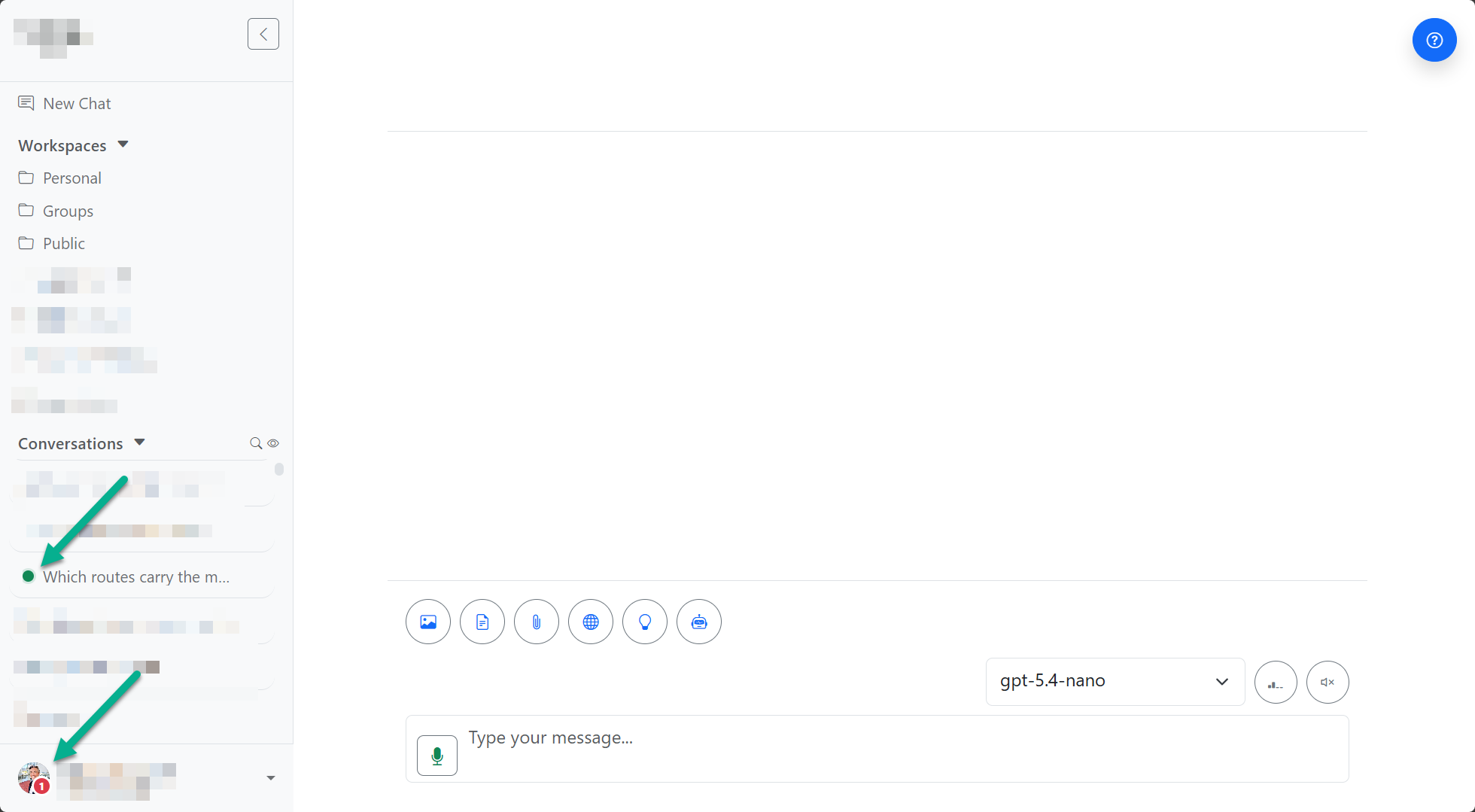
Background Chat
Long-running chat requests can finish after you leave the chat page, so larger prompts and uploads stop blocking the rest of your work.
Long-running work no longer makes the app feel blocked while the assistant is still processing.
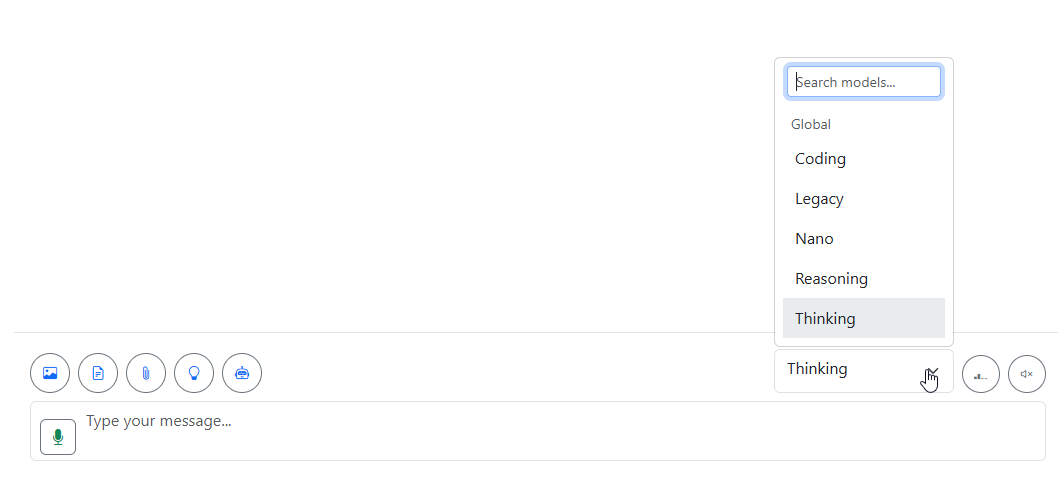
GPT Selection
Visible model selection helps users match a task to the right tradeoff in speed, cost, and reasoning depth when multiple options are available.
Different prompts often need different tradeoffs, so a clearer picker makes model choice practical instead of hidden.
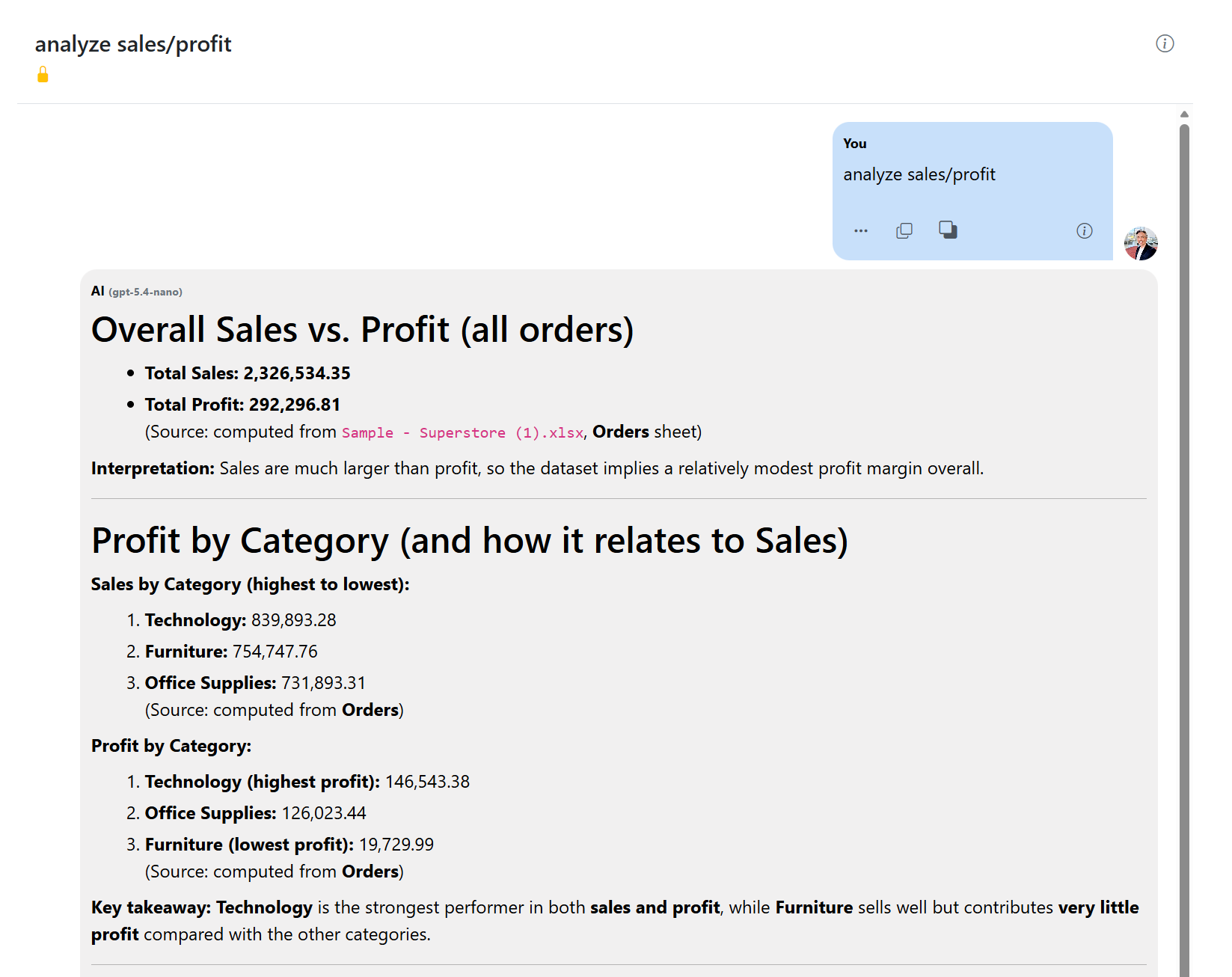
Tabular Analysis
CSV and spreadsheet workflows keep getting stronger for grounded exploration, filtering, and follow-up analysis against real rows and columns.
Table-heavy questions are more useful when users can explore filters and follow-ups without losing provenance.
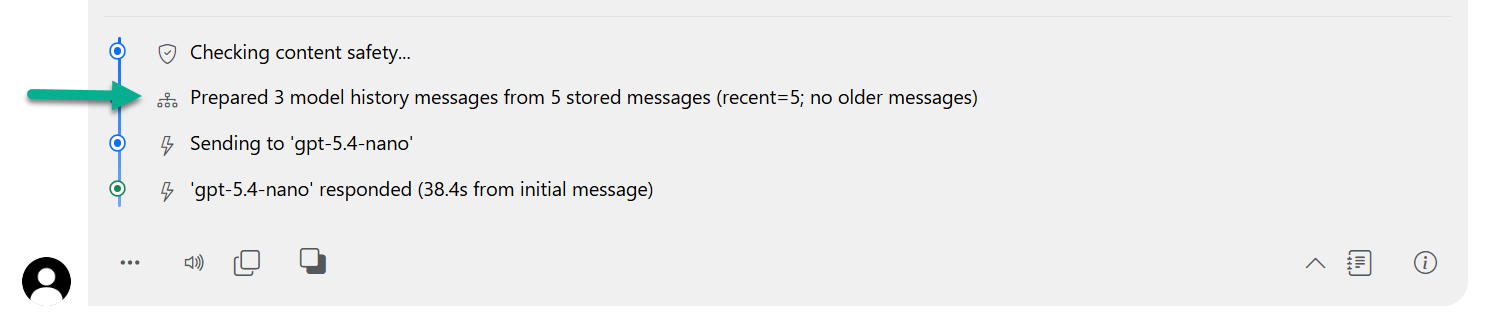
Citation Improvements
Enhanced citations improve source traceability, document previews, and history-aware grounding so users can inspect where answers came from.
Traceable answers are easier to trust, revisit, and defend in follow-up conversations.
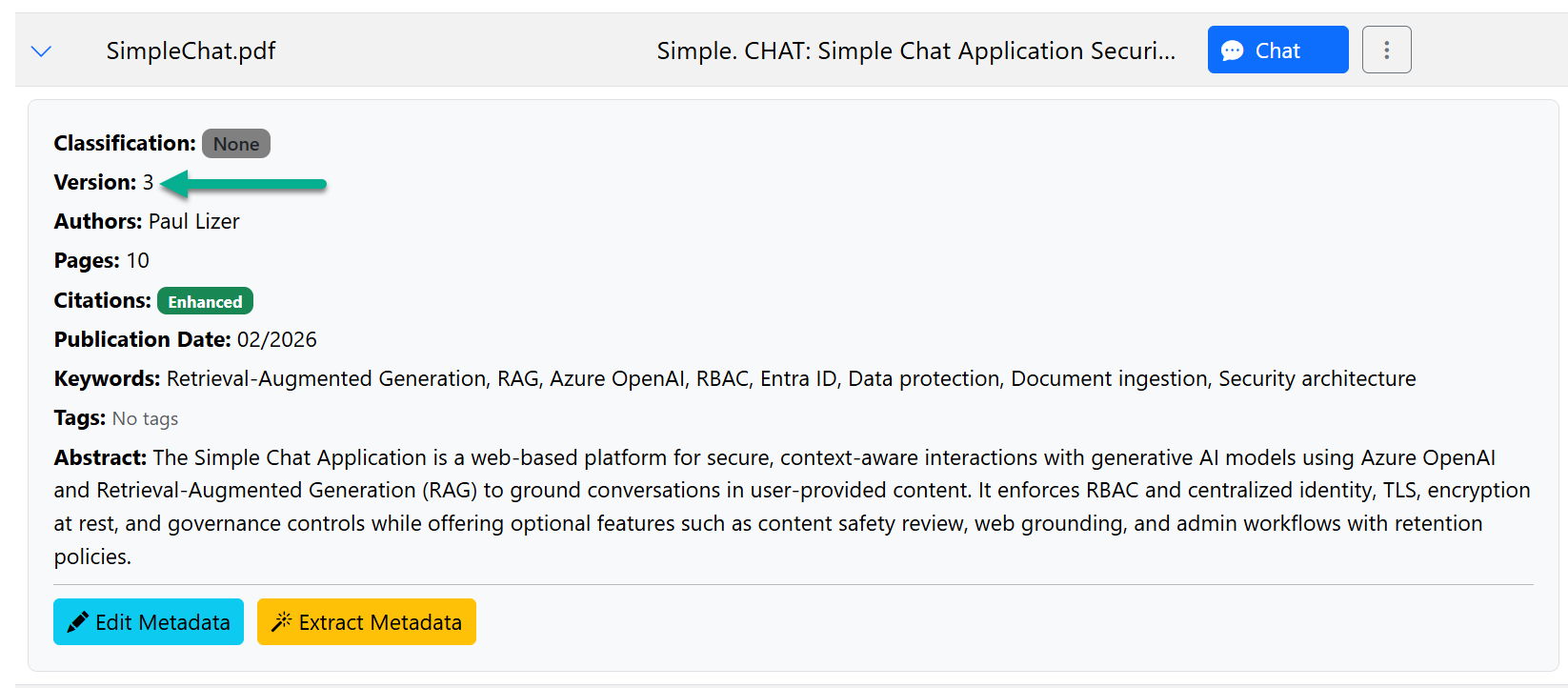
Document Versioning
Same-name uploads now behave like revisions, making it easier to keep document history visible instead of silently replacing useful versions.
Revision-aware documents keep history available when teams need to compare or verify what changed.
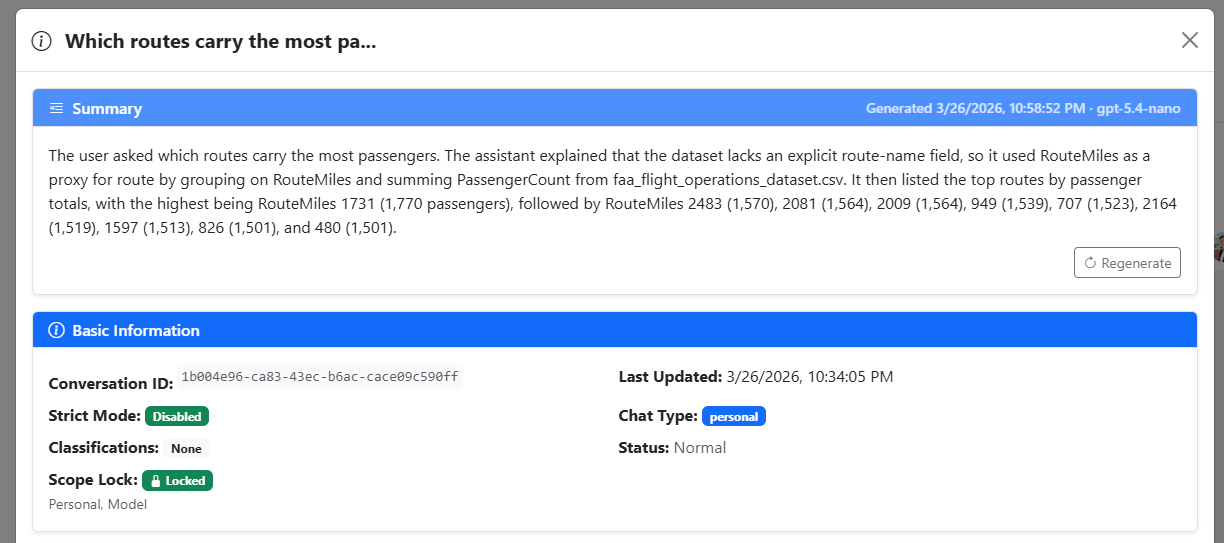
Summaries and Export
Conversation summaries and export actions keep expanding so users can package, review, and share useful chat outcomes more quickly.
People reuse chat outcomes faster when they can summarize and package them for someone else without manual cleanup.
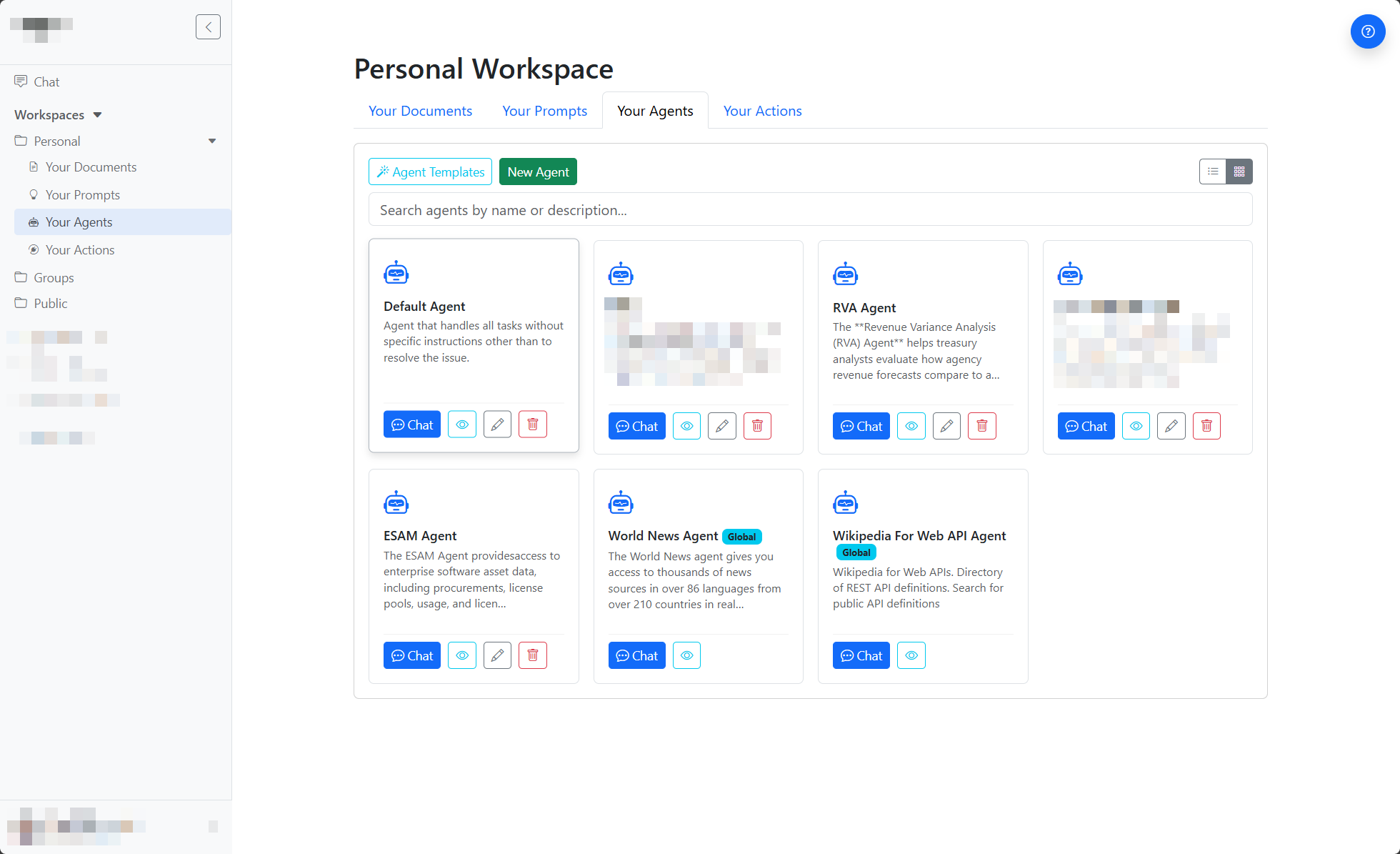
Agent Operations
Agent creation, organization, and operational controls keep getting smoother for teams that rely on more advanced agent and action scenarios.
Advanced agent setups are easier to adopt when browsing, defaults, and validation are clearer.
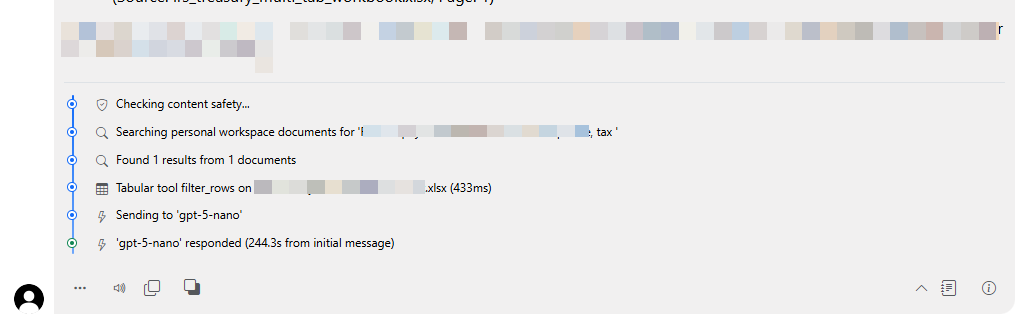
AI Transparency
Thought and reasoning transparency options give users clearer feedback about what the assistant is doing while a response is being prepared.
Visible processing cues reduce uncertainty while the system is working and make delays easier to interpret.
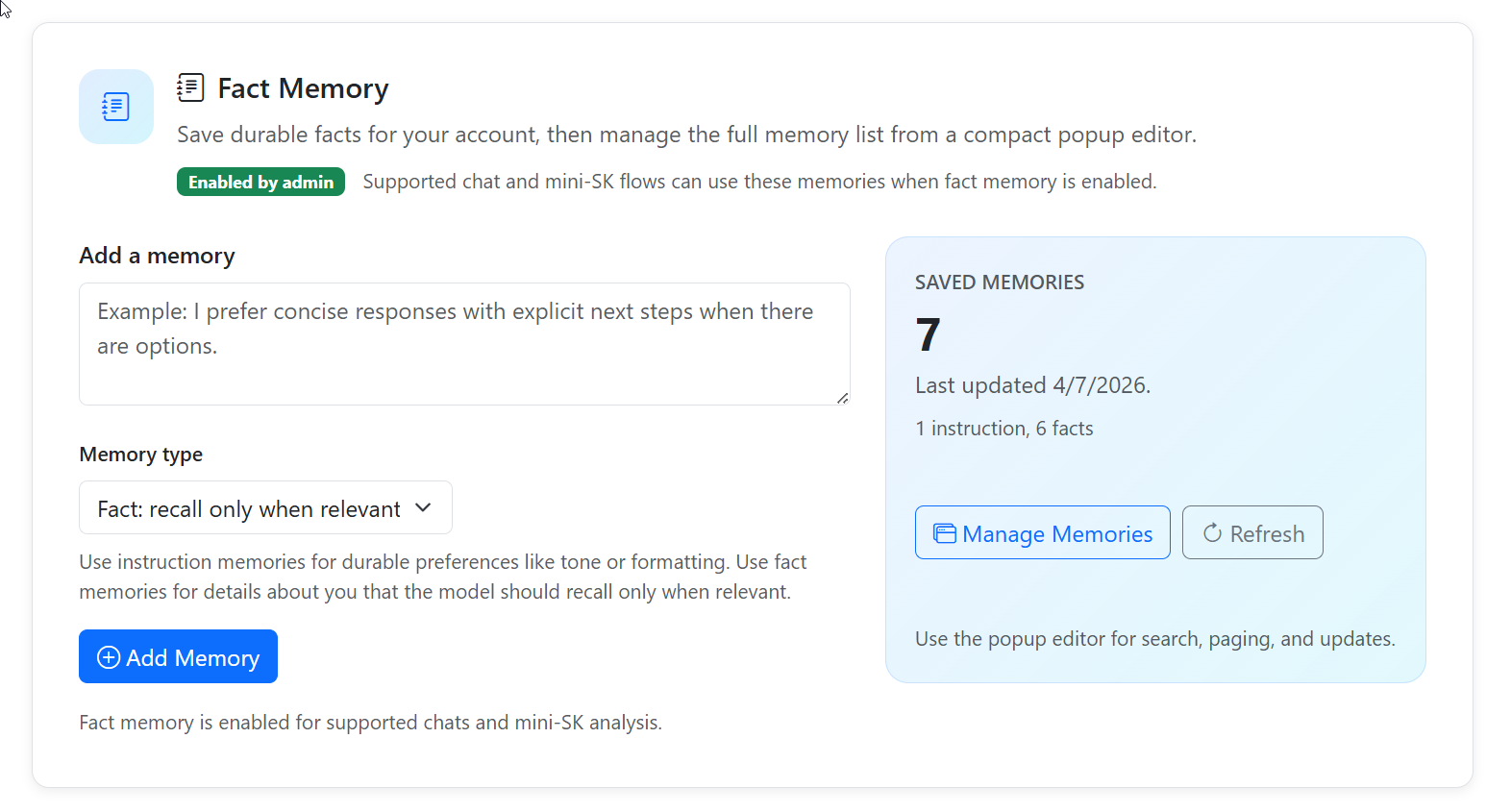
Fact Memory
Profile-based memory now separates durable Instructions from recall-only Facts so the assistant can carry preferences and relevant context more cleanly.
Separating durable preferences from recall-only facts keeps memory more relevant and less noisy over time.
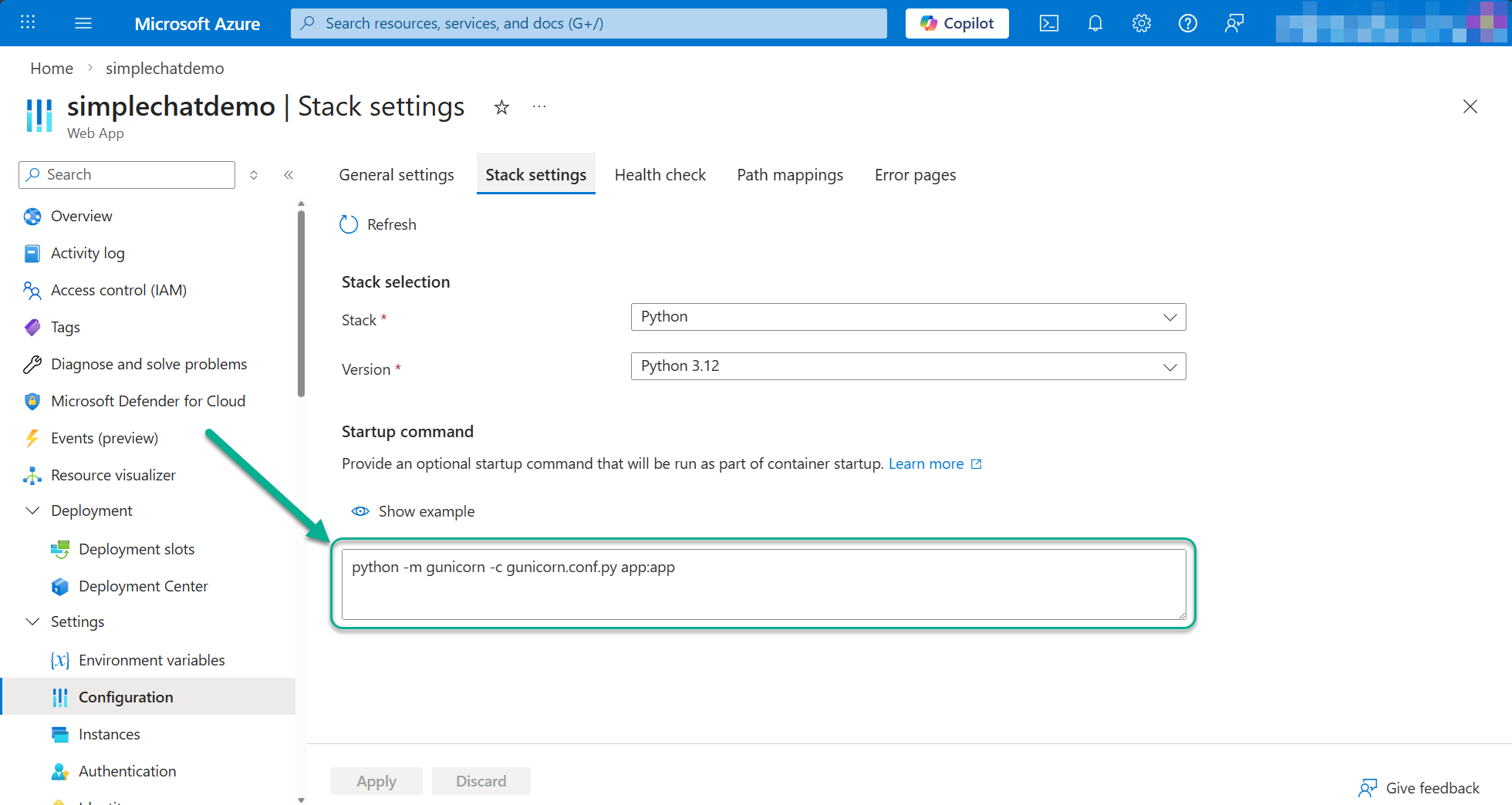
Deployment
Deployment guidance and diagnostics continue to improve so admins can roll out changes with less guesswork and better operational feedback.
Rollouts are safer when guidance, settings, and diagnostics are easier to follow under pressure.
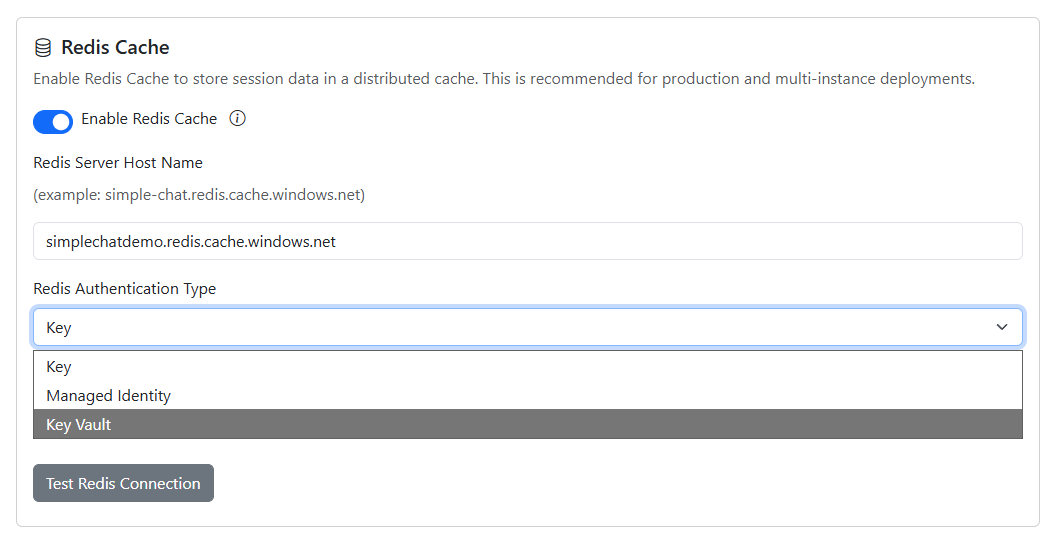
Redis and Key Vault
Caching and secret-management guidance has expanded so production deployments can be configured more securely and more predictably.
Secure caching and secret handling are easier to operationalize when the guidance is concrete instead of implicit.
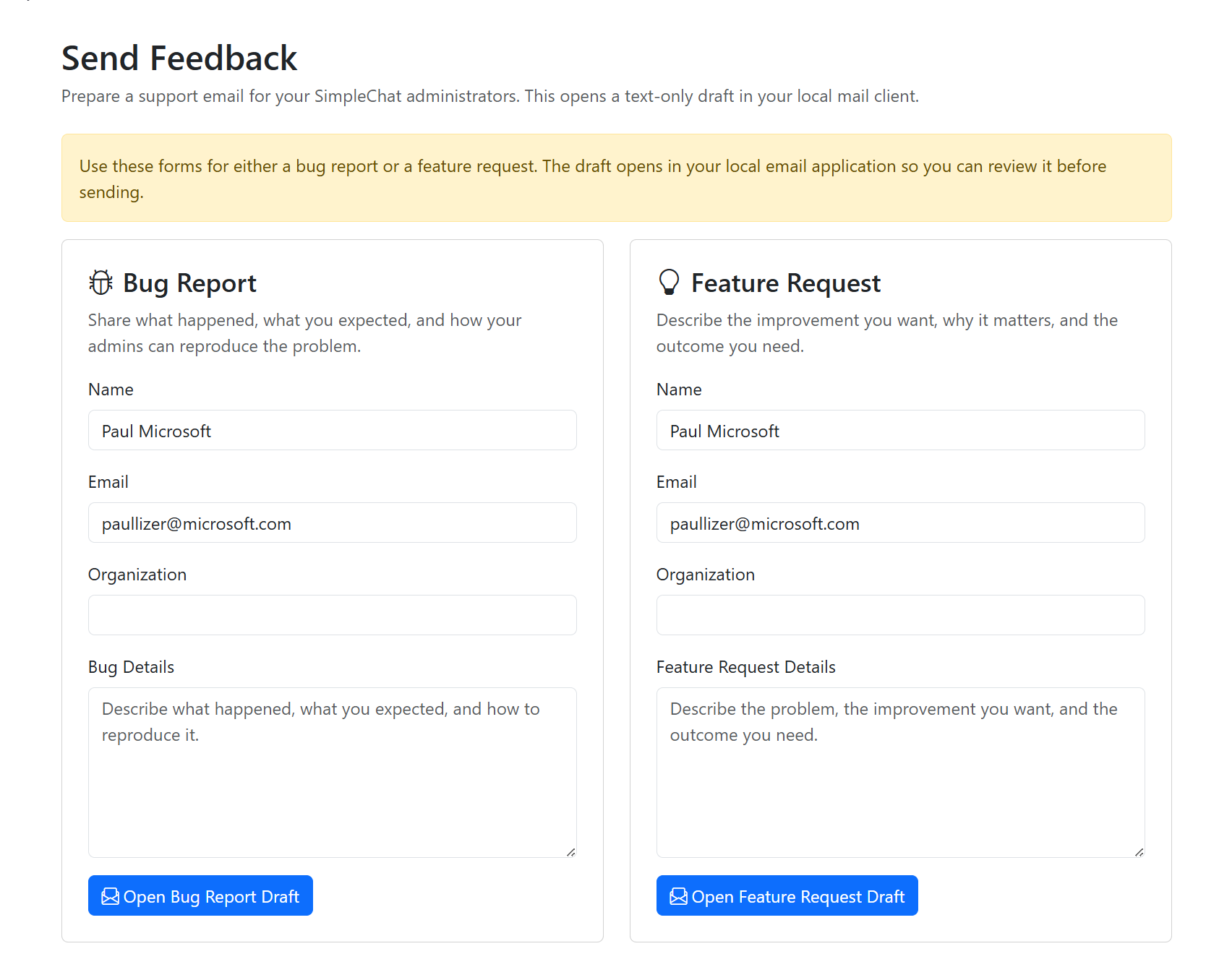
Send Feedback
End users can prepare structured bug reports and feature requests directly from the Support menu instead of sending unstructured notes.
Structured feedback gives admins something actionable instead of vague complaints or one-line requests.
Support Menu
Admins can expose Latest Features and Send Feedback through one predictable support surface so discovery and reporting live in the same place.
A predictable support surface makes help, announcements, and feedback easier to discover and reuse.
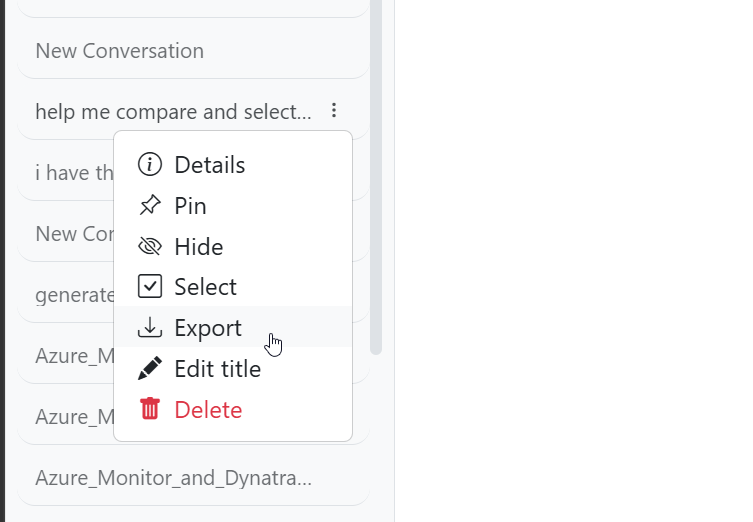
Export Conversation
Users can export one or multiple conversations in JSON or Markdown through a guided wizard that handles packaging and download choices.
Structured export makes it easier to archive, review, reuse, or share conversations outside the live chat UI.
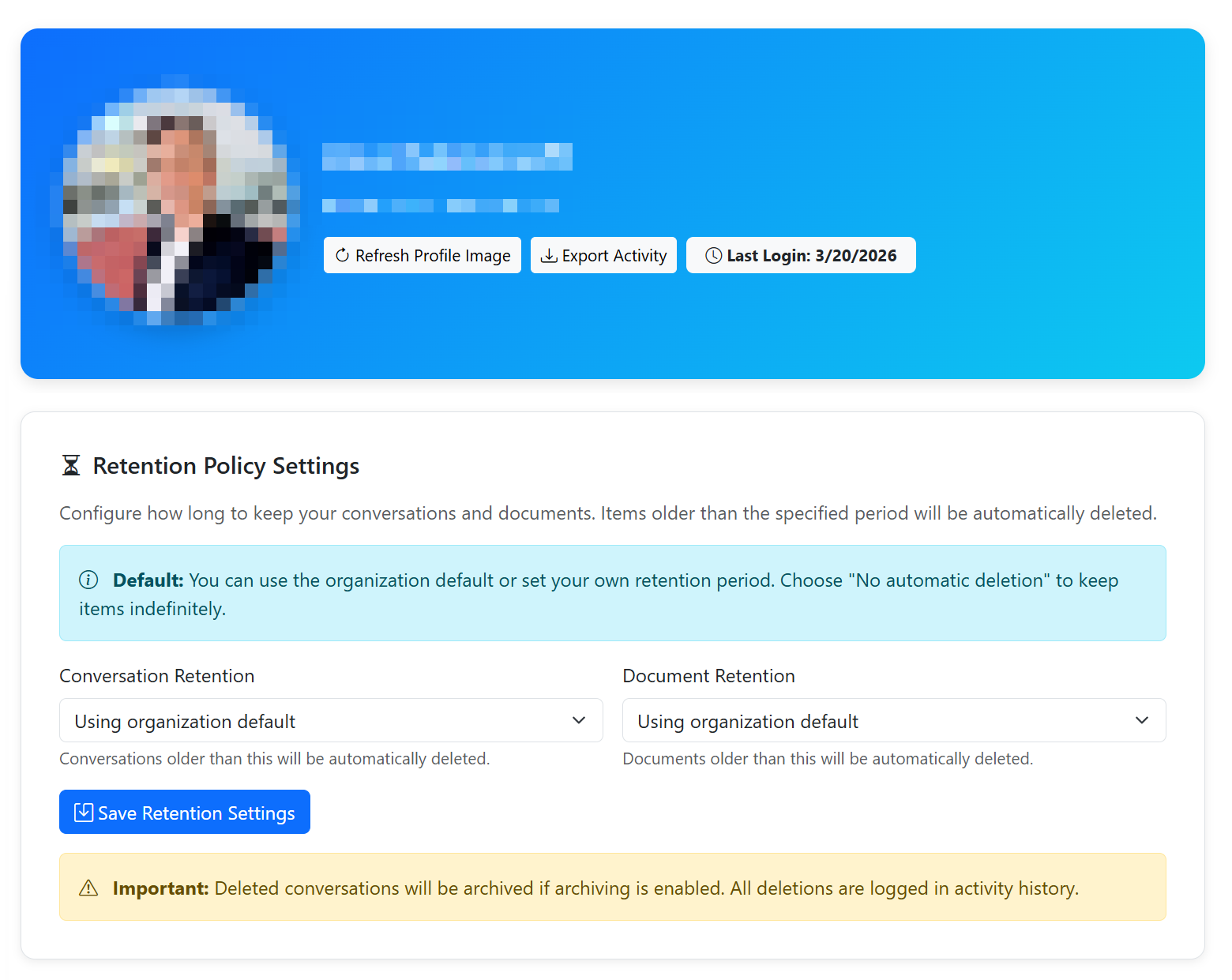
Retention Policy
Retention settings let admins and workspace owners control how long conversations and documents are kept before automatic cleanup runs.
Retention controls make lifecycle management more predictable, auditable, and easier to explain across workspaces.
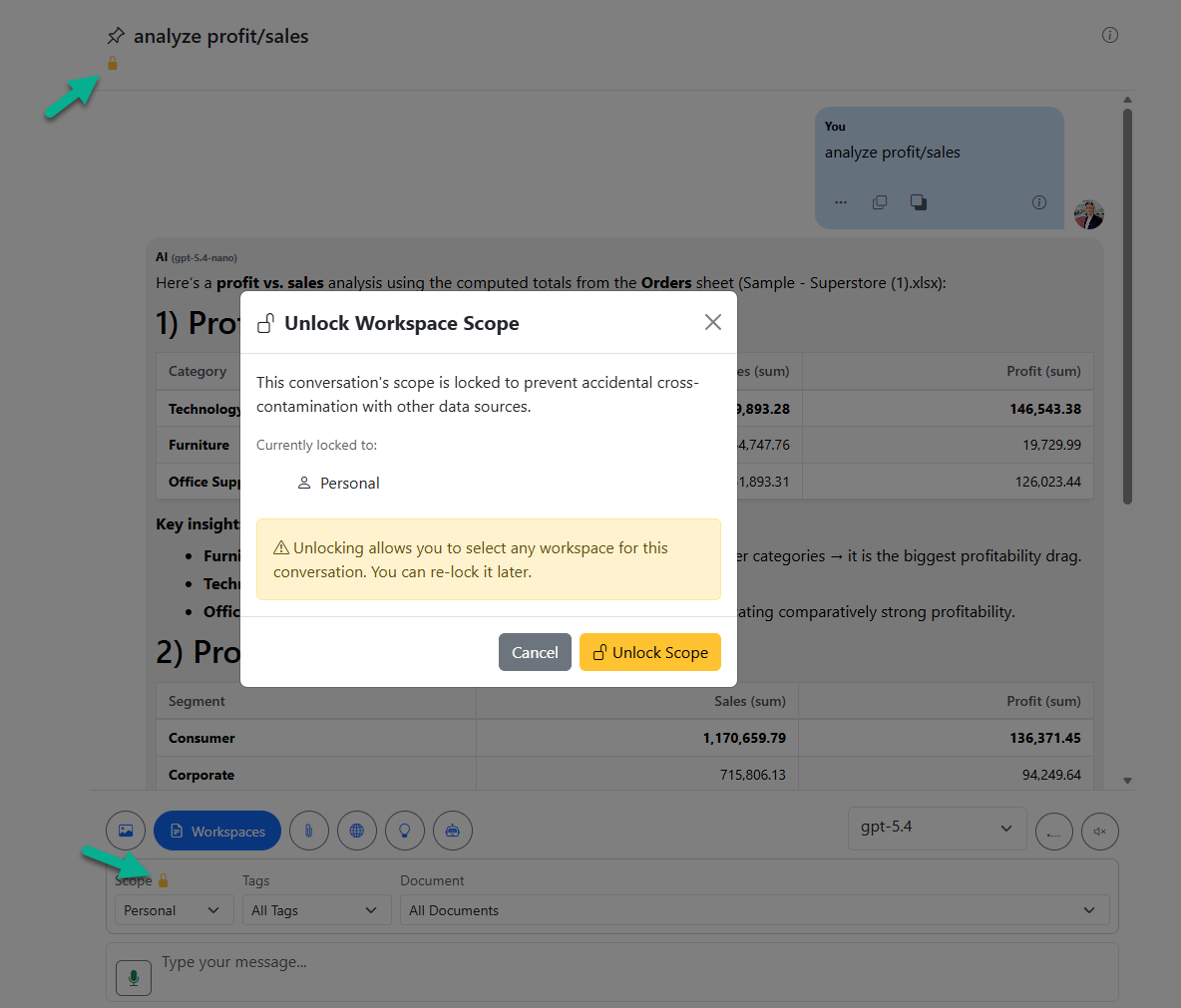
Workspace Scope Lock
Workspace scope locking freezes the originating workspace selection after grounded search so follow-up questions do not accidentally cross data boundaries.
Locking the originating scope prevents accidental cross-contamination when users continue a grounded conversation.
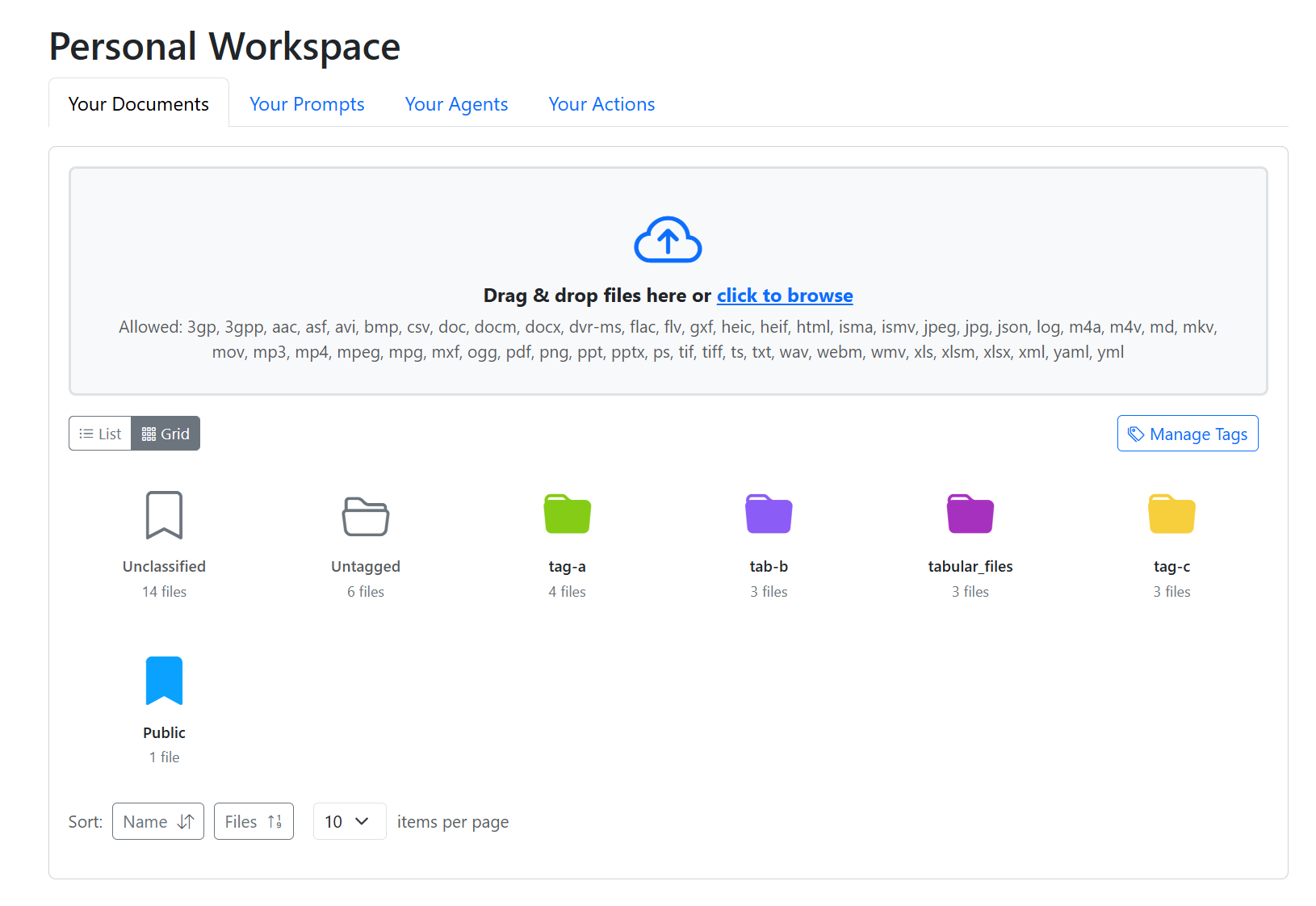
Tags, Grid View, and Chat Filtering
Tag management, folder-style grid view, and chat filtering work together so users can organize large document sets and search them more intentionally.
Tags and folder-style browsing turn large document collections into something people can navigate and filter quickly.
Additional highlights from v0.239.001 - 0.241.007
- Guided tutorials, background chat completion, and fact memory helped users onboard faster and carry useful context forward.
- GPT selection, citation improvements, document versioning, and tabular analysis made core chat and document workflows more transparent.
- Support Menu, Send Feedback, deployment guidance, and Redis/Key Vault setup improved the admin-to-user release communication loop.
- Owner-only group agent management lets admins restrict group agent and action edits to group owners.
- Multi-workspace scope management expanded grounded chat across personal, group, and public sources.
- Tag folders, grid view, and chat filtering shipped together as one broader workspace workflow upgrade.
Bug fixes kept for reference
- Citation parsing fixes resolved edge cases where page range references failed to create the right clickable links.
- Public workspace activation fixed a 403 path for non-owner users activating a public workspace for chat.