

Retention Policy
How to configure conversation and document retention periods
Automatically delete aged conversations and documents based on configurable retention periods. Administrators set organization-wide defaults, while users, group owners, and public workspace admins can set their own policies.
Admin Configuration
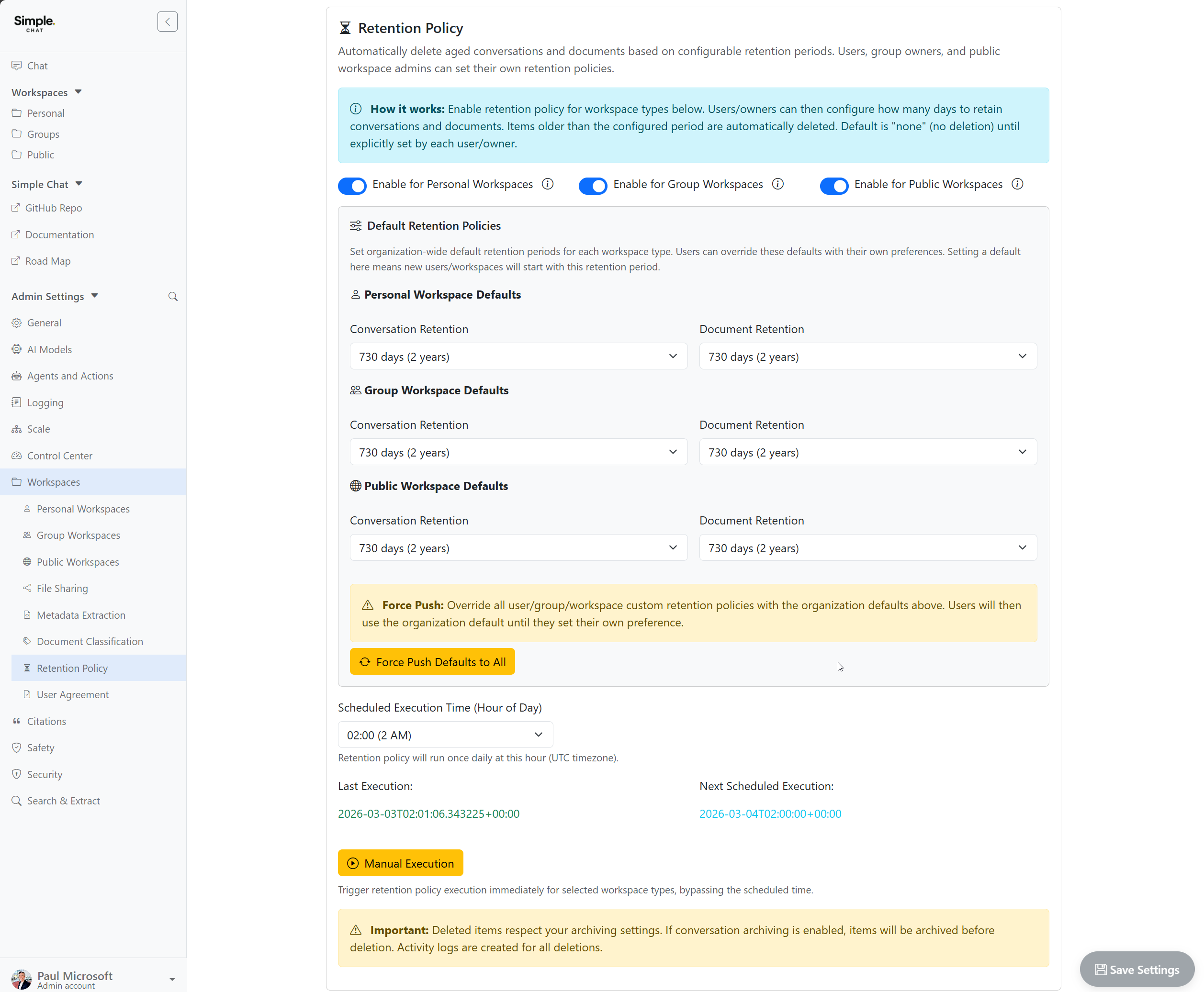
Administrators enable and configure retention policies from Admin Settings > Workspaces > Retention Policy. Policies can be enabled independently for personal, group, and public workspaces.
The admin page provides:
- Per-workspace-type toggles to enable or disable retention for personal, group, and public workspaces
- Default retention periods for conversation and document retention in each workspace type
- Force Push to override all user/group/workspace custom policies with the organization defaults
- Scheduled execution time (UTC) for the daily retention policy run
- Manual execution to trigger retention immediately
Personal Retention Settings
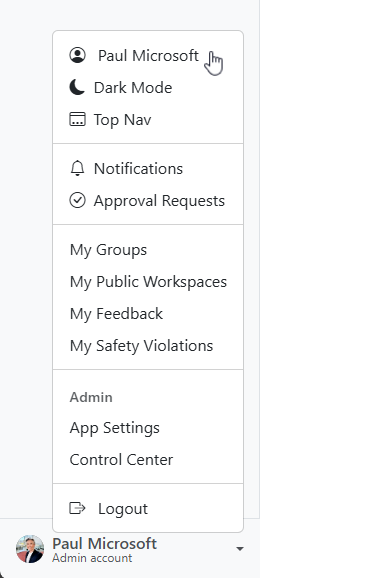
Users can configure their own retention periods from their profile page. Click your name in the bottom-left corner of the sidebar to open the profile menu.
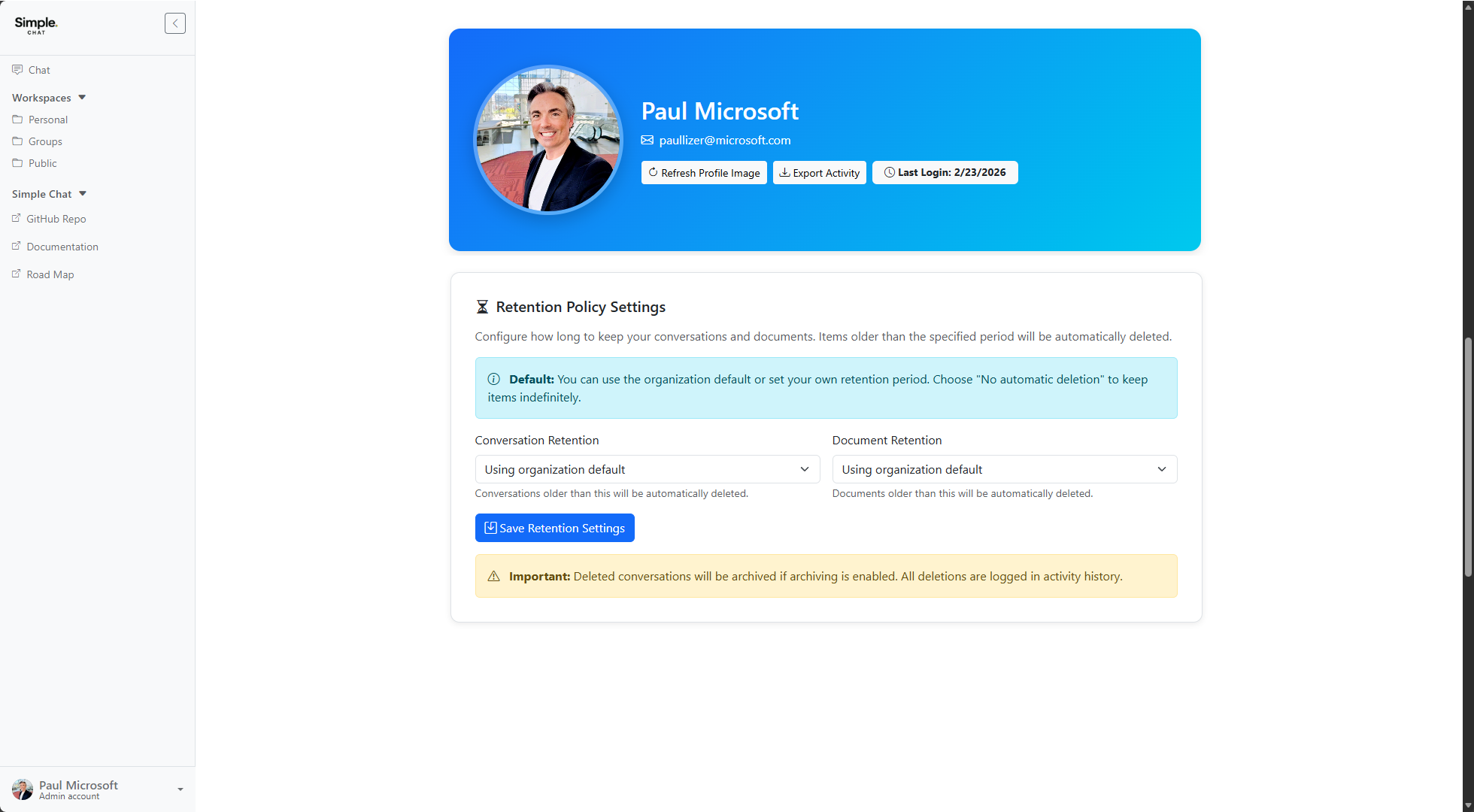
The profile page shows Retention Policy Settings with separate dropdowns for conversation and document retention. Users can choose from preset periods (7 days to 10 years), use the organization default, or select “No automatic deletion” to keep items indefinitely.
Group Workspace Retention
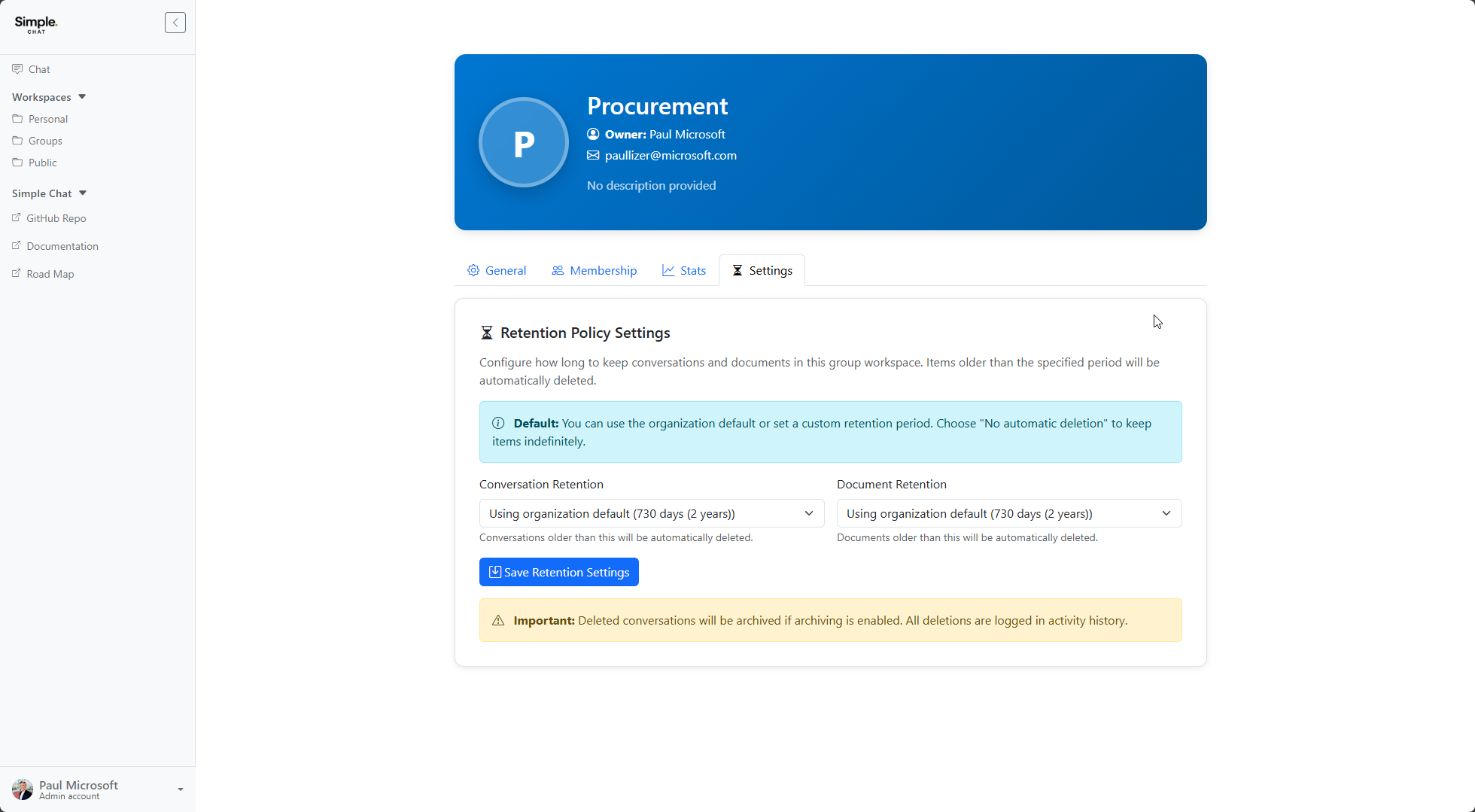
Group owners can configure retention for their group from the group management page under the Settings tab. The interface shows the same conversation and document retention dropdowns, with the current organization default displayed in the dropdown label.
Public Workspace Retention
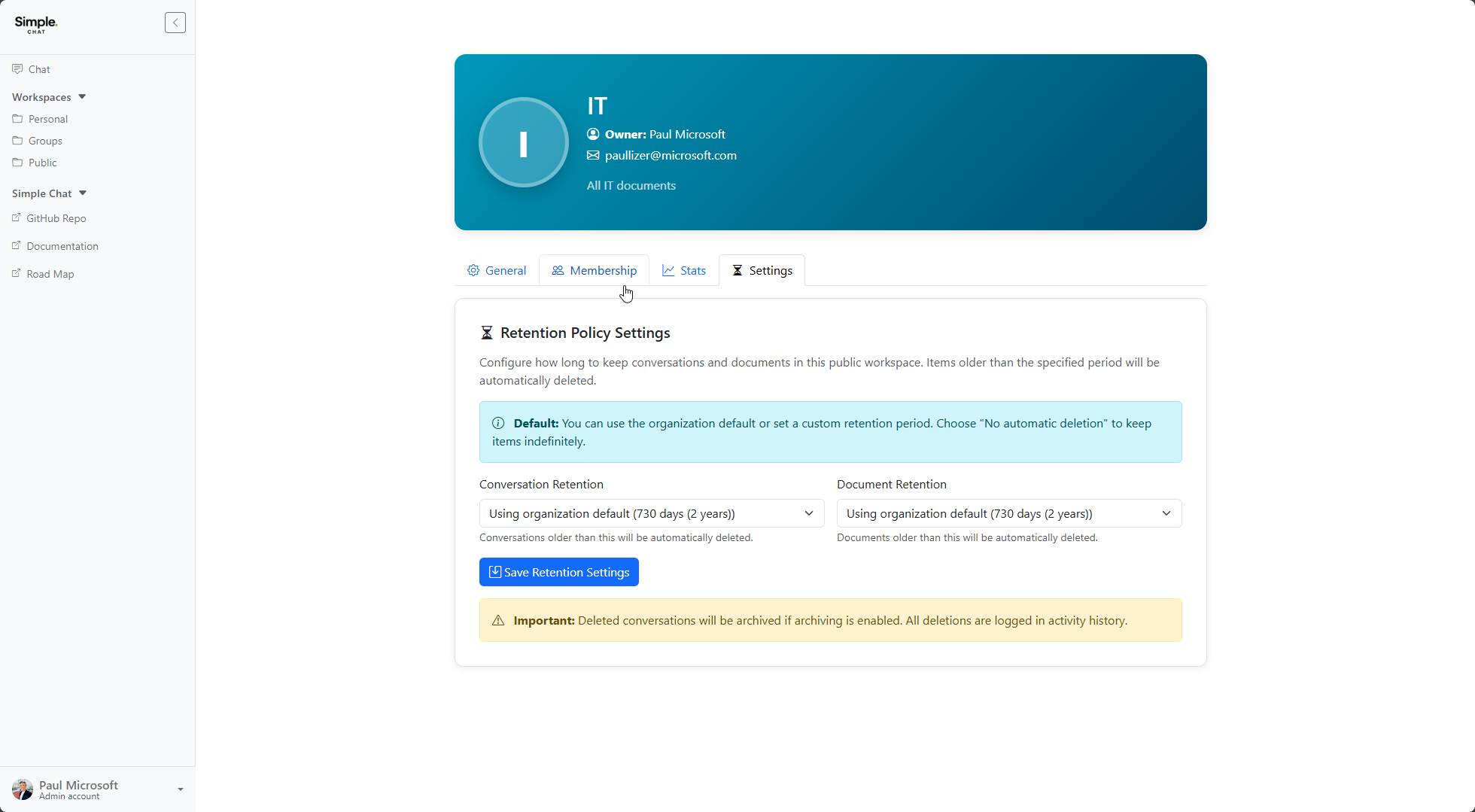
Public workspace administrators can configure retention from the public workspace management page under the Settings tab. The layout matches the group workspace settings.
Notes
- Deleted conversations will be archived if conversation archiving is enabled
- All deletions are logged in activity history
- The retention policy runs once daily at the configured UTC hour
- Preset retention periods range from 7 days to 10 years