SPARK Troubleshooting
Error Loading SPFx Application
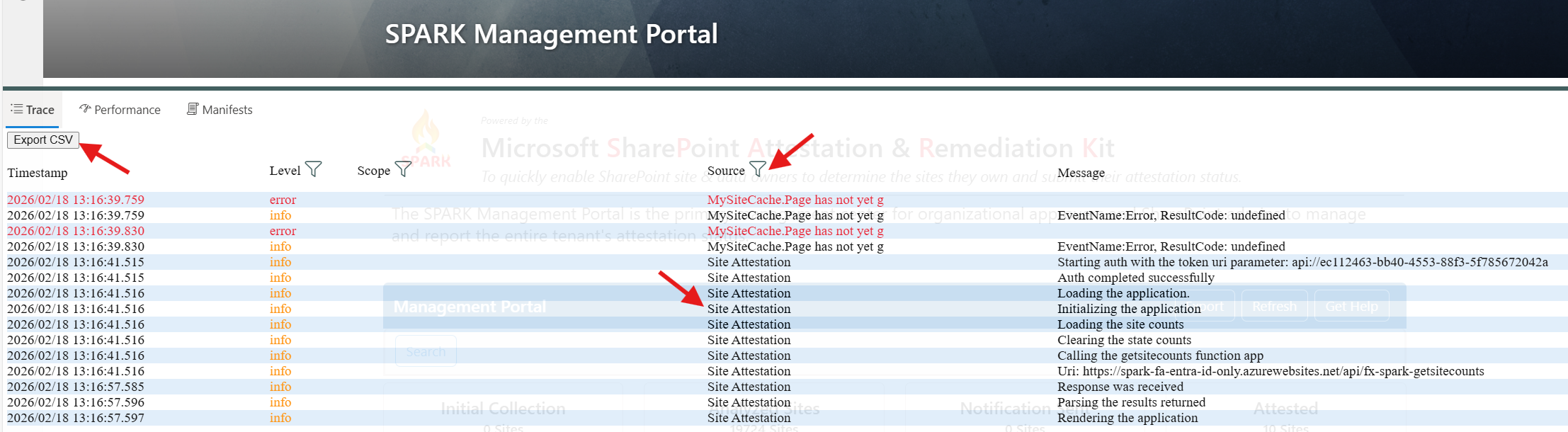
If there are any issues loading the application and you do not have access to developer tools. To access the SPFx Developer Dashboard1, complete the following:
- Type “Ctrl + F12” to display it
- Filter the “Source” to “Site Attestation”
Optionally, this information can be exported and sent to the admin or SPARK team for further troubleshooting by completing the following:
- Click on the “Export CSV” button
Error Attesting for Site
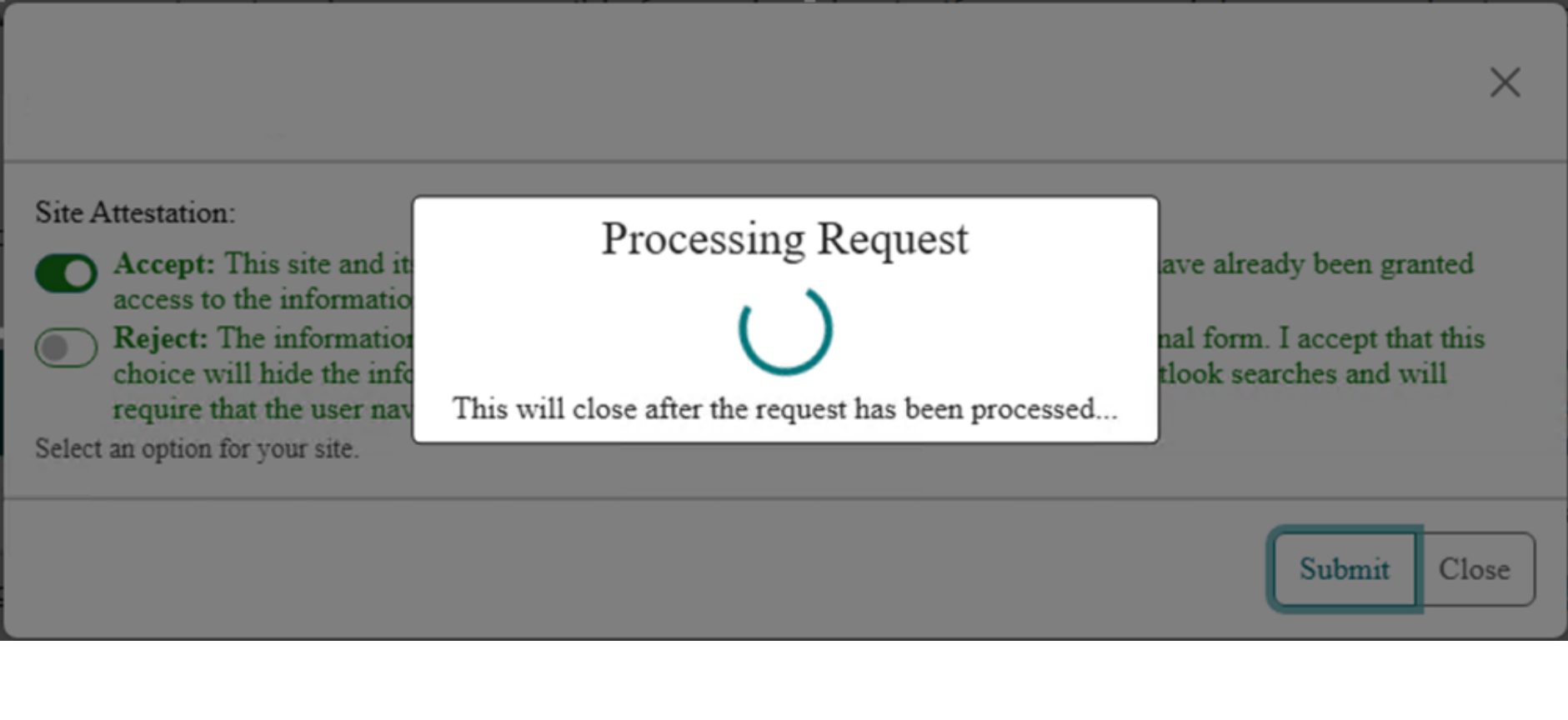
Some or all users are able to load the attestation page, but when they attest for a site it doesn’t work. They will see the “Processing Request” dialog and it will not close. If dev tools is available to inspect the request, you will see a CORS error.
If a proxy is used, Menlo Security for example, this will cause a CORS error. Adding *.azurewebsites.com will not work as the bypass domain value.
- API URI
- https://spark-func-spoactions.azurewebsites.us/api/fx-spark-updatesparksites
- Bypass Domain
- Function App Default Domain
Review the Function App Custom Domain Procedure document for additional guidance on adding a custom domain for the function app.
Function App Default Domain
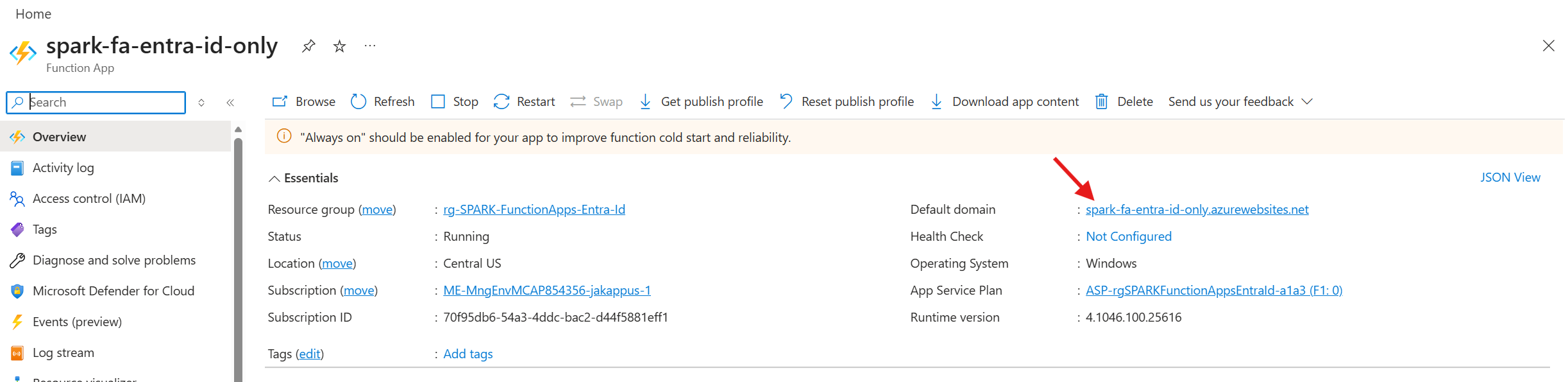
You can find the default domain by accessing the function app and viewing the overview page. Ensure that the PROXY bypass specifies the entirety of this domain. Alternatively, the organization can bypass ‘*.azurewebsites.us’. However, for more secure environments, only bypass the Function App Default Domain.
Pages Slow to Load
If loading the management or attestation portal pages is slow to load, you will need to see if SQL is being throttled. An issue can occur if you do not have the rb-spark-db-maintenance runbook scheduled. The SQL table can be fragmented which causes the query to utilize more Data I/O causing the query to take longer then normal.
Determine SQL Fragmentation
1
2
3
4
5
6
7
8
9
10
11
12
13
14
15
16
17
18
19
20
21
SELECT
    dbschemas.[name] AS schema_name,
    dbtables.[name] AS table_name,
    dbindexes.[name] AS index_name,
    indexstats.avg_fragmentation_in_percent,
    indexstats.page_count
FROM sys.dm_db_index_physical_stats (
    DB_ID(),
    OBJECT_ID('dbo.spark_site_collection'),
    NULL,
    NULL,
    'SAMPLED'
) AS indexstats
INNER JOIN sys.tables dbtables
    ON dbtables.[object_id] = indexstats.[object_id]
INNER JOIN sys.schemas dbschemas
    ON dbtables.[schema_id] = dbschemas.[schema_id]
INNER JOIN sys.indexes AS dbindexes
    ON dbindexes.[object_id] = indexstats.[object_id]
    AND indexstats.index_id = dbindexes.index_id
ORDER BY indexstats.avg_fragmentation_in_percent DESC;
Run the above SQL query to determine the fragmentation of the indexes. If any index is > 15%, it’s recommended to rebuild the index.
1
2
3
ALTER INDEX ALL
ON dbo.spark_site_collection
REBUILD;
rb-spark-db-maintenance Runbook
February 2026 introduced a new runbook to help with DB maintenance to ensure the index is not fragmented above 15% in order to ensure queries do not take long to execute.