Copilot analytics
Copilot Analytics
Explore Copilot adoption, ways of working, and impact with interactive demo dashboards, R and Python analyses, and Power BI segmentation.
Copilot Analytics Scripts
This page contains specialized scripts for analyzing Microsoft Copilot usage data from Viva Insights.
Beyond covering key analyses around Copilot usage volume and breadth (range of actions and applications), these scripts also include a method for measuring Copilot habituality based on behavioral research. This approach determines whether a user can be considered a habitual Copilot user, enabling visualization through user segmentation that identifies Power Users and Habitual Users within an organization. This segmentation provides a framework for continuously tracking Copilot adoption success and measuring the effectiveness of your deployment strategy.
See our DAX Calculated Columns page for detailed instructions on how to identify Copilot Usage Segments using Power BI templates and pre-built DAX formulas.
For more information on the Copilot Usage Segments, see this introduction.
For more inspiration on analyzing Copilot adoption and impact, have a look at our advanced examples playbook.
Pick a card to jump straight to a section, or read on for the full picture.
Interactive Dashboards
Open a demo in your browser without installing anything. Both reports use synthetic data and are available as R templates to adapt.
 Copilot Consumption and Ways of Working
Explore Copilot credit consumption, cost per session, and their associations with collaboration patterns.
View demo →
Copilot Consumption and Ways of Working
Explore Copilot credit consumption, cost per session, and their associations with collaboration patterns.
View demo →
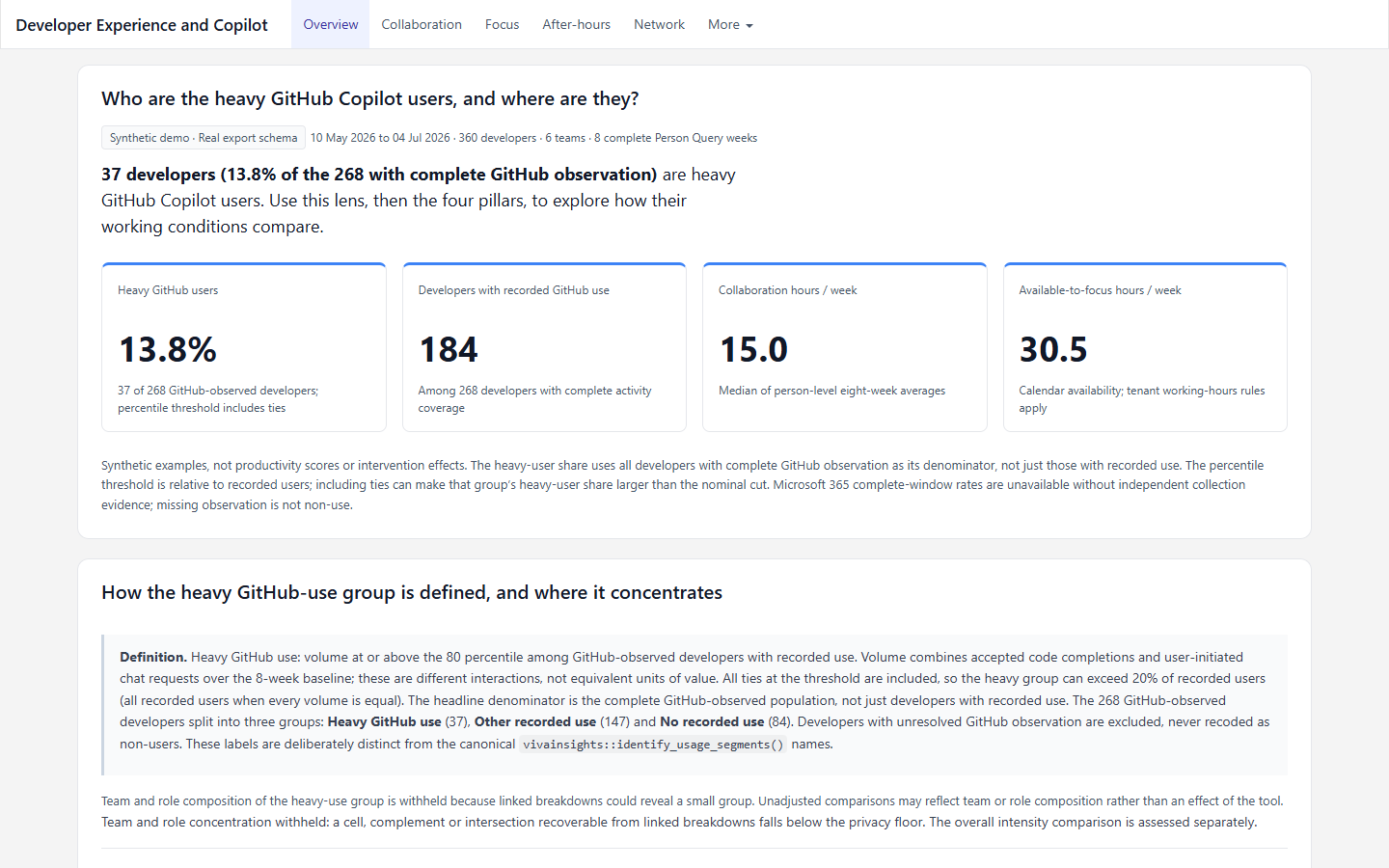 Developer Experience and Copilot
Explore developer working conditions alongside GitHub and Microsoft 365 Copilot use.
View demo →
Developer Experience and Copilot
Explore developer working conditions alongside GitHub and Microsoft 365 Copilot use.
View demo →
Browse dashboard templates for previews, required queries, source code, and setup guidance.
Analysis Scripts
Copilot Advanced Analysis
📄 copilot-analytics-examples.R
- Purpose: Comprehensive analysis of Copilot usage patterns and trends
- Prerequisites: vivainsights R package, Copilot usage data
- Key Analysis: Usage segmentation, trend analysis, adoption metrics
- 📥 Download
📄 copilot-analytics-examples.py
- Purpose: Comprehensive analysis of Copilot usage patterns and trends
- Prerequisites: vivainsights Python package, Copilot usage data
- Key Analysis: Usage segmentation, trend analysis, adoption metrics
- 📥 Download
📓 copilot-analytics-examples.ipynb (Jupyter Notebook)
- Purpose: Interactive analysis of Copilot usage with visualizations
- Format: Jupyter Notebook
- Prerequisites: vivainsights Python package, Copilot usage data
- Key Features: Step-by-step analysis, interactive visualizations
- 📥 Download
Copilot Adoption Journey and Ways of Working
Where the scripts above give you a tour of the core Copilot metrics, this notebook is the next step: an end-to-end assessment of how far adoption has travelled and what sustained use is associated with. Reach for it once you have at least 12 weeks of Copilot data and need to answer a leadership question rather than explore the data.
| Start with | When |
|---|---|
| Copilot Advanced Analysis (above) | You are getting oriented, and you want the core metrics, segmentation, and standard visuals. |
| Copilot Adoption Journey (below) | You have 12+ weeks of data and need cohorts, habit formation, conversion targeting, and associated ways of working. |
📓 copilot-adoption-journey-analysis.ipynb (Jupyter Notebook)
- Purpose: End-to-end assessment of Copilot reach, habit formation, conversion opportunity, and associated ways of working
- Format: Jupyter Notebook
- Prerequisites: vivainsights, pandas, NumPy, SciPy, statsmodels, matplotlib, and a Copilot-rich Person Query export with at least 12 weeks of data. Add pyarrow if you are loading a Parquet export
- Key Features: 12-week Power/Habitual/Novice/Low/Non-user segmentation, entry-cohort and function analysis, native Viva Insights scans, adjusted associations, and same-person diagnostics
- Interpretation: Observational associations only. Set
INPUT_FILEto your own export before running; any metric or attribute your query lacks is reported as unavailable and skipped - Related: Copilot Usage Segments for the segment definitions, and Causal Inference when you need an effect rather than an association
- 📥 Download
This example is currently available in Python only. Switch the toggle above to Python to see the notebook details, or use the R scripts in the other sections on this page.
Usage Segment Trends
Track how Copilot adoption matures over time — a running adoption-health check that complements, rather than replaces, the causal analyses below.
Copilot Usage Segments Over Time
Sums individual Copilot-action columns, classifies each person-week with identify_usage_segments(version = "12w"), and visualises how the mix of Power, Habitual, Novice, Low, and Non-users evolves week by week.
📄 copilot-usage-segments-trend.Rmd
- Purpose: Track how the mix of Copilot usage segments evolves week by week
- Format: R Markdown
- Prerequisites: vivainsights R package, dplyr, tidyr, ggplot2, scales
- Key Features: identify_usage_segments (12-week rolling), stacked-area segment mix, action trend
- 📥 Download
- 🌐 View HTML Output
📄 copilot-usage-segments-trend.py
- Purpose: Track how the mix of Copilot usage segments evolves week by week
- Prerequisites: vivainsights Python package, pandas, numpy, matplotlib
- Key Features: identify_usage_segments (12-week rolling), stacked-area segment mix, action trend
- 📥 Download
Causal Analysis
These two examples build small, clearly labelled seeded simulations so that the models have something to recover; swap the simulation block for your own export before drawing conclusions.
Difference-in-Differences Metric Scan
Runs a within-person DiD per metric across two both-licensed groups (Power vs Low Copilot users) and assembles the effects, confidence intervals, and significance into one sortable table plus a forest plot, honestly surfacing the metrics that do not move.
- Purpose: Run a within-person DiD per metric (Power vs Low Copilot users) into one sortable table
- Format: R Markdown
- Prerequisites: vivainsights R package, fixest, dplyr, tidyr, ggplot2, purrr, scales
- Key Features: Per-metric TWFE DiD, significance stars, forest plot, honest reporting of null effects
- 📥 Download
- 🌐 View HTML Output
- Purpose: Run a within-person DiD per metric (Power vs Low Copilot users) into one sortable table
- Prerequisites: vivainsights Python package, linearmodels, pandas, numpy, matplotlib
- Key Features: Per-metric TWFE DiD, significance stars, forest plot, honest reporting of null effects
- 📥 Download
Event-Study & Difference-in-Differences
Aligns each adopter on their own event time, checks the parallel-trends assumption before trusting a single headline number, and reads the within-person change net of a non-adopting control.
- Purpose: Measure within-person behaviour change around Copilot adoption with a TWFE event-study/DiD
- Format: R Markdown
- Prerequisites: vivainsights R package, fixest, dplyr, tidyr, ggplot2, scales
- Key Features: Event-time alignment, pre-trend check, person + week fixed effects, z-scored composite index
- 📥 Download
- 🌐 View HTML Output
- Purpose: Measure within-person behaviour change around Copilot adoption with a TWFE event-study/DiD
- Prerequisites: vivainsights Python package, linearmodels, pandas, numpy, matplotlib
- Key Features: Event-time alignment, pre-trend check, person + week fixed effects, z-scored composite index
- 📥 Download
Power BI Integration
DAX Calculated Columns
- Purpose: Pre-built DAX formulas for Copilot usage segmentation in Power BI
- Language: DAX
- Format: Individual .dax files
- Prerequisites: Power BI Desktop, Copilot usage data
Available Columns:
12-Week Rolling (RL12W) - Recommended for long-term analysis
- 📄 _Total Copilot actions_RL12W.dax: Average weekly actions over 12 weeks
- 📄 _IsHabit_RL12W.dax: Habit formation indicator (9+ weeks of usage)
- 📄 _CopilotUsageSegment_RL12W.dax: User segmentation (Power/Habitual/Novice/Low/Non-users)
4-Week Rolling (RL4W) - Recommended for short-term/pilot analysis
- 📄 _Total Copilot actions_RL4W.dax: Average weekly actions over 4 weeks
- 📄 _IsHabit_RL4W.dax: Habit formation indicator (4 weeks of usage)
- 📄 _CopilotUsageSegment_RL4W.dax: User segmentation (Power/Habitual/Novice/Low/Non-users)
Usage Segmentation
User Segments Defined
These five segments form a single mutually-exclusive ladder, evaluated top-down so every user falls into exactly one tier (full definitions and decision tree on the Copilot Usage Segments page):
- Power Users: Habitual and averaging 15+ weekly Copilot actions
- Habitual Users: Habitual (9+ of 12 weeks in RL12W, all weeks in RL4W) but averaging < 15 weekly actions
- Novice Users: Not habitual, averaging 1+ weekly Copilot actions
- Low Users: Not habitual, some usage but averaging < 1 weekly action
- Non-users: No Copilot usage in the measurement period
Sample Data
Example Datasets
- 📄 copilot-metrics-taxonomy.csv: Copilot metrics reference
- 📄 viva-insights-org-data-sample.xlsx: Sample organizational data
Analysis Workflow
- Export Copilot Usage Data from Viva Insights
- Choose Your Analysis Method:
- R/Python scripts for detailed analysis
- DAX columns for Power BI dashboards
- Select Time Frame:
- RL12W for long-term habit analysis
- RL4W for pilot programs or short-term analysis
- Run Analysis using the appropriate script
Related pages
- Copilot Usage Segments: how Power, Habitual, and Novice segments are defined
- DAX Calculated Columns: ready-to-use Power BI formulas for segmentation
- Copilot Causal Toolkit: measure the causal impact of Copilot on business outcomes
- Causal Inference in Copilot Analytics: methods for isolating Copilot’s true effect
- Frontier Prompt Library: generate Copilot reports and dashboards with coding agents
- Advanced Analytics: machine learning, regression, and statistical testing
- Network Analysis: organizational network analysis (ONA)
- Essentials: utilities and visualizations to prepare your data
- Getting Started: environment setup and first steps
Need Help?
- Copilot Analytics Documentation: Viva Insights Copilot Guide
- Power BI Integration: DAX Documentation
- Sample Data: Example datasets