Chat with Copilot Studio over MCP and A2A
This sample includes a cooking agent solution and two Python console clients using the official A2A SDK and MCP SDK. The agent helps with pizza, pasta, and bread, with public recipe websites as knowledge sources.
- A2A: discovers the agent’s skills and displays streamed responses.
- MCP: discovers tools and calls Copilot Studio’s
send-messagetool.
Each turn sends the new message and the server’s conversation ID. Copilot Studio maintains conversation history. Authentication and display handling are separate from the client code.
Prerequisites
- Python 3.11 or later and a browser for sign-in.
- On Linux, libsecret/PyGObject and an available Secret Service session for encrypted sign-in caching.
- An early-release Power Platform environment with Copilot Studio and the MCP protocol and A2A protocol triggers.
- Permission to import solutions and publish agents in that environment.
- Permission to create an Entra app registration, or administrator assistance.
These channels are in preview. Agent invocations can consume Copilot Credits.
Import the included agent
- Download CopilotStudioProtocolClients_1_0_0_0.zip from this sample’s
solution/folder. - Open Power Apps, select your target environment, and choose Solutions > Import solution. Import the ZIP.
- Open A2A MCP Sample in Copilot Studio in the same environment. Check the three website knowledge sources and Publish the agent.
- If another account will run the clients, give that account access to the agent.
The unmanaged solution includes the agent’s instructions, three A2A skills, three website knowledge sources, and feedback settings. It has no connection references or environment variables to configure. Channel URLs and Entra registration are configured in your target environment.
Find the endpoints
Open the imported A2A MCP Sample agent in Copilot Studio. On the Build tab, select + beside Triggers.
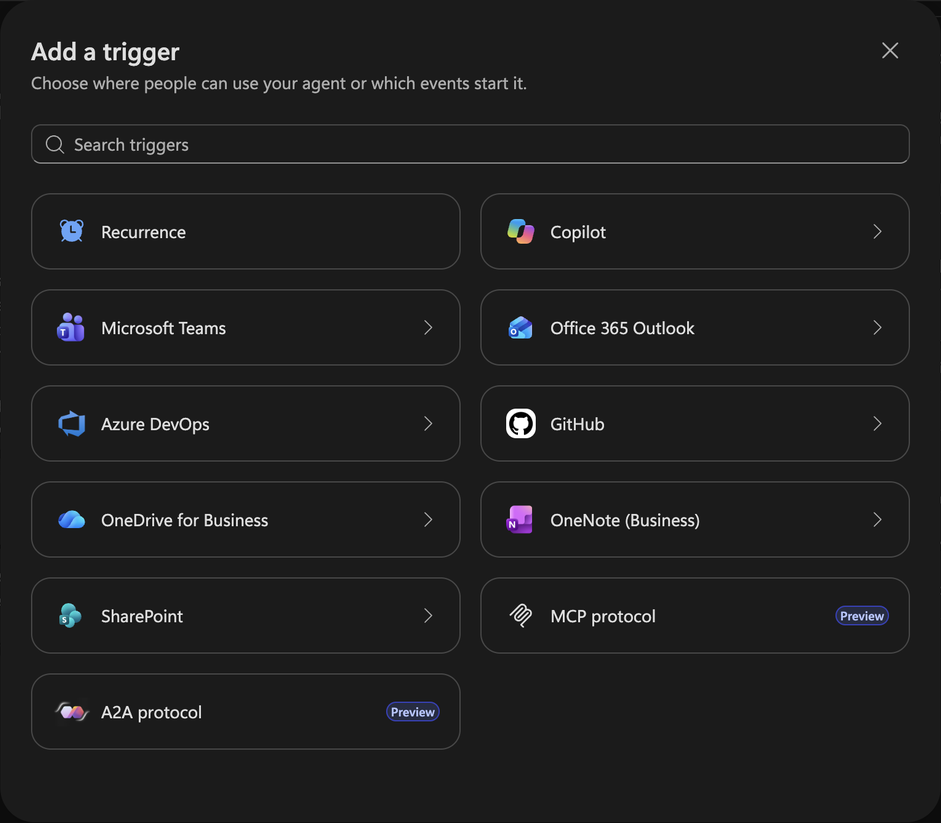
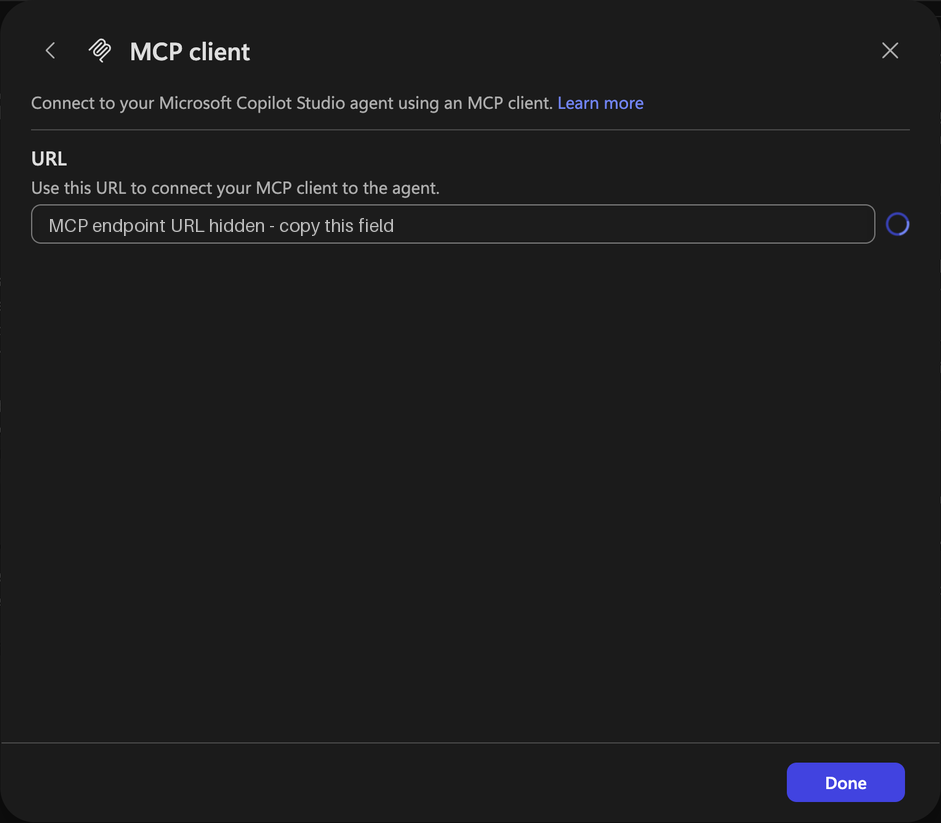
Select MCP protocol. In the MCP client dialog, copy URL into MCS_MCP_URL, then select Done.
Open Triggers > + again and select A2A protocol. In the A2A client dialog, copy Agent Card URL into MCS_A2A_CARD_URL, then select Done. The sample uses the Agent Card URL, which is shown separately from URL.
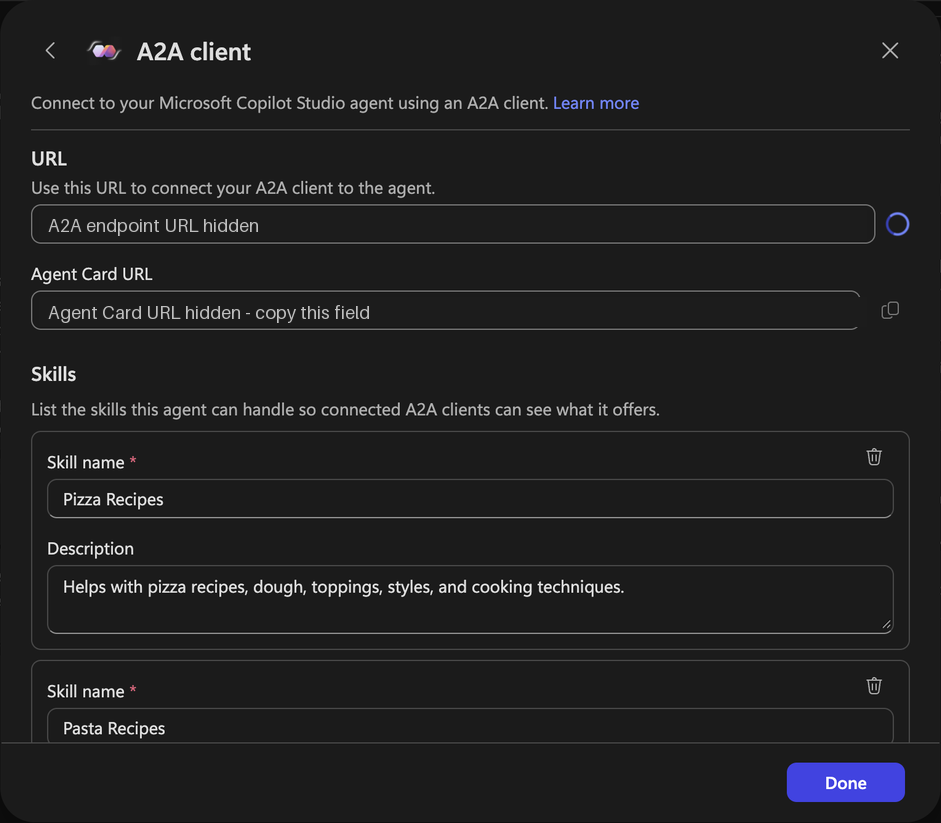
The screenshots have their URLs redacted; copy the values from your imported agent. If either trigger is absent, check the environment’s early-release eligibility. See the channel setup guide for rollout details.
Configure sign-in
- Create a single-tenant Entra app registration in the agent’s tenant.
- Under Authentication, add Mobile and desktop applications with redirect URI
http://localhost. This sample uses MSAL browser sign-in with PKCE; a client secret is unnecessary. - Under API permissions, find application
6f46e6ed-07bf-4616-80f0-47546850f654and add delegated permissionsMCS.InvokeAsMCPandMCS.InvokeAsA2A. Obtain consent; administrator consent depends on tenant policy. - Record the Directory (tenant) ID and Application (client) ID.
The sample requests these scopes:
https://api.powerplatform.com/copilotstudio-mcp/MCS.InvokeAsMCP
https://api.powerplatform.com/copilotstudio-a2a/MCS.InvokeAsA2A
MSAL adds the standard sign-in and offline-access scopes. If the API is absent from Entra search, open either protocol trigger in Copilot Studio first.
Install and run
Run these commands from the sample directory.
macOS or Linux
python3 -m venv .venv
source .venv/bin/activate
python -m pip install -r requirements.lock
cp .env.example .env
Windows (Command Prompt)
py -m venv .venv
.venv\Scripts\activate.bat
python -m pip install -r requirements.lock
copy .env.example .env
Configure the clients
Open .env in a text editor. Replace the example values with your configuration and save the file:
| Setting | Value |
|---|---|
MCS_TENANT_ID |
Directory (tenant) ID |
MCS_CLIENT_ID |
Application (client) ID |
MCS_MCP_URL |
MCP URL copied from Triggers |
MCS_A2A_CARD_URL |
Agent Card URL copied from Triggers |
MCS_LOGIN_HINT |
Optional sign-in account; remove the leading # to enable |
Both clients automatically read .env beside the scripts. The file is excluded from Git. Existing environment variables take precedence over values in the file.
Start a client
python a2a_client.py
Or:
python mcp_client.py
Chat
- Complete browser sign-in with an account that can access the agent.
- Type a message at
You>and press Enter. - Use these commands:
| Command | Action |
|---|---|
/skills |
Show A2A skills |
/tools |
Show MCP tools |
/new |
Start a new conversation |
/exit |
Quit |
To allow up to 300 seconds for discovery and each response, run:
python a2a_client.py --timeout 300
Or:
python mcp_client.py --timeout 300