

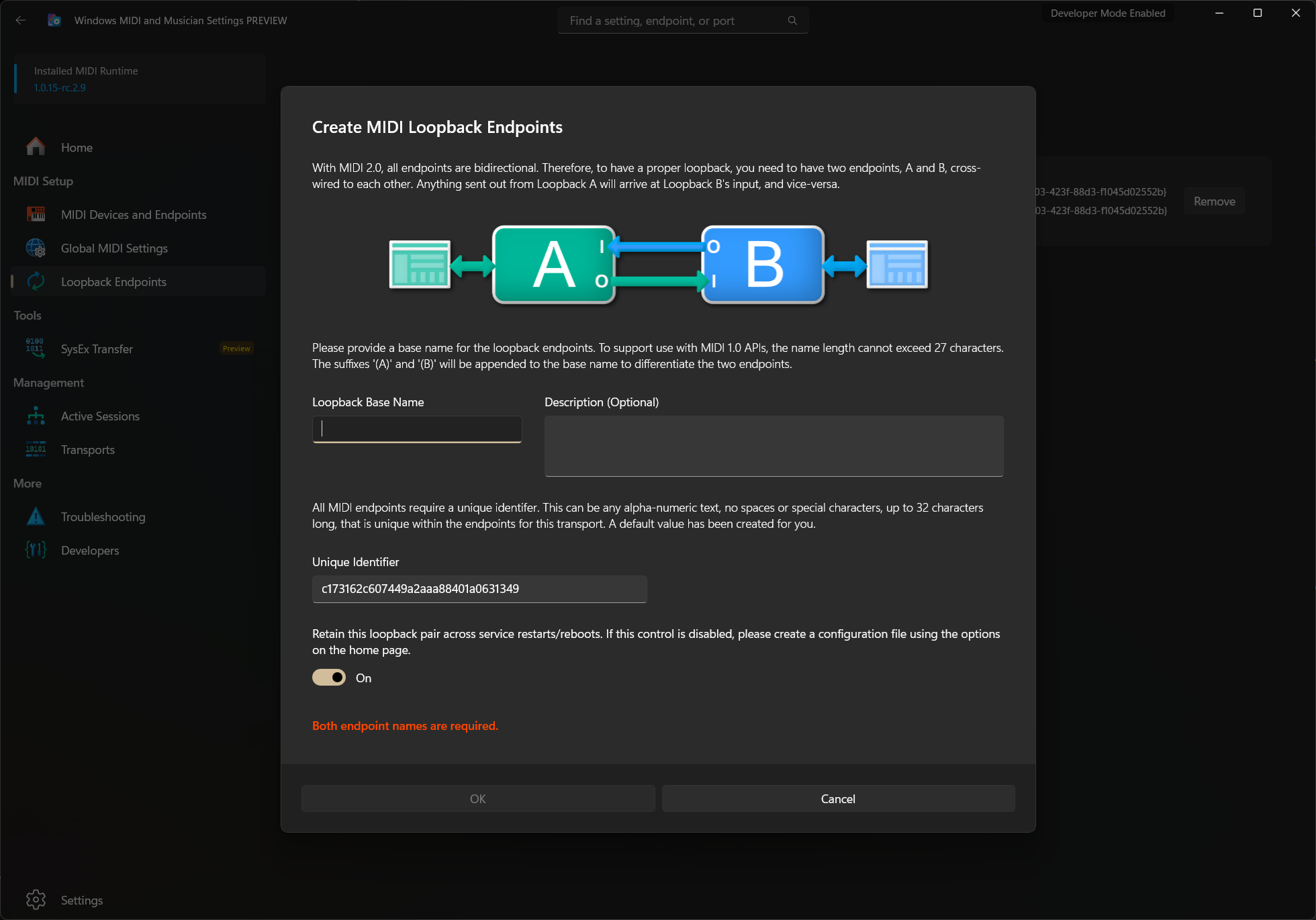
MIDI 2.0 loopbacks are different from MIDI 1.0 loopbacks, in that they are bidirectional. Rather than have a single port where everthing sent to the input arrives at the output, you have two endpoints referred to as A and B. Everything set out on A arrives on the input of B. Everything sent out on B arrives at the input on A.
We refer to the two connected endpoints as a Loopback Endpoint Pair.
Each loopback pair includes
| Property | Description |
|---|---|
| Endpoint A Name | The name of the A-side endpoint |
| Endpoint B Name | The name of the B-side endpoint |
| Unique Identifier | Optional. This is the serial number or unique identifier for the pair. This enables endpoint customization using tools. |
| Association Id | This is used to uniquely identify the endpoint pair. It is also used when removing the endpoint pair. If you are scripting loopback endpoint creation and removal as part of a CI/CD or other scripted process, you will want to store the association ID separately. |
Loopback Endpoint Pairs are typically used to connect one application to another. That can include desktop apps, web sites, apps using WinMM MIDI 1.0 WinRT MIDI 1.0 and the new Windows MIDI Services SDK APIs.
Loopback Endpoint Pairs created through the MIDI Settings app are optionally stored in the Windows MIDI Services configuration file, and so persist beyond service restarts and Windows reboots.
The MIDI Console app supports creating transient loopback endpoints. That is, they are endpoints which will last only until the MIDI Service is restarted or the PC is rebooted.
To create permanent loopback endpoints, use the MIDI Settings app process, described above.
Create the loopback endpoints using a root endpoint name. This will create the two endpoints with ` (A) and (B)` appended to the root name.
midi loopback create --root-name "My Loopback"
Create the loopback endpoints using individual endpoint names. The names must be unique
> midi loopback create --name-a "Loopback One" --name-b "Loopback Two"
The MIDI console tool also supports including an association id. The association id is a guid and can be specified without the brackets.
midi loopback create --root-name "My Loopback" --association-id 7af38a08-0f4b-43ad-b218-1757496f0034
Finally, tne unique identifier can also be supplied. This must adhere to Windows Device Id naming conventions, so it shall not be more htan 32 characters, and cannot contain special characters. Special characters will be stripped out before creation.
midi loopback create --root-name "My Loopback" --unique-identifier abc12345
Windows MIDI Services is an open source project with all source available on GitHub. We have a great community on Discord as well. Between GitHub and Discord, you should find the information you are looking for.
