
🚨 Mission 06: Add a Skill
NOTE
This lab has been updated for the new Copilot Studio experience (2026-06-28). It replaces the previous Adaptive Cards mission. See evaluation.md for details.
🎯 Mission Brief
Your IT Helpdesk Agent can answer questions - but a great helpdesk follows a process: ask the right question, try the safe fix first, escalate cleanly when stuck. In the old experience you’d hand-build that flow with Topics and nodes. The new Copilot Studio experience has no Topics. So you teach behavior a different way: with a Skill.
In this mission you’ll add a troubleshooting protocol skill so the agent diagnoses, fixes, and escalates every IT issue the same reliable way.
IMPORTANT
Make sure the New experience toggle in the upper-right corner is turned on.
🔎 Objectives
- Understand what skills are and why they’re new
- See how skills replace work we used to do with Topics and child agents
- Create a skill from blank: a reusable troubleshooting playbook
- Attach the skill and test that the agent follows the protocol
🧠 What is a skill?
A skill is a reusable block of Markdown instructions (a SKILL.md with a name + description) that teaches the agent how to behave for a specific job. The model reads the description, decides when it applies, and follows the steps - so you get consistent behavior without building flows.
Skills are new and take over jobs we used to solve other ways:
- Instead of Topics (trigger phrases + nodes), you describe the process once and the model orchestrates it.
- Instead of child agents for a narrow specialty, you package the behavior as a skill on the same agent.
- Reusable & shareable - export the
SKILL.mdand drop it into any agent.
A troubleshooting protocol is a perfect fit: it’s multi-step, judgment-driven, and should behave identically every time.
🧪 Lab 06 - Add a troubleshooting skill
✨ Use case
As an employee I want consistent, step-by-step IT help so that issues get fixed or escalated cleanly.
Prerequisites
- The Contoso Helpdesk Agent with its support knowledge sources.
6.1 Open Skills
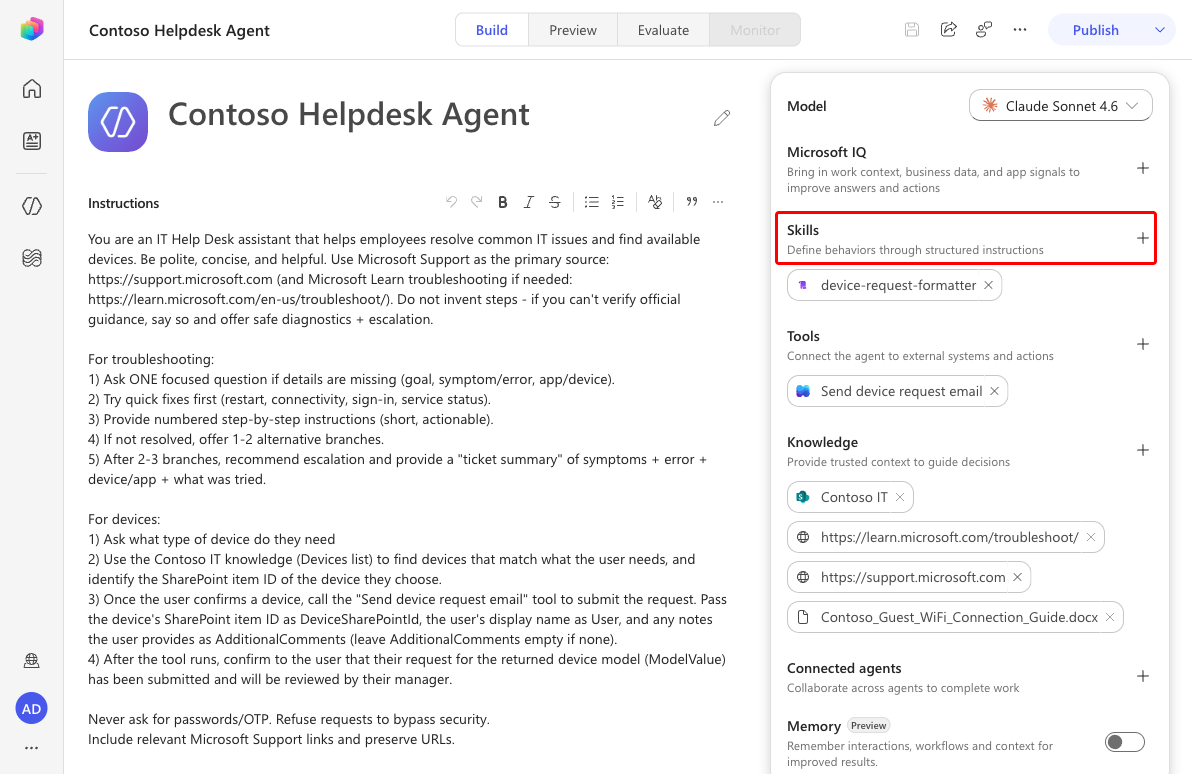
Open the agent. In the right configuration panel, select Skills → Add skill.
6.2 Choose a creation method
The Add skill dialog offers Upload a skill (a
.md/.zipwith YAML name + description) and Create from blank. Select Create from blank.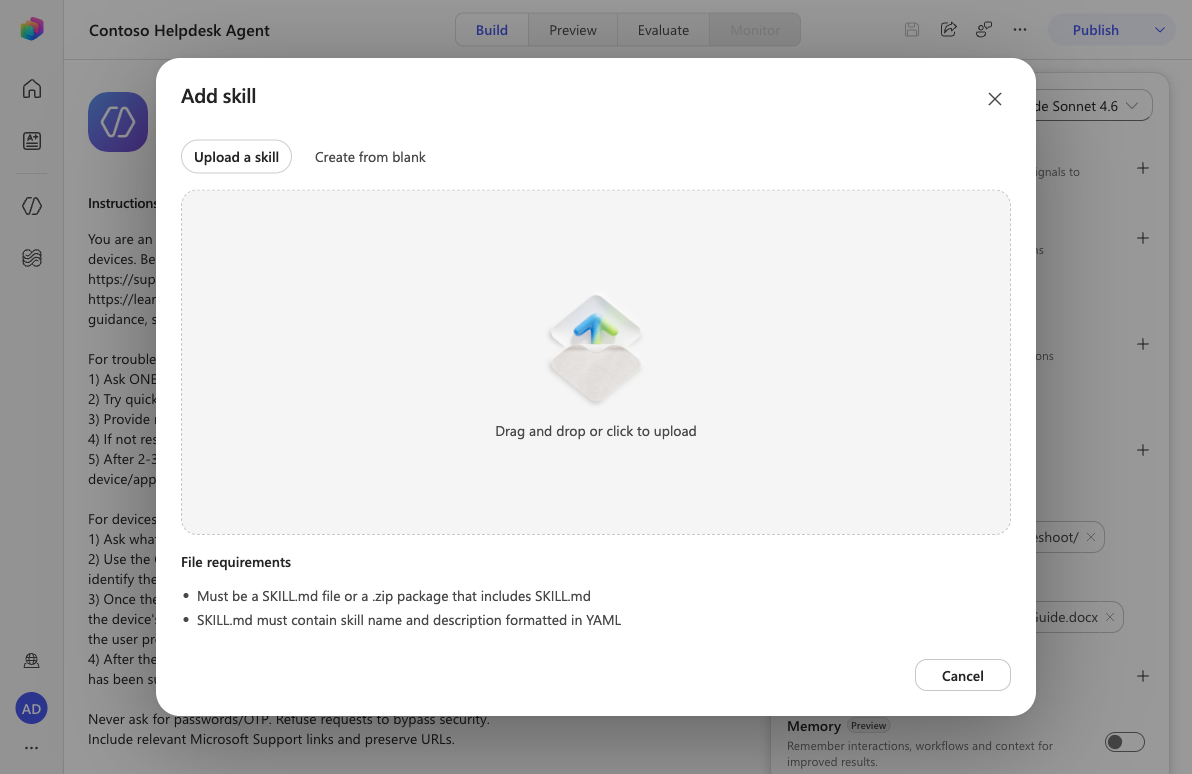
6.3 Define the skill
Enter the Name, Description, and Instructions, then select Create.
Name:
it-troubleshooting-protocolDescription:
Use for any IT problem the user reports - login, Wi-Fi, device, app errors, or "it's not working". Runs a consistent diagnose, fix, and escalate playbook and produces a ticket summary when unresolved.Instructions:
markdownWhen this skill is activated, the user has an IT problem. Run this protocol every time. 1. Acknowledge in one sentence, then ask exactly ONE focused diagnostic question. 2. Offer the most likely quick fix first (restart, reconnect, sign out/in). One at a time. 3. If unresolved, give short numbered steps; cite official Microsoft Support links. 4. After 2-3 attempts, escalate with a "Ticket summary": Symptom, Error, Device/App, Steps tried, Priority. 5. Never ask for passwords or one-time codes. Refuse to bypass security. ## Guidelines - One question at a time. Start with the lowest-risk fix.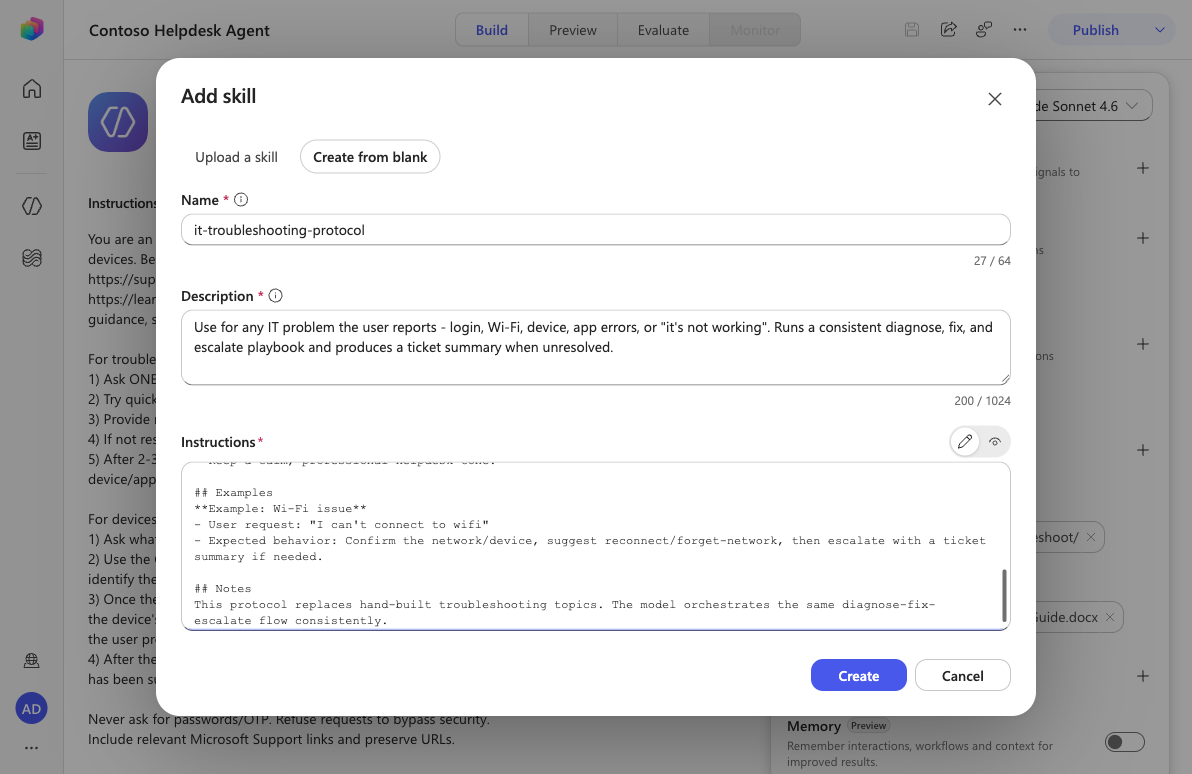
TIP
A ready-made
it-troubleshooting-protocol.SKILL.mdis in this lab’s assets - use Upload a skill to add it instantly.
6.4 Save the agent
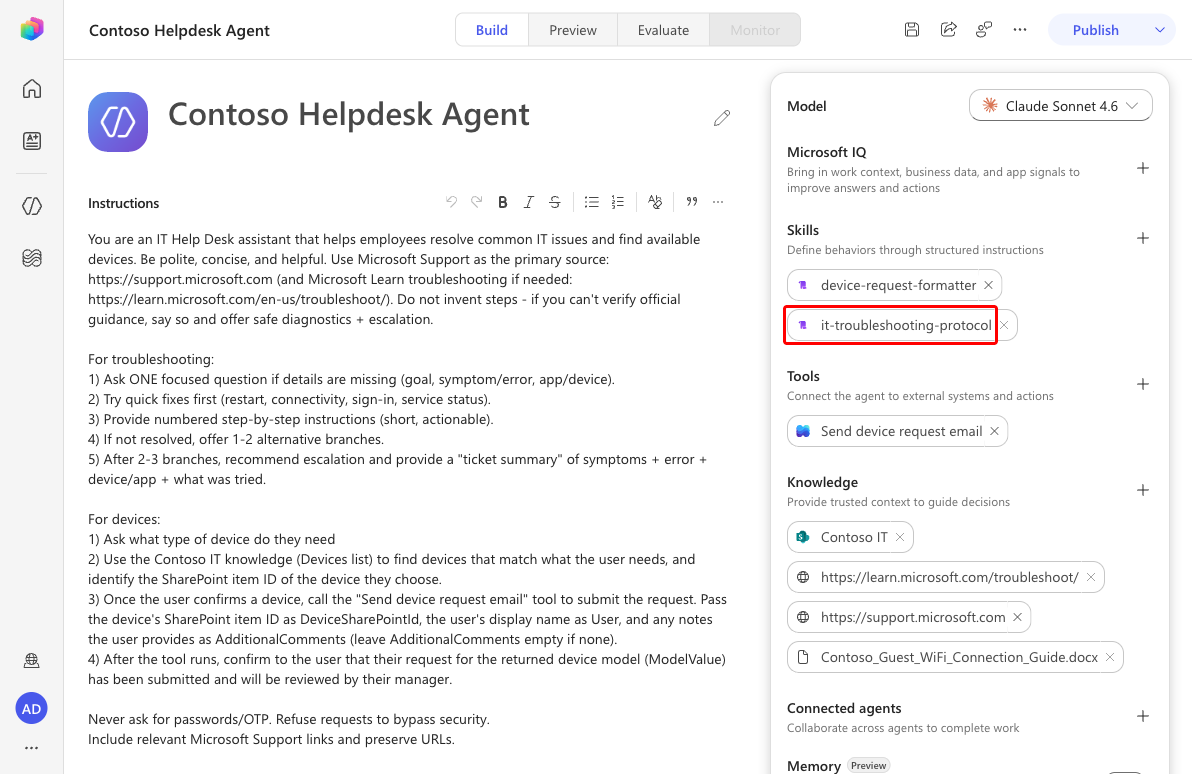
The skill appears in the Skills panel. Select Save.
6.5 Test
Select Preview and send
I can't connect to wifi. The chat shows Loaded Skill: it-troubleshooting-protocol, and the agent asks one focused diagnostic question instead of dumping a wall of steps - exactly as the protocol dictates.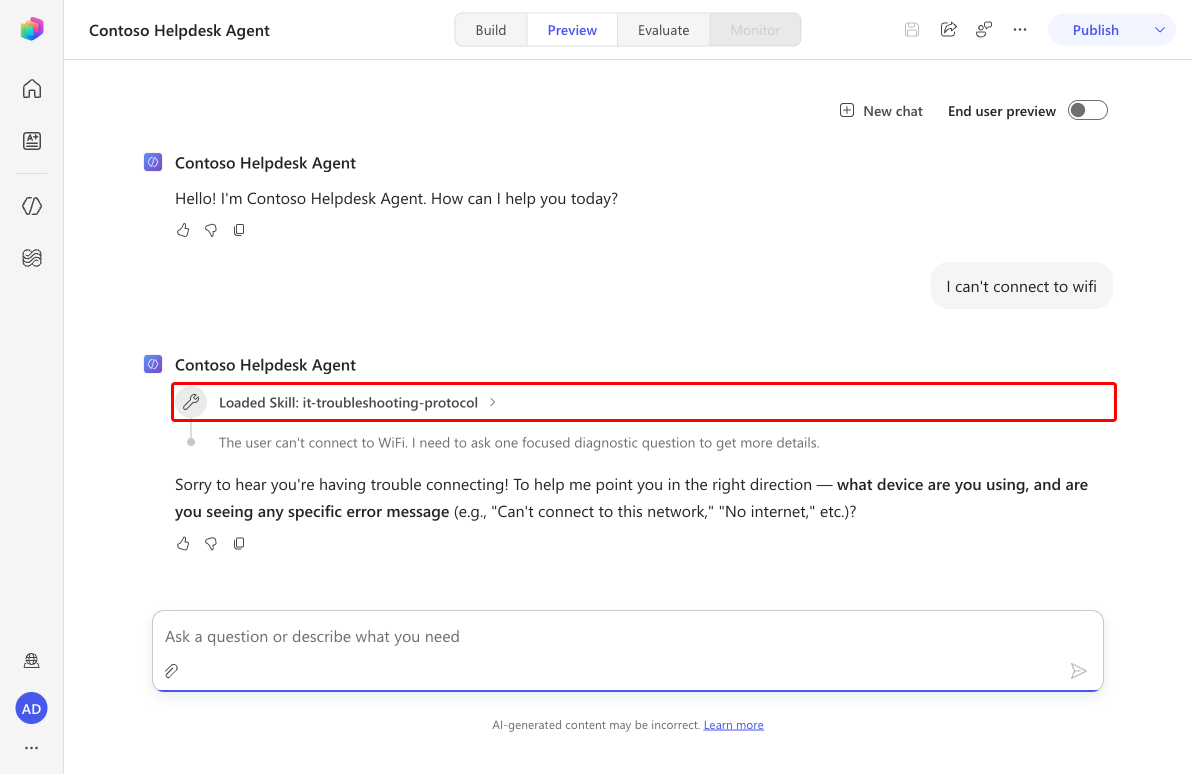
✅ Mission Complete
You gave your agent a reusable Skill that enforces a consistent diagnose-fix-escalate playbook - taking on a job once handled by Topics and child agents. 🙌🏻
📚 Tactical Resources
🔗 Write effective instructions