Why Context Became the Real Differentiator in Agentic Work
In 2026, AI conversations shifted from "which model is best" to "which context can you trust."
That shift matters. Models keep improving, but outcomes still depend on grounded context: reliable sources, role intent, clear boundaries, and citations.
Why context matters more than raw model power
Across customer workshops, the same three themes keep surfacing: cost, trust, and integration.
- Cost: teams stop paying to re-establish context on every call once they ground it once and reuse it.
- Trust: an answer people can trace to a source gets acted on; an unsourced one gets re-checked, which erases the time it saved.
- Integration: context that lives in one tool is a demo; context that travels across mail, docs, and meetings is a workflow.
The winning pattern is not "bigger model first." It is context-first:
- Define boundaries.
- Ground outputs in verifiable sources.
- Keep human accountability.
- Connect context across work systems.
The viral prompt moment: a signal from the community
One prompt made this visible in public.
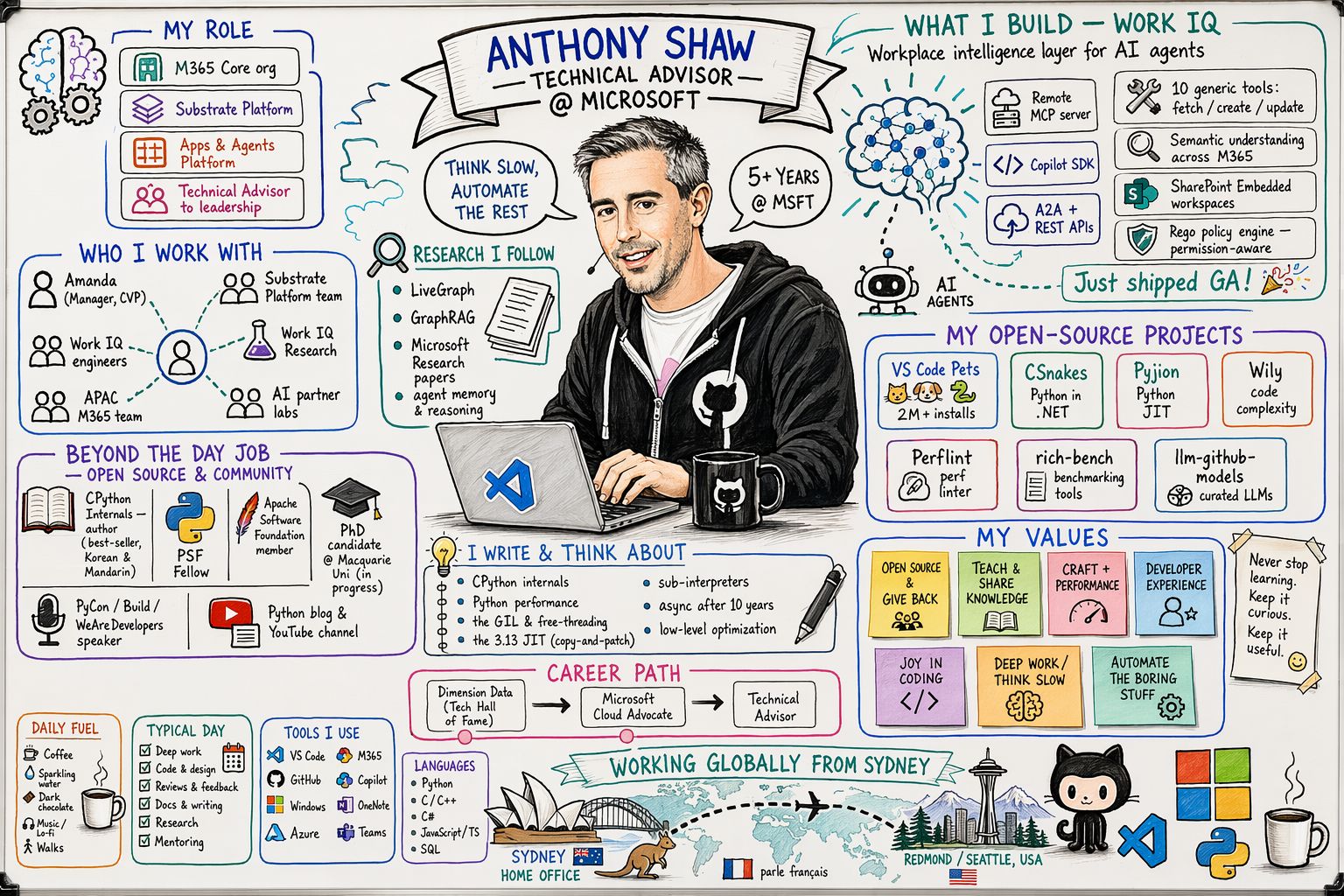
Credit for the original Work IQ prompt goes to Anthony Shaw — the persona sketch sample he authored became a viral artifact in the Microsoft 365 community.
The signal was hard to miss:
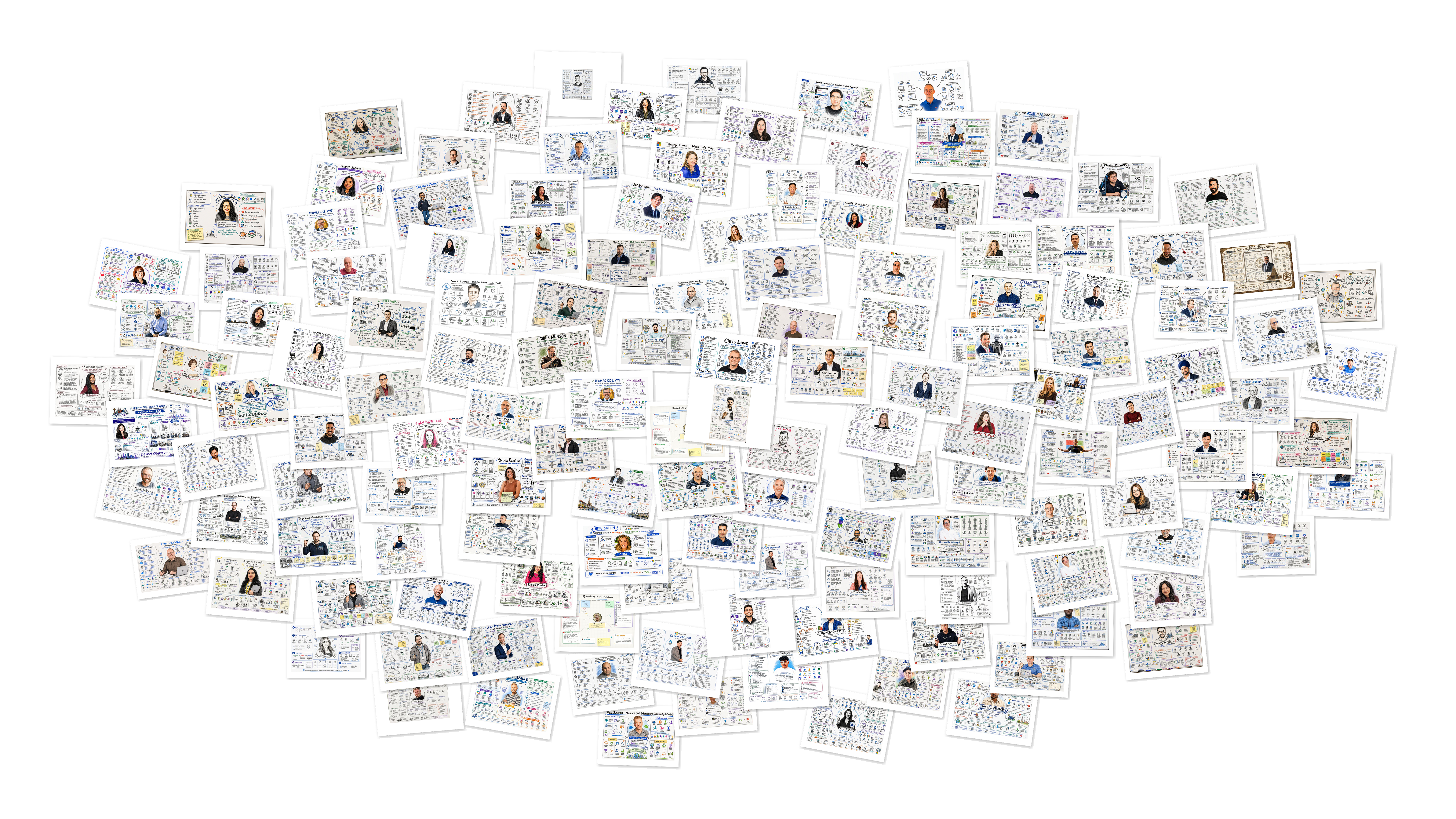
- 72,000+ views on the sample in the pnp/copilot-prompts repository.
- Community members across LinkedIn and GitHub adapted it into their own demos and "how I built this" posts.
Shared privacy note for the prompts mentioned here
The prompt patterns this blog explores can surface references to people you work with, projects, customers, teams, or other organizational details. If you plan to share the output publicly, review it first and remove anything that could expose private, confidential, or security-sensitive information. Always follow your organization's privacy and information protection guidelines when publishing generated content.
Reference prompt:
What made this spread was not just clever prompting. It gave people a practical way to apply context quickly:
- A reusable scaffold for role-aware outputs.
- A concrete structure for grounding and personalization.
- A shareable format that translated well into LinkedIn demos, screenshots, and "how I built this" posts.
In short, it lowered the barrier between curiosity and useful outcomes.
LinkedIn impact: from prompt sharing to capability building
On LinkedIn, the conversation changed shape:
- Less "look at this magic trick."
- More "how do we make this repeatable and trustworthy for teams?"
You can watch that shift in the threads — the replies move from screenshots to questions about governance, sources, and reuse. Viral posts drew the attention; the sustained value came from community members adapting the pattern to real work, then sharing their improvements back. For the M365 ecosystem, that turn — from trick to practice — is the part that lasts.
The practical lesson for teams
If you are building with Copilot, Work IQ, or enterprise agents, treat context as a product decision, not an implementation detail.
- Design your context model first.
- Decide what sources are authoritative.
- Require citations for high-impact outputs.
- Add review checkpoints for regulated or sensitive scenarios.
- Measure outcomes tied to business process improvement, not only token usage.
And measure it honestly. The reach numbers earlier are attention, not outcome — the metric that matters is whether the pattern changed how a team actually works, not how many people saw it.
When context quality goes up, trust goes up. When trust goes up, adoption and impact follow.
Build your own context pack for LinkedIn
You can't really feel why context matters by reading about it — so here's a 15-minute way to build a context-grounded artifact from data you already own.
If the Work IQ prompt is the standout example, it shows the power of grounding prompts in trusted enterprise context. The next step is to make that idea your own by grounding it in your real profile and network data outside of your work environment.
Some people did not have a Work IQ enabled in their tenant, and they still wanted a way to join in. That is why I'm showing a LinkedIn version too. This is not just about M365. You can use the context you already have in your own professional footprint and turn it into something visual. Think of it as the same idea as Work IQ, just pulled from LinkedIn export data instead of enterprise data at work.
LinkedIn gives you a built-in export that can be used as a context dataset for analytics and visualization prompts.
Steps to get your own LinkedIn analytics data
- Open LinkedIn Creator Analytics - Content.
- Sign in to LinkedIn if prompted.
- Set the date range (number of days) you want to analyze.
- Select the Export button on the analytics page.
- Choose the export format if LinkedIn prompts for one (for example CSV).
- Download the exported file and save it for your prompt workflow.
If you want to use the richer prompt below (with fields like Positions, Skills, Connections, and Endorsements), also request your full LinkedIn data export from Settings & Privacy > Data privacy > Get a copy of your data. In short: - Use Creator Analytics export for post-performance and content trend signals. - Use full LinkedIn data export for profile, skills, connections, and broader context.
Together, these exports turn your prompt from generic persona content into a grounded, analytics-backed snapshot of your professional context.
LinkedIn context prompt template (whiteboard persona sketch)
Use this prompt with your headshot and LinkedIn export files attached:
Create a photorealistic image in a clean cartoon whiteboard sketch style that visualises my work life.
Use the attached headshot to guide the sketch of me at the center.
Base all content on the attached LinkedIn data export (Excel/CSV), not general assumptions:


- My role & values: derive from the Positions and Skills sheets - use my current job title, employer, top listed skills, and any summary/about text present in the export.
- What I do: infer from my most recent Positions entry and top Skills, plus recurring themes in my Posts/Content sheet if included.
- Who I network with: do NOT use individual names or identify specific people. Instead, aggregate the Connections sheet by industry and job function (for example: "Tech / Product Managers", "Finance / Analysts", "Marketing / Consultants") and represent each group as a labeled cluster with a generic silhouette icon, sized roughly by how many connections fall into that group.
- What is important to me: infer from Endorsements, recurring post topics, and any groups or interests listed in the export.


Avatars: use only generic silhouette/icon avatars throughout - no real photos, no invented likenesses, and no named individuals anywhere in the image.


Make the graphic rich in information - include labeled icons, small text callouts, and visual groupings (for example: roles, values, industry clusters) radiating from my central sketch.
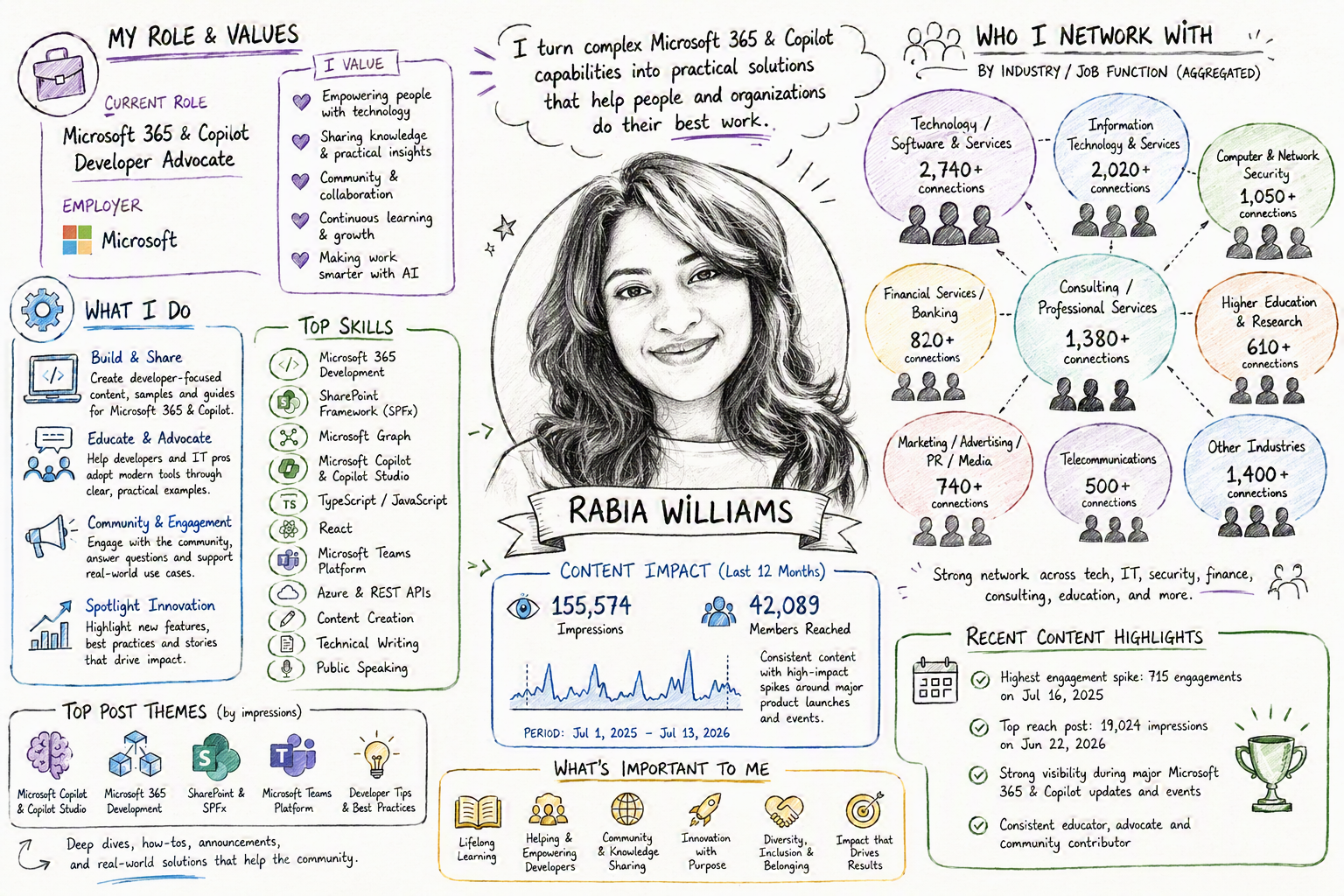
Here's what made this click for me. When I ran the prompt on my own LinkedIn export,
- I expected - a tidy roll-up of my job titles
- What came back instead was - how my network clustered around few industries I'd never consciously connected.
That gap — between what I assumed my context said and what it actually said — is the whole point of grounding.
The takeaway
The real value is not the image itself. It is the visible proof that your prompt is grounded in real context.
What you can show is a clean, shareable snapshot of:
- Your role, values, and priorities.
- The themes and signals that shape your work.
- The network and activity patterns behind your professional identity.
- A repeatable prompt workflow other people can adapt to their own data.
That makes the result more than a demo. It becomes a conversation starter, a personal context map, and a template others can reuse.
Ground your work in context you can trust, and the outcomes follow.