Bulk File-Based Testing for Copilot Studio: Beyond Standard Evals
Standard harness
How to build a scalable bulk file-based testing framework for Copilot Studio agents using Dataverse, SharePoint, Power Automate, and Power BI when standard evals aren't enough.
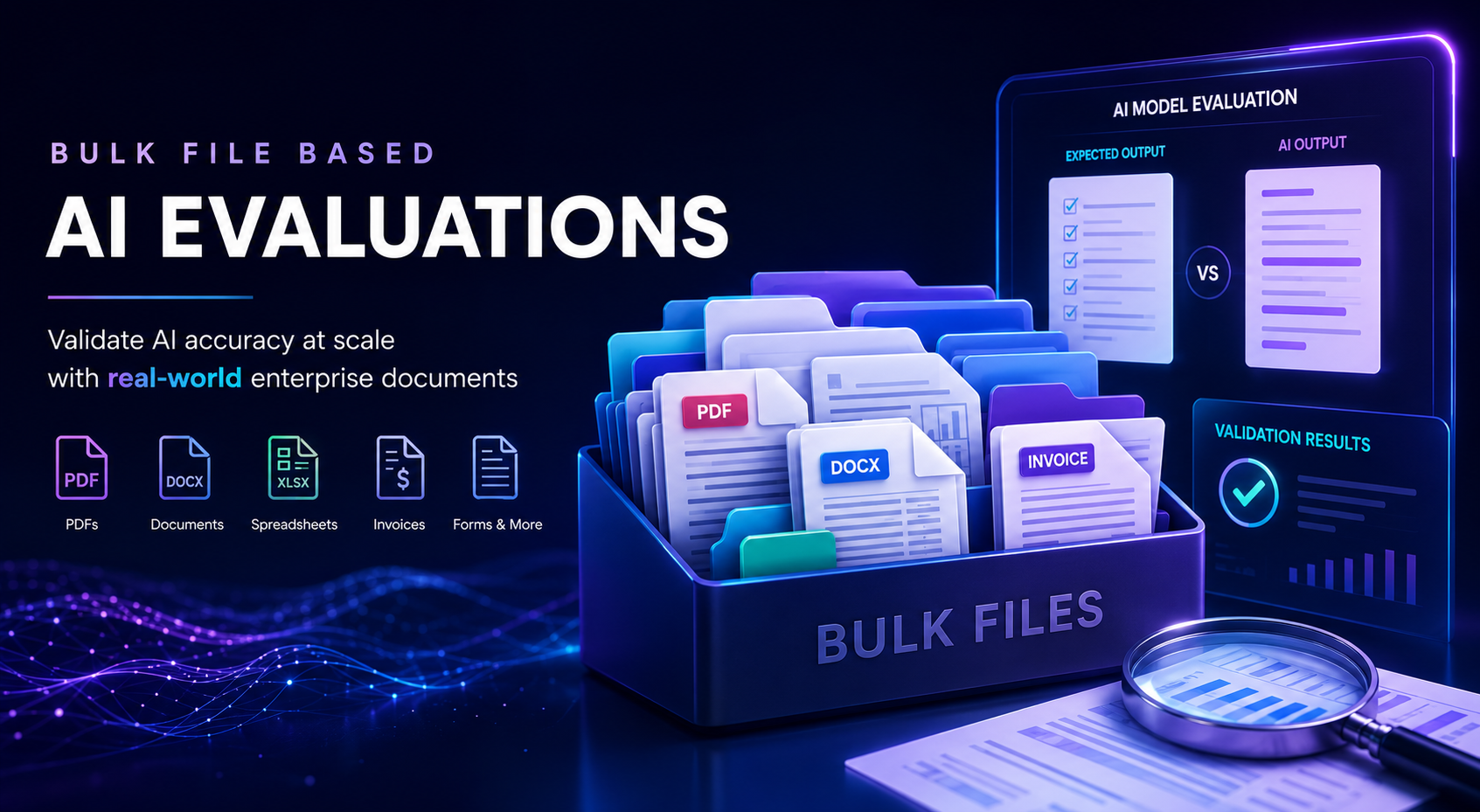
We deployed an invoice-processing agent that scored beautifully on our Copilot Studio eval suite. voluminous real vendor invoices arrived: different templates, different scan qualities, different languages. a good percentage of them failed silently. The eval metrics hadn’t changed, but the agent wasn’t production-ready.
If you’ve built agents that process enterprise documents (PDFs, contracts, spreadsheets, forms) you’ve likely hit the same wall. Standard evals measure prompt-response quality on curated samples. They don’t tell you whether your agent can reliably process thousands of real-world files with the consistency your business requires.
This post walks through a practical architecture for bulk file-based testing using components you probably already have: Dataverse, SharePoint, Power Automate, Copilot Studio, and Power BI.
This approach complements standard evals, it doesn’t replace them. Use evals for prompt quality and response behavior. Use bulk testing for file processing and structured output validation.
Where Standard Evals Fall Short
Copilot Studio evaluations excel at prompt-response testing, regression testing, quality scoring, and multi-turn conversation simulation. If you’re already using them in your CI/CD pipeline (see Quality Gates for Copilot Studio), that’s great, keep doing it.
But when your agent processes enterprise documents as part of operational workflows, you need answers to different questions:
- Can it handle thousands of invoices from different vendors with different layouts?
- Does it consistently extract the correct fields across scan qualities and languages?
- Which specific failure patterns emerge at scale (missing IDs, incorrect totals, format mismatches)?
- How does accuracy change across prompt versions or model updates?
A robust bulk-testing approach needs to:
- Execute large volumes of file-based test cases against a defined test matrix
- Compare every extracted field against gold-standard expected results
- Support scenario-specific prompts and business rules
- Track regressions over time with full traceability
The Architecture
A practical solution uses components you probably already have in your tenant:
| Component | Role |
|---|---|
| Dataverse | Control plane — test definitions, execution history, pass/fail outcomes |
| SharePoint | Configuration layer — input files, gold-standard outputs, prompt assets |
| Power Automate | Orchestration — retrieves tests, invokes agent, compares results |
| Copilot Studio | Execution — processes files and returns structured output |
| Power BI | Reporting — pass rates, error patterns, regression trends |
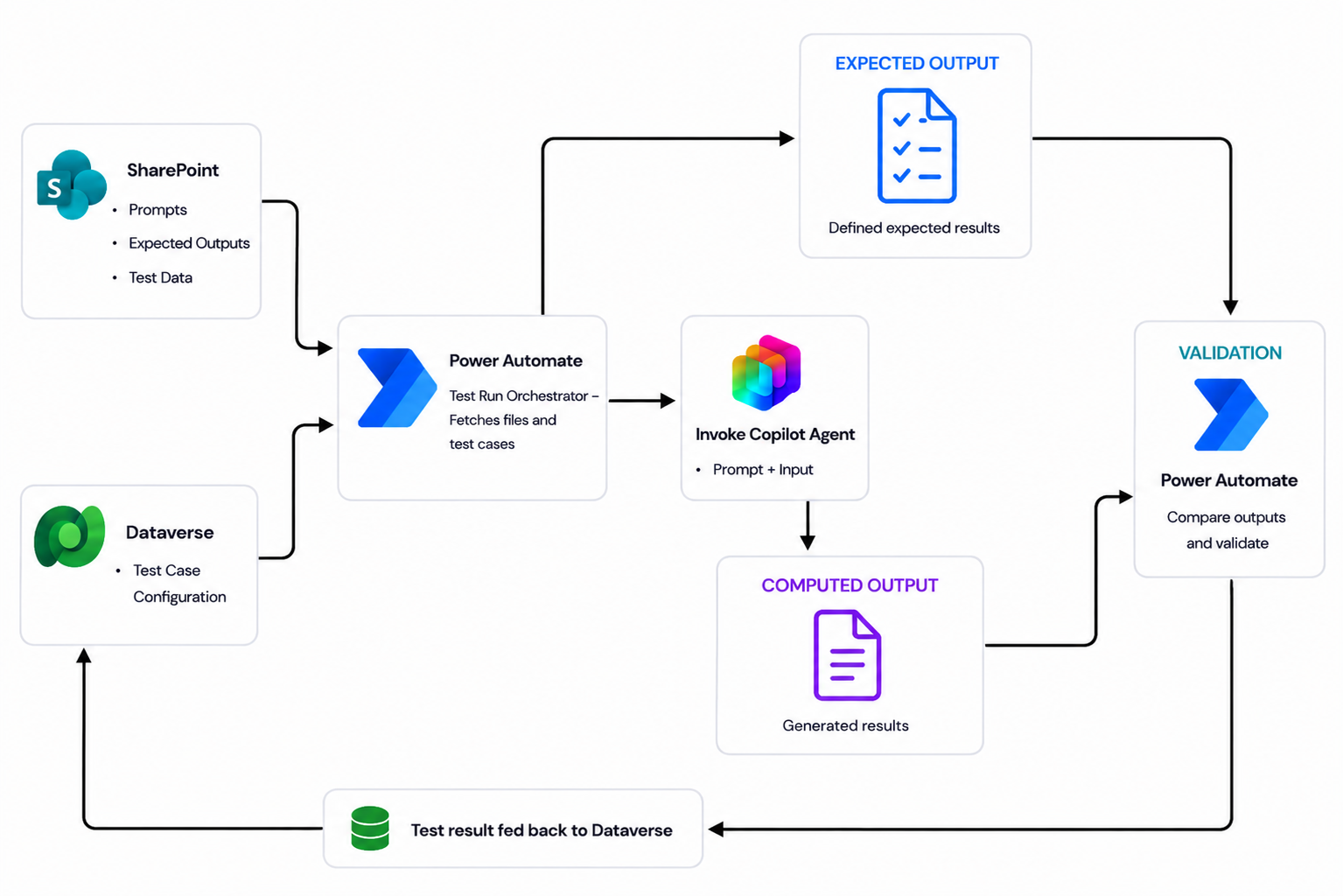 End-to-end bulk file-based testing architecture showing how test definitions, orchestration, copilot execution, and result comparison work together.
Dataverse as the Control Plane
Each test case is a Dataverse row containing the scenario definition, input file reference, expected output, prompt version, and metadata (status, category, ownership). Execution history captures timestamps, output locations, comparison results, and pass/fail outcomes.
This gives you version-over-version comparison, regression detection, and end-to-end traceability from input to outcome, similar to what you’d get with the Dataverse retrieval patterns post but applied to test management.
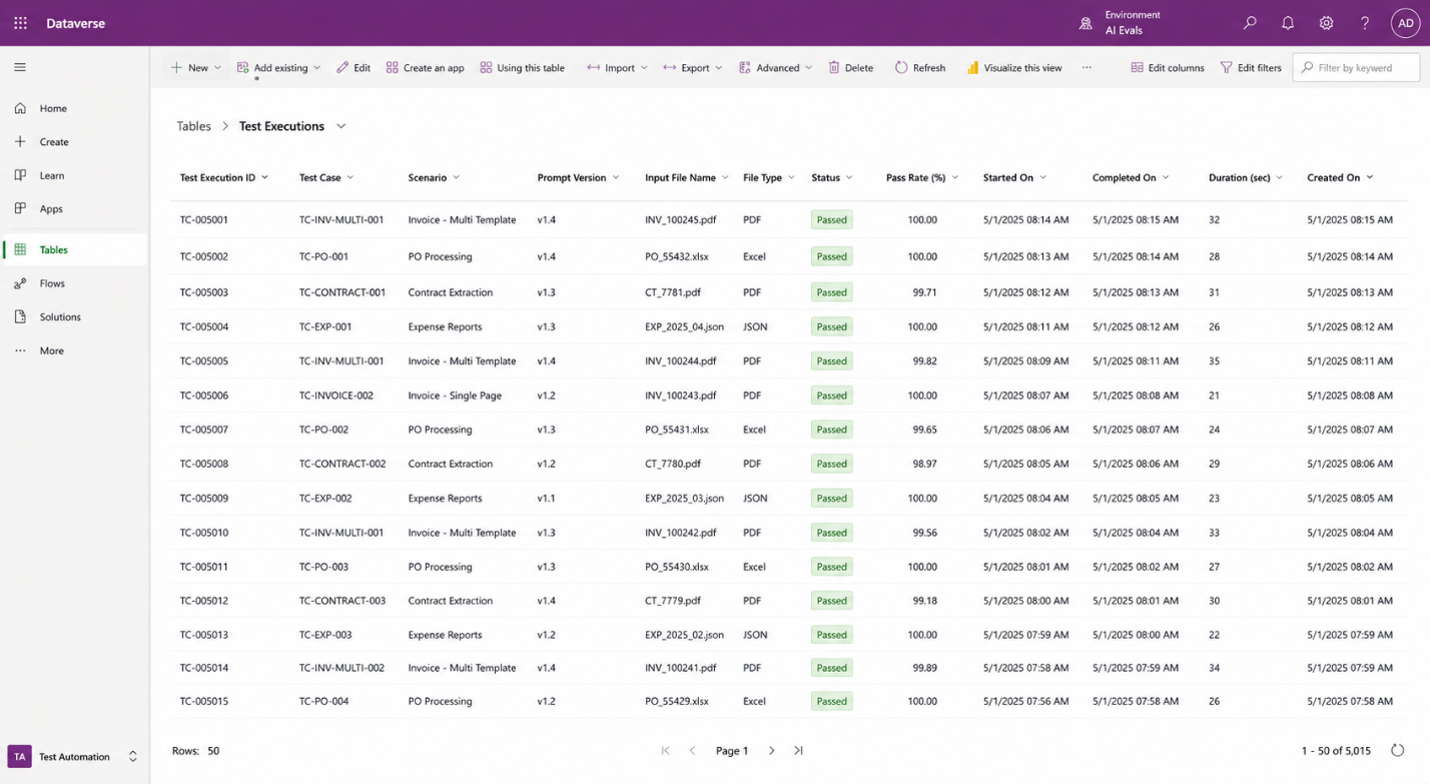 Dataverse control-plane view: structured test cases, execution history, metadata, and pass/fail outcomes in a centralized system of record.
SharePoint as the Configuration Layer
SharePoint It stores the file-based assets including test inputs, gold-standard expected outputs, prompt assets, and scenario-specific reference content. By separating artifacts from orchestration, prompts, datasets, and expected results can be updated independently, allowing non-developer and business users to easily manage changes through SharePoint, a platform they are already familiar and comfortable with.
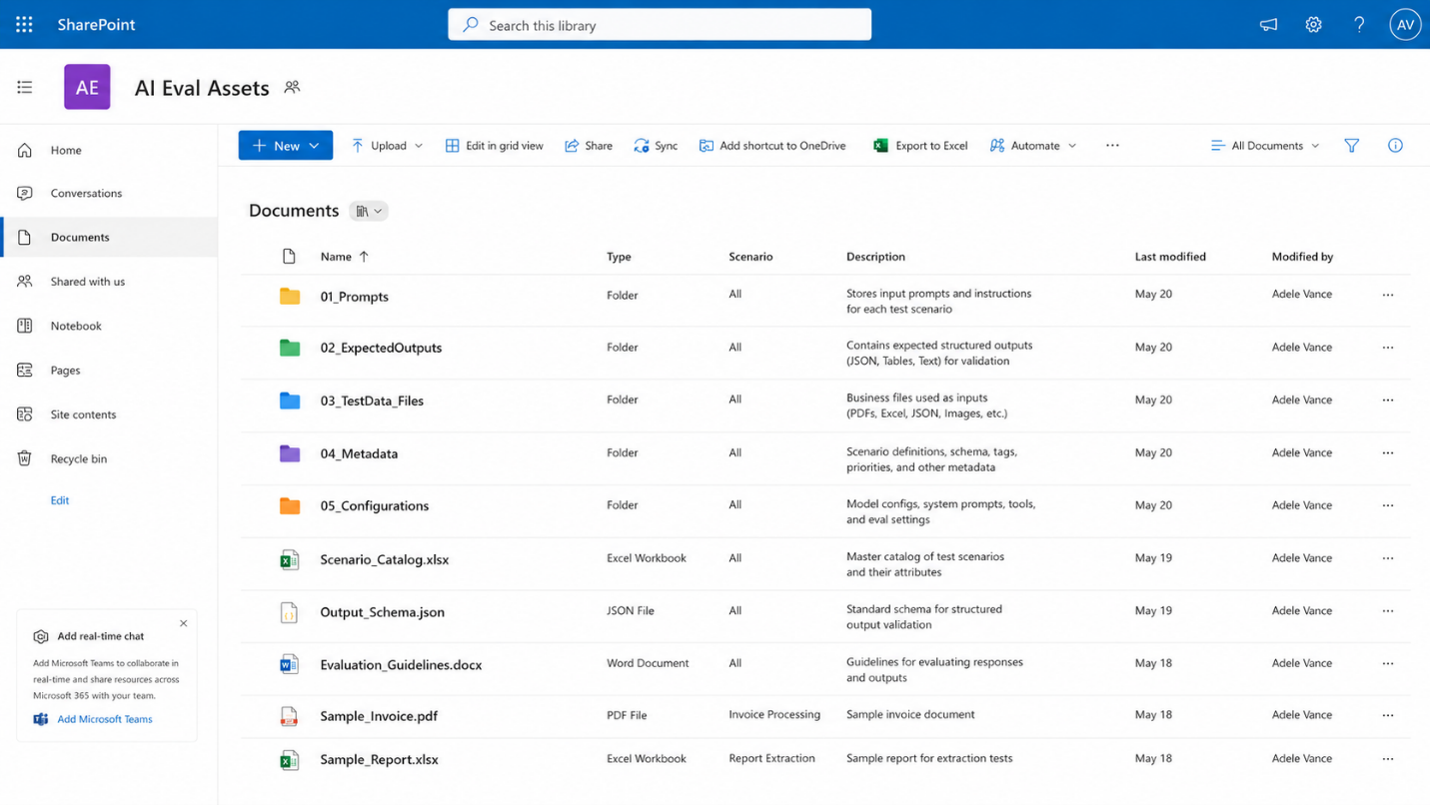 SharePoint configuration layer: input files, expected outputs, and prompt assets organized for reusable bulk test execution.
Orchestration with Power Automate
This is where it all comes together. Power Automate connects Dataverse, SharePoint, and Copilot into a closed-loop testing system:
- Read the next eligible test case from Dataverse
- Retrieve the input file, expected output, and prompt from SharePoint
- Invoke the Copilot agent with the assembled payload
- Compare the response against the gold-standard output (field-level)
- Write the execution record (pass/fail, mismatches, timestamps) back to Dataverse
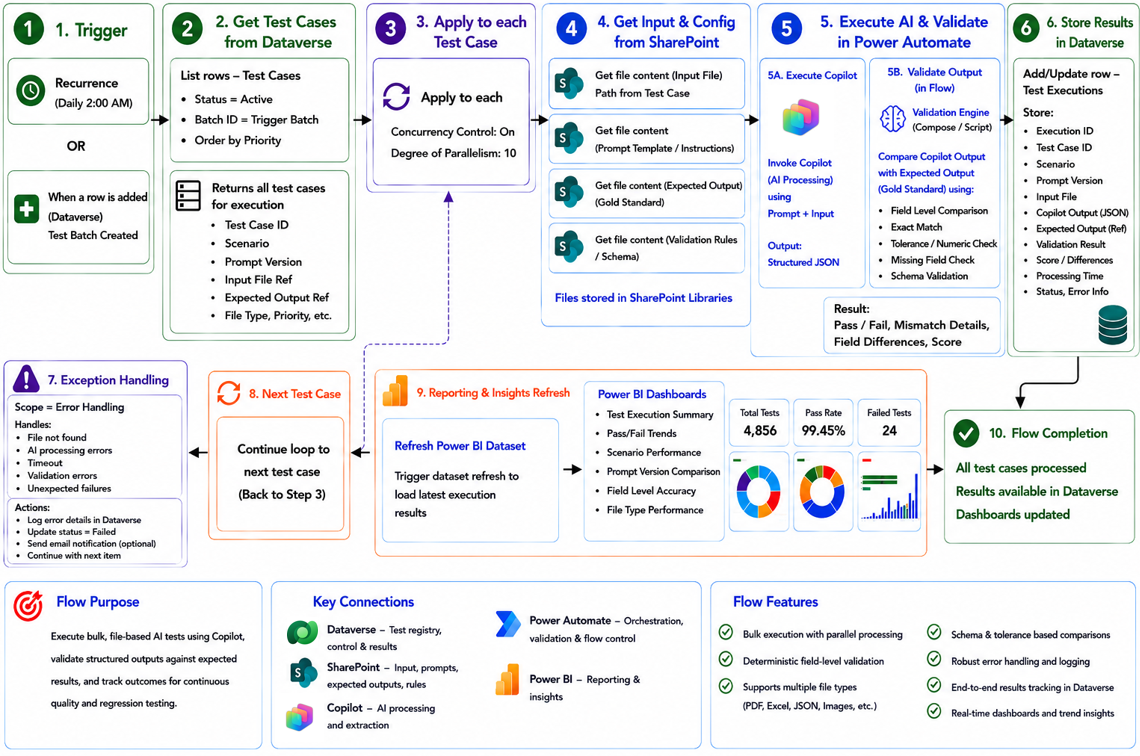 Power Automate orchestration flow: test retrieval → file loading → copilot execution → result comparison → outcome recording.
At scale, the flow supports batching, parallel execution with controlled concurrency (to stay within service limits), retry logic, and exception handling. Because everything is configuration-driven, you can rerun scenarios across different prompt versions or model variants and compare results over time.
If you’re already using Power Automate to orchestrate agents, the patterns from Combining Workflows and Agents apply here too, especially error handling and concurrency management.
Power BI Reporting Layer
Power BI turns execution data into decision-ready dashboards: pass/fail rates, error concentration by vendor template, mismatch trends across prompt versions, and regression detection over time.
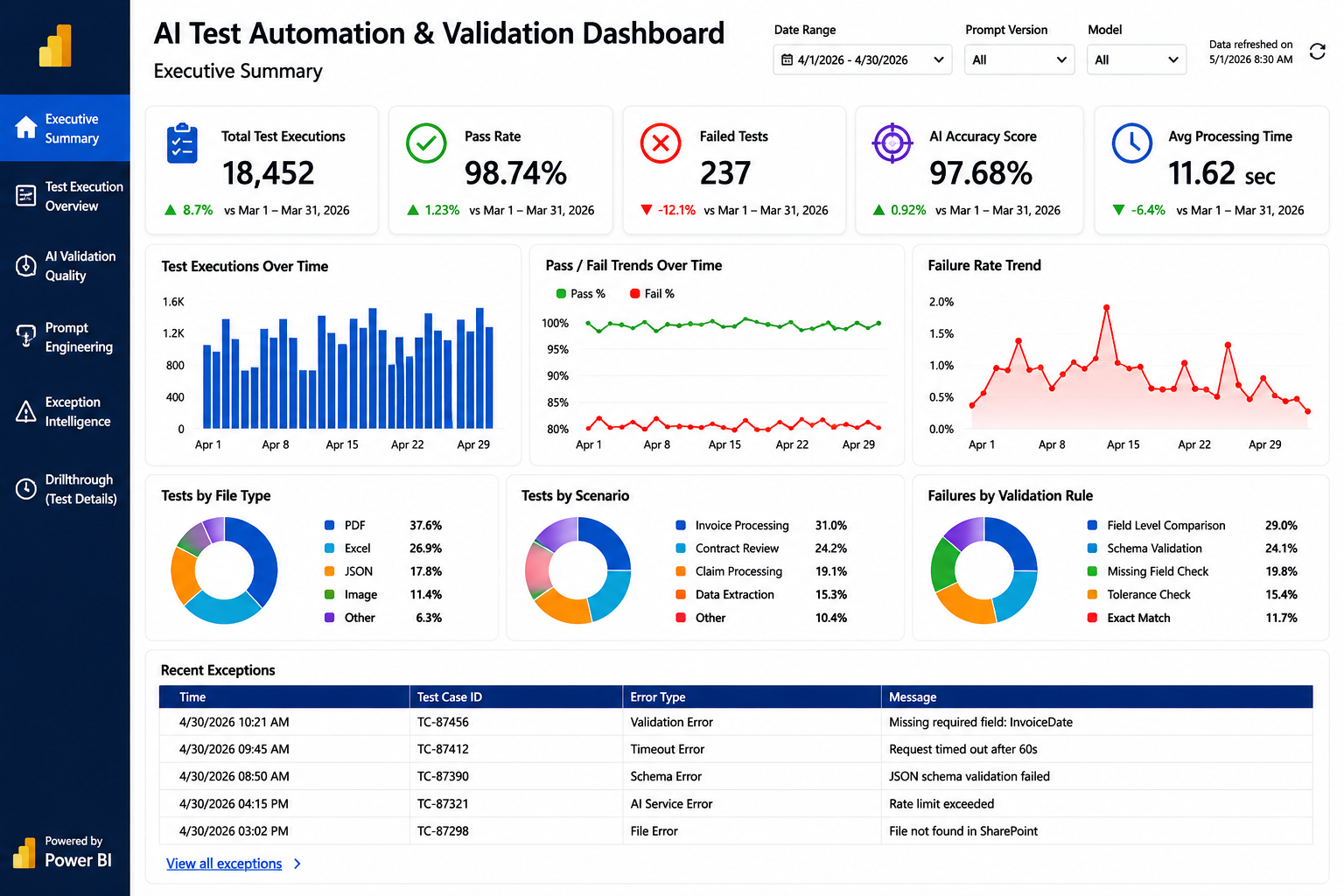 Automation report with detailed run statistics.
What This Enables
With this architecture in place, your team gains:
- Scale — validation across thousands of real-world file scenarios
- Precision — deterministic field-level comparison against expected results
- Traceability — every run tied to a scenario, version, and outcome history
- Regression detection — automatic identification of quality drops across versions
- Operational visibility — Power BI dashboards for stakeholder confidence
Putting It All Together
Standard evals and bulk file testing aren’t competing approaches. They’re complementary layers:
| Layer | Validates | Tool |
|---|---|---|
| Prompt quality | Response accuracy, safety, relevance | Copilot Studio Evals |
| Integration quality | CI/CD gates, regression blocking | Eval API in pipelines |
| File processing quality | Bulk document handling at scale | This architecture |
A downloadable sample solution implementing this architecture is coming soon. It will provide a working starting point for building your own enterprise-grade bulk file validation framework.
Have you hit similar challenges testing document-heavy agents? What approaches have worked (or failed spectacularly) in your environment? Let us know in the comments.