Use Copilot Cowork to dig deep into your Power Platform credit consumption data
Both harnesses
Use the Power Platform Admin plugin in Copilot Cowork to explore Copilot Credit consumption by environment, create charts, and plan recurring reports.
Which environments are consuming your Copilot Credits? Which ones deserve a closer look? If you’re responsible for Power Platform administration, you need answers you can share with colleagues, without turning every question into a reporting project.
The new Copilot Credit usage reports API (preview) gives you a programmatic way to download entitlement and consumption data from the Power Platform admin center. It’s a useful starting point when you want to build an integration or retain your own reporting history.
But if your organization already has Copilot Cowork, there’s a simpler way to explore that data interactively: enable the Power Platform Admin (Preview) plugin and ask your questions in plain English.
Enable Power Platform Admin
The Power Platform Admin plugin brings a broad set of administrative insights into Cowork, covering inventory, usage, governance, capacity, and licensing. Credit consumption is a particularly useful place to start.
The plugin is currently in preview. It provides read-only insights and guidance; it doesn’t independently execute administrative changes in the Power Platform admin center.
If the plugin is already available in your organization, setup is straightforward:
- Open Cowork’s plugin area, under Customize, and look for Power Platform Admin (Preview).
- Open the plugin and enable it.
- If prompted, select Connect and complete the Power Platform for Admins V2 connection using OAuth Connection.
The screenshot below shows the enabled plugin with its connection ready. Notice that the plugin is named Power Platform Admin (Preview), while the connection underneath it is Power Platform for Admins V2.
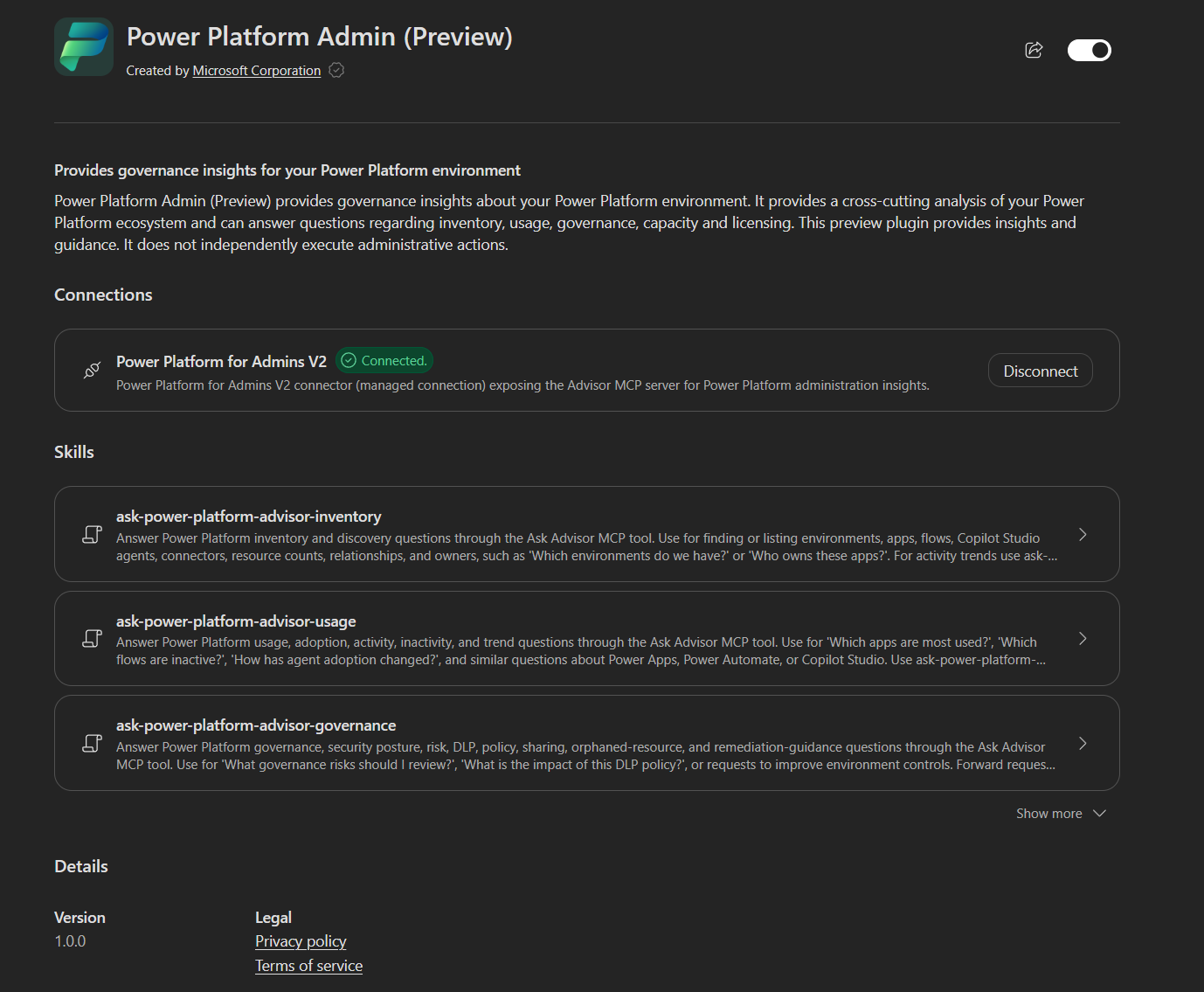 The enabled plugin exposes administrative insights through a connected Power Platform account.
You’ll need Cowork access and a connected account with the Power Platform Administrator, Dynamics 365 Administrator, or Global Administrator role. If you can’t find the plugin, ask your Microsoft 365 administrator to make it available to you. The installation and connection guide covers that setup.
Ask for a credit recap, then a chart
In my demo tenant, I started with a simple question:
How many credits did I have consumed per environment in Power Platform so far?
Cowork returned a recap and a table with consumption, allocated credits, and the snapshot date for each environment. Review and approve the plugin’s data-access request if Cowork prompts you.
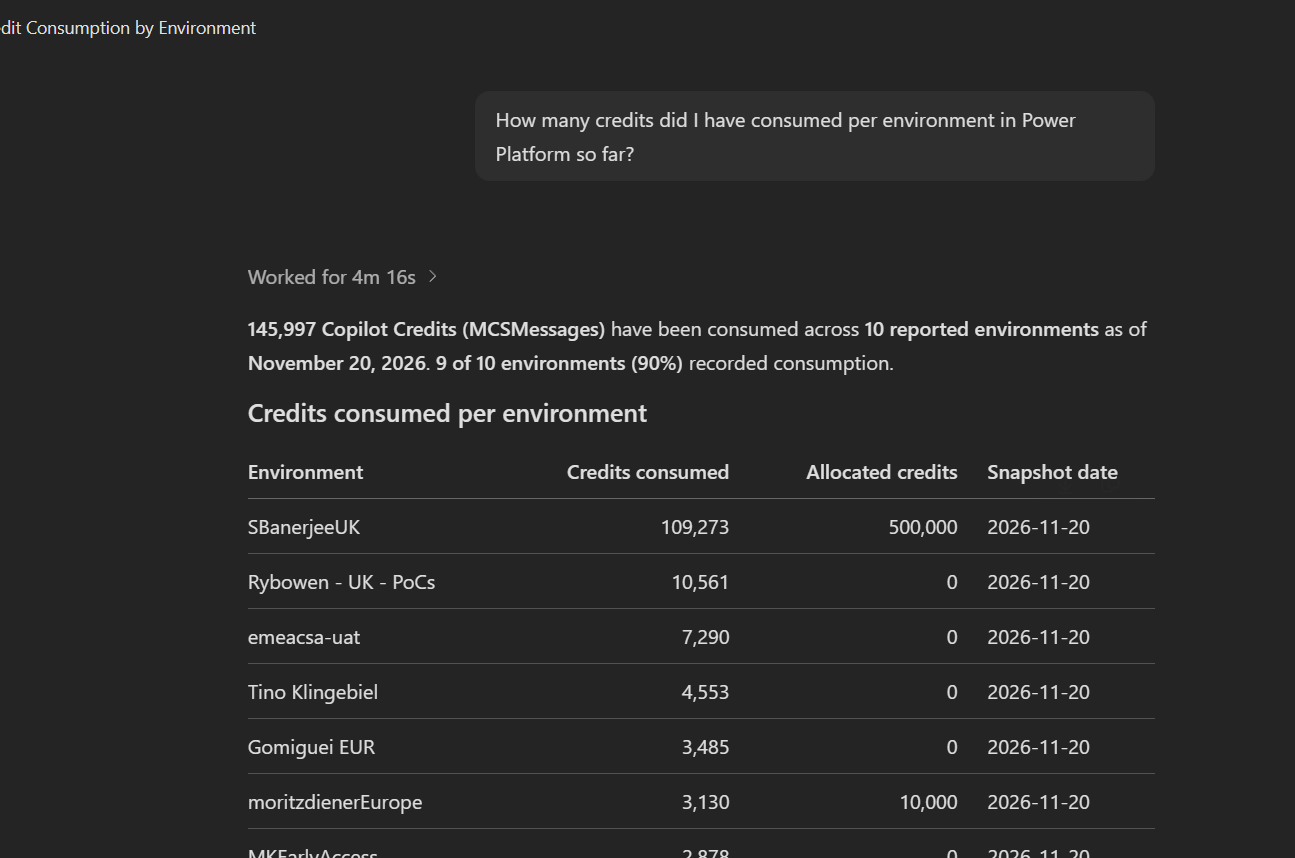 A plain-language question produces a credit consumption breakdown. All data shown comes from a demo tenant.
Then I followed up with:
Make a chart.
Cowork used the results already in the conversation to create a visual comparison. That’s often the useful next step when you want to see where consumption is concentrated or share the findings with someone else.
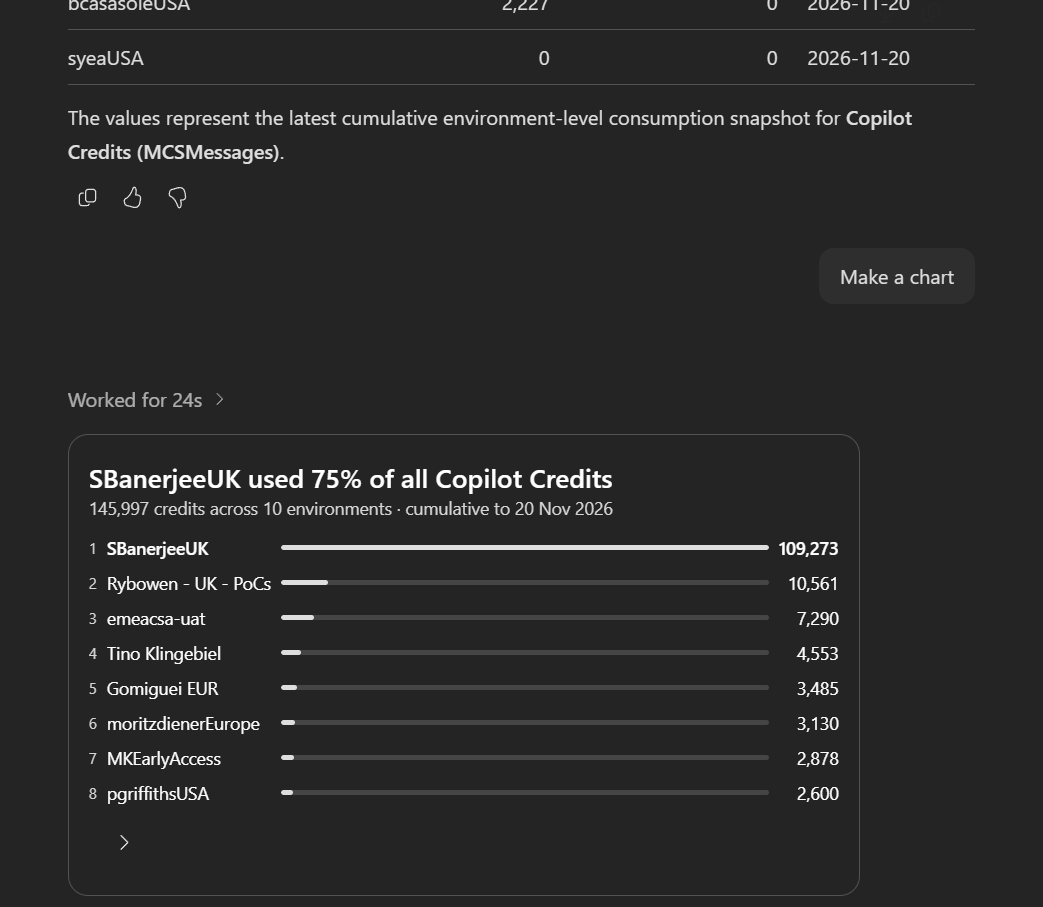 The follow-up turns the same demo data into a chart, without manually exporting and reshaping it.
You’re not limited to those two prompts. Ask for a specific environment, request a different visualization, or narrow the reporting period. Be explicit about dates: the example above is a cumulative snapshot, not a weekly consumption report. Ask Cowork to identify the reporting period and data freshness rather than assuming “so far” means the current month.
Once you’ve identified an environment to investigate, our guide to Copilot Studio consumption controls explains how to approach allocations and limits.
Make it a weekly habit
You can also ask Cowork to repeat the task. Its scheduled prompts support recurring work, with your approval before the schedule is activated. For example:
Every Monday at 9 AM, prepare a Power Platform Copilot Credit consumption report by environment for the previous complete week. Include a chart, the reporting dates, and the data freshness. Email it to me if email delivery is available; otherwise, tell me what connection or approval is needed.
Review the proposed schedule, time zone, and delivery settings before approving it. Email delivery depends on the tools, permissions, and approvals available in your Cowork setup; the Power Platform Admin plugin supplies the administrative insights, not the email capability.
If you’re setting up Cowork access for your team, our Work IQ licensing and controls guide also covers the Cowork access controls.
What would you ask first: a credit breakdown, an environment inventory, or a weekly governance briefing?