Message Reactions
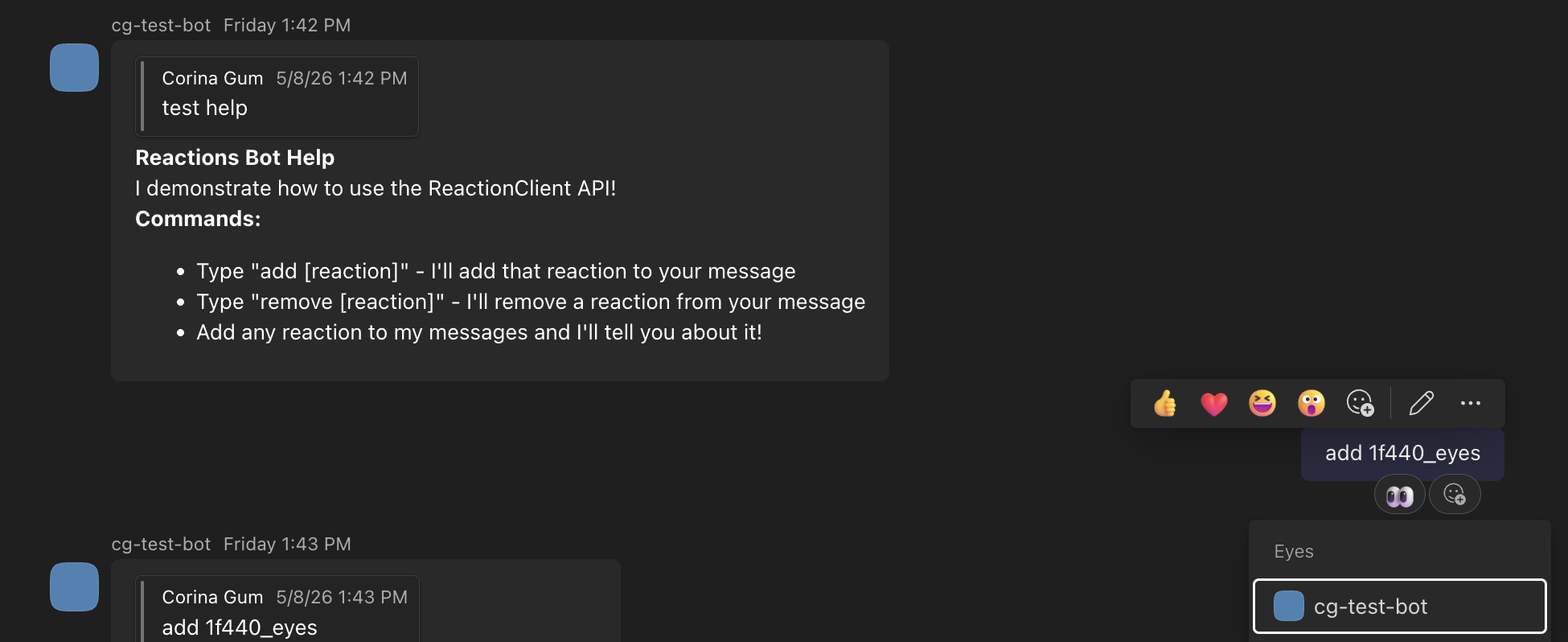
Message reactions allow your agent to add or remove emoji reactions on messages in a Teams conversation, and to react to reactions added by users. This gives your agent a quick, low-friction way to acknowledge messages or signal status without sending a full text reply.
Adding a Reaction
To add a reaction to a message, use the reactions client through the API client:
@app.on_message
async def handle_message(ctx: ActivityContext[MessageActivity]):
    await ctx.send("Hello! I'll react to your message.")

    # Add a reaction to the incoming message
    await ctx.api.conversations.add_reaction(
        ctx.activity.conversation.id,
        ctx.activity.id,
        'like'
    )
Removing a Reaction
You can also remove reactions that your agent has previously added:
import asyncio

@app.on_message
async def handle_message(ctx: ActivityContext[MessageActivity]):
    # First, add a reaction
    await ctx.api.conversations.add_reaction(
        ctx.activity.conversation.id,
        ctx.activity.id,
        'heart'
    )

    # Wait a bit, then remove it
    await asyncio.sleep(2)
    await ctx.api.conversations.delete_reaction(
        ctx.activity.conversation.id,
        ctx.activity.id,
        'heart'
    )
Receiving Reactions
Your agent can also listen for reactions that users add or remove on messages in conversations it participates in. The activity carries reactions_added and reactions_removed lists.
@app.on_message_reaction
async def handle_reaction(ctx: ActivityContext[MessageReactionActivity]):
    for reaction in ctx.activity.reactions_added or []:
        print(f"User added reaction: {reaction.type}")

    for reaction in ctx.activity.reactions_removed or []:
        print(f"User removed reaction: {reaction.type}")
Available Reaction Types
The SDK ships a small set of named reaction constants for the most common reactions.
Any string-valued reaction ID is accepted, so you can pass any reaction ID from the Teams reactions reference page.
'like'— 👍'heart'— ❤️'1f440_eyes'— 👀'2705_whiteheavycheckmark'— ✅'launch'— 🚀'1f4cc_pushpin'— 📌
Skin Tones
Reactions tagged Diverse in the Teams reactions reference support five skin-tone variants. Append -tone1 through -tone5 to the reaction ID to select a variant:
1f44b_wavinghand-tone4
Rate Limits
Agents are limited to two reactions per second. Calls that exceed this limit are throttled and return a 429 response. Implement exponential backoff and honor the Retry-After header.
Best Practices
- Use reactions sparingly. Reactions work best when they signal something specific (acknowledgement, completion, an error). Reacting to every message creates noise.
- Match the reaction to the context. Different reactions carry different meanings. Choose one that aligns with your agent's purpose.
- Replace, don't stack. If your agent has already added a reaction and needs to update it, remove the existing reaction first, then add the new one. Adding a reaction that's already present is a no-op.
- Handle errors. Reaction operations can fail if the message no longer exists or the agent isn't a member of the conversation. Handle exceptions appropriately.
Differences from Feedback
Message reactions are different from the feedback feature:
- Reactions are quick emoji responses your agent adds to or removes from messages programmatically, and reactions users add to messages your agent can listen for.
- Feedback are interactive UI components (like/dislike buttons) that users can click to provide structured feedback on agent responses.
Use reactions when your agent wants to acknowledge or respond to a message with emoji. Use feedback when you want to collect user opinions about your agent's responses.