Codespaces First Live
GitHub Codespaces is the shortest supported environment path. The checked-in dev container supplies Python 3.11, Node.js 22, Azure CLI 2.86.0, Bicep 0.44.1, and Azure Developer CLI 1.28.0. It removes workstation setup; it does not remove the repository's safety gates.
Open in GitHub Codespaces Use a local clone instead
What Container Creation Does
The postCreateCommand performs only these local operations:
Expected terminal signals include:
Container creation does not sign in, select a subscription, run plan, write azd env, provision Fabric, or call liveks up. The local validation gate parses the dev container definition and rejects an automatic cloud-mutation command.
1. Initialize The First Live Profile
In the Codespaces terminal:
The generated .liveks/liveks-mcp.yaml ledger is ignored by git. The mcp-only defaults need no Fabric workspace, ontology, capacity, or delegated Fabric token.
2. Sign In Deliberately
Use the target tenant for both CLIs:
az login --use-device-code --tenant <tenant-guid>
az account set --subscription <subscription-guid>
azd auth login --use-device-code
Do not put tenant or subscription identifiers into tracked files. For an external tenant or isolated CLI cache, use External Tenant Login.
3. Check Before Creating
Resolve every failed doctor check. plan performs read-only cloud diagnostics and local builds, then prints the resource, duration, and cost context. It does not provision Azure or Fabric resources.
4. Review, Confirm, And Deploy
LiveKS runs the ARM preview before creation. Review it, then enter the exact phrase shown by the CLI:
This is the first cloud-mutating step. Provisioning is one lifecycle command after readiness passes, not an unreviewed one-command install.
5. Prove The Live Source
./liveks verify --env liveks-mcp --format json
./liveks mcp \
  --env liveks-mcp \
  --query "What must be configured for an Azure AI Search MCP Server knowledge source?" \
  --expect-term "Azure AI Search"
Require all of these signals:
| Check | Required evidence |
|---|---|
| Runtime | app-status=pass and the deployed app reports mcp-only live. |
| Source execution | mcp-retrieve=pass backed by mcpServer activity or references. |
| Source identity | microsoft-learn-mcp-ks and microsoft_docs_search appear in the trace. |
| Native MCP | tools-list, tools-call, and grounding-content pass. |
An answer string without the source trace is not a live pass. The tracked sanitized live proof shows the allowed public evidence shape; the source-backed JSON is samples/evidence/mcp-only-live-proof.sample.json in the repository root.
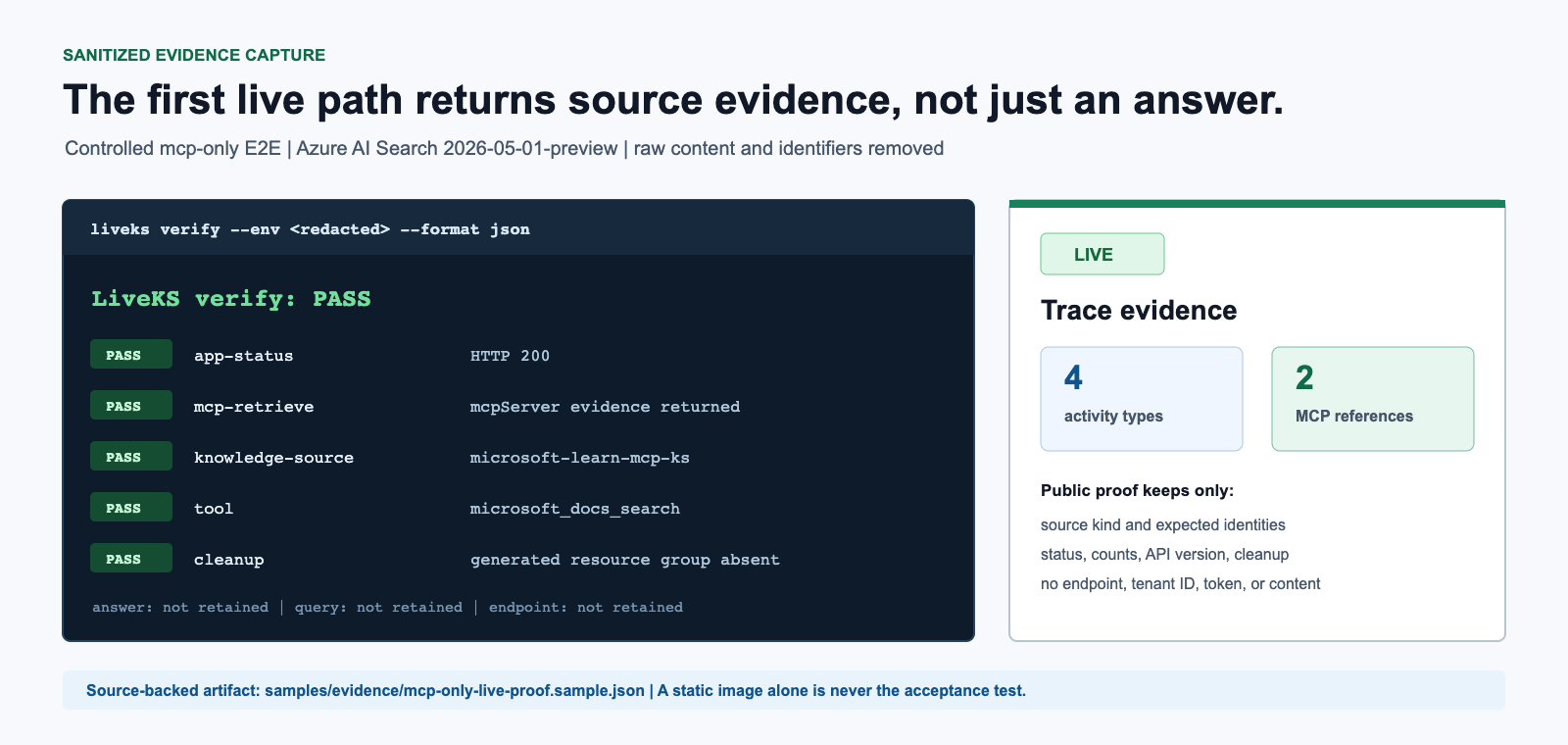
Open the App URL from deployments/liveks-mcp/deployment-summary.md. In the app:
- Require the top status pill to say
mcp-only live. - Select MCP Live.
- Select Run retrieve.
- Require a
livebadge and MCP Server KS activity or references.
The public GitHub Pages app always says replay and cannot satisfy this live check.
6. Clean Up And Prove Absence
Enter delete liveks-mcp and require resource-group-absent=pass. Do not close the run on a deletion request alone.
Local Dev Container
The same .devcontainer/devcontainer.json works with a local Dev Container implementation. Local container launch still performs only the offline first boot. Authentication and every cloud-changing command remain manual.
Continue with MCP Server Knowledge Source for payload details, Post-Deployment Tests for trace acceptance, or Guided Live Demo for every app click.