One SDK Client for Both Copilot Studio Harnesses (Preview)
Both harnesses
Build custom clients for both Copilot Studio harnesses with Microsoft Entra ID sign-in, plus reasoning and tool calls from GitHub Copilot-harness agents.
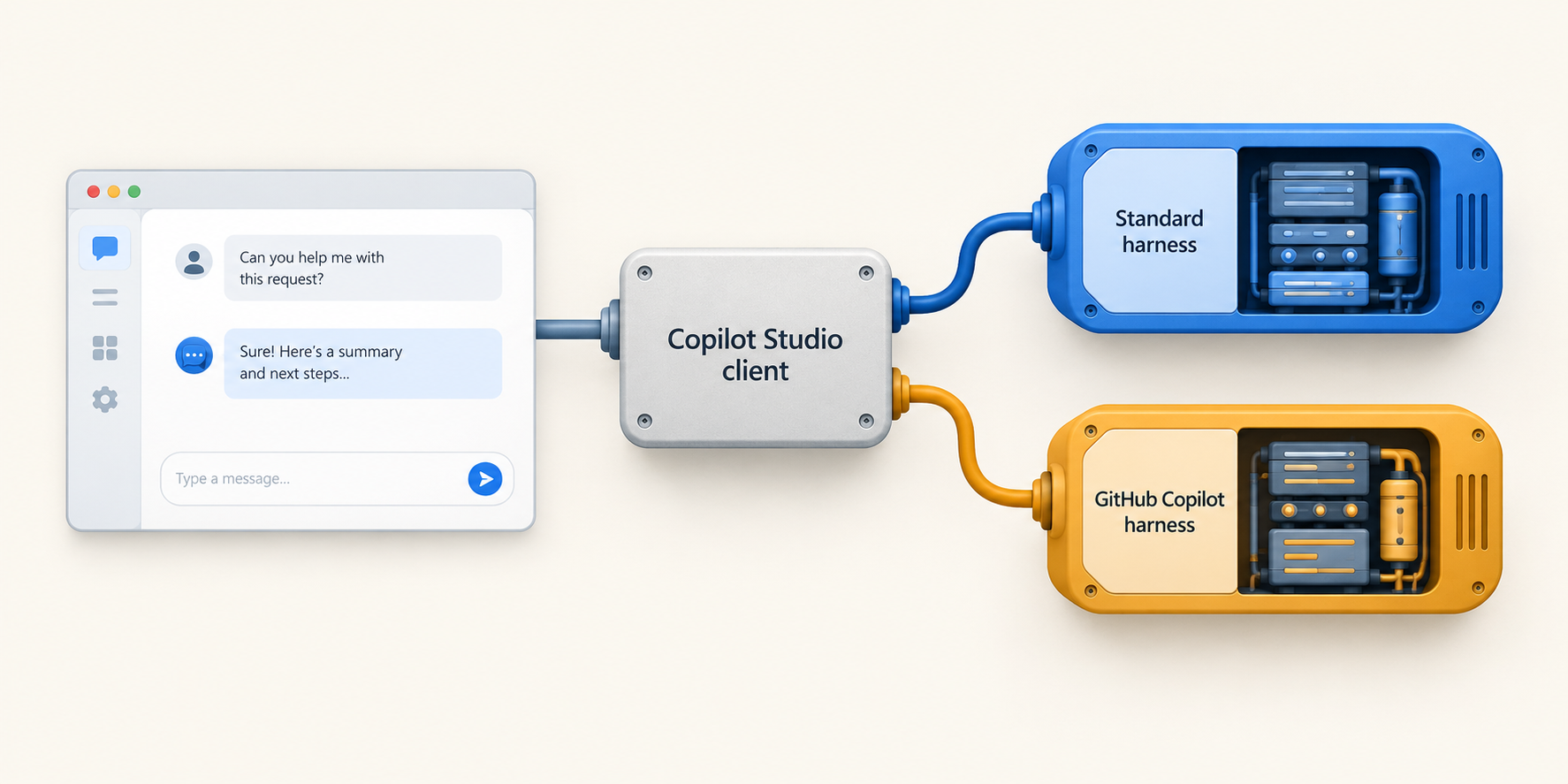
In You Probably Don’t Need Manual Authentication, I showed how you can put a Copilot Studio agent in your own app with Microsoft Entra ID sign-in, while keeping the agent set to Authenticate with Microsoft. Your app uses an Entra app registration for sign-in and the Microsoft 365 Agents SDK to talk to the agent.
But what if your agent uses the GitHub Copilot harness?
The new version of the Copilot Studio client adds support for the GitHub Copilot harness. You use the same client for both. Pass in the environment ID and agent schema name, and keep using the same conversation methods.
This is already in the JavaScript and .NET clients, with Python support planned. I’ll use JavaScript here because we’re extending a React sample.
Preview, October 2026: I’m using JavaScript client
1.10.0-beta.8.g158a2c07adhere. The official integration overview still lists GitHub Copilot-harness agents as not officially supported, so treat this as a preview example.The endpoints for this client are still rolling out across regions, so start testing in an early release environment.
Here’s the WebChat Experience
WebChat already handles streaming, a customizable transcript, and expandable activity groups. That’s a fair amount of chat UI I don’t have to write. It’s not mandatory, though. If you already have a frontend you’re happy with, use the SDK there.
GitHub Copilot-harness agents can send reasoning and tool-call activities alongside their answers. The client exposes those activities to your app. Here’s an example in WebChat, with the activity details collapsed while the agent handles a request:
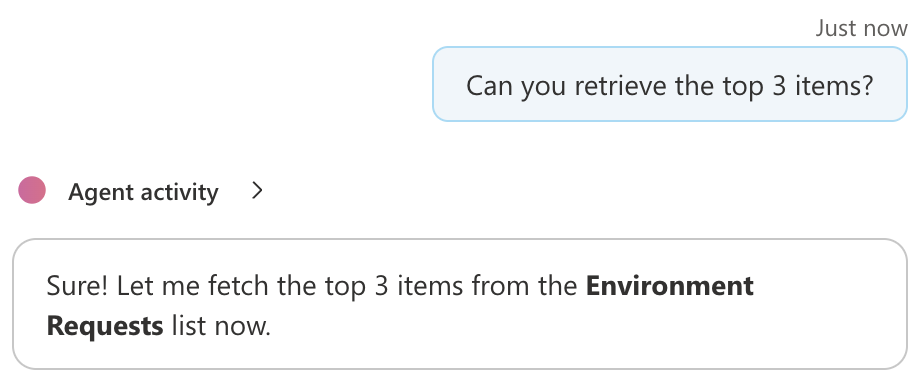 An agent working on a request, with the activity details collapsed.
If you want the details, expand the group to see the reasoning and tool steps:
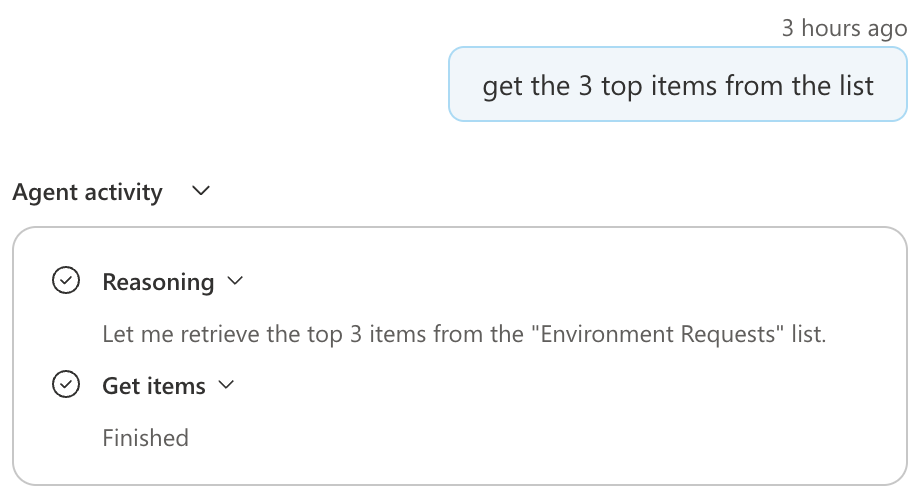 The expanded view, showing reasoning and the Get items call marked Finished.
Use the React Sample
The existing React WebChat sample includes Microsoft sign-in and the Fluent theme. It doesn’t display reasoning or tool calls, but we’ll add those later in the post.
You’ll need Node.js 22. Grab the sample and update its dependencies:
1
2
3
4
5
6
7
8
9
10
11

git clone https://github.com/microsoft/Agents.git
cd Agents
git checkout 1544bcae38f8865b1f095ffcf8df51561e302065
cd samples/nodejs/copilotstudio-webchat-react

npm install --save-exact \
  @microsoft/agents-copilotstudio-client@1.10.0-beta.8.g158a2c07ad \
  @microsoft/agents-activity@1.10.0-beta.8.g158a2c07ad \
  botframework-webchat@4.19.2 \
  botframework-webchat-fluent-theme@4.19.2 \
  rxjs@7.8.2
I’ve pinned the sample revision and package versions so we’re starting from the same code. Keep WebChat and its Fluent theme on matching versions. Check the JavaScript client release notes for when this support lands in a stable release.
Point It at Your Agent
You’ll need a published agent with authentication set to Authenticate with Microsoft, and a user who can access it.
For the app registration, follow the sample’s instructions:
- Create or reuse an Entra app registration in the agent’s tenant.
- Register
http://localhost:3000as a Single-page application redirect URI. - Add Power Platform API > Delegated permissions > CopilotStudio.Copilots.Invoke, with consent as required by your organization.
You don’t need a client secret in the browser or a switch to manual authentication. The SDK integration guide has the permission details.
The GitHub Copilot-harness UI doesn’t currently give you an SDK endpoint to copy. You’ll need settings for the client and for the sample’s Microsoft Authentication Library (MSAL) sign-in:
| Value | Used by | Where to find it |
|---|---|---|
| Environment ID | Copilot Studio client | The value after /environments/ in your Copilot Studio URL |
| Agent schema name | Copilot Studio client | GitHub Copilot harness: … > Settings > Agent details. Standard harness: Settings > Advanced > Metadata |
| Tenant ID and application/client ID | SPA sign-in (MSAL) | Your Entra app registration’s Overview page |
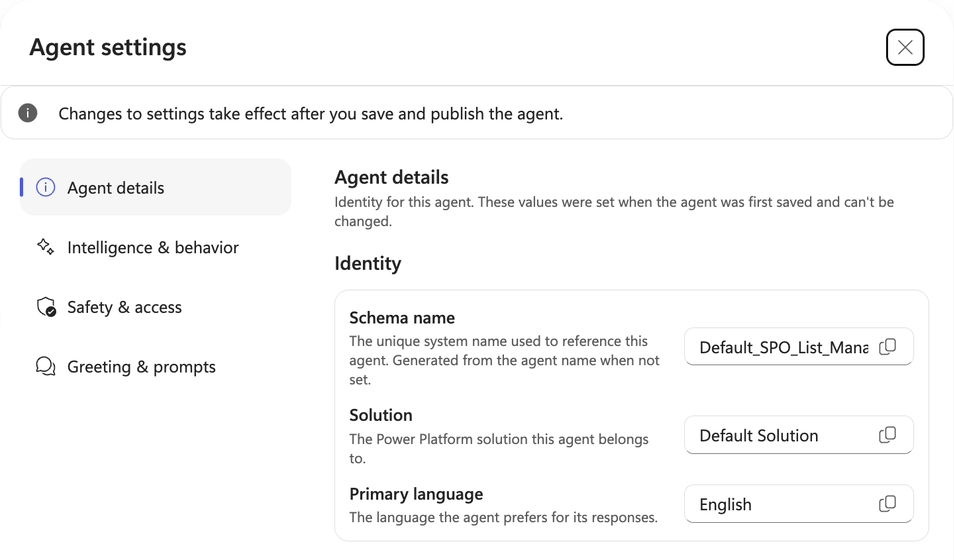 Use the copy button here; the schema name may be longer than the field can display.
Create src/settings.js. The sample stores both sets of settings here. MSAL handles sign-in and acquires the access token that the sample passes to the Copilot Studio client:
1
2
3
4
5
6
7
8
9
10
11
12
13
14
15
16
17
18

import {
  AgentType, ConnectionSettings, PowerPlatformCloud
} from '@microsoft/agents-copilotstudio-client'

export class SampleConnectionSettings extends ConnectionSettings {
  constructor () {
    super({
      environmentId: 'YOUR_ENVIRONMENT_ID',
      schemaName: 'YOUR_AGENT_SCHEMA_NAME',
      cloud: PowerPlatformCloud.Prod,
      copilotAgentType: AgentType.Published
    })
    // Used by the sample's MSAL sign-in helper.
    this.tenantId = 'YOUR_TENANT_ID'
    this.appClientId = 'YOUR_APP_CLIENT_ID'
    this.authority = 'https://login.microsoftonline.com'
  }
}
Use PowerPlatformCloud.Prod and leave directConnectUrl unset.
Run npm start, open http://localhost:3000, and sign in. You should be able to chat with your agent.
I checked the JavaScript client against a published agent on each harness in the same environment, using the same app registration. I changed only
schemaName. Both returned streamed activities and replied to a greeting and follow-up in the same conversation.
What About Reasoning and Tool Calls?
Now let’s add the reasoning and tool-call display from the screenshots.
WebChat already has expandable activity groups, so we don’t need to build a separate reasoning panel. We just need to translate the SDK’s thought and tool-call entities into the format WebChat expects.
For now, this extension is a way to understand and demonstrate how reasoning and tool calls get displayed. Stay tuned for more out-of-the-box options for the chat interface.
I’ve included two helper modules and a replacement Chat.tsx with this post. Save them in the React sample’s src/ directory:
- activityDetails.ts: collects thought updates and tool status changes.
- agentActivity.ts: connects those updates to WebChat’s native groups.
- Chat.tsx: the complete replacement component, including sign-in, error display, and connection cleanup.
Keep the existing acquireToken.ts. We’re changing how activities get displayed, not how you sign in. The downloads are provided under the MIT license.
Wrap the Connection
In Chat.tsx, import the helper:
1

import { createAgentActivityConnection } from './agentActivity'
Then use it in place of CopilotStudioWebChat.createConnection:
1
2
3
4
5
6
7
8
9
10

const client = new CopilotStudioClient(settings, token)
const next = createAgentActivityConnection(
  client,
  { showReasoning: true, showToolCalls: true },
  {
    onBusyChange: setBusy,
    onError: failure => setError(failure.message)
  }
)
setConnection(next)
setBusy and setError are the state setters in the downloadable component. showReasoning and showToolCalls belong to our helper, not the SDK. You can turn on either, both, or neither.
Let WebChat Render It
The rendering still uses the sample’s Fluent components:
1
2
3
4
5
6
7
8
9

<FluentThemeProvider variant="copilot">
  <Composer
    directLine={connection}
    disabled={busy || Boolean(error)}
    styleOptions={styleOptions}
  >
    <BasicWebChat />
  </Composer>
</FluentThemeProvider>
In the full component, styleOptions stays outside the component and sets partGroupDefaultOpen: false. I’ve also disabled file uploads to keep this example focused on chat.
What’s Coming Back from the Agent?
Here’s what the helper does with the SDK activities:
| Content | Display |
|---|---|
| Answer text, streamed or complete | The normal WebChat answer |
thought entity |
A reasoning step using the entity’s text
|
toolCall entity |
A named step, correlated by toolCallId, with Started, Finished, or Failed status |
As thought text arrives, the helper updates the existing step rather than adding a message for every chunk. If the agent calls the same tool twice, those are still two separate calls. Each turn gets its own group, and interrupted turns are marked as interrupted.
It also handles legacy tool events. Ordinary messages and suggested replies pass through. Tool arguments, results, and private planner metadata stay out of the activity trail.
showReasoningonly displays reasoning the service sends to the client. It doesn’t turn reasoning on for the agent, or treat every progress update as a thought. What you receive depends on the harness and model.
If you want to change how the messages themselves are rendered, our WebChat middleware guide covers the extension points.