New Harness, New Rules? CAT's Got You
GHCP harness
Copilot Studio agents can now be powered by the GitHub Copilot harness, a big shift in how you build them. We shipped four resources so you can understand it, see it run, upgrade to it, and extend it. Here's how to use each one.
Copilot Studio agents can now be powered by the GitHub Copilot harness. The harness, and the orchestration stack underneath it, is a big shift. It’s a new paradigm for agents and workflows: agents are far more adaptive and sophisticated, and workflows let you build automated processes on a visual canvas with much more control over which steps are handled by AI. That’s a lot of new capability, and it changes how you design.
New design space, new stack, new questions: What changed? What do I build? What about my existing Standard-harness agents? And once you’re building, how do you stop reinventing the same procedures? We shipped four resources to answer exactly those. Here’s how to use each one.
| Want to… | Use… |
|---|---|
| Understand and explain what changed | The Deep Dive deck |
| See it running end to end | The mini-site |
| Upgrade a Standard-harness agent | The plugin |
| Extend an agent with reusable Skills | The CAT Agent Skills gallery |
Understand it: the Technical Deep Dive deck
Use it when you need to learn, or explain, what changed and why. Grab the Copilot Studio Technical Deep Dive deck. It’s built for agent and workflow builders and architects, and it works as a decision framework more than a feature tour. It walks through where to build what (agent vs. workflow, and which pieces belong where), how to build agents and workflows, how to upgrade from the Standard harness without just porting the old design, and an honest read on what’s improved and what isn’t supported yet.
The one idea to take away: every behavior belongs in the smallest component that makes it reliable and inspectable. Instructions carry what’s always true, Knowledge the searchable facts, Tools the system actions, Memory the persistent context, Skills the situational procedures, and connected agents the real specialist domains.
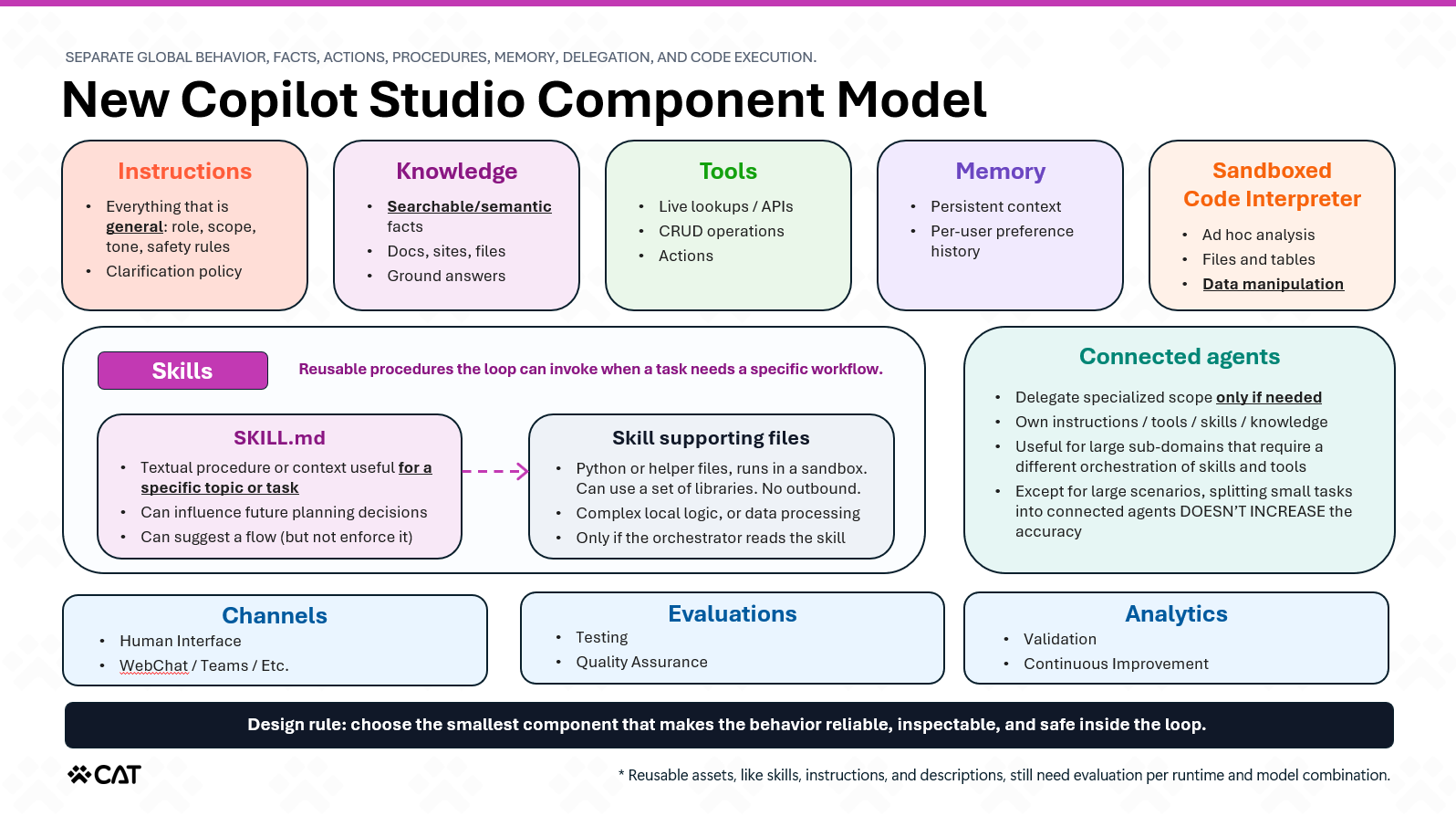 A slide from the Technical Deep Dive deck showing the new component model: instructions, knowledge, tools, memory, Skills, and connected agents each with their own job.
See it: the mini-site and samples
Use it when you’re ready to move from “I get the slide” to “show me it running.” Open the technical guide mini-site, read the building blocks, run the scenario transcripts, then download the solution and deploy it into your own Power Platform environment.
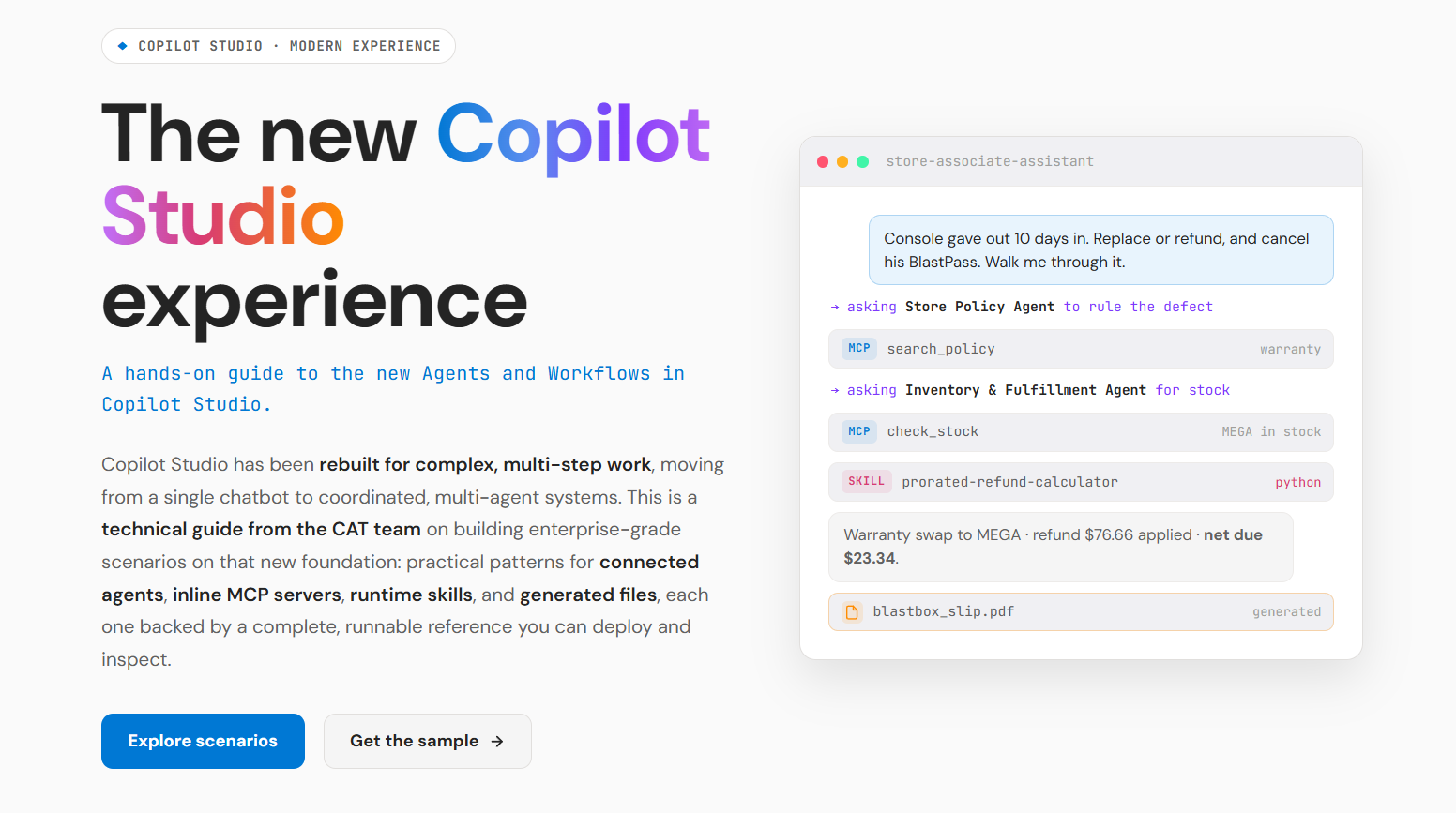 The mini-site homepage, built around the BlastBox Omega sample and its two scenarios.
It’s a real, deployable sample, not screenshots with a story. BlastBox Omega, a retro-future game store run by agents, shows what the harness makes possible, things a slide can only promise: agents that reason across multiple turns, delegate to specialists, take real actions, and produce actual deliverables. Its two scenarios make that concrete:
- Self-Serve Card Reissue — an agent handles a member request end to end, gating a real write action behind an identity check and handing back a generated file.
- Block Party Trade-Up — the flagship, where a parent agent coordinates specialist agents to untangle a messy, multi-part request and settle it with a downloadable document.
The value is seeing where each responsibility lives: specialist reasoning in connected agents, actions in tools, repeatable procedures in Skills, exact math in code. That’s the real lesson. An agent shouldn’t be one instruction blob with 43 tools and a prayer.
Upgrade it: the Copilot Studio plugin
Use it when you have a Standard-harness agent and want a head start on the GitHub Copilot harness. Install the Copilot Studio plugin for AI coding agents, then send /migrate with the agent’s environment, tenant, and Copilot Studio URL plus any constraints. It pulls the existing agent, analyzes its structure, proposes a new architecture, and builds an upgraded agent you can test. (Same local-first idea as the earlier Claude Code plugin demo, now with support for the harness.)
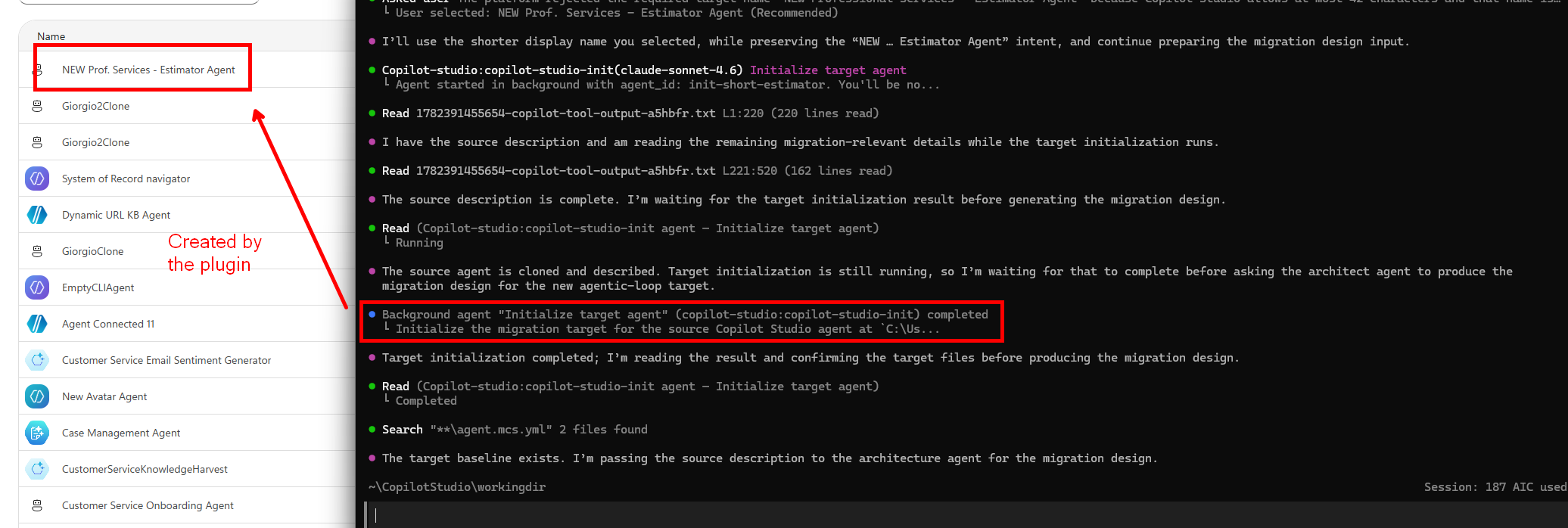 The plugin analyzes a Standard-harness agent, proposes a new architecture, and generates an upgraded agent for testing.
Starter prompt:
/mcs-assistant:migrate Upgrade this agent to the GitHub Copilot harness: https://copilotstudio.microsoft.com/environments/<ENV_ID>/bots/<BOT_ID> from tenant <TENANT_ID>. Use a capable AI model.
The key word is propose. It performed well in testing, but it’s a fast assistant, not a “make my architecture correct” button. Don’t turn every topic into a Skill and every variable into memory just because they existed, that’s archaeology with YAML. Understand the task, keep the outcomes that must work, map each responsibility to the right component, then run evals against the core journeys.
Treat the output as a first draft: run it, inspect it, compare against your old evals, decide if it’s good enough.
Extend it: the CAT Agent Skills gallery
Use it when you’d rather reuse a Skill than write one from scratch. Skills are where situational procedures live, and you don’t have to author every one yourself. The CAT Agent Skills gallery is a community collection of reusable Skills for AI agents, each a drop-in SKILL.md (some with script bundles) you can add to a Copilot Studio agent and adapt.
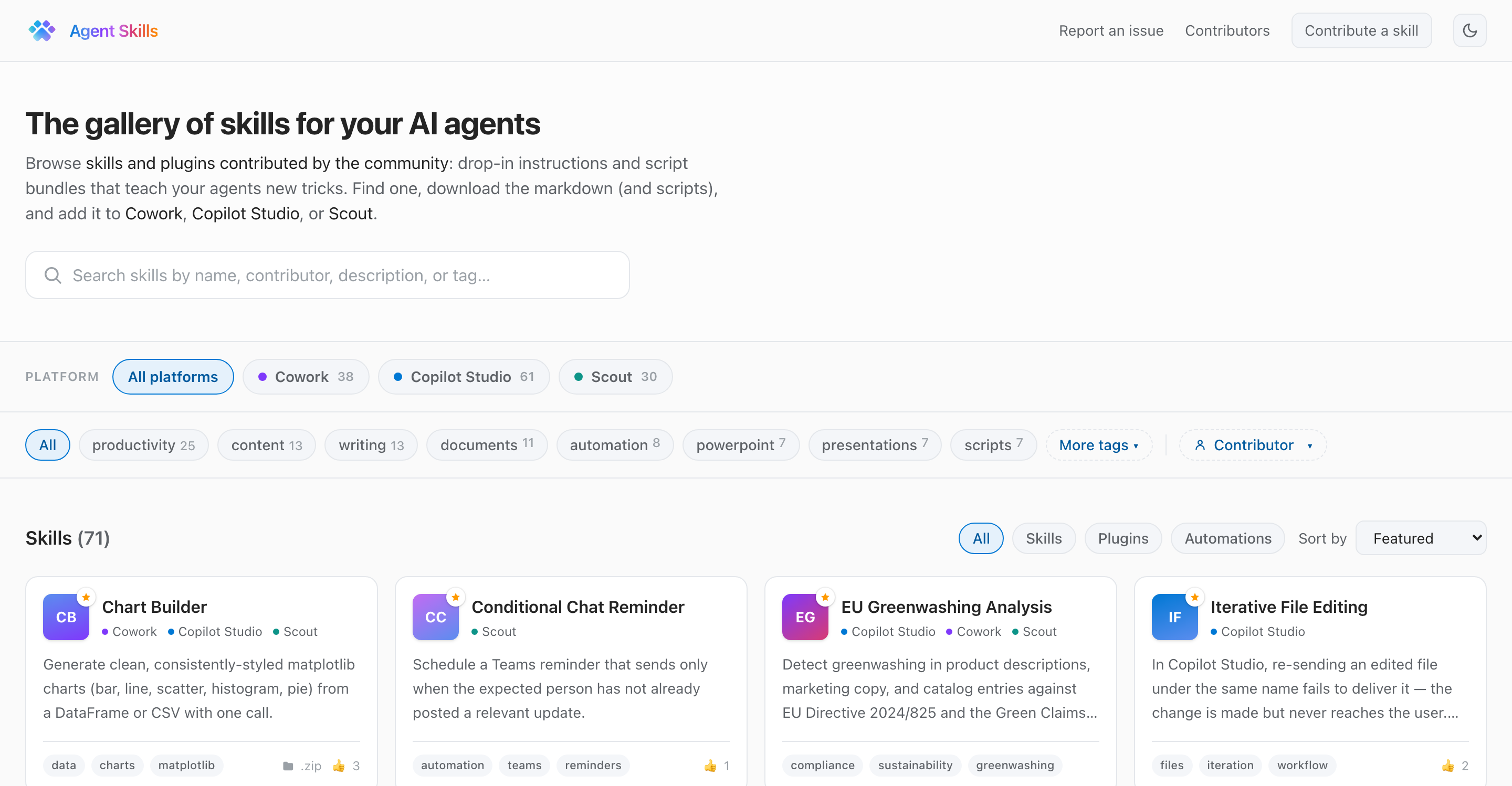 The CAT Agent Skills gallery: an infinite-scroll grid of reusable Skills you can search, filter by platform, and download.
Filter to Copilot Studio, open any card to read what the Skill does, and pull its SKILL.md straight into an agent. It’s the fastest way to add a capability someone’s already built and tested, and a working template for the Skills you’ll write yourself.
That’s the on-ramp
The harness is a different mental model, not just a new UI, and that can feel like a lot. So CAT turned it into four steps: deck to get the concepts, mini-site to see them run, plugin to try them on a real agent, and the skills gallery to extend what you build with Skills you don’t have to write. We got you.
Tried the samples or the plugin’s upgrade workflow? We’d love to hear what surprised you, and whether the proposed architecture matched how you’d have redesigned the agent.