Task 04: Ensure that users can author agent
Description
You’ll create a security group named CopilotStudio-Authors in Microsoft Entra and then configure Power Platform admin center to designate that group as the set of permitted Copilot Studio authors. This ensures that the maker account used in later exercises can successfully provision cloud PC pools.
Success criteria
- You created a security group named CopilotStudio-Authors with Security type in Microsoft Entra admin center.
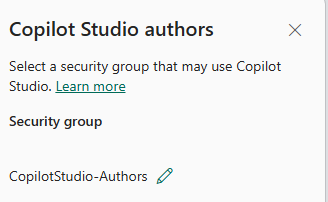
- You confirmed the CopilotStudio-Authors group appears in the Copilot Studio authors setting in Power Platform admin center Tenant settings.
01: Create a security group
In this section, you create a security group for all Copilot Studio authors (makers).
-
Open an InPrivate browser session in Microsoft Edge and go to
https://entra.microsoft.com/. The Microsoft Entra Home page displays. -
Sign in by using the administrative credentials for your tenant.
-
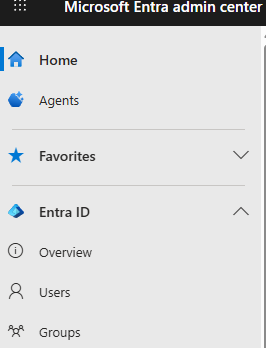
In the left pane, select Groups.
-
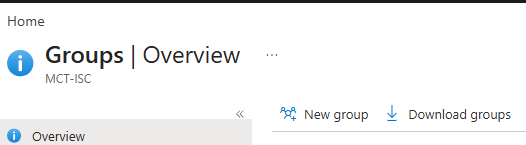
On the command bar, select New group.
-
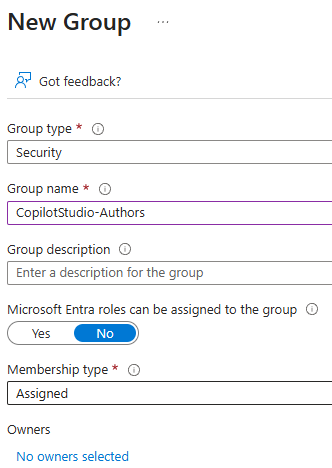
Configure the fields by using the information from the following table and then select Create.
Field Value Group type Security Group name CopilotStudio-Authors -
In the Owners section, select No owners selected.
-
Select an account that has administrator permissions and then select Select.
-
On the New group page, select Create.
02: Ensure that users can author agents
In this section, you configure Power Platform admin center settings to ensure that members of the security group can author agents.
Existing publicly available documentation does not list configuring authoring permissions as a requirement, but other documentation suggests that doing so increases the likelihood of cloud PC pools provisioning correctly.
-
Open an InPrivate browser session in Microsoft Edge and go to
https://admin.powerplatform.microsoft.com/. The Power Platform admin center Home page displays. -
Sign in by using the administrative credentials for your tenant.
-
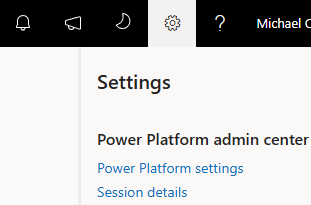
At the top of the page, select Settings (the Gear icon).

-
In the Settings pane, select Power Platform settings.
-
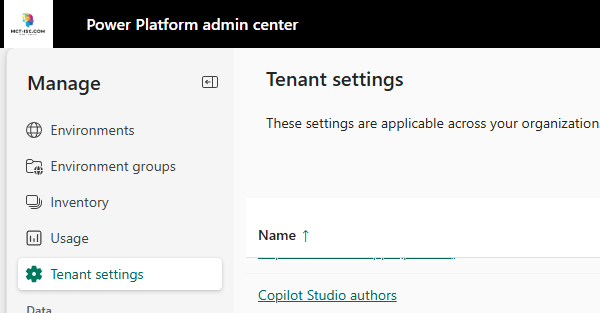
On the Tenant settings page, locate and select Copilot Studio authors.
-
In the Copilot Studio authors pane, ensure that the CopilotStudio-Authors security group is listed.