

Microsoft Graph Send Mail Action
Microsoft Graph Send Mail Action
Fixed/Implemented in version: 0.241.179
Related config.py version update: application/single_app/config.py is 0.241.179 for this implementation.
Overview
The Microsoft Graph action can now create or send email from the signed-in user’s mailbox. The action supports manual drafts, delayed-delivery drafts, and automatic sends while keeping configuration scoped to the existing Microsoft Graph action setup.
From the action configuration point of view, users add or edit a Microsoft Graph action from the normal action modal, enable the Send mail capability, and choose how mail should be delivered before assigning that action to agents.
User Experience
Add or Open a Microsoft Graph Action
Open Personal Workspace or another action management surface, go to Actions, and choose New Action. Select Microsoft Graph to use the built-in delegated Graph action.
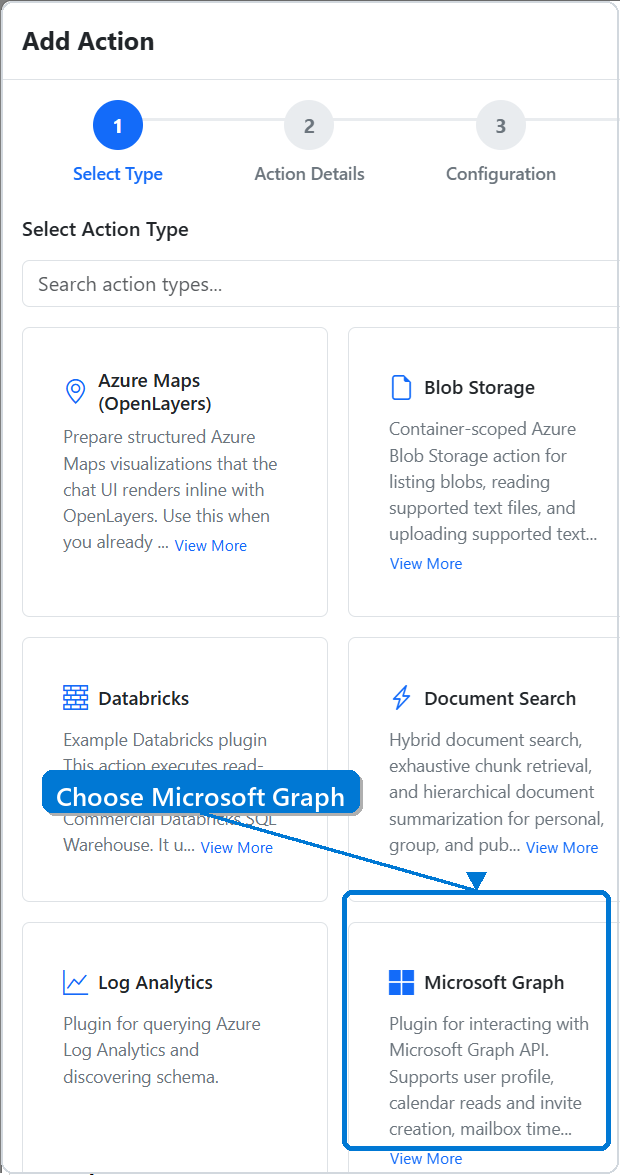
Configure Send Mail
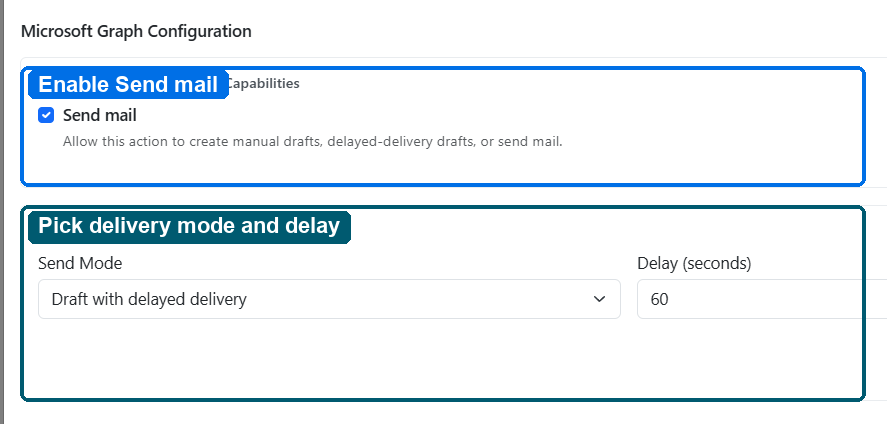
In the Microsoft Graph configuration step, leave Send mail enabled when agents should be able to create drafts or send email. Use the delivery controls nested under Send mail to choose the default send behavior for this action.
Dependencies
- Microsoft Graph delegated user tokens
Mail.ReadWritefor draft creationMail.Sendfor automatic send and delayed draft submission- Existing SimpleChat Microsoft Graph action configuration
Technical Specifications
- Capability key:
send_mail - Runtime function:
MSGraphPlugin.send_mail - Configuration fields:
additionalFields.msgraph_mail_send_modeadditionalFields.msgraph_mail_delay_seconds
- Supported send modes:
draft_manualdraft_delayedauto_send
- Delayed delivery range: 5 to 600 seconds
Usage Instructions
Configure a Microsoft Graph action from the action plugin modal and enable the Send mail capability. Choose the mail delivery mode directly under the capability. For delayed delivery, set a delay from 5 seconds to 600 seconds with the slider.
Supported delivery choices:
- Draft with manual send creates a draft so the user can review and send it manually.
- Draft with delayed send creates and submits a delayed-send draft using the configured delay.
- Auto send sends the message automatically from the signed-in user’s mailbox.
Testing and Validation
- Functional test coverage:
functional_tests/test_msgraph_plugin_operations.py - Runtime overlay coverage:
functional_tests/test_msgraph_agent_action.py - Version reference updated in
application/single_app/config.py
Known Limitations
Delayed delivery relies on Microsoft Graph creating a message draft with Outlook’s deferred-delivery extended property before submitting the draft. Final delivery behavior is governed by Exchange and Outlook mailbox processing.