Challenge 4: Production Workflow
Time: ~20 minutes
Build a multi-agent orchestration workflow for NovaTel Communications and take it to production.
Scenario
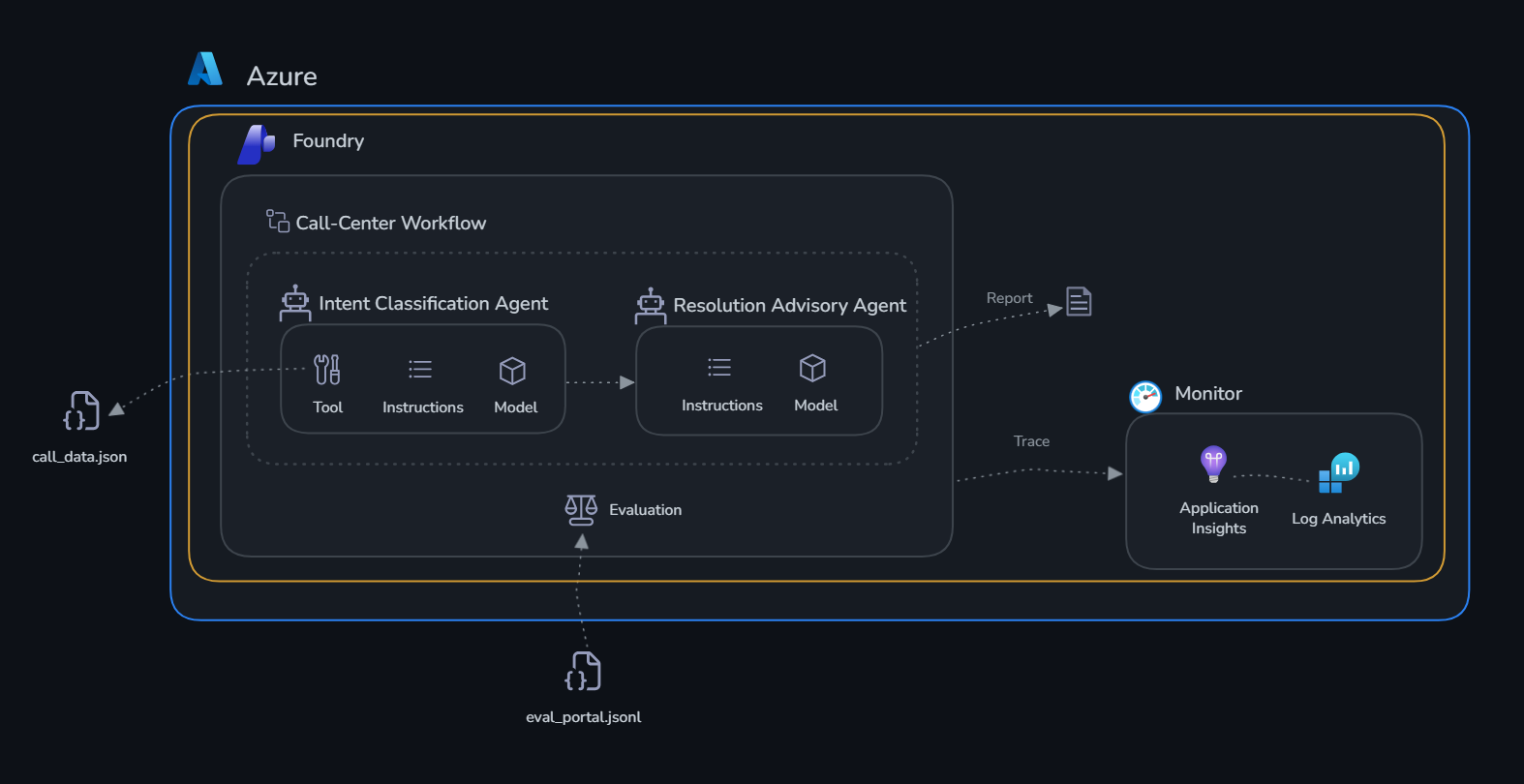
The individual agents you built in Challenge 1 are valuable — but in production, agents need to work together as an automated pipeline. In this challenge you wire the two agents into a full call center triage workflow, run it from code, then build and test it visually in the Foundry portal.
Learning Objectives
- Deploy persistent production agents (create once, reuse forever)
- Orchestrate multiple agents step-by-step in a Python workflow
- Build the same workflow visually in the Foundry portal
- Invoke the portal workflow from Python with live streaming
- View run history and traces in the portal
The Workflow
ensure_agents_deployed()
        |
        v
run_intent_classification()     <-- Intent Agent classifies all 7 calls
        |
        v (for each high-priority call)
run_resolution_advisory()       <-- Resolution Agent recommends actions
        |
        v
print_shift_report()            <-- Consolidated Shift Report
Part 1 — SDK: Build and Run the Python Workflow
Step 1: Review the implementation
Open deploy.py and review:
ensure_agents_deployed()— lists existing agents, createsintent-classification-agentandresolution-advisor-agentif not presentrun_intent_classification()— calls the intent agent, handles thelookup_customerfunction call looprun_resolution_advisory()— calls the resolution agent for each high-priority callrun_call_center_workflow()— orchestrates all steps and returns the consolidated report
Step 2: Run the workflow
Expected output:
=== Step 1: Ensure Agents Are Deployed ===
  Found existing: intent-classification-agent
  Found existing: resolution-advisor-agent

=== Step 2a: Intent Classification ===
  CALL-001: billing_dispute (HIGH) — frustrated, retention risk HIGH
  CALL-002: technical_issue (HIGH) — frustrated, retention risk MEDIUM
  CALL-003: cancellation (HIGH) — neutral, retention risk HIGH
  CALL-004: upsell_opportunity (MEDIUM) — positive, retention risk LOW
  CALL-005: account_support (LOW) — frustrated, retention risk LOW
  CALL-006: billing_dispute (HIGH) — frustrated, retention risk MEDIUM
  CALL-007: security_concern (CRITICAL) — anxious, retention risk MEDIUM

=== Step 2b: Resolution Advisory (High-Priority Calls) ===
  Resolving CALL-007 (security_concern)...
  Resolving CALL-001 (billing_dispute)...
  Resolving CALL-003 (cancellation)...

NOVATEL CALL CENTER — SHIFT REPORT
  Total calls processed  : 7
  Critical priority      : 1
  High priority          : 2
  ...
Part 2 — Portal: Build and Test the Visual Workflow
Step 3: Verify agents are deployed in the portal
- Open the Microsoft Foundry portal
- Select your project
- Select Build → Agents in the top bar
- Confirm both agents appear:
intent-classification-agentresolution-advisor-agent
Step 4: Build the workflow in the portal designer
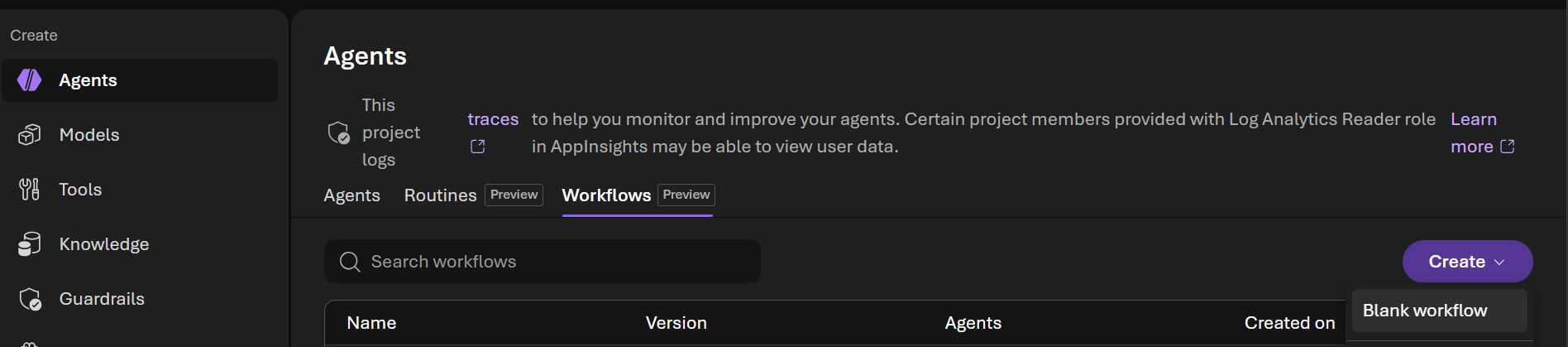
- Select Build → Agents → Workflows
- Notice that the workflow created using the SDK in Part 1 is listed. Let's create a new workflow by selecting Create → Blank workflow
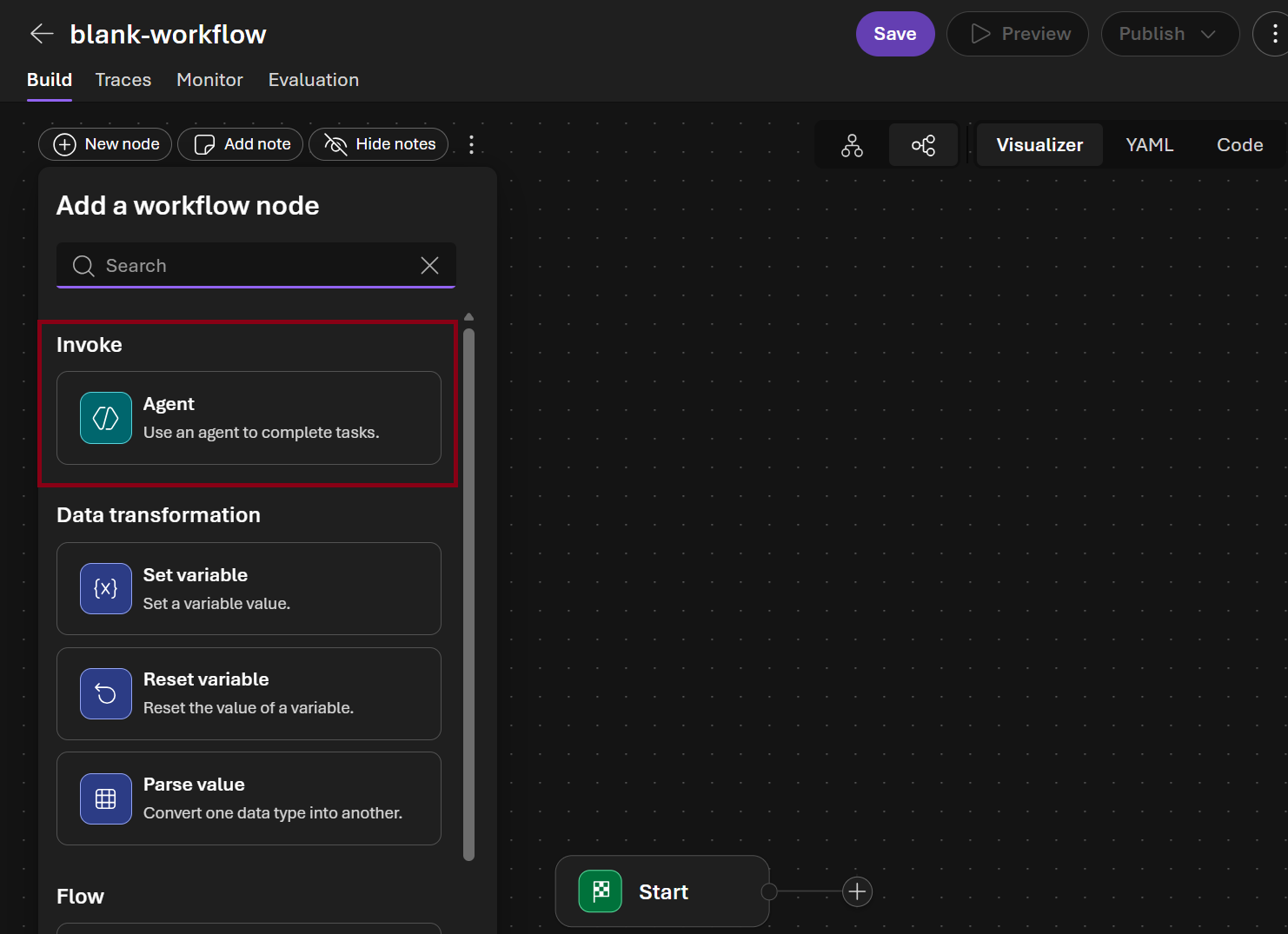
- In the visual designer Add a workflow node dialog choose Agent
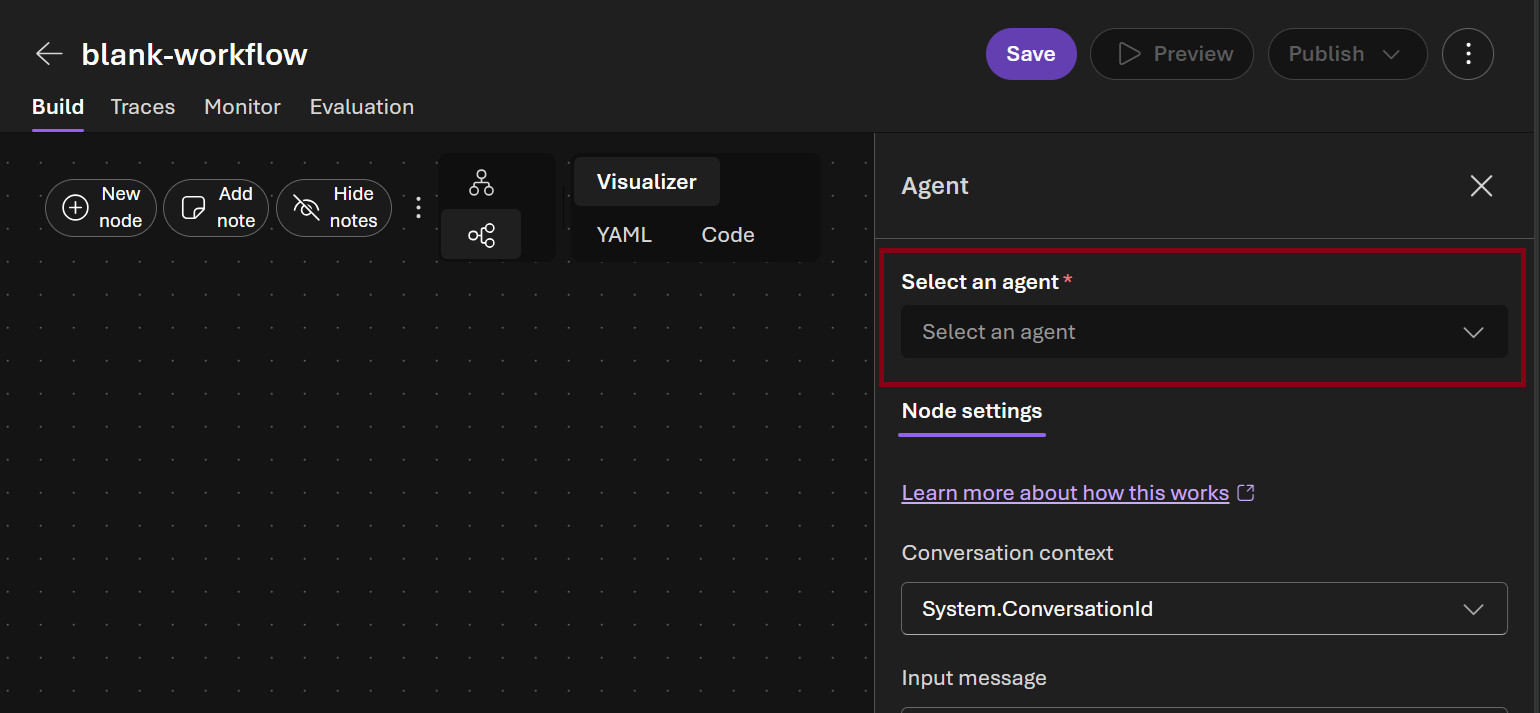
- In the Select an agent picker select
intent-classification-agent
-
In the Next node picker select Agent and click Done button \
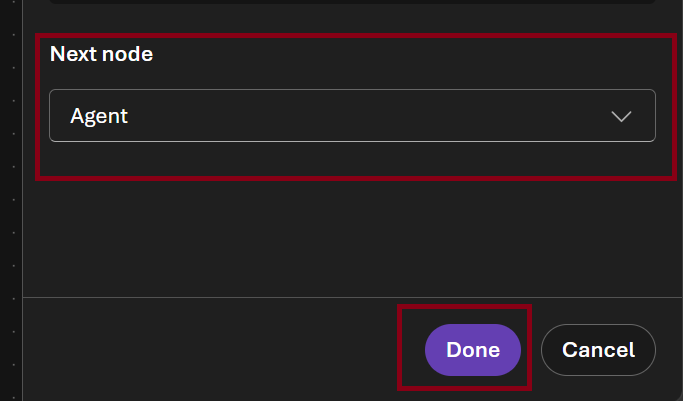
-
Select the new agent node in the canvas and in the Select and agent picker select
resolution-advisor-agent
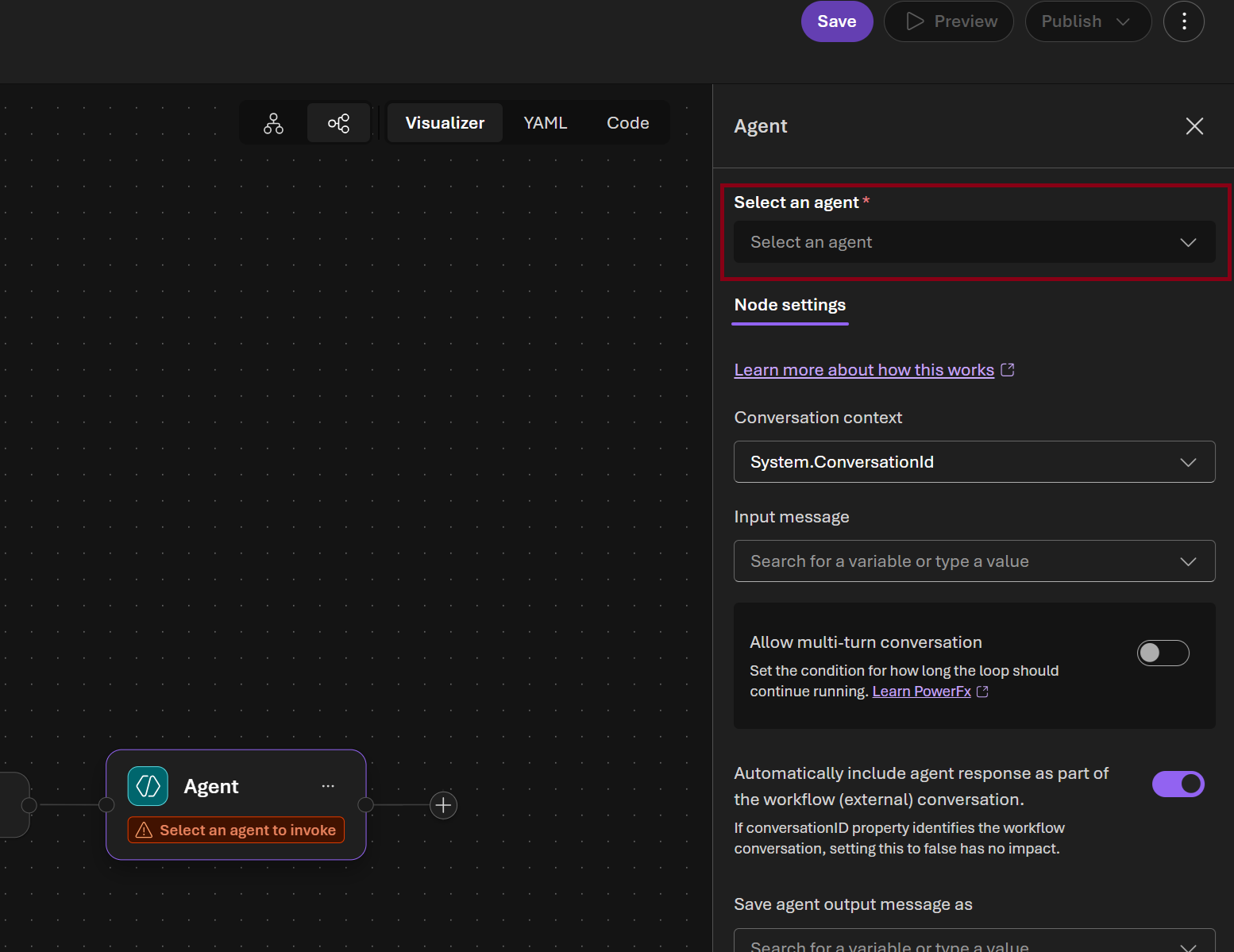
-
In the Next node picker select End and click Done button
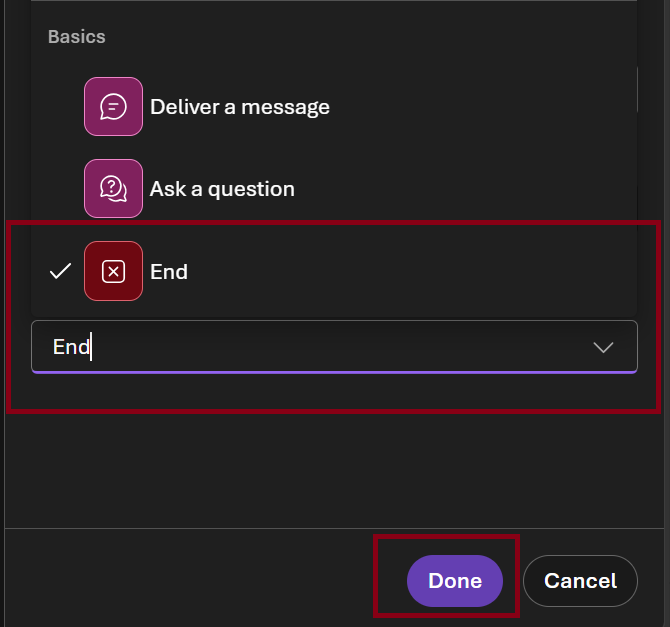
-
Select Save and name it
callcenter-triage-workflow-portal

Step 5: Test the workflow in the portal playground
Why you must include the call data in your message
The agents use a
lookup_customertool that reads from a local Python file. The portal playground cannot execute Python functions — if you send a generic prompt, the agent will try to call the tool and stall waiting for a result that never arrives. Paste the call data directly into your message so the agents can work without needing the tool.
- Open callcenter-triage-workflow-portal → Preview

- Paste the following message (data is pre-embedded so no tool calls are needed):
All call data for today is below — analyse it directly, do not call lookup_customer.

CALL-001 | Maria Gonzalez | premium | 36 months
Unexpected $47.99 charge for sports add-on she never subscribed to. Wants refund, threatening to cancel.

CALL-002 | James Liu | basic | 4 months
Internet dropping every 20-30 minutes since yesterday. Works from home, presentation tomorrow. 1 open ticket.

CALL-003 | Priya Sharma | premium | 18 months
Moving to city without NovaTel coverage, wants to cancel. Asking about ETF and final bill.

CALL-004 | Robert Chen | business | 24 months
Wants to expand from 5 to 12 lines for new hires. Asking about bulk pricing and number porting.

CALL-005 | Sarah Mitchell | basic | 60 months
Confused by new app UI — cannot find billing or data usage pages. 2 open tickets.

CALL-006 | David Park | premium | 12 months
Charged $899 for a device returned 3 weeks ago (has FedEx proof of delivery). 1 open ticket.

CALL-007 | Emma Wilson | basic | 8 months
Suspected account breach — unsolicited SMS verification codes, unfamiliar device on account.

Classify each call by intent, priority, sentiment, and retention risk.
Then recommend resolution strategies for high-priority and security calls.
- Watch the steps execute in sequence — classification first, then resolution advisory
- Review the final consolidated report
Step 6: View run history and traces
- In the callcenter-triage-workflow-portal workflow click Traces
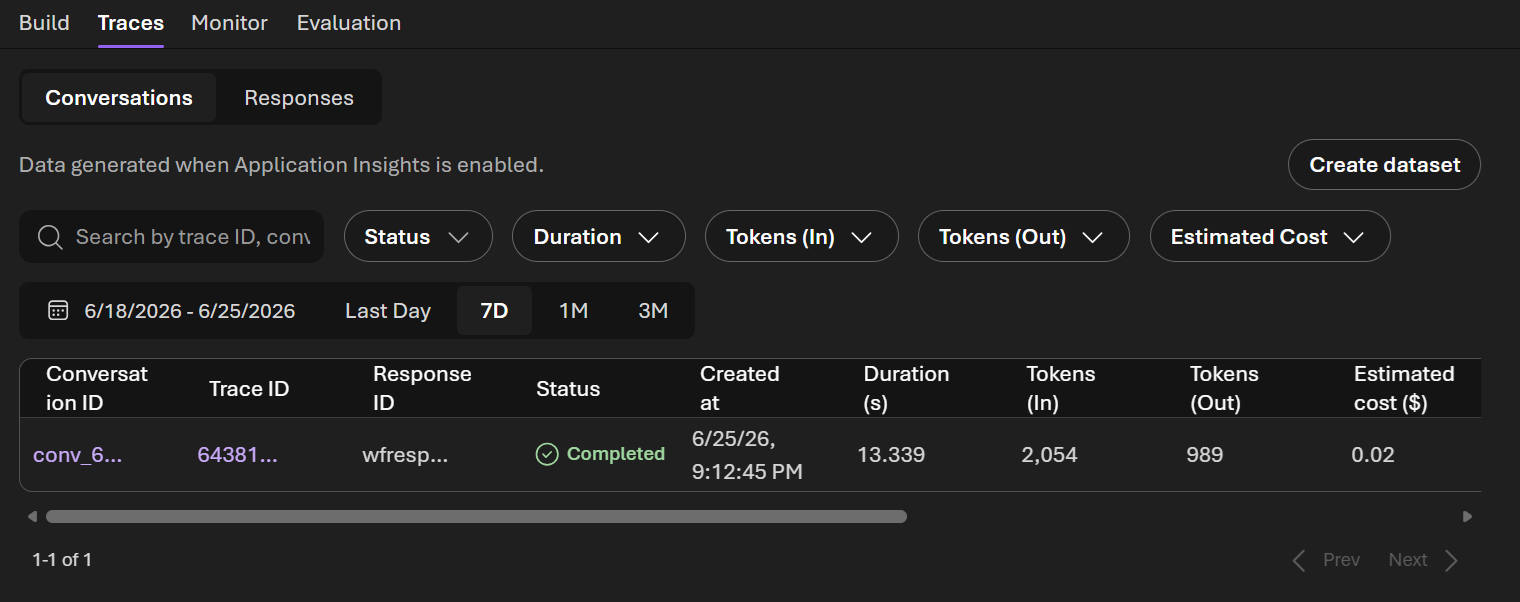
- Click the latest run to see the execution timeline — each step, duration, and output
Success Criteria
- [ ] Python workflow runs end-to-end: classification → resolution → shift report
- [ ] Both agents visible in the Foundry portal as persistent assets
- [ ] Visual workflow created in the portal and tested in its playground
Beyond the Lab: Production Deployment Options
You've built and tested your agents locally. Here's how to take them to production:
Option 1: Hosted Agents (What You Already Have)
Your agents created with agents.create_version() are already production-ready hosted agents. They live in Foundry indefinitely — any client can invoke them by name via the Responses API. No infrastructure to manage; Foundry handles scaling, versioning, and availability.
- Versioning: Each
create_version()produces an immutable version. Roll back by referencing an older version. - Multi-tenant: Multiple users/apps can call the same agent simultaneously.
- Portal visibility: Agents appear under Build → Agents with playground, run history, and tracing.
Option 2: Foundry Workflows (Visual Orchestration)
What you built in Part 2 — wire multiple hosted agents into a DAG using the portal designer. The workflow becomes a deployable agent invoked via the same Responses API.
- Step sequencing with automatic output passing
- Streaming
workflow_actionevents showing progress - Run history with per-step timing
Option 3: Azure App Service / Container Apps
Wrap your Python workflow in a FastAPI/Flask app for custom middleware, auth, or business logic:
# Example: FastAPI endpoint that calls your Foundry agents
@app.post("/triage-calls")
async def triage_calls():
    report = run_call_center_workflow(intent_agent, resolution_agent)
    return report
Deploy to App Service (managed PaaS) or Container Apps (auto-scaling containers).
Option 4: Azure Functions (Event-Driven)
Trigger agent workflows from events:
- Service Bus trigger: Classify and resolve each call as it enters the queue
- Timer trigger: Generate shift reports every hour during business hours
- HTTP trigger: On-demand endpoint for supervisors to request triage updates
Pay-per-execution, scales to zero when idle.
Option 5: CI/CD Quality Gates
Integrate evaluation into your deployment pipeline:
- Run
evaluate.pyon every PR — block merge if quality drops below threshold - Promote agent versions:
v1-dev→v1-staging→v1-prodafter evaluation passes - Blue/green: Deploy new version to 10% traffic, compare metrics, then promote
Summary
| Pattern | Best For |
|---|---|
| Hosted Agents | Always-on, invoke by name, no infra management |
| Foundry Workflows | Multi-agent orchestration without code |
| App Service / Containers | Custom auth, middleware, webhooks |
| Azure Functions | Event-driven, pay-per-use, queue processing |
| CI/CD Gates | Automated quality assurance before promotion |