Challenge 4: Production Workflow
Time: ~20 minutes
Build a multi-agent orchestration workflow for TireForge Industries and take it to production.
Scenario
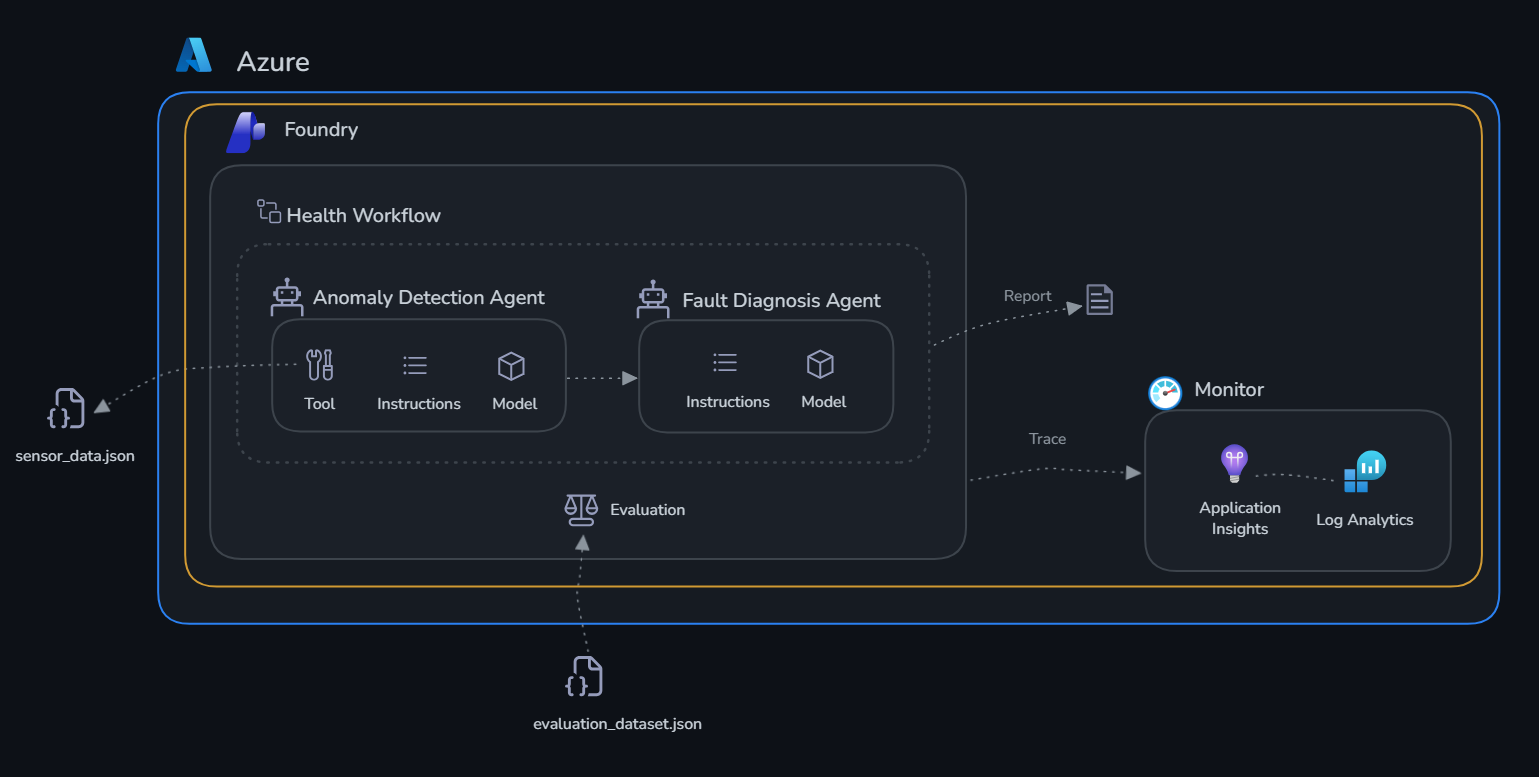
The individual agents you built in Challenge 1 are valuable — but in production, agents need to work together as an automated pipeline. In this challenge you wire the two agents into a full factory health workflow, run it from code, then build and test it visually in the Foundry portal.
Learning Objectives
- Deploy persistent production agents (create once, reuse forever)
- Orchestrate multiple agents step-by-step in a Python workflow
- Build the same workflow visually in the Foundry portal
- Invoke the portal workflow from Python with live streaming
- View run history and traces in the portal
The Workflow
ensure_agents_deployed()
        |
        v
run_anomaly_scan()          <-- Anomaly Detection Agent checks all 5 machines
        |
        v (for each machine with anomalies)
run_fault_diagnosis()       <-- Fault Diagnosis Agent diagnoses root cause
        |
        v
print_factory_report()      <-- Consolidated Health Report
Part 1 — SDK: Build and Run the Python Workflow
Step 1: Review the implementation
Open deploy.py and review:
ensure_agents_deployed()— lists existing agents, createsanomaly-detection-agentandfault-diagnosis-agentif not presentrun_anomaly_scan()— calls the anomaly agent, handles thecheck_thresholdsfunction call looprun_fault_diagnosis()— calls the diagnosis agent for each affected machinerun_factory_health_workflow()— orchestrates all steps and returns the consolidated report
Step 2: Run the workflow
Expected output:
=== Step 1: Ensure Agents Are Deployed ===
  Found existing: anomaly-detection-agent
  Found existing: fault-diagnosis-agent

=== Step 2a: Anomaly Scan ===
  CP-003 CRITICAL: vibration 143% above max, pressure 13.8% above max, temperature 10.3% above max
  MX-001 WARNING: vibration 6.7% above max, temperature 2.6% above max
  IS-005 WARNING: vibration 30% above max
  ...

=== Step 2b: Fault Diagnosis ===
  Diagnosing CP-003...
  Diagnosing MX-001...
  Diagnosing IS-005...

TIREFORGE FACTORY HEALTH REPORT
  Machines checked   : 5
  Machines affected  : 2
  ...
Part 2 — Portal: Build and Test the Visual Workflow
Step 3: Verify agents are deployed in the portal
- Open the Microsoft Foundry portal
- Select your project
- Select Build → Agents in the top bar
- Confirm both agents appear:
anomaly-detection-agentfault-diagnosis-agent
Step 4: Build the workflow in the portal designer
- Select Build → Agents → Workflows
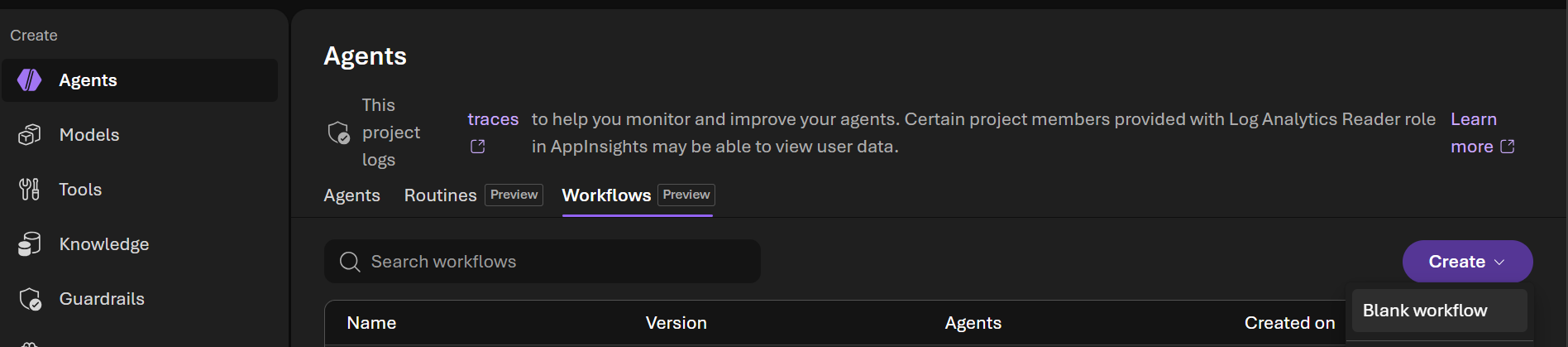
- Notice that the workflow created using the SDK in Part 1 is listed. Let's create a new workflow by selecting Create → Blank workflow
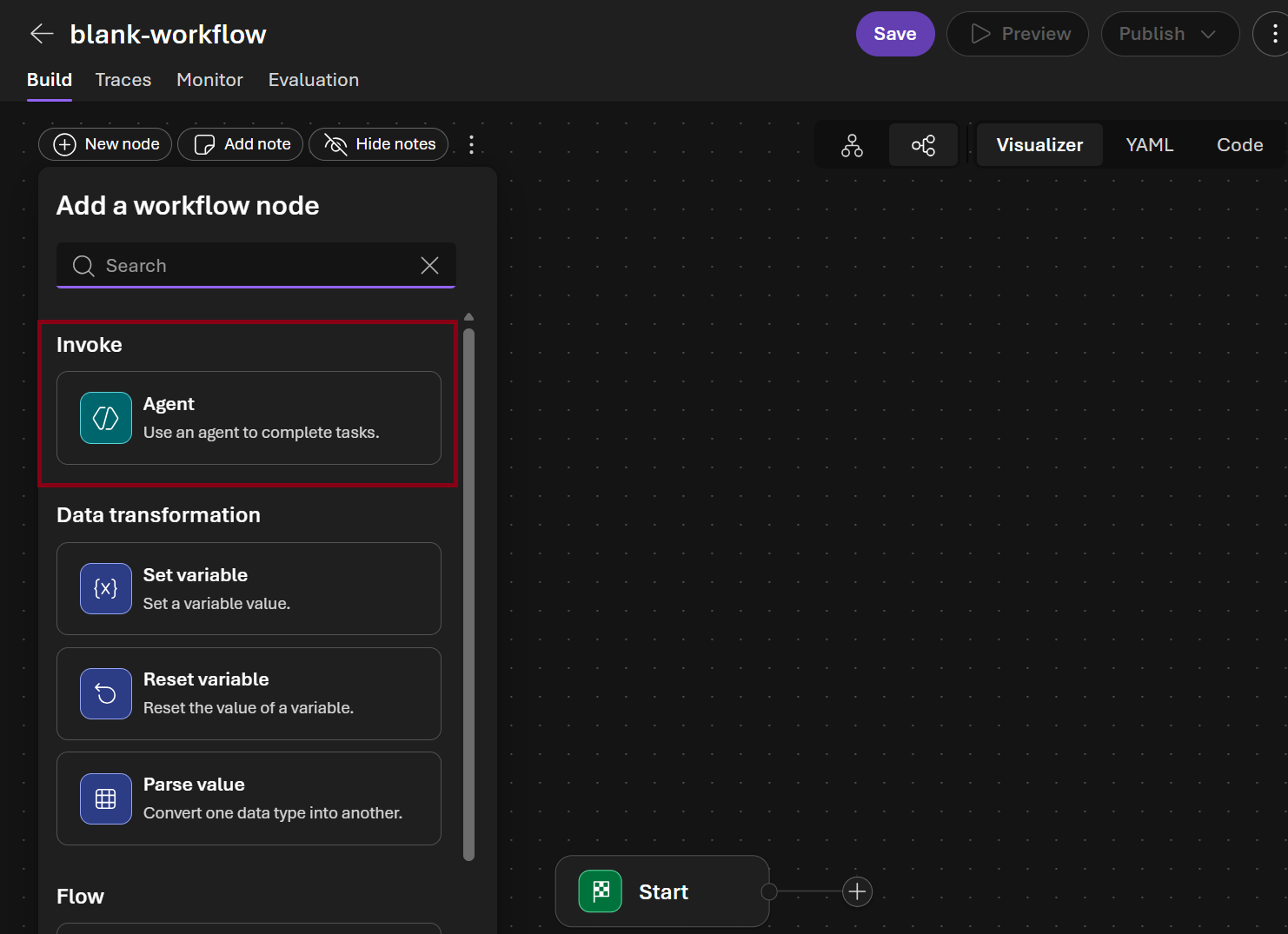
- In the visual designer Add a workflow node dialog choose Agent
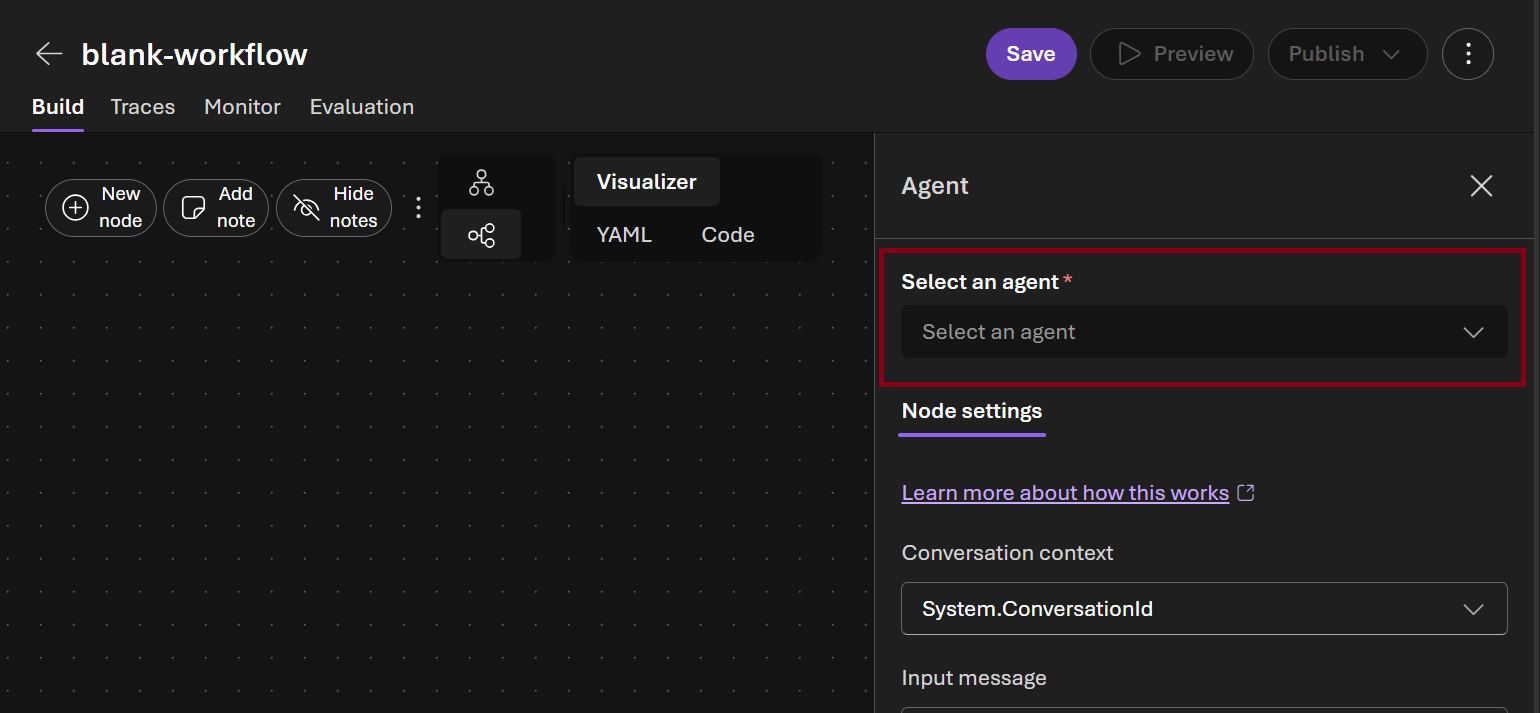
- In the Select an agent picker select
anomaly-detection-agent
-
In the Next node picker select Agent and click Done button \
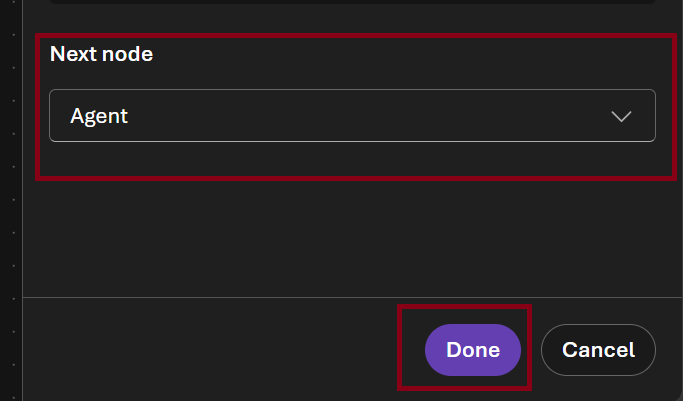
-
Select the new agent node in the canvas and in the Select and agent picker select
fault-diagnosis-agent
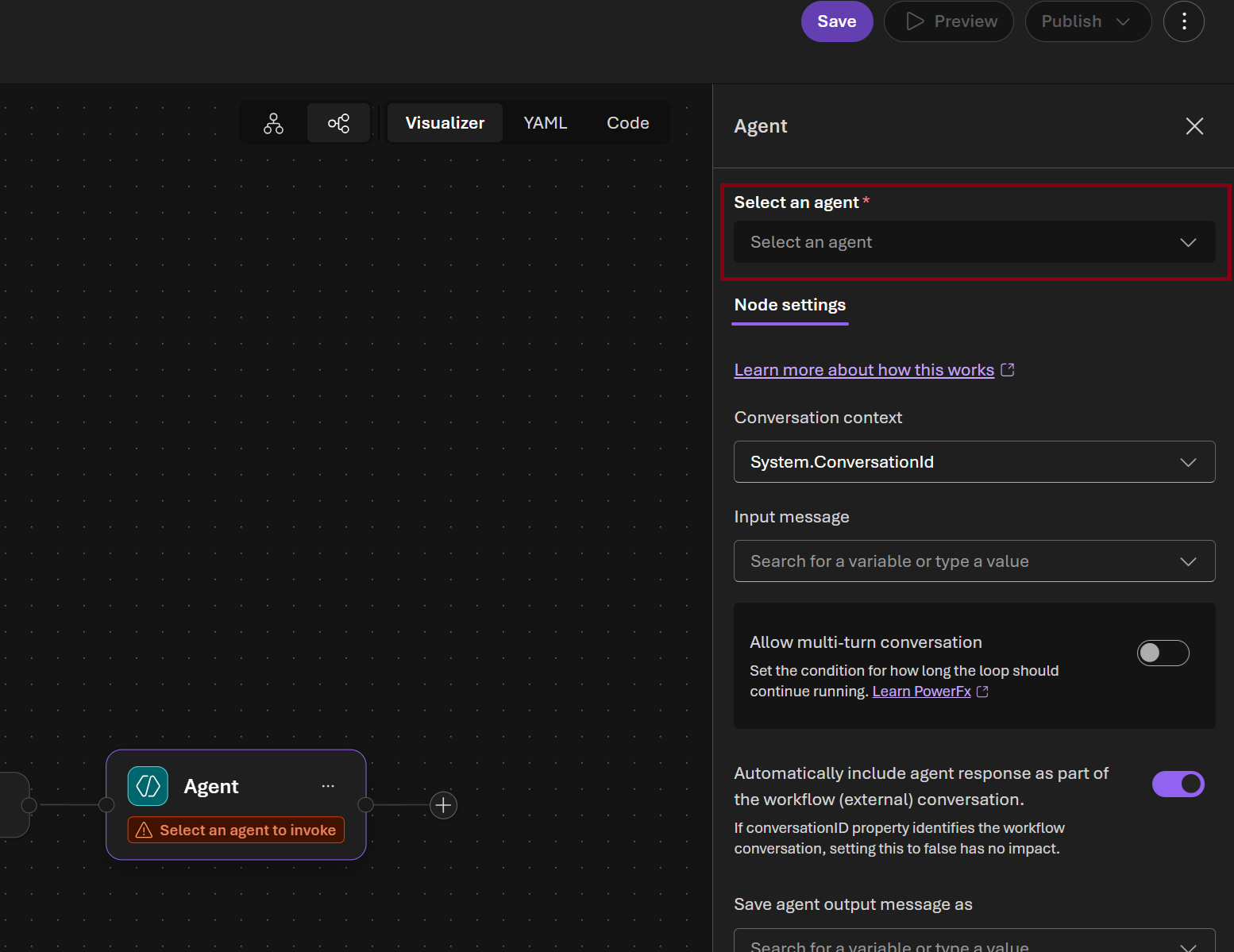
-
In the Next node picker select End and click Done button
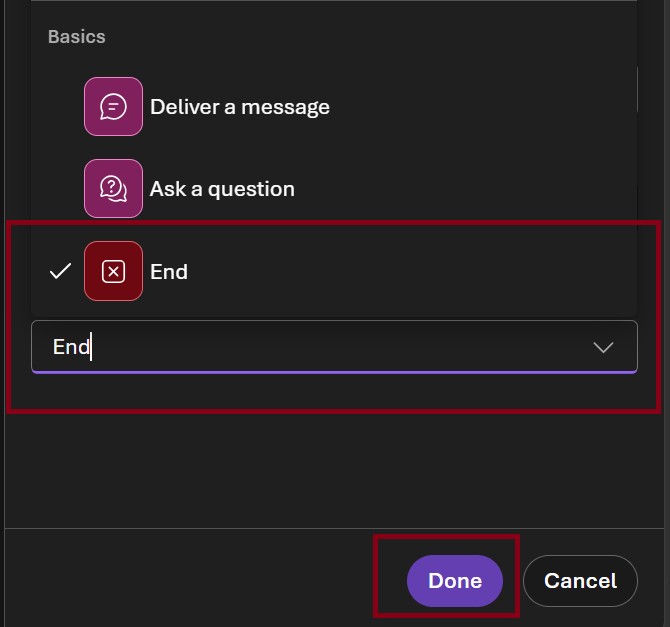
-
Select Save and name it
factory-health-workflow-portal

Step 5: Test the workflow in the portal playground
Why you must include the sensor data in your message
The agents use a
check_thresholdstool that reads from a local Python file. The portal playground cannot execute Python functions — if you send a generic prompt, the agent will try to call the tool and stall waiting for a result that never arrives. Paste the sensor readings directly into your message so the agents can work without needing the tool.
- In the factory-health-workflow-portal workflow canvas select Preview

- Paste the following message (data is pre-embedded so no tool calls are needed):
All sensor readings for today are below — analyse them directly, do not call check_thresholds.

MX-001 (mixer) — status: warning
  temperature: 92.3°C  [normal 60–90]  ⚠️ ABOVE MAX
  pressure:     3.1 bar [normal 2.0–4.0]
  vibration:    4.8 mm/s [normal 0–4.5]  ⚠️ ABOVE MAX
  rpm:          58 rpm  [normal 40–65]

EX-002 (extruder) — status: normal
  temperature: 115.0°C [normal 100–130]
  pressure:    12.5 bar [normal 10.0–15.0]
  vibration:    2.1 mm/s [normal 0–3.5]
  rpm:          30 rpm  [normal 20–40]

CP-003 (curing_press) — status: critical
  temperature: 198.5°C [normal 140–180]  🔴 ABOVE MAX
  pressure:    18.2 bar [normal 12.0–16.0]  🔴 ABOVE MAX
  vibration:    7.3 mm/s [normal 0–3.0]  🔴 ABOVE MAX
  rpm:           0 rpm  [normal 0]

CU-004 (cooling_unit) — status: normal
  temperature: 35.2°C  [normal 20–45]
  pressure:     1.0 bar [normal 0.8–1.5]
  vibration:    0.8 mm/s [normal 0–2.0]
  rpm:         120 rpm  [normal 80–150]

IS-005 (inspection_station) — status: warning
  temperature: 28.0°C  [normal 18–30]
  pressure:     1.0 bar [normal 0.8–1.2]
  vibration:    5.2 mm/s [normal 0–4.0]  ⚠️ ABOVE MAX
  rpm:        1800 rpm  [normal 1500–2200]

Detect all anomalies, then diagnose root causes and recommend remediation for affected machines.
- Watch the steps execute in sequence — anomaly scan first, then fault diagnosis
- Review the final consolidated report
Step 6: View run history and traces
- In the factory-health-workflow-portal workflow click Traces
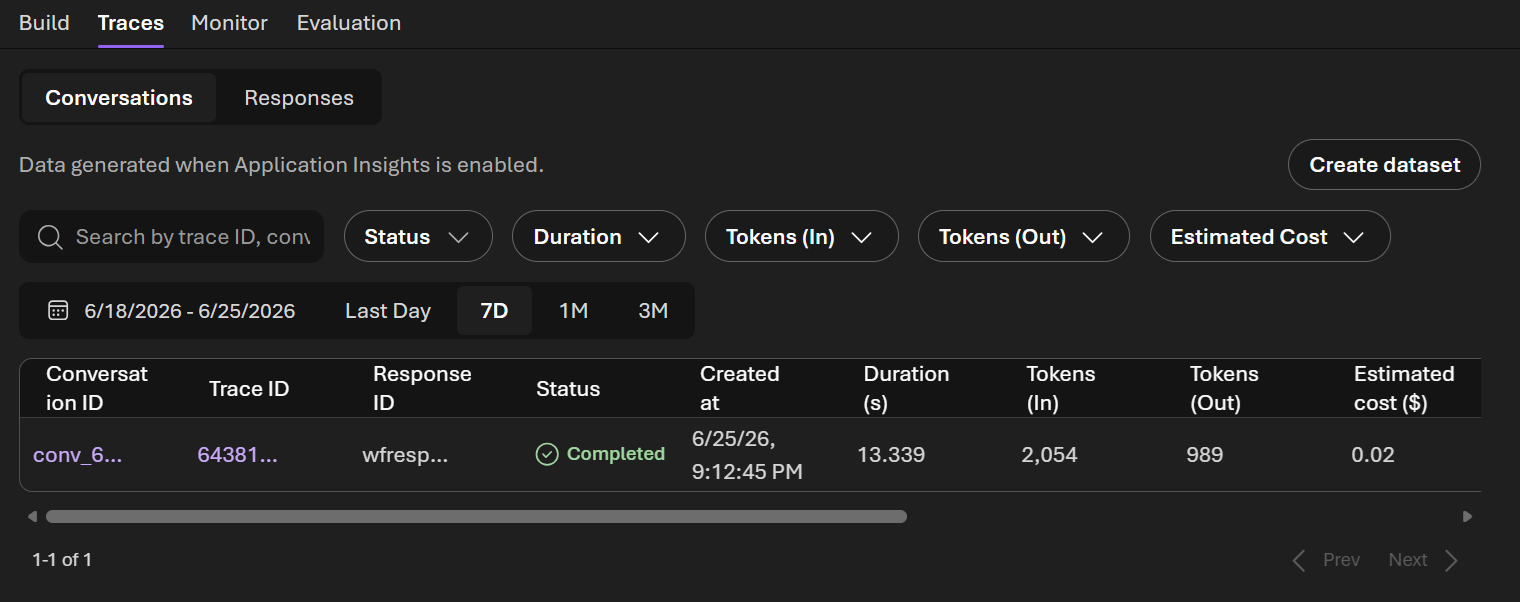
- Click the latest run to see the execution timeline — each step, duration, and output
Success Criteria
- [ ] Python workflow runs end-to-end: anomaly scan → diagnosis → factory health report
- [ ] Both agents visible in the Foundry portal as persistent assets
- [ ] Visual workflow created in the portal and tested in its playground
Beyond the Lab: Production Deployment Options
You've built and tested your agents locally. Here's how to take them to production:
Option 1: Hosted Agents (What You Already Have)
Your agents created with agents.create_version() are already production-ready hosted agents. They live in Foundry indefinitely — any client can invoke them by name via the Responses API. No infrastructure to manage; Foundry handles scaling, versioning, and availability.
- Versioning: Each
create_version()produces an immutable version. Roll back by referencing an older version. - Multi-tenant: Multiple users/apps can call the same agent simultaneously.
- Portal visibility: Agents appear under Build → Agents with playground, run history, and tracing.
Option 2: Foundry Workflows (Visual Orchestration)
What you built in Part 2 — wire multiple hosted agents into a DAG using the portal designer. The workflow becomes a deployable agent invoked via the same Responses API.
- Step sequencing with automatic output passing
- Streaming
workflow_actionevents showing progress - Run history with per-step timing
Option 3: Azure App Service / Container Apps
Wrap your Python workflow in a FastAPI/Flask app for custom middleware, auth, or business logic:
# Example: FastAPI endpoint that calls your Foundry agents
@app.post("/factory-health-check")
async def health_check():
    report = run_factory_health_workflow(anomaly_agent, diagnosis_agent)
    return report
Deploy to App Service (managed PaaS) or Container Apps (auto-scaling containers).
Option 4: Azure Functions (Event-Driven)
Trigger agent workflows from events:
- Timer trigger: Run the factory health check every hour
- Service Bus trigger: Process each anomaly alert as it arrives from IoT Hub
- HTTP trigger: On-demand endpoint for maintenance teams
Pay-per-execution, scales to zero when idle.
Option 5: CI/CD Quality Gates
Integrate evaluation into your deployment pipeline:
- Run
evaluate.pyon every PR — block merge if quality drops below threshold - Promote agent versions:
v1-dev→v1-staging→v1-prodafter evaluation passes - Blue/green: Deploy new version to 10% traffic, compare metrics, then promote
Summary
| Pattern | Best For |
|---|---|
| Hosted Agents | Always-on, invoke by name, no infra management |
| Foundry Workflows | Multi-agent orchestration without code |
| App Service / Containers | Custom auth, middleware, webhooks |
| Azure Functions | Event-driven, pay-per-use, IoT integration |
| CI/CD Gates | Automated quality assurance before promotion |