Task 02: Create AI model deployments
Introduction
To enable AI-driven customer service and content moderation, Adatum requires robust AI models that can process language effectively. By deploying models like gpt-4o-mini for conversation handling and text-embedding-ada-002 for data representation, Adatum can power its AI chatbot and optimize search results based on user queries.
Description
In this task, you’ll deploy the gpt-4o-mini and text-embedding-ada-002 models to your project. These models are necessary for creating an AI-assisted chat application.
Success Criteria
- The gpt-4o-mini model has been deployed.
- The text-embedding-ada-002 model has been deployed.
Learning Resources
Key tasks
01: Deploy gpt-4o-mini and text-embedding-ada-002 models
Expand this section to view the solution
-
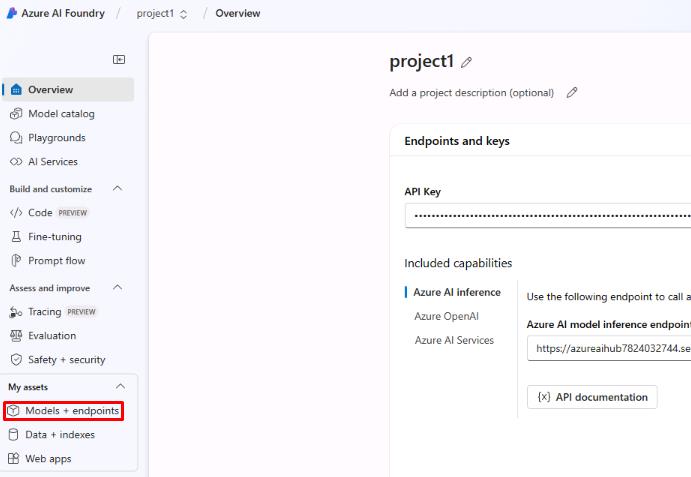
From the Overview tab on the project1 page, select Models + endpoints from the left menu.
-
From the Manage deployments of your models and services page, select + Deploy model and then select Deploy base model.
-
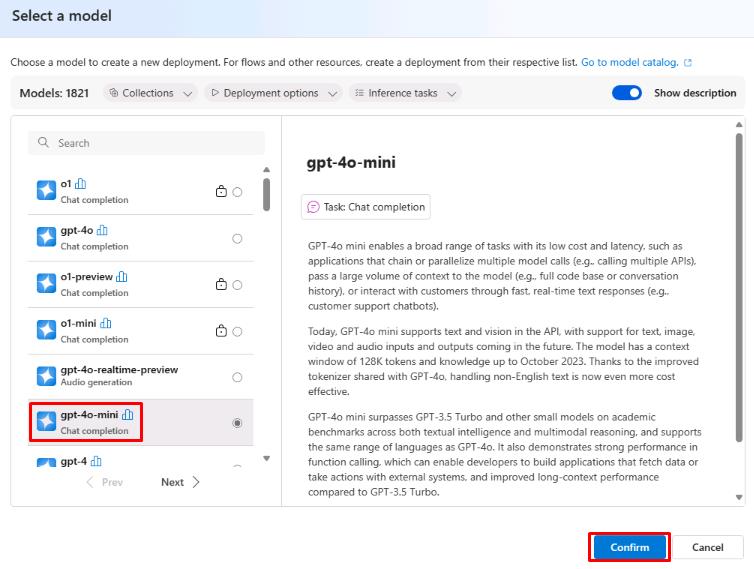
From the Select a model page, select gpt-4o-mini, then select Confirm.
-
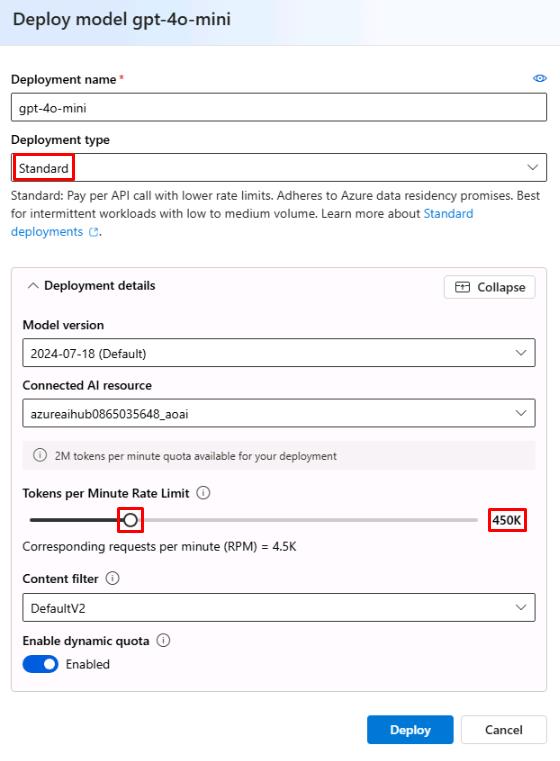
On the Deploy model gpt-4o-mini page, set the Deployment type to Standard.
-
Move the Tokens per Minute Rate Limit slider to around 450K. Leave all other settings as default and select Deploy.
-
Once deployed, select the back button to return to the Manage deployments of your models and services page and deploy another base model.
-
For this one, select text-embedding-ada-002, then select Confirm.

-
Ensure the Deployment type is set to Standard, then select Deploy.
These models will be used later to create a chatbot for querying product data.
You’ve successfully completed this task.