Task 01: Deploy the chatbot
Introduction
Deploying the chatbot enables Adatum to provide seamless AI-powered customer support on its website and mobile platforms. Ensuring a successful deployment is crucial for enhancing user engagement and optimizing response times.
Description
In this task, you’ll deploy the chatbot using the configured chat flow. This deployment will allow real-time customer interactions, enhancing the overall service experience.
Success Criteria
- The chatbot has been successfully deployed.
Learning Resources
Key tasks
01: Deploy the chat flow test
Expand this section to view the solution
-
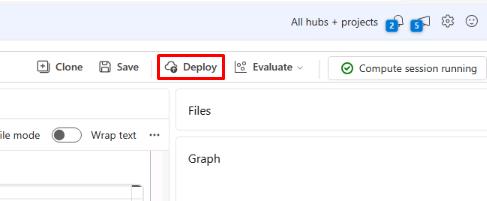
From the chatflow1 page, select Deploy from the top.
-
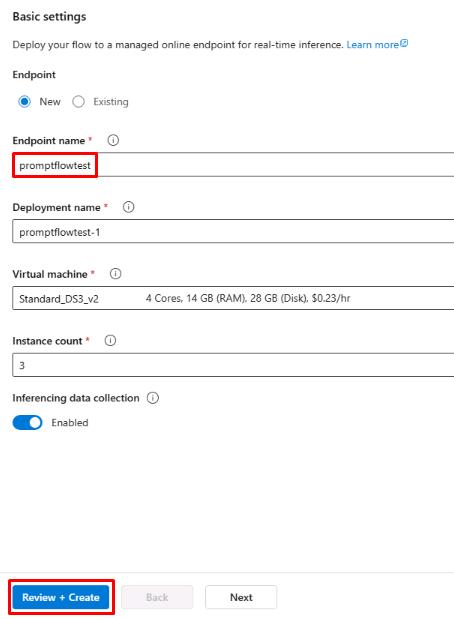
On the Basic settings tab, set the Endpoint name to promptflowtest and leave all other settings as default.
-
Select Review + Create, then select Create.
02: Test the deployed chatflow
Expand this section to view the solution
-
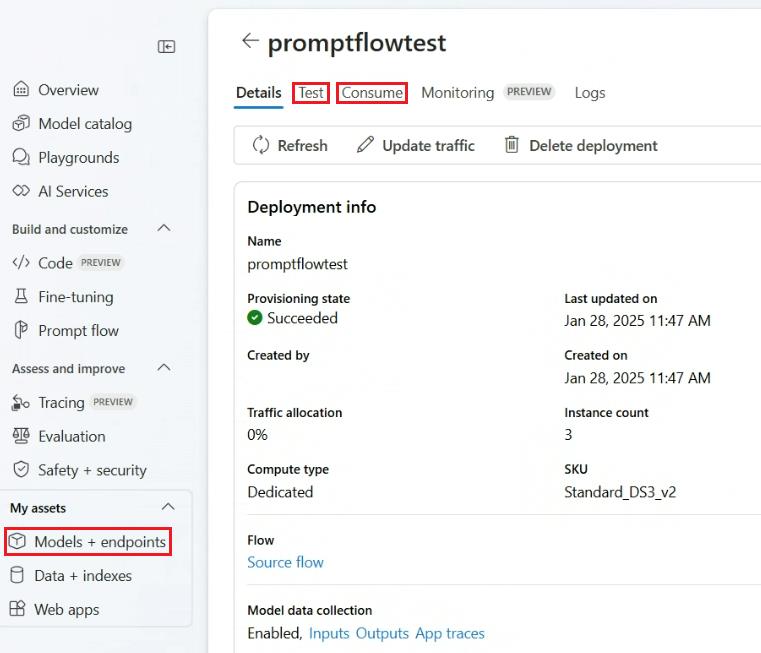
Once the deployment has finished, select Models + endpoints from the left menu and select promptflowtest from the list.
From here, you can access the Test tab to test the chat application from the front end.
-
Use the Test tab to use the chat and run the same query as before:
Show me a list of products.- The response here should be similar to the response when it was run in the chat flow.
-
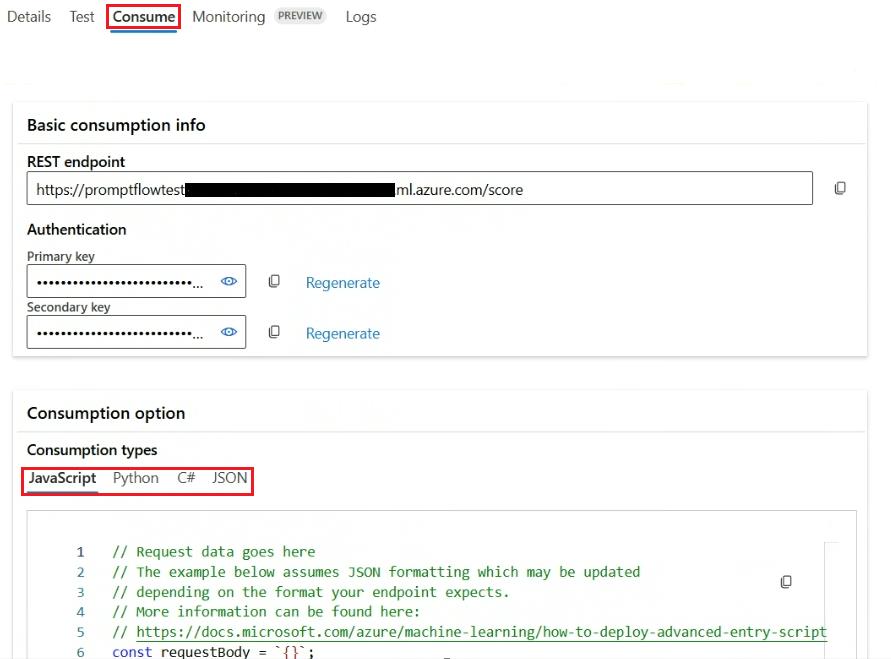
Select the Consume tab at the top of the promptflowtest page.
The Consume tab has information for consuming the endpoint. You can see the endpoint URL, authentication keys, and consumption options for JavaScript, Python, C#, and JSON.
You’ve successfully completed this task and exercise.