Task 03: Evaluate the chat flow
Introduction
Evaluating chatbot interactions ensures that responses align with Adatum’s customer service goals. Using predefined criteria, Adatum can measure and refine chatbot accuracy, relevance, and coherence.
Description
In this task, you’ll assess chatbot performance using key evaluation metrics. By setting up automatic evaluation for Groundedness, Relevance, Coherence, Fluency, and Similarity, Adatum can ensure that the chatbot maintains high-quality interactions and meets user expectations.
Success Criteria
- The flow evaluation is completed successfully.
Learning Resources
Key tasks
01: Set up the automatic evaluation for Groundedness, Relevance, Coherence, Fluency, and Similarity.
Expand this section to view the solution
-
Download the eval.json file HERE.
-
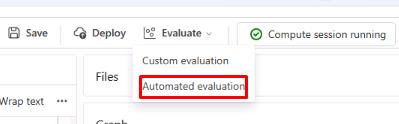
On the chatflow1 page, select Evaluate and then select Automated evaluation.
-
On the Basic information tab, set the Evaluation name to eval1 and select Next.
-
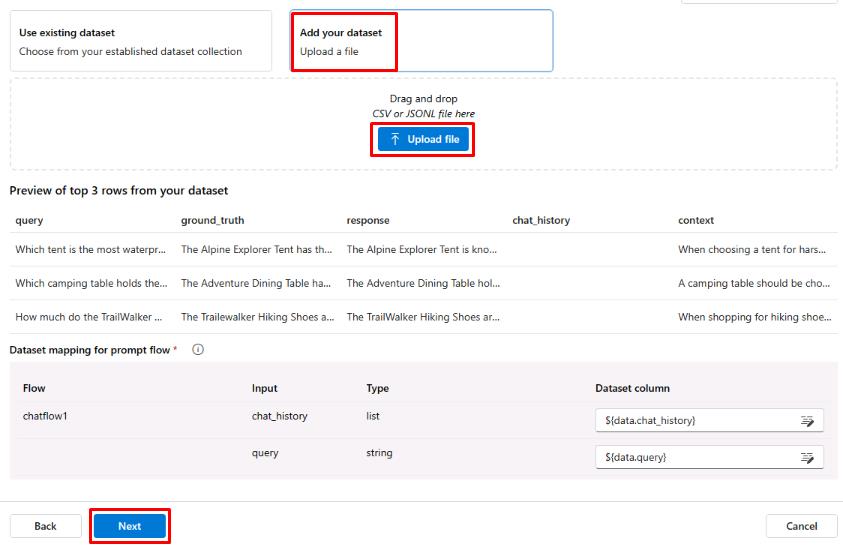
On the Configure test data tab, select + Add your dataset.
-
Select Upload file and select the eval.jsonl file.
-
Once the data loads, ensure the chat_history value is set to ${data.chat_history} and the query value is set to ${data.query}, then select Next.
-
On the Select metrics tab, select the checkboxes for Groundedness, Relevance, Coherence, Fluency, and Similarity.
-
Select your connection from the Connection dropdown menu. The gpt-4o-mini model should be automatically selected.

-
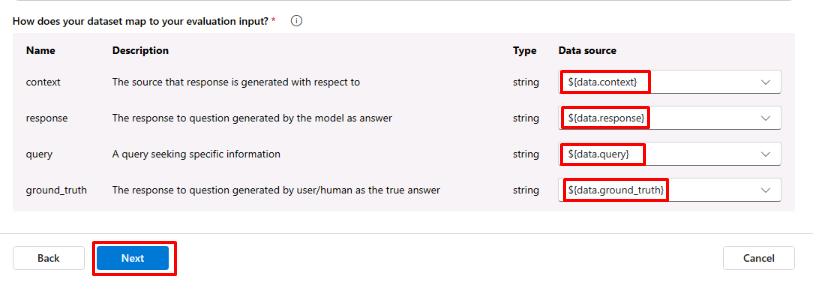
Scroll to the bottom and ensure the data mapping is correct, then select Next:
-
Select Submit and wait for the evaluation to finish.
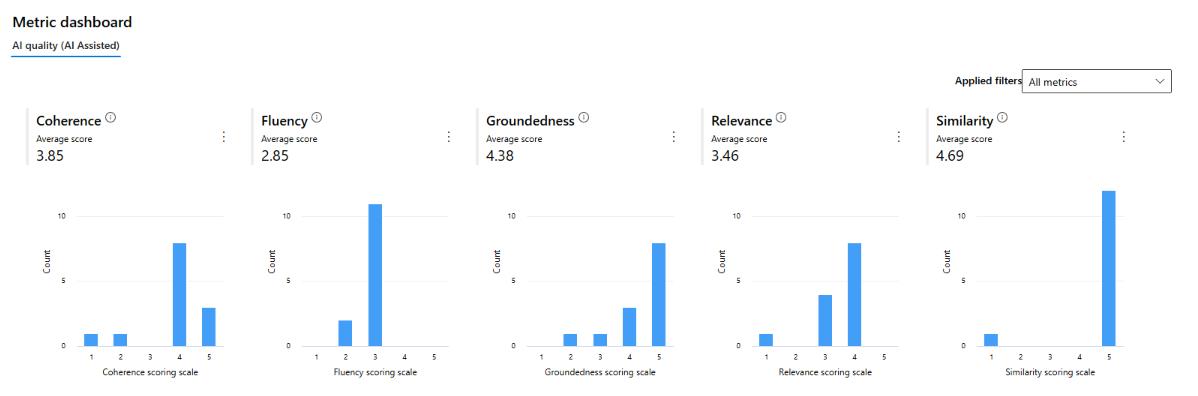
Once the evaluation is finished, you’ll see scores for the metrics that were selected. These scores are based on the chat flow’s response to the test data. You can scroll down to see more detailed information on the metric scores and the reasoning behind those scores.
You’ve successfully completed this task.