Task 01 - Enable GitHub Enterprise
Introduction
Before you can take advantage of security features of GitHub Advanced Security, you will need a GitHub organization tied to GitHub Enterprise. You can enable a 30 day trial that will give you access to these features for the purposes of this training lab.
Description
During this task you will set up GitHub Enterprise for your organization. In a later exercise you will configure GitHub Advanced Security (GHAS).
Success Criteria
- You have configured your GitHub Enterprise account and connected it with your GitHub organization
Learning Resources
Key Tasks
01: Login to your GitHub account
Before you setup GitHub Enterprise, choose the GitHub account you would like to connect to GitHub Enterprise and login to that account.
02: Select or create an organization
You will need an organization to associate your GitHub Enterprise account with.
Review your organizations and determine which organization you would like to associate, otherwise, create a new organization for this lab.
Expand this section for detailed steps
- From your GitHub account select Manage Organizations.
- If you do not see an organization you’d like to associate with a GitHub Enterprise account, select New organization.
- Choose the Free plan for the organization plan. Select Create a free organization.
-
Fill out the form. Consider using the name
Zava Labs <your-github-account-name>to ensure it is unique. Click Next.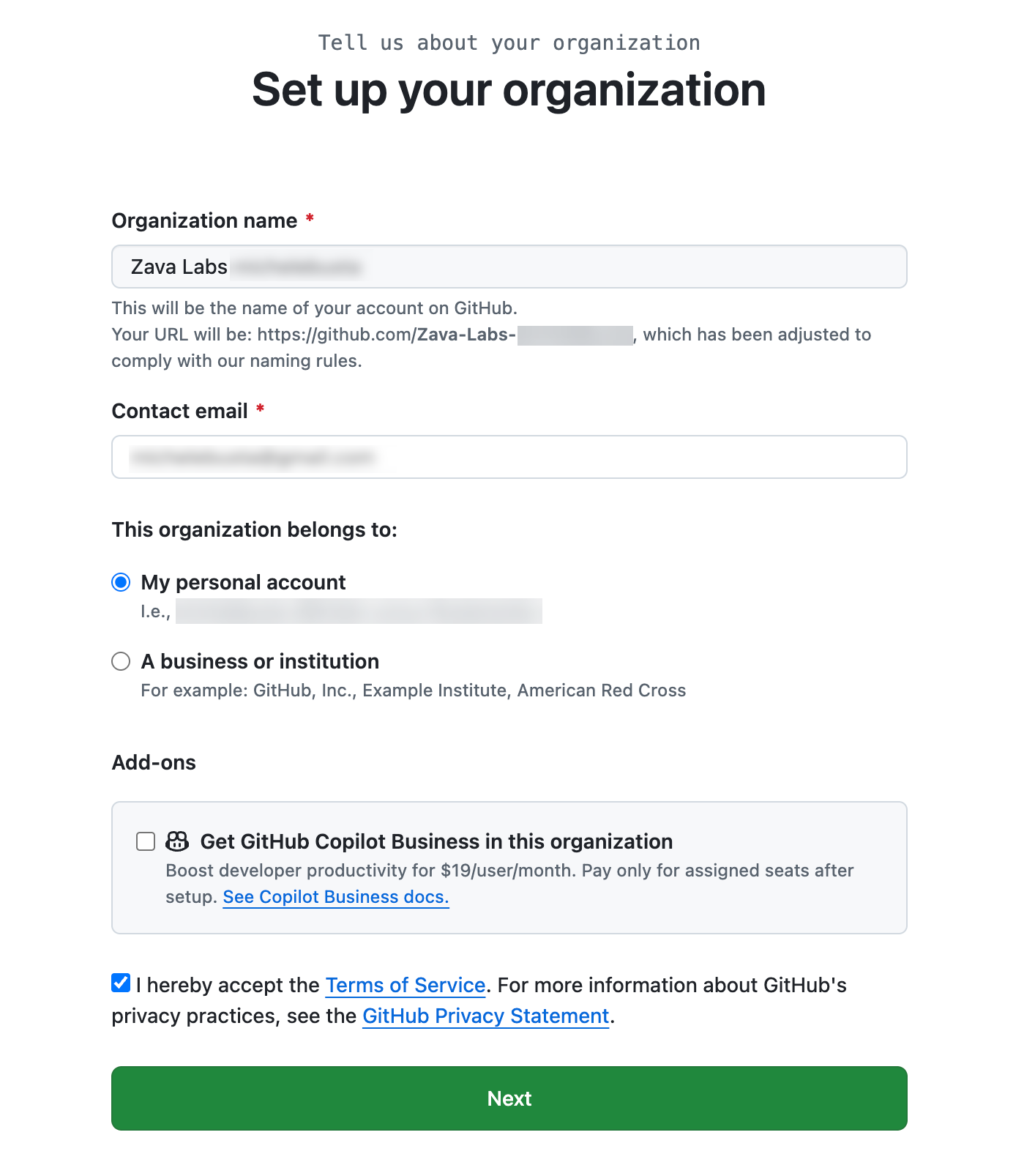
- If you don’t plan to add other members, select Complete setup.
03: Enable GitHub Enterprise
Sign up for a GitHub Enterprise account, and associate the organization.
If you will not be using an organization in your GitHub account that already has GitHub Enterprise, you should choose an organization for which you have authority to add GitHub Enterprise.
NOTE You will be asked to provide billing information for the GitHub Enterprise 30 day trial during this lab, however, you will be able to remove this setup during the final resource cleanup exercise.
Expand this section for detailed steps
-
Sign up for a GitHub Enterprise account
a. Navigate to: https://github.com/account/enterprises/new to arrive to the signup for GitHub Enterprise.

b. If you are not working in a corporate GitHub account, choose “Get started with personal accounts”.
-
Create your enterprise
a. Enter the name of your enterprise and choose the GitHub organization to connect to. Consider naming the enterprise
Zava Labs Enterprise <your-github-account-name>to ensure uniqueness.b. Fill out the remaining details on the form and select “Create enterprise”.

-
Confirm billing and licensing information
a. The next step will ask you to confirm billing and licensing information. Fill out your billing details for the 30 day trial in order to enable the features necessary for this lab.
Summary
You’ve completed this task. You have configured your GitHub Enterprise account and connected it with your GitHub organization.