Task 04 - Build the solution
Introduction
Now that Visual Studio Code and your development tools are setup, you can begin working on the lab. First you will need to clone the forked repository and verify the starting point of the solution.
Description
During this task you will clone the repository you forked, and build the solution to ensure you have a baseline for the next exercises.
Success Criteria
- You have cloned the lab repository you forked
- You are able to build the solution and run it locally
Learning Resources
- Cloning a repository via the command line or GitHub Desktop
Key Tasks
01: Clone the forked repository
Clone the repository you forked to your local machine so you can work with the code locally.
Expand this section for detailed steps
-
Clone the repository using the git clone command:
git clone https://github.com/<your-username>/<your-fork-name>.gitMake sure to replace
<your-username>with your actual GitHub username, and<your-fork-name>with the repository name where you forked the code. -
Optionally, you can shorten the folder name by following this command with a folder name such as
ZavaLabFork:git clone https://github.com/<your-username>/<your-fork-name>.git ZavaLabFork
02: Build and run the solution locally
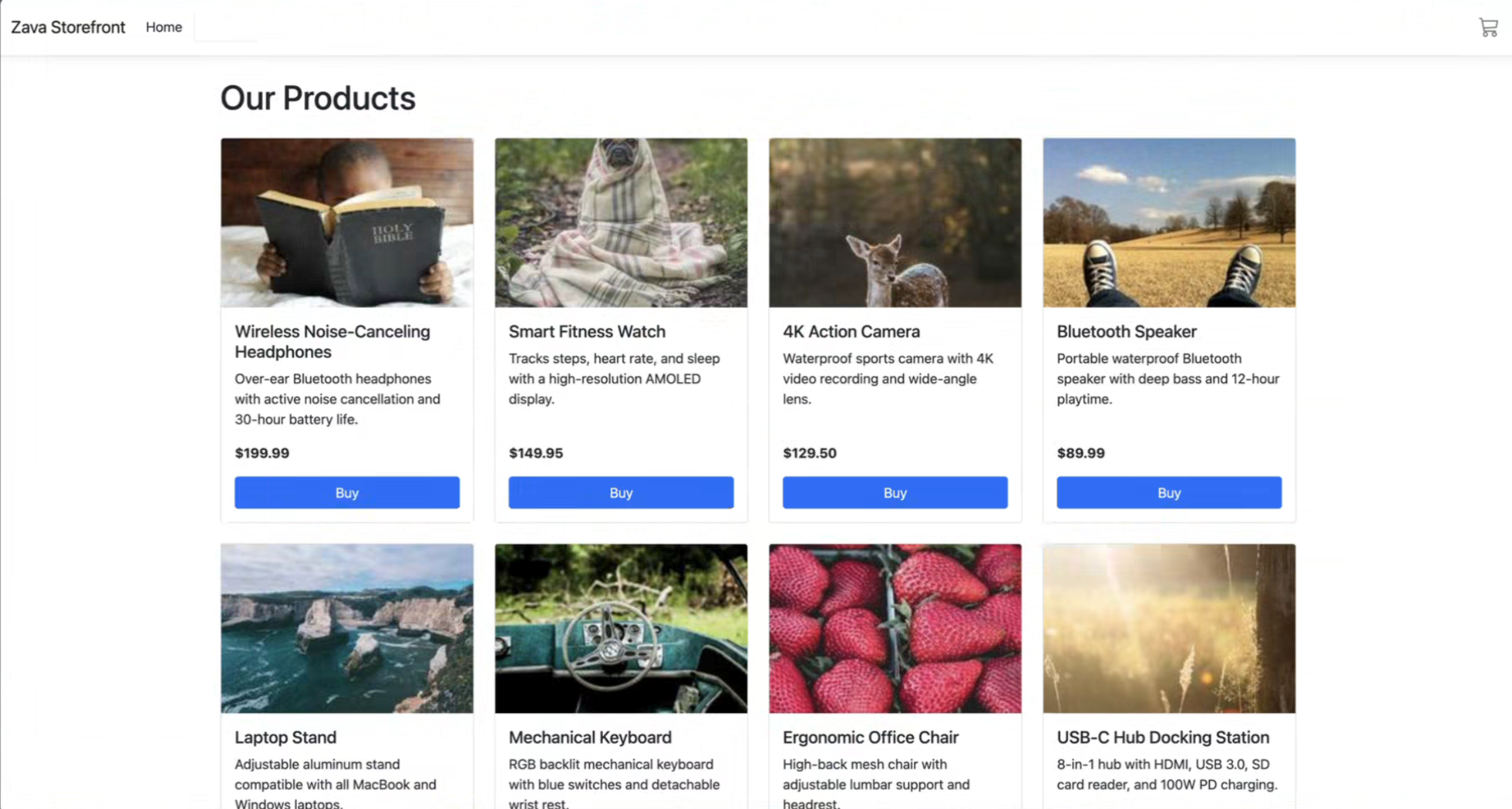
Build and run the .NET solution locally in Visual Studio Code to verify your development environment is configured correctly.
Expand this section for detailed steps
-
Open the project in Visual Studio Code
Launch VS Code and open the folder containing your cloned repository.
-
Restore dependencies
Open a terminal in VS Code and navigate to the
srcfolder. From there, restore the solution:cd src dotnet restore -
Build the solution
To build the solution run the following command:
dotnet buildNOTE Ignore any warnings you see in the output window. These will be addressed with the later .NET upgrade.
-
Run the application
Run the application from the command line:
dotnet run --project ZavaStorefront.csprojThis will start the web application. Review the terminal output to find the local URL (e.g.,
http://localhost:5000or similar). -
Open the application in your browser
Navigate to the local URL to view and interact with the running solution.
NOTE If you encounter any issues, verify that .NET 6 is installed and your dependencies are restored. For troubleshooting, consult the official .NET documentation.
Summary
You’ve completed this task. You have cloned the lab repository you forked and are able to build the solution and run it locally.