Task 01 - Configure essential GitHub Advanced Security settings
Introduction
Zava would like to ensure developers are being guided to deliver quality and secure code. By leveraging GitHub Enterprise and additional features provided by GitHub Advanced Security, the team can rely on tools to monitor, correct and even prevent security issues. Now that the application is built and deployed, before adding new features you will turn on security features to help with secure coding best practices.
Description
GitHub Advanced Security provides enterprise-grade security features including secret scanning, dependency vulnerability detection (Dependabot), and static application security testing (CodeQL). In this exercise, you’ll configure security settings for your repositories following recommended best practices.
NOTE You can enable advanced security at the Enterprise or Organization level. This exercise will walk you through both.
Success Criteria
- You have enabled your GitHub Advanced Security trial.
- You have created a custom security configuration for the organization and apply to all repositories
Key Tasks
01: Create a custom security configuration for the enterprise
Create a custom security configuration that enhances GitHub’s recommended settings with additional security controls tailored to your enterprise needs. This will be used to enforce security configurations on organizations within your enterprise, and their respective repositories.
Expand this section for detailed steps
-
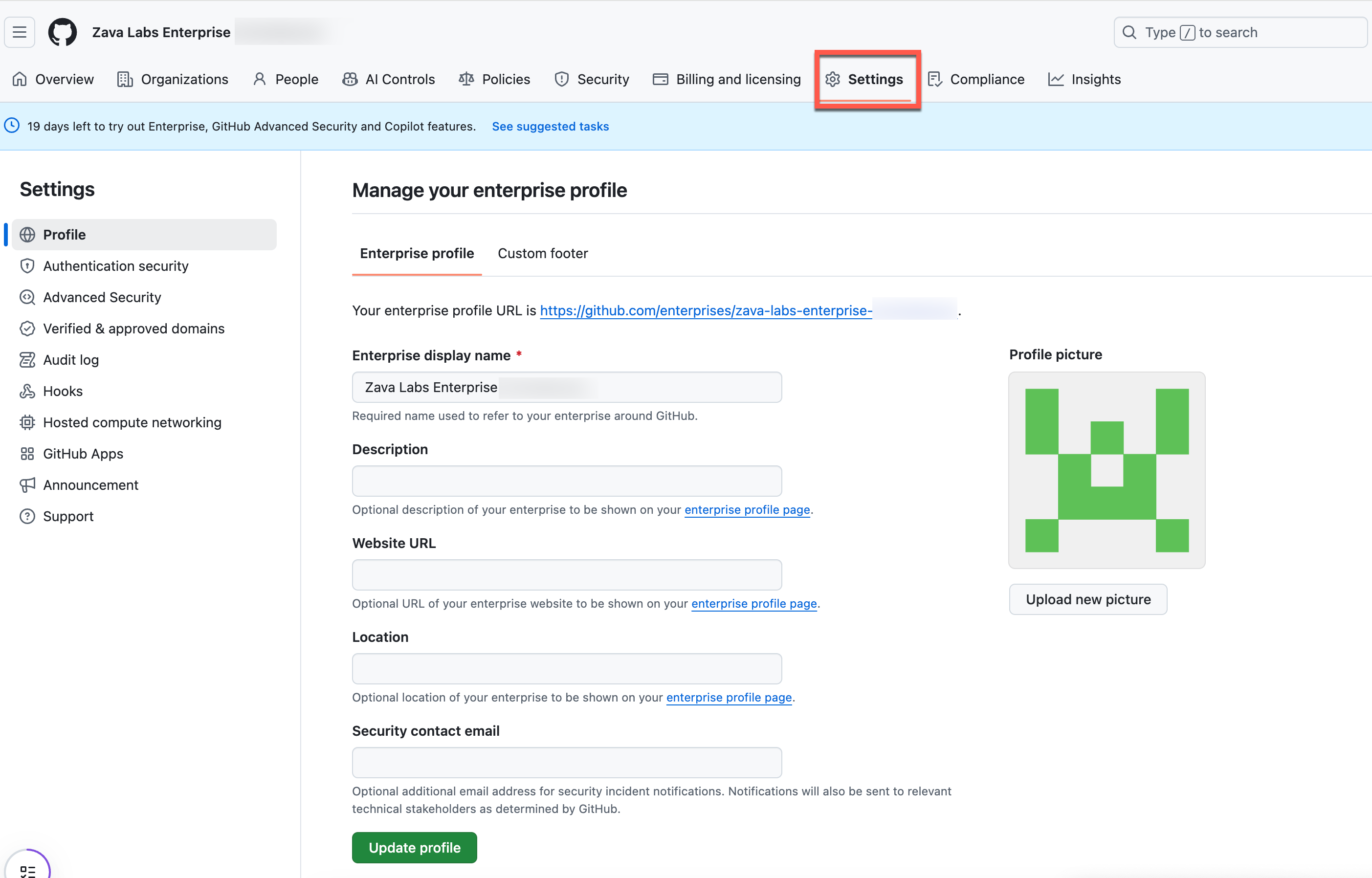
Navigate to settings for your enterprise.
-
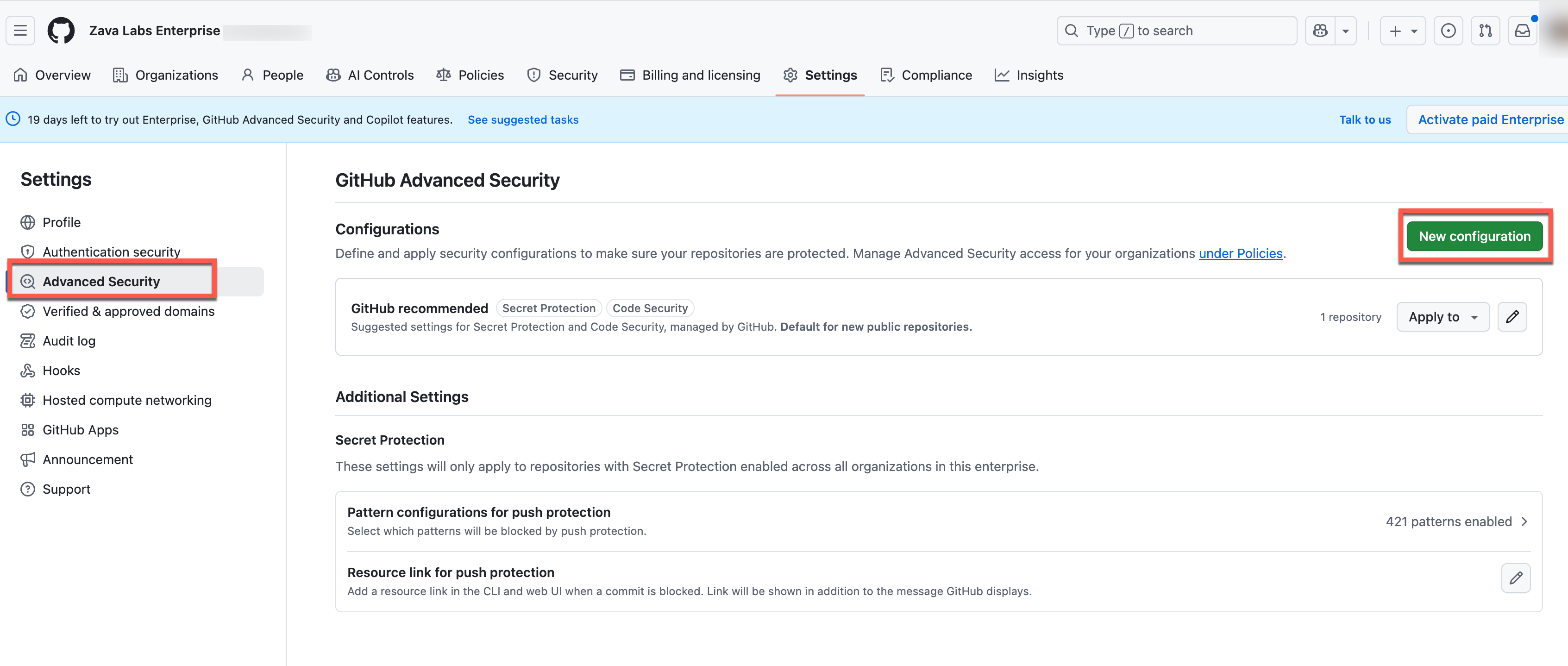
From the Advanced security view, select New configuration:
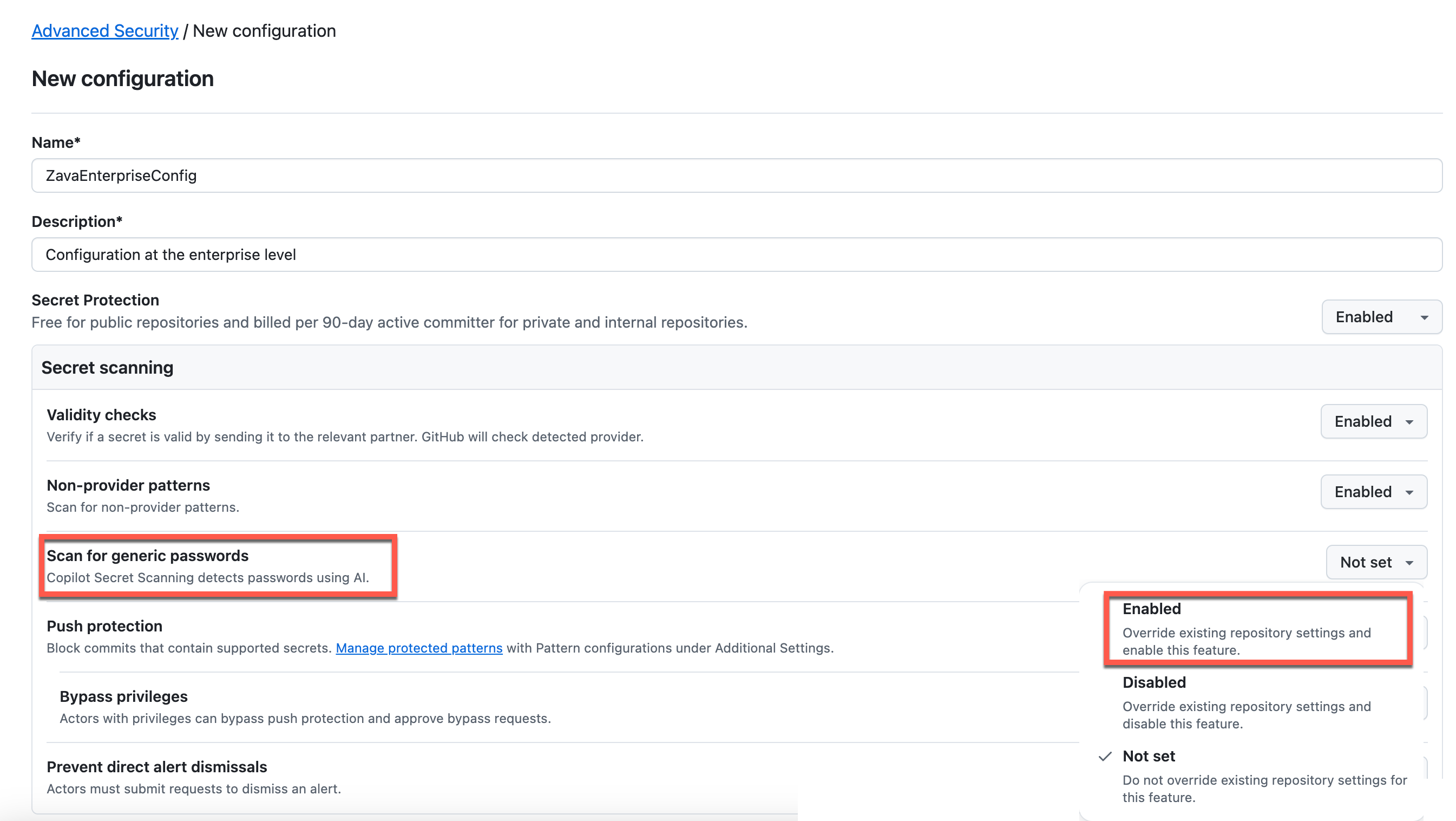
- Name the enterprise configuration and Enable AI-Powered Secret Detection
- Name:
ZavaEnterpriseConfig - Description: Enterprise security configuration
- Under Secret scanning, enable Scan for generic passwords
- This helps detect passwords and credentials in the code, even those that might not match standard patterns
- Name:
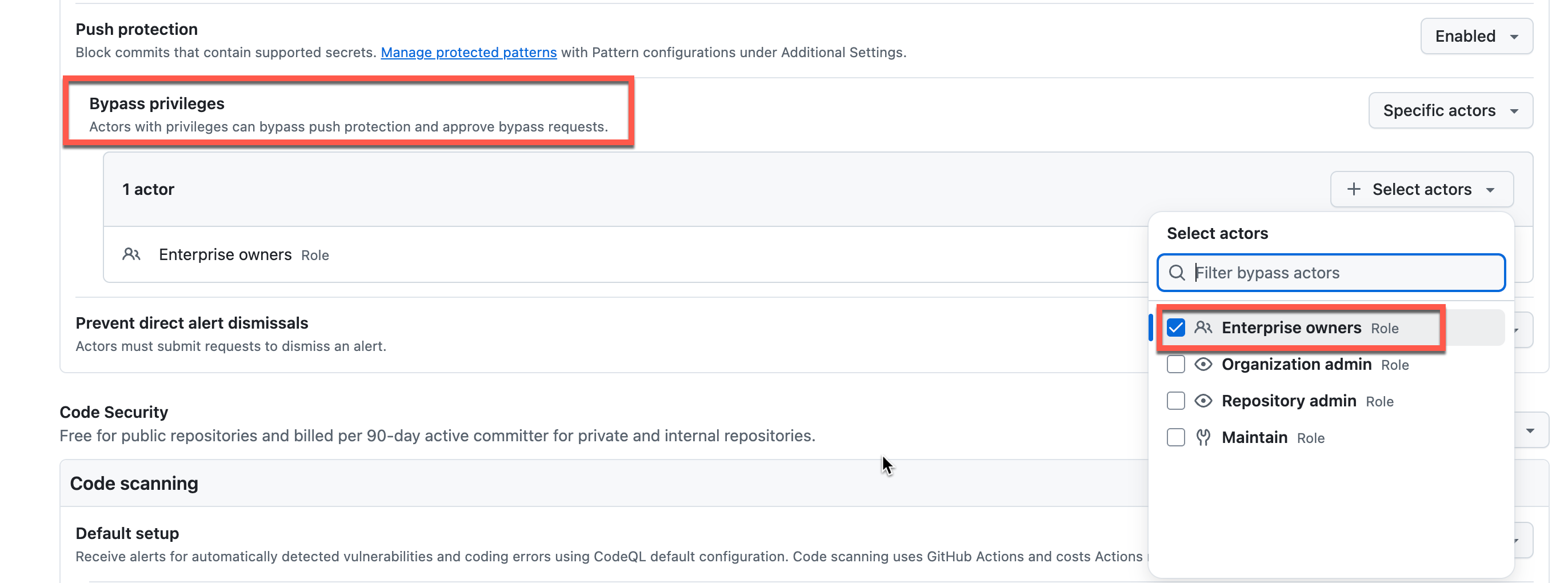
- Configure Push Protection Bypass
- Set Who can bypass push protection to Enterprise owners or a custom high-privilege role
- This deters bypassing security controls without proper authorization
- Require Dismissal Requests
- Enable Prevent direct alert dismissals
- This creates an audit trail and supports compliance requirements by documenting all security decisions

- Enable Default Code Scanning
- Under Code scanning, select Default to use GitHub’s hosted runners
- This ensures CodeQL analysis runs automatically on all repositories
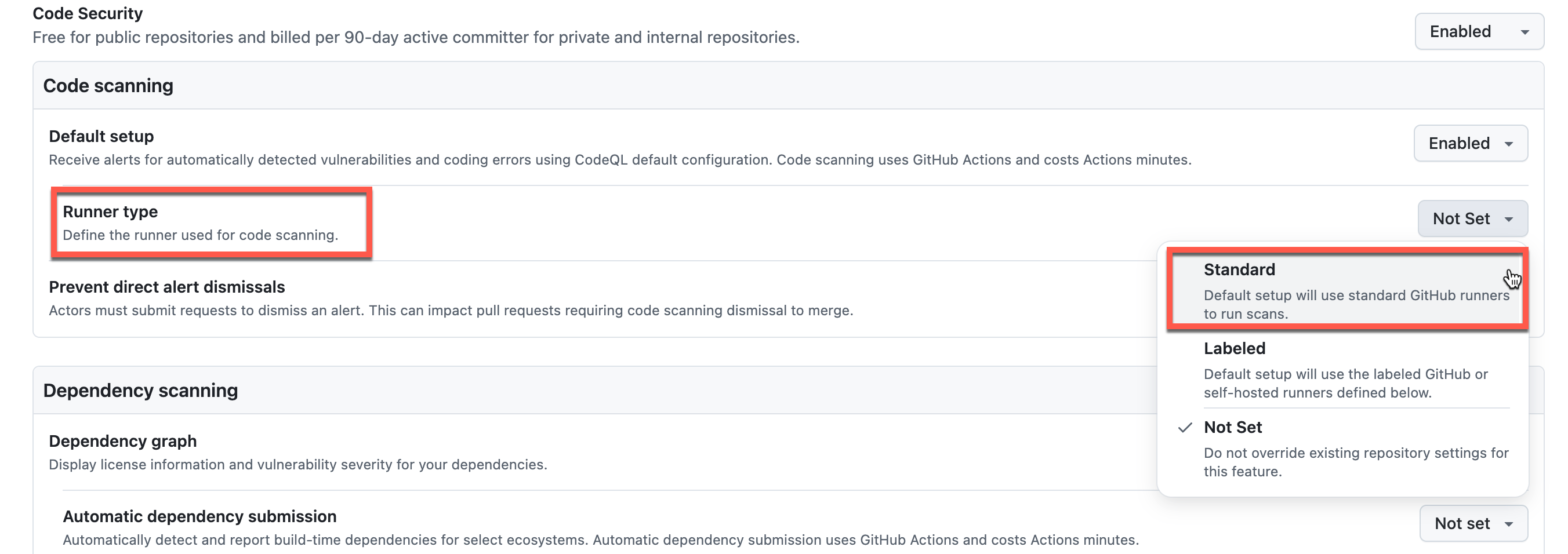
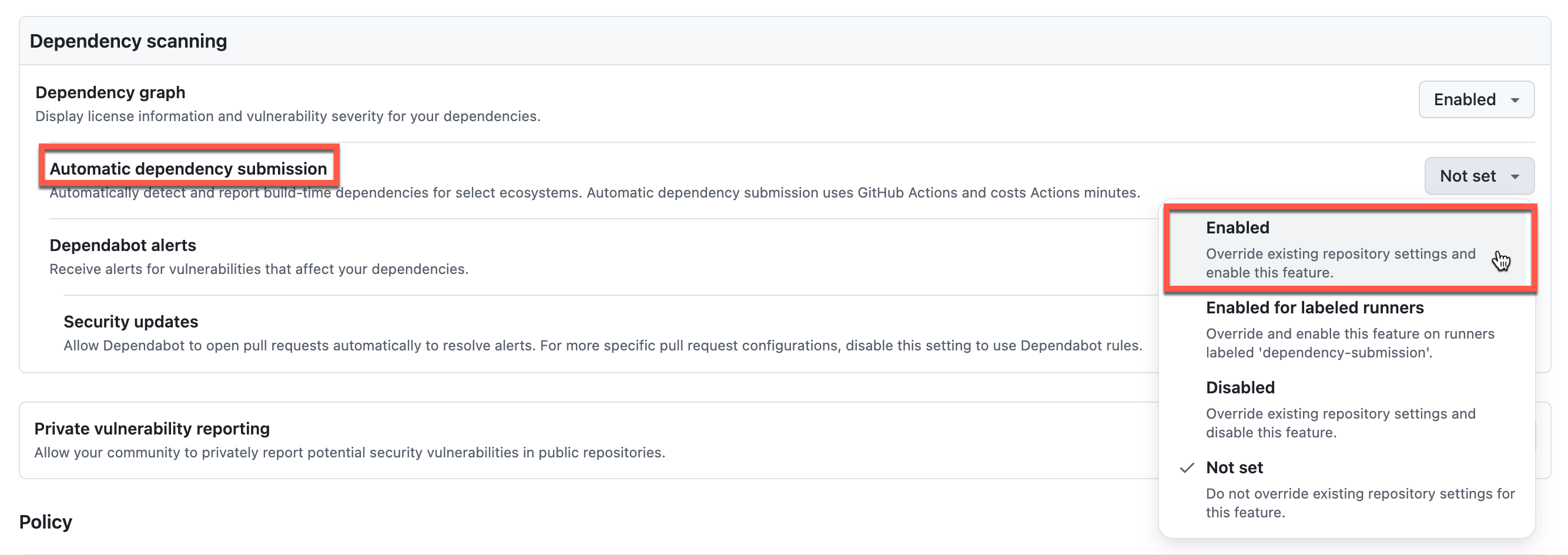
- Configure Dependency scanning
- Enable Automatic dependency submission to detect vulnerabilities in both direct and transitive dependencies
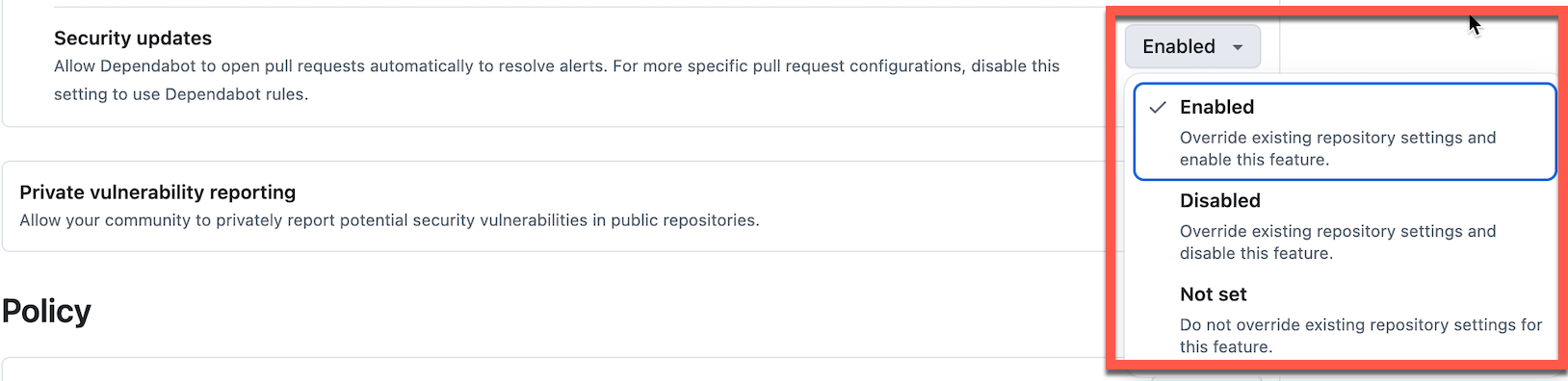
- Enable Automatic Security Updates
- Enable Security updates
- This automatically creates pull requests to fix detected vulnerabilities, reducing manual remediation effort
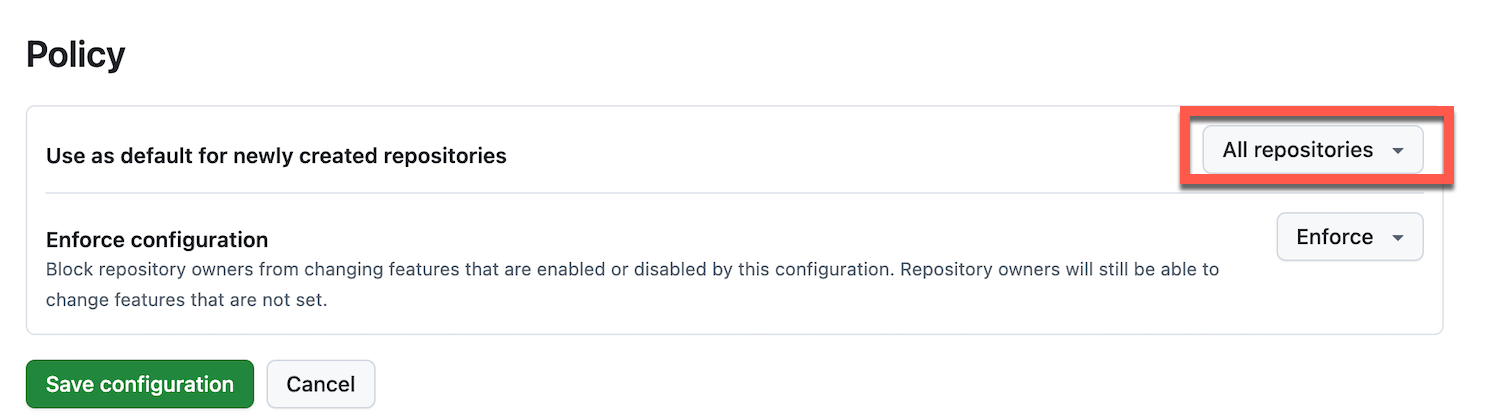
- Apply to All Repositories
- Select Apply to all repositories to ensure consistent security across your enterprise and organizations
- New repositories will automatically inherit these settings
-
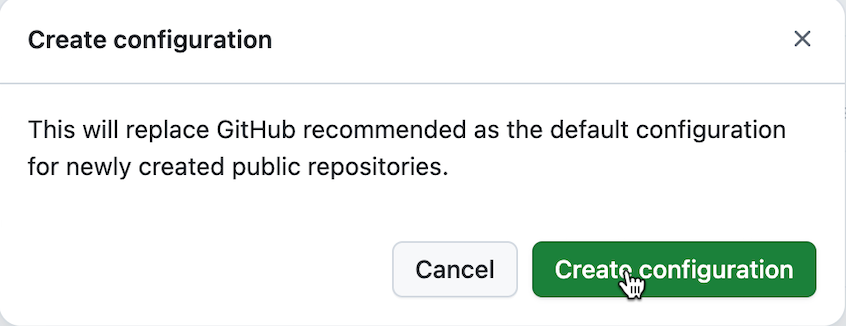
Click Save configuration to apply your custom settings, replacing the GitHub recommended configuration
-
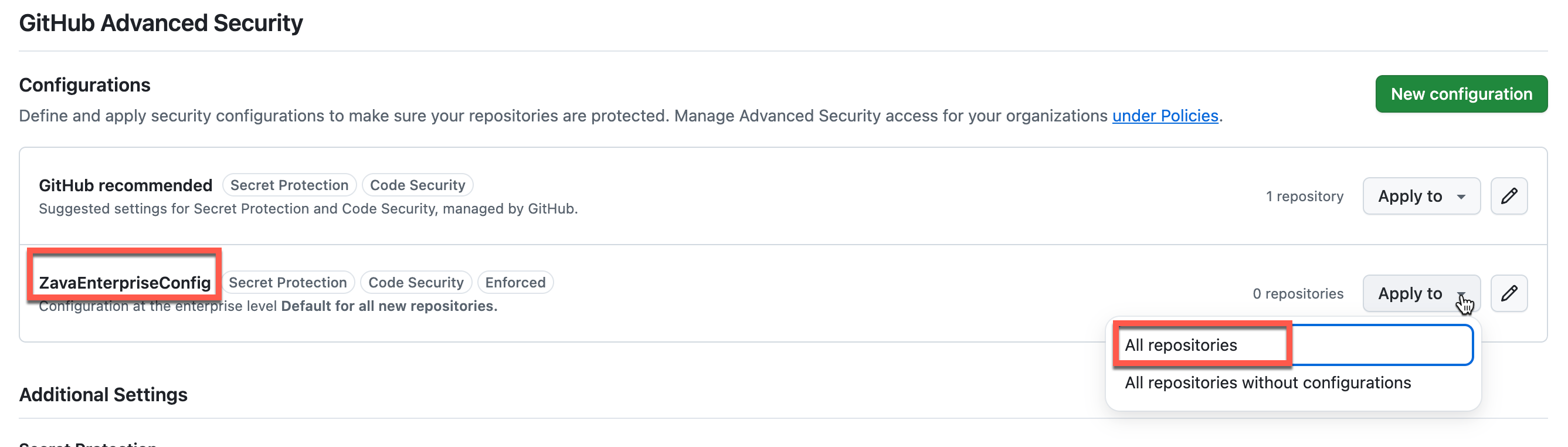
For existing repositories, you may need to manually apply the configuration by selecting Apply from the configurations list
02: Create branch protection ruleset for your organization
Navigate to your organization, and create a branch protection ruleset for your main branch that enforces code quality and review standards across all repositories.
Expand this section for detailed steps
-
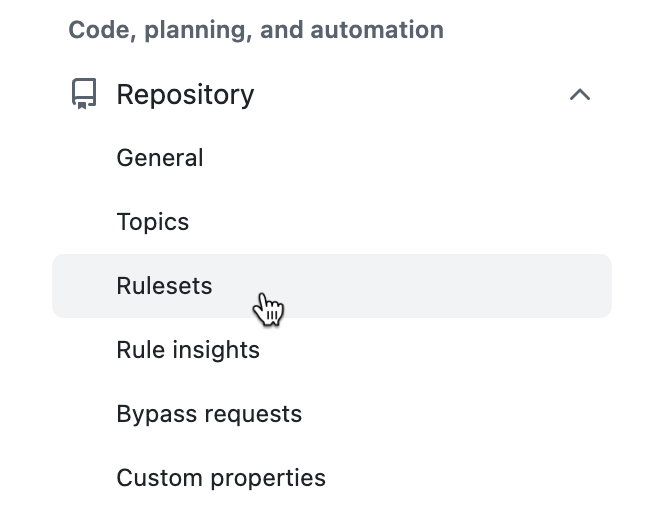
From your organization, navigate to Settings → Rules → Rulesets and click New ruleset → New branch ruleset
- Configure the ruleset with the following settings:
- Name:
Main Branch Protection - Enforcement status: Active
- Bypass list: Organization administrators only (this encourages adherence to rules)
- Target repositories: All repositories
- Target branches: Include default branch
Expand this section to see a screenshot of the configuration

- Name:
- Configure the following branch protection rules:
- Restrict deletions - Prevent accidental branch deletion
- Require a pull request before merging
- Require at least 1 approval
- Dismiss stale pull request approvals when new commits are pushed
- Require conversation resolution before merging
- Block force pushes - Prevent rewriting history on the main branch
- Require status checks to pass - Block merging when CodeQL or other checks fail
- Require code scanning results - Prevent merging code with security vulnerabilities
- Automate Copilot reviews - Pull requests can be automatically reviewed for code quality by Copilot
Expand this section to see a screenshot of the configuration

- Click Create to save the ruleset
NOTE These rules enforce a secure development workflow by requiring peer review, preventing dangerous Git operations, and ensuring code quality before merging.
Summary
You’ve completed this task. You have enabled your GitHub Advanced Security trial, created a custom security configuration for the enterprise, and applied it to all repositories. You have also created a branch protection ruleset for your organization repositories.