Task 04 - Remove GitHub Enterprise features enabled during the exercises
Introduction
As part of this training, you have enabled GitHub Enterprise features that will incur costs after the 30 day trial is over. To avoid incurring unnecessary costs, it is important to disable those features you do not intend to continue using, now that you have completed the exercises.
Description
In this task, you will disable or remove GitHub Enterprise features that were created during the exercises.
Success Criteria
- You have disabled or removed GitHub Enterprise features associated with this training.
- You have dismissed or resolved security alerts
- You have removed GitHub Advanced Security
- You have removed the branch protection ruleset
Key Tasks
01: Remove GitHub Advanced Security Configuration
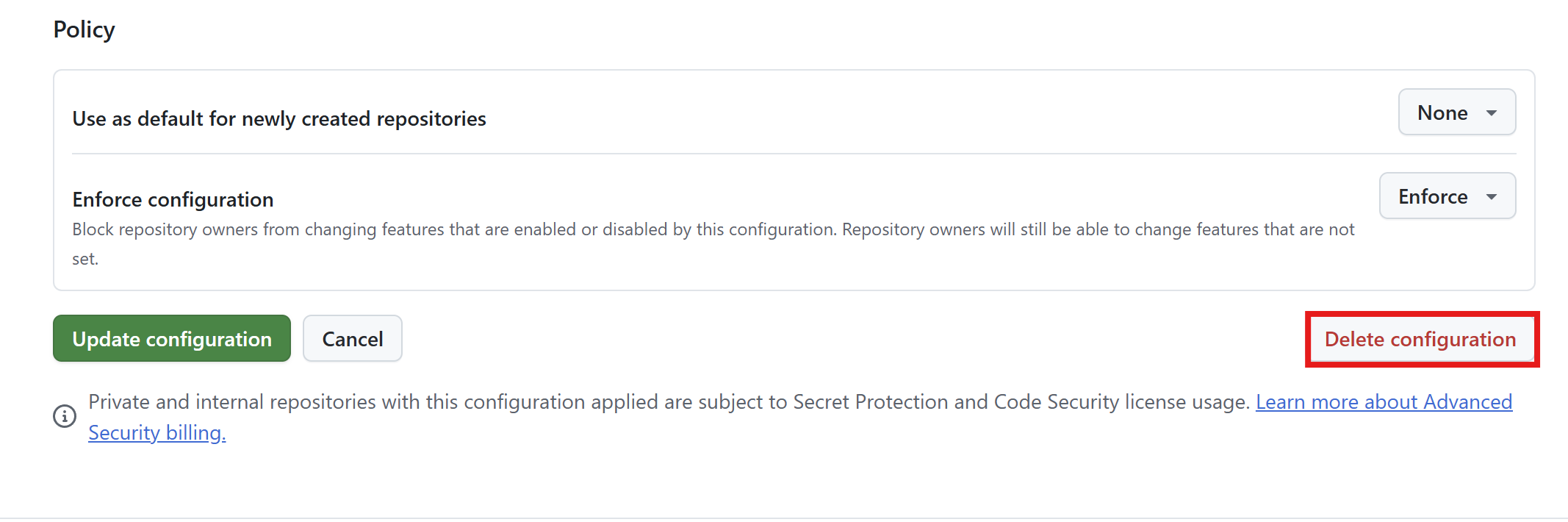
Remove GitHub Advanced Security configuration from GitHub UI by removing it from all repositories or deleting the configuration.
Expand this section for detailed steps
NOTE: If you’re using a GitHub Enterprise trial, you may want to keep the configuration for future use and for now just remove it from repositories.
Removing Advanced Security configuration from all repositories
- Navigate to your organization.
- Go to Settings → Security → Advanced Security → Configurations.
- Select
ZavaOrgConfig(or your custom configuration name). - From the Edit configuration page, scroll to the bottom and select Delete or Remove from all repositories.
Deleting Advanced Security configuration
- Navigate to your organization.
- Go to Settings → Security → Advanced Security → Configurations.
- From the Apply Configuration section, select
ZavaOrgConfig(or your custom configuration name). - From the Apply configuration dropdown, select No Configuration.
02: Remove Branch Protection Ruleset
Remove the branch protection ruleset from GitHub UI by disabling it or deleting it.
Expand this section for detailed steps
NOTE: Consider keeping branch protection rules as they are security best practices.
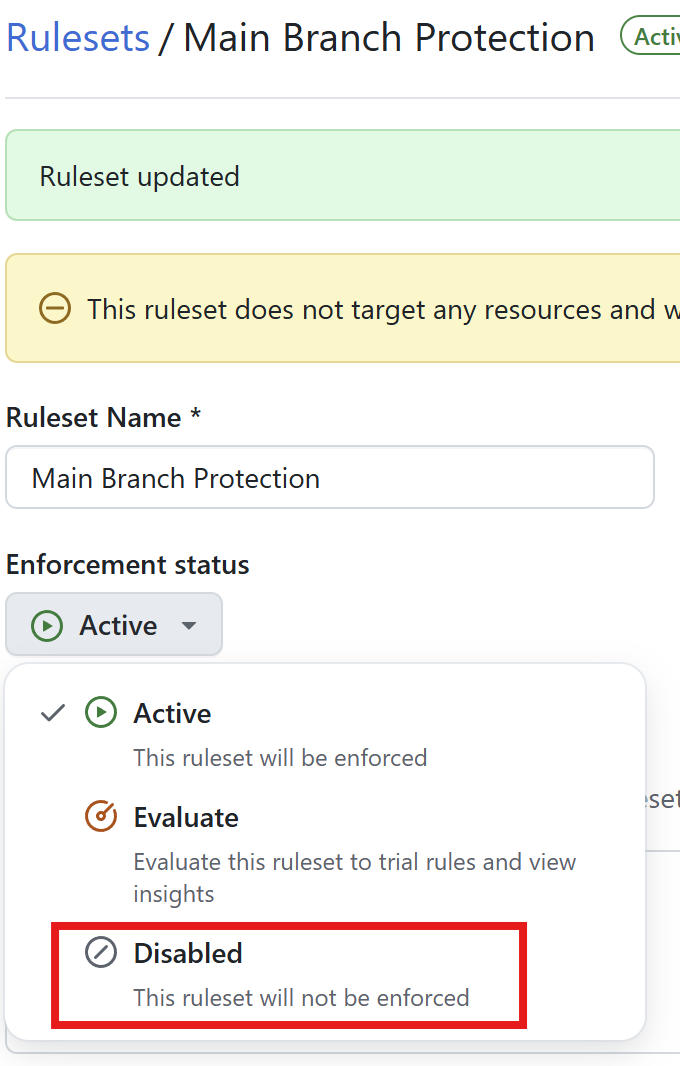
Disabling the ruleset
- Navigate to your organization.
- Go to Settings → Rules → Rulesets.
- Select
Main Branch Protection(or your custom ruleset name). - From the Rulesets definition page, select Enforcement status and from the dropdown choose Disabled.
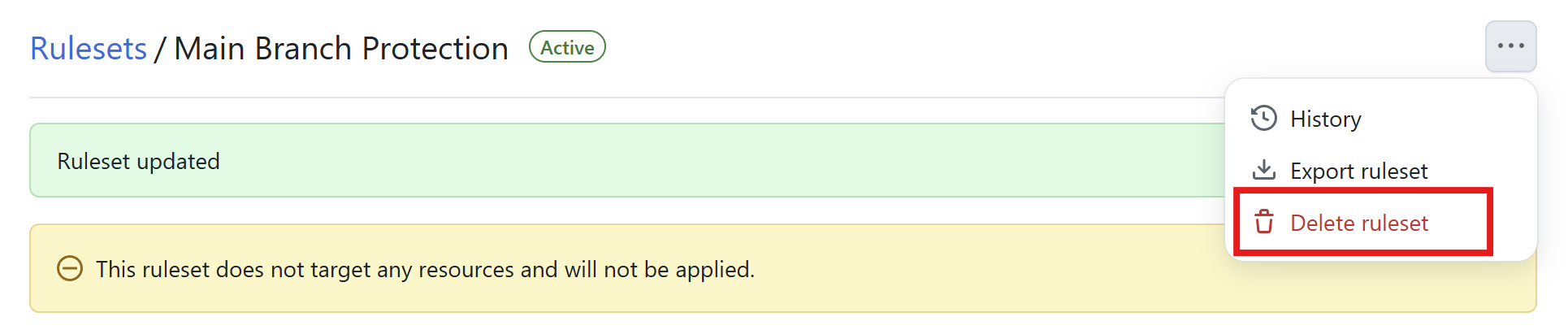
Deleting the ruleset
- Navigate to your organization.
- Go to Settings → Rules → Rulesets.
- Select
Main Branch Protection(or your custom ruleset name). - From the Rulesets definition page, scroll to the bottom and select Delete.
03: Dismiss security alerts
Dismiss or resolve any remaining security alerts from GitHub UI.
Expand this section for detailed steps
- Navigate to your repository.
- Go to the Security tab.
- From the left-hand menu, under Alerts, select:
- Dependabot alerts
- Code scanning alerts
- Secret scanning alerts
- Dismiss or resolve each alert you would like to remove.
04: Delete your GitHub Enterprise trial
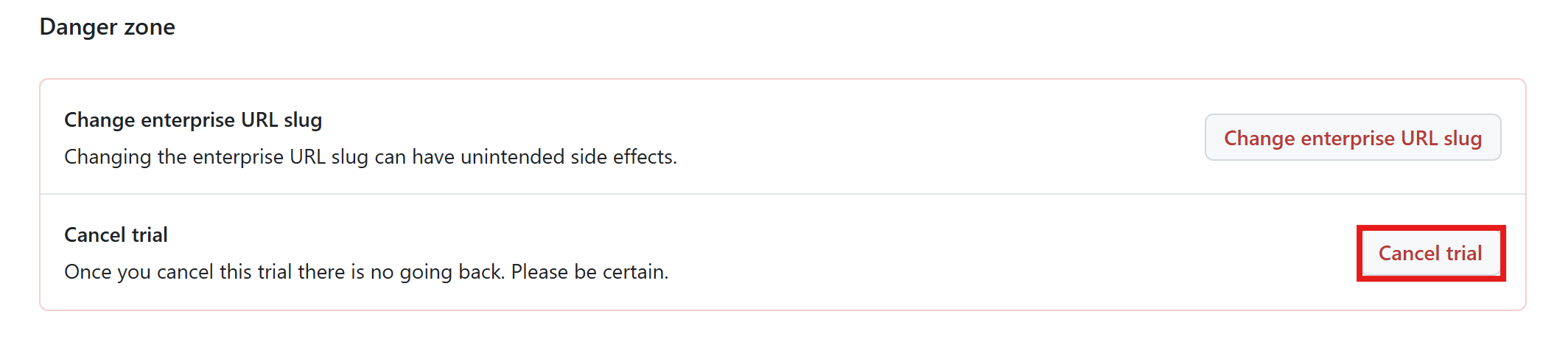
Completely delete the GitHub Enterprise trial to ensure no unexpected costs.
Expand this section for detailed steps
- Navigate to your organization.
- Go to the Settings tab.
- From the Manage your enterprise profile page, scroll down to the danger zone and select Cancel trial.
Summary
You’ve completed this task. You have disabled or removed GitHub Enterprise features associated with this training, dismissed or resolved security alerts, removed GitHub Advanced Security configuration, and removed the branch protection ruleset.