Task 01 - Automate container deployment via GitHub Actions workflow
Introduction
So far, you have manually deployed the chat application to an Azure Container App using a Docker container image stored in an Azure Container Registry. In this task, you will automate this deployment process using GitHub Actions and GitHub Copilot.
Description
In this task, you will use GitHub Copilot to generate a GitHub Actions workflow that automates building the container image, pushing it to Azure Container Registry, and deploying it to your Azure Container App. You will then set up the necessary GitHub secrets and perform the deployment using the generated workflow.
Success Criteria
- You have created a GitHub Actions workflow that deploys the chat application to an Azure Container Registry.
- You have set up the necessary GitHub secrets for the deployment.
- You have successfully performed the deployment using the GitHub Actions workflow.
Learning Resources
- Writing workflows
- Build images with Azure Container Registry
- Using secrets in GitHub Actions
- Asking GitHub Copilot questions in GitHub
- Responsible use of GitHub Copilot Chat in GitHub
- How can I extract secrets using GitHub Actions?
Key Tasks
01: Chat with GitHub Copilot
Use GitHub Copilot to assist you in writing a GitHub Actions workflow that builds a Docker image from the contents of the src folder, pushes it to an Azure Container Registry, and deploys it to your Azure Container App. The Dockerfile is located in the src folder, and you need to include only the files in that folder for the Docker image. The workflow should be triggered on a push to the main branch. Environment variables are configured directly on the Container App in Azure, so the workflow does not need to handle any .env file or secrets injection. In the next step, you will set up the necessary GitHub secrets for registry and Azure authentication.
Expand this section to view the solution
Navigate to your repository on GitHub where the code for this training is stored. This should be your forked repository and not the Microsoft repo. Select the GitHub Copilot icon at the top of the screen.
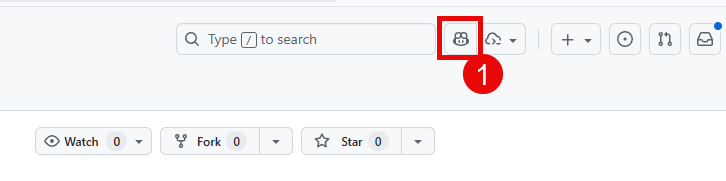
Ask the chat agent the following question:
I need to create a new GitHub Actions workflow to build a Docker image from the code in the src/ folder, push it to an Azure Container Registry, and then deploy it to an Azure Container App. The Dockerfile is located in the src/ folder and I need to include only the files in that folder for the Docker image. The workflow should be triggered on a push to the main branch. The Container App already has its environment variables configured in Azure, so the workflow does not need to handle any .env file or secrets injection. After pushing the image, the workflow should update the Container App to use the new image. Use the GitHub commit SHA as the container image tag instead of something like "latest". In addition, the Container App deployment must set four environment variables based off of GitHub secrets. They are: FOUNDRY_ENDPOINT, gpt_endpoint, embedding_endpoint, and phi_4_endpoint.
Review the response and make any necessary adjustments. Have the workflow run on each push to main and take the base secrets. You may need to Allow GitHub Copilot to access your repository if you have not done so already.
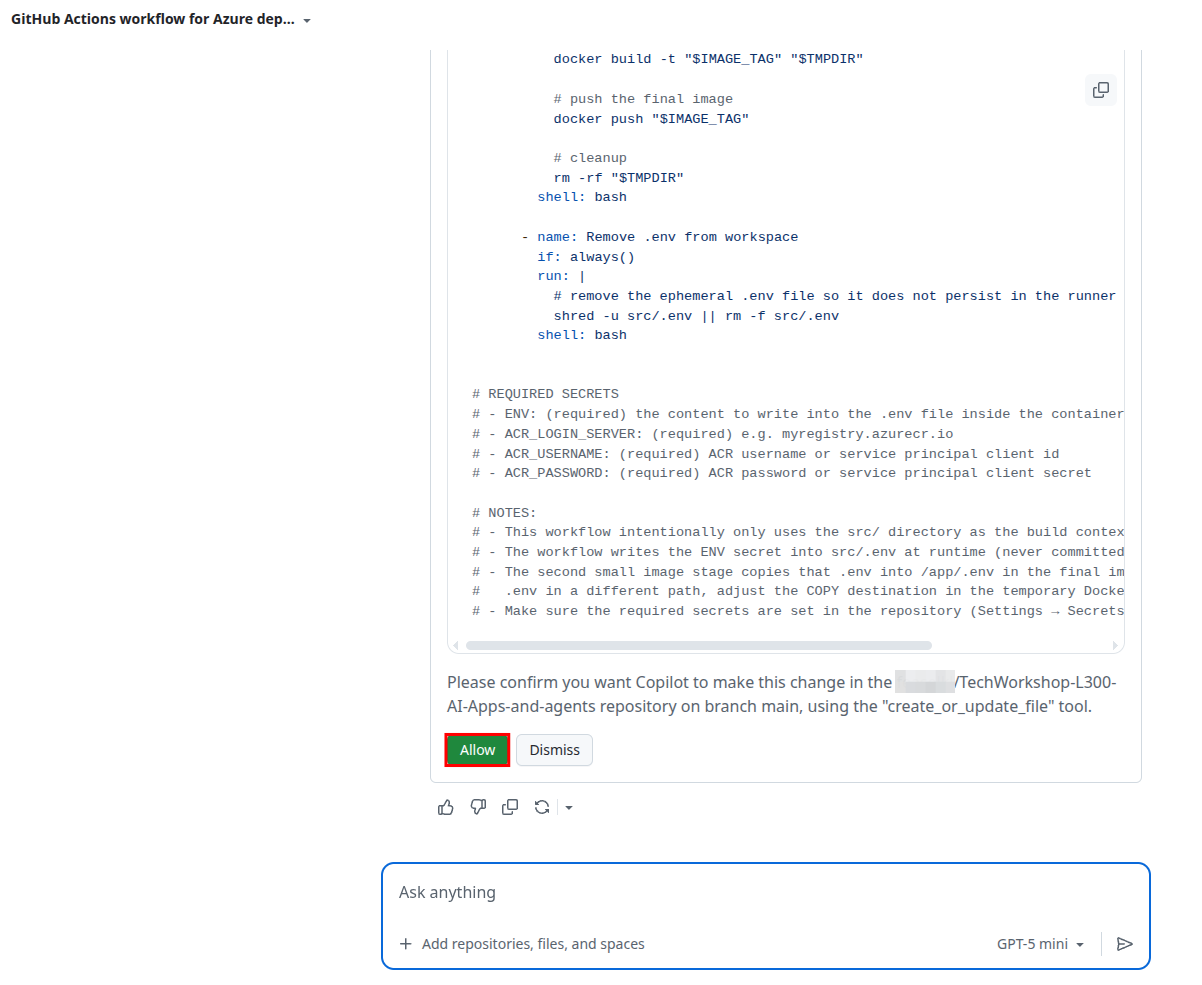
Accept the file and review the changes. Make sure there is an appropriate YAML file in the .github/workflows folder. You may need to make some adjustments to the file to ensure it meets your needs.
This repository includes a file in
.github/workflows/namedjekyll-gh-pages.yml. This YAML file is necessary for the deployment of this lab guide to GitHub Pages, but you will not need it in your forked repository. It is safe to deletejekyll-gh-pages.ymland doing so will prevent you from seeing deployment errors, as we do not configure GitHub Pages to build the instructions in your forked environment. It is best to delete this after you add in your first workflow YAML file, as otherwise, your Git repository will remove the empty.github/workflows/folder and you will need to re-create it.
The output that GitHub Copilot generates should include the following key details:
- Log into Azure Container Registry. The easiest way to do this is via username and password, which you can store in GitHub Actions secrets.
- Build and push the Docker container image to Azure Container Registry, with an image name of
chat-app. - Deploy the new image to the Azure Container App by updating the container revision. Environment variables are already configured on the Container App in Azure, so no
.envfile is needed.
If there is a failure in the code generation process, you can still have it generate the file and you can commit it yourself.
If you are unable to get a satisfactory response from GitHub Copilot or wish to compare your results to a working example, you can use the following example workflow as a starting point. Make sure to adjust the values for your specific environment.
Expand this section to view the solution if you are not able to get a satisfactory response from GitHub Copilot
A sample workflow is available in the src/workflows/0501_deployment.yml file. This YAML file can be copied to the .github/workflows/ folder in your repository and it requires the following secrets to be set up in your GitHub repository:
AZURE_CONTAINER_REGISTRY: The name of your Azure Container Registry (e.g.,myregistry.azurecr.io).AZURE_CONTAINER_REGISTRY_USERNAME: The username for your Azure Container Registry.AZURE_CONTAINER_REGISTRY_PASSWORD: The password for your Azure Container Registry.AZURE_CREDENTIALS: The Azure service principal credentials (JSON output fromaz ad sp create-for-rbac). This is used to authenticate with Azure for the Container App deployment.AZURE_RESOURCE_GROUP: The name of the resource group containing your Container App.AZURE_CONTAINER_APP_NAME: The name of your Azure Container App.
You will automatically generate the following secrets:
FOUNDRY_ENDPOINT: The URL of your Microsoft Foundry endpoint as exists in your.envfile.GPT_ENDPOINT: The URL of your GPT endpoint as exists in your.envfile.EMBEDDING_ENDPOINT: The URL of your embeddings endpoint as exists in your.envfile.PHI_4_ENDPOINT: The URL of your Phi 4 endpoint as exists in your.envfile.
You will set up these secrets in a following step.
You should create appropriate GitHub secrets based off of the GitHub Actions workflow file that Copilot generated for you. The secrets above are the ones that
src/workflows/0501_deployment.ymluses, but you might use slightly different secrets or different names for these secrets.
02: Create a service principal
Create a new service principal named TechWorkshopL300AzureAI using the following command in the az CLI, being sure to replace {SUB_ID} and {RG} with your subscription ID and resource group, respectively:
az ad sp create-for-rbac --name "TechWorkshopL300AzureAI" --json-auth --role contributor --scopes /subscriptions/{SUB_ID}/resourceGroups/{RG}
03: Set up GitHub secrets
Now that you have a workflow file, you will need to create the necessary GitHub secrets to allow the workflow to authenticate to Azure and access your Azure Container Registry. Review the generated workflow file to determine which secrets are required and create them in the GitHub repository settings. For secrets already in your .env file, you can use the GitHub CLI (gh cli) to bulk load them.
Expand this section to view the solution
Navigate to the Settings tab of your repository on GitHub.
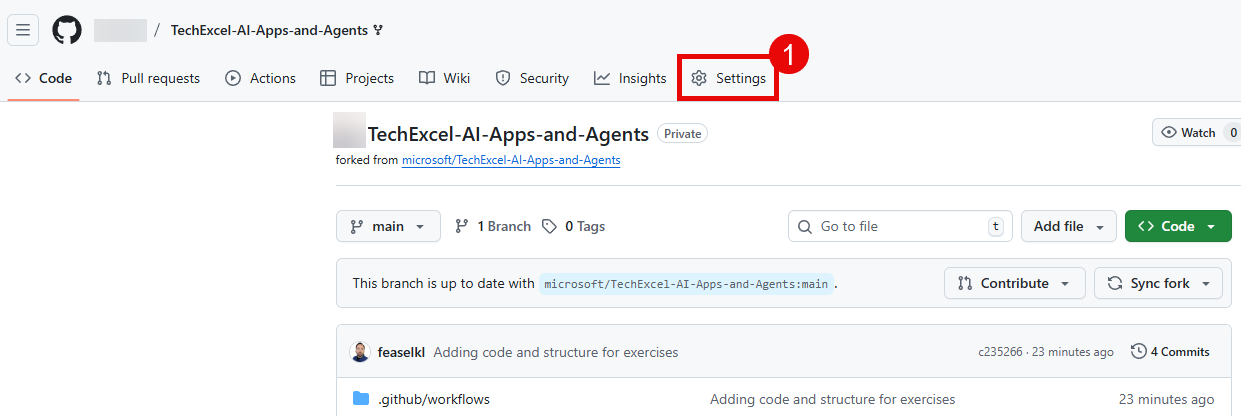
Then, select Secrets and variables from the left-hand menu, and then select Actions. Create new repository secrets by selecting the New repository secret button.

For each secret, enter the name into the Name field and the contents of the secret in the Secret field. Then, select Add secret to complete the process. You will not be able to see the contents of this secret after you have saved it, so double-check that you have the information correct.
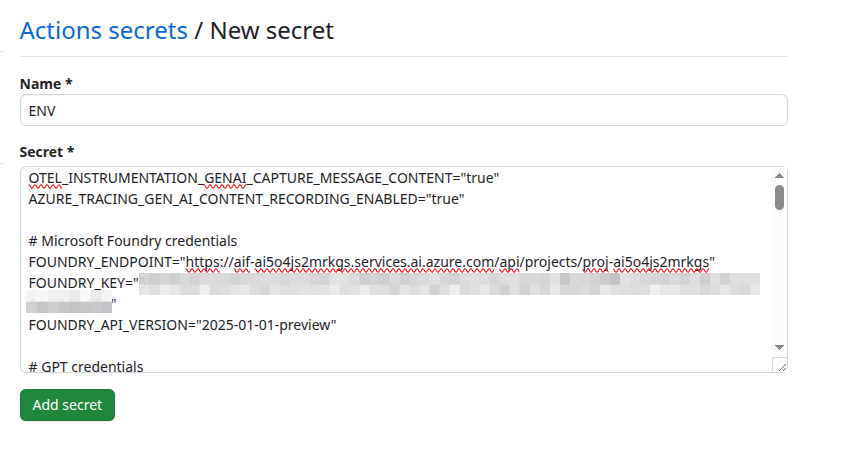
Once you have created the secrets that do not exist in your .env file, you can use the following command to bulk import the remaining secrets. Run it from the root of your local repository, changing {YOUR_USERNAME} to be your GitHub username and assuming that you retained TechWorkshop-L300-AI-Apps-and-agents as the name of the repository.
gh secret set --env-file src/.env --repo {YOUR_USERNAME}/TechWorkshop-L300-AI-Apps-and-agents
If you are not already logged into the GitHub CLI, you will need to do so with
gh auth login.
04: Perform and verify the deployment
Once you have created the necessary secrets, you can perform the deployment by pushing a change to the main branch of your repository. This will trigger the GitHub Actions workflow and deploy the chat application to your Azure Container Registry. You can verify that the deployment was successful by checking the Actions tab in your GitHub repository and by checking your Azure Container Registry to see if the new image has been pushed.
