Task 03: Test the agent integration
Description
You’ll provision the Zava Procurement agent and verify it can answer pricing and guideline questions by drawing exclusively on its embedded knowledge files - without making any live API calls.
Success criteria
- You provisioned the
Zava Procurementagent package to your Microsoft 365 tenant without errors. - You opened the Zava Procurement agent in Copilot Chat and received pricing information sourced from the embedded PDF files.
- You confirmed the agent answered at least two conversation starters using data from the embedded knowledge files.
Key steps
01: Provision the agent
-
Save your file changes by selecting File, then Save All.
-
Open the Microsoft 365 Agents Toolkit pane.
-
Under the LIFECYCLE section, select Provision.
-
Select the dev environment.
-
Wait for provisioning to complete.
02: Test in Microsoft 365 Copilot
-
Open Microsoft Edge and go back to
m365.cloud.microsoft/chat. -
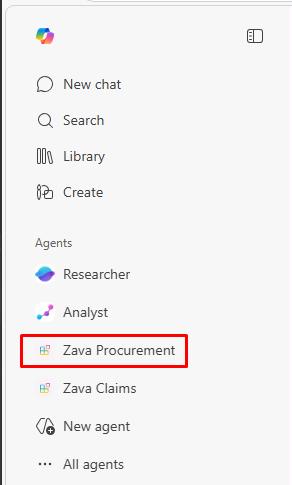
In the leftmost pane, under Agents, select Zava Procurement.
-
Try some conversation starters:
What are the rates for emergency water extraction and drying services?Which contractors offer 24/7 emergency response and what are their rates?