Task 04: Configure managed environment maker rules and sharing limits
Requires tenant-level admin permissions.
-
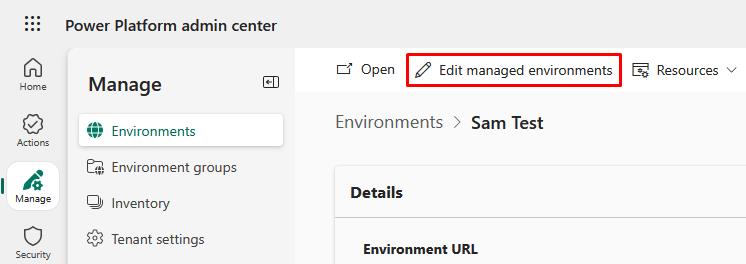
For each environment, in the Power Platform admin center go to Environments, then select the environment.
-
On the top bar, select Edit managed environments.
-
In the flyout pane:
-
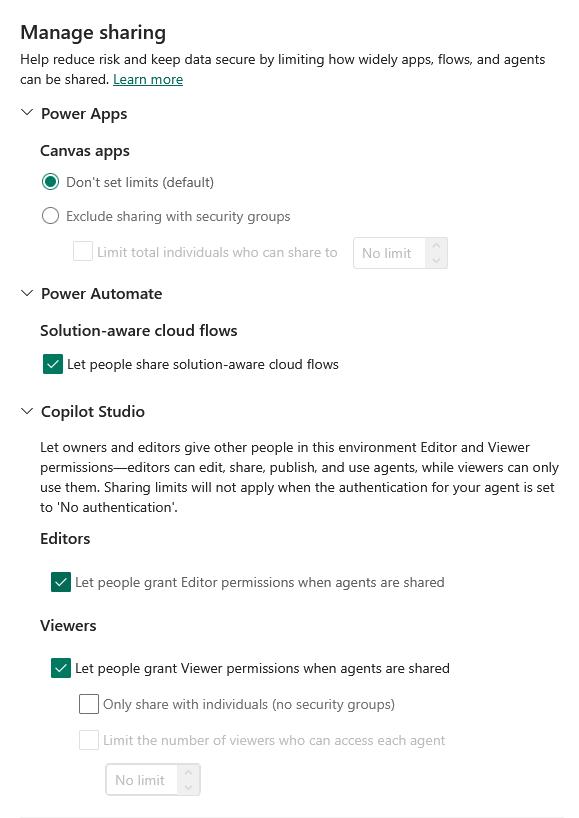
Under Manage sharing, you can configure sharing limits for various products.
- Power Apps
- Power Automate
- Copilot Studio
-
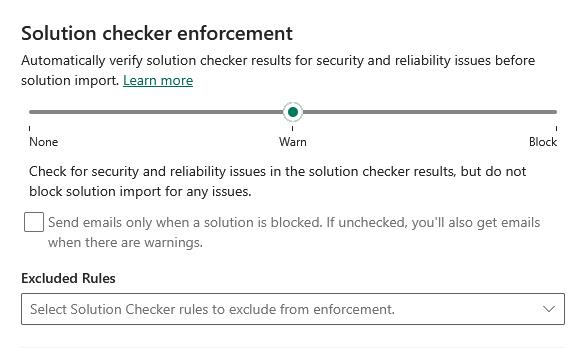
Below that, you can configure Solution checker enforcement for automatic verification of security and reliability issues before imports.
-
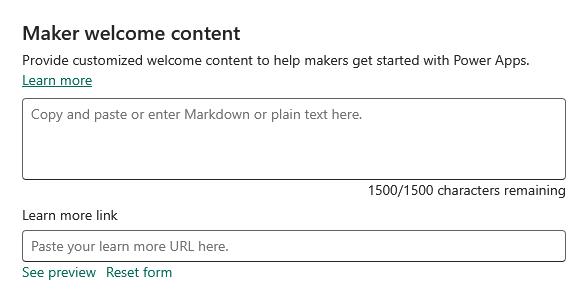
You can also configure Maker welcome content to help your makers get started.
-