Task 04: Take action on findings
Based on the assessment findings, GitHub Copilot app modernization provides two types of migration actions to assist with modernization opportunities:
-
Using the guided migrations (“Run Task” button), which offer fully guided, step-by-step remediation flows for common migration patterns that the tool has been trained to handle.
-
Using the unguided migrations (“Ask Copilot” button), which provide AI assistance with context aware guidance and code suggestions for more complex or custom scenarios.
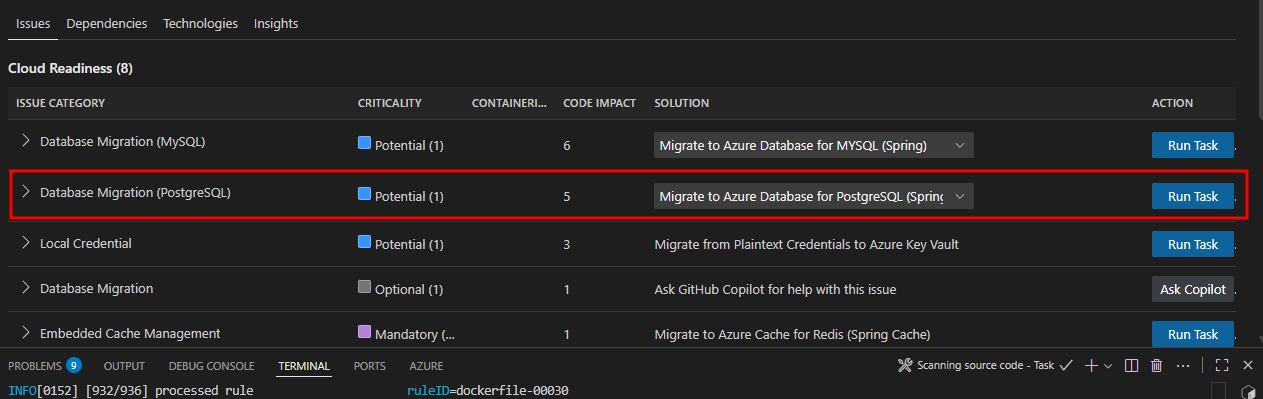
For this workshop, you’ll focus on one modernization area that demonstrates how to externalize dependencies in the workload to Azure PaaS before deploying to AKS Automatic. You’ll migrate from self-hosted PostgreSQL with basic authentication to Azure PostgreSQL Flexible Server using Entra ID authentication with AKS Workload Identity.
Select PostgreSQL migration task
Begin the modernization by selecting the desired migration task. For our Spring Boot application, you’ll migrate to Azure PostgreSQL Flexible Server using the Spring option. The other options shown are for generic JDBC usage.
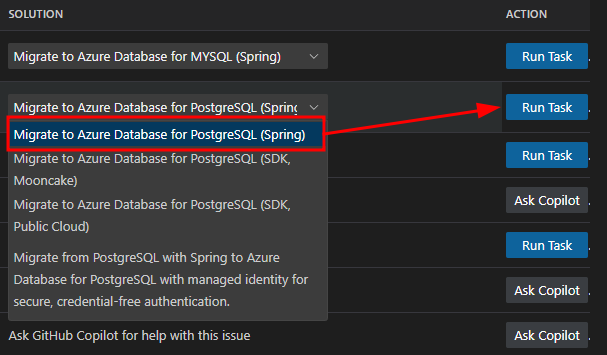
: Choose the “Spring” option for Spring Boot applications, as it provides Spring-specific optimizations and configurations. The generic JDBC options are for non-Spring applications.
Execute Postgres migration task
Select the Run Task button described in the previous section to kick off the modernization changes needed in the PetClinic app. This will update the Java code to work with PostgreSQL Flexible Server using Entra ID authentication.
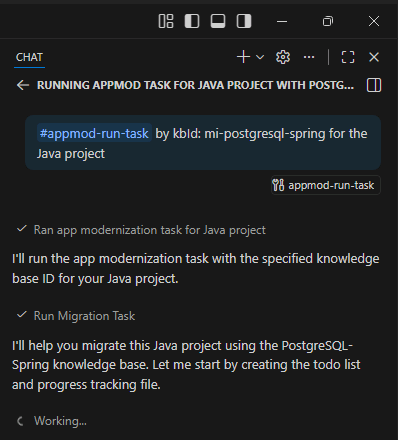
The tool will execute the appmod-run-task command for mi-postgresql-spring, which will examine the workspace structure and initiate the migration task to modernize your Spring Boot application for Azure PostgreSQL with managed identity authentication. If prompted to run shell commands, please review and allow each command as the Agent may require additional context before execution.
Review Migration Plan and begin code migration
The App Modernization tool has analyzed your Spring Boot application and generated a comprehensive migration plan in its chat window and in the plan.md file. This plan outlines the specific changes needed to implement Azure Managed Identity authentication for PostgreSQL connectivity.
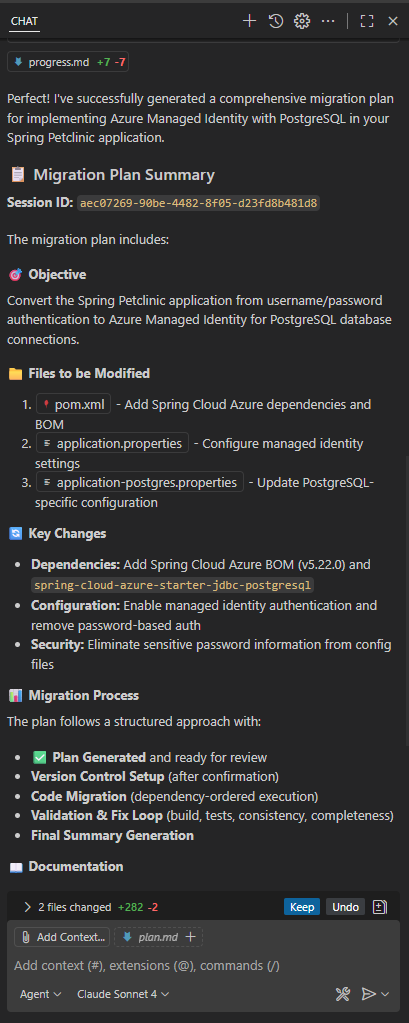
To begin migration, type “Continue” in the GitHub Agent Chat and start the code refactoring.
Review migration process and progress tracking
Once you confirm with “Continue”, the migration tool begins implementing changes using a structured, two-phase approach designed to ensure traceability and commit changes to a new dedicated code branch for changes to enable rollback if needed.
Two-phase migration process:
Phase 1: Update dependencies
- Purpose: Add the necessary Azure libraries to your project.
- Changes made:
- Updates
pom.xmlwith Spring Cloud Azure BOM and PostgreSQL starter dependency.- Updates
build.gradlewith corresponding Gradle dependencies.- Adds Spring Cloud Azure version properties.
Phase 2: Configure application properties
- Purpose: Update configuration files to use managed identity authentication.
- Changes made:
- Updates
application.propertiesto configure PostgreSQL with managed identity (9 lines added, 2 removed).- Updates
application-postgres.propertieswith Entra ID authentication settings (5 lines added, 4 removed).- Replaces username/password authentication with managed identity configuration.
Progress Tracking: The progretss.md file provides real-time visibility into the migration process:
- Change documentation: Detailed log of what changes are being made and why.
- File modifications: Clear tracking of which files are being updated.
- Rationale: Explanation of the reasoning behind each modification.
- Status updates: Real-time progress of the migration work.
How to monitor progress:
- Watch the GitHub Copilot chat for real-time status updates
- Check the
progress.mdfile in the migration directory for detailed change logs.- Review the
plan.mdfile to understand the complete migration strategy.- Monitor the terminal output for any build or dependency resolution messages.
Review migration completion summary
Upon successful completion of the validation process, the App Modernization tool presents a comprehensive migration summary report confirming the successful implementation of Azure Managed Identity authentication for PostgreSQL in your Spring Boot application.
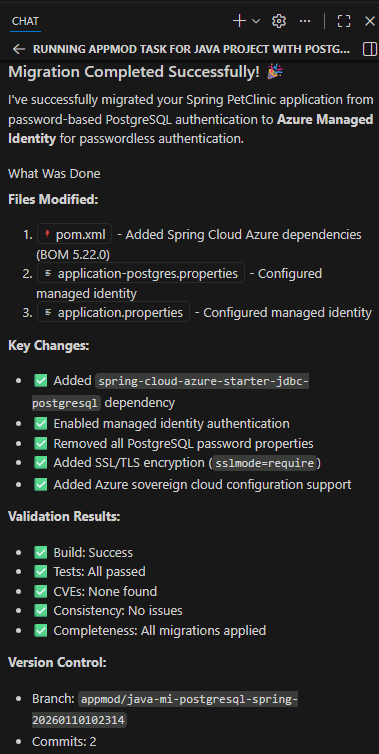
The migration has successfully transformed your application from password-based Postgres authentication to Azure Managed Identity for PostgreSQL, removing the need for credentials in code while maintaining application functionality. The process integrated Spring Cloud Azure dependencies, updated configuration properties for managed identity authentication, and ensured all validation stages passed including: CVE scanning, build validation, consistency checks, and test execution.
Because the workload is based on Java Spring Boot, an advantage of this migration is that no Java code changes were required. Spring Boot’s configuration-driven architecture automatically handles database connection details based on the configuration files.
When switching from password authentication to managed identity, Spring reads the updated configuration and automatically uses the appropriate authentication method. Your existing Java code for database operations (such as saving pet records or retrieving owner information) continues to function as before, but now connects to the database using the more secure managed identity approach.
Files modified:
The migration process updated the following configuration files:
-
pom.xmlandbuild.gradle- Added Spring Cloud Azure dependencies. -
application.propertiesandapplication-postgres.properties- Configured managed identity authentication. -
Test configurations - Updated to work with the new authentication method.
Througout this lab, the GitHub Copilot App Modernization extension will create, edit and change various files. The Agent will give you an option to Keep or Undo these changes which will be saved into a new Branch, preserving your original files in case you need to rollback any changes.

Validation and fix iteration loop
After implementing the migration changes, the App Modernization tool automatically validates the results through a comprehensive testing process to ensure the migration changes are secure, functional, and consistent.
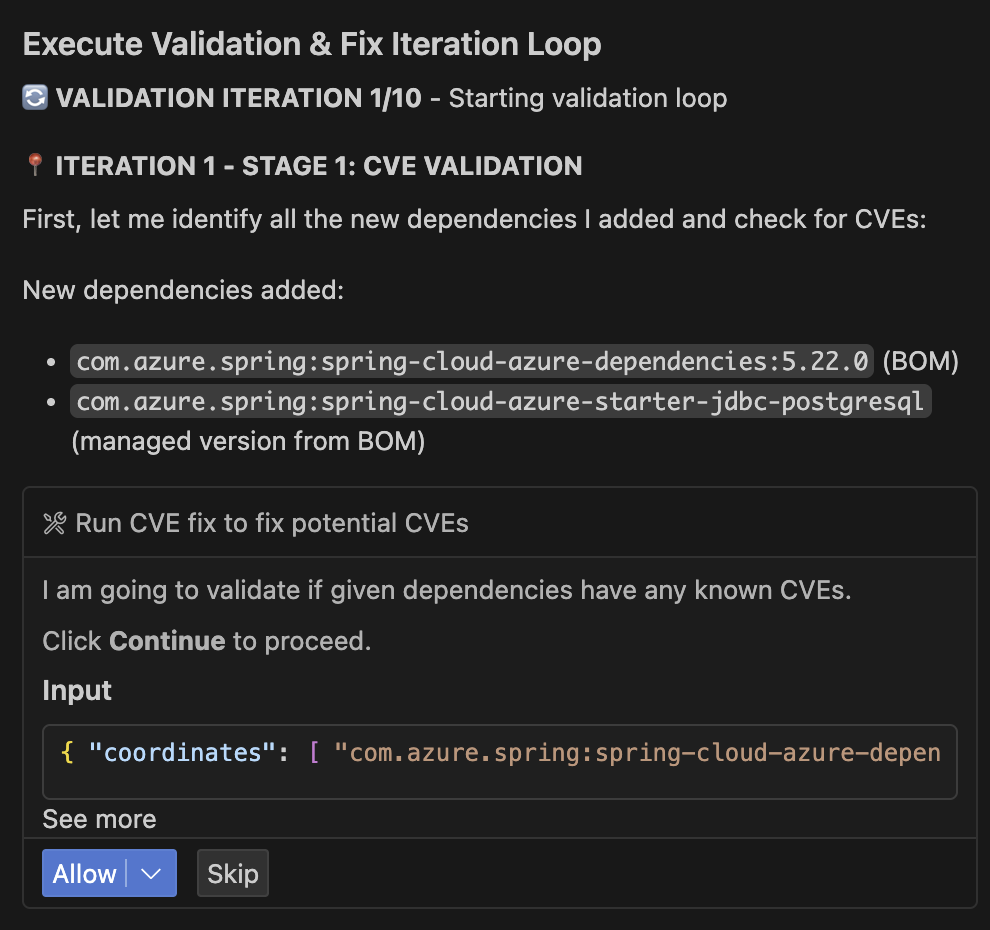
Validation stages:
| Stage | Validation | Details |
|---|---|---|
| 1 | CVE Validation | Scans newly added dependencies for known security vulnerabilities. |
| 2 | Build Validation | Verifies the application compiles and builds successfully after migration changes. |
| 3 | Consistency Validation | Ensures all configuration files are properly updated and consistent. |
| 4 | Test Validation | Executes application tests to verify functionality remains intact. |
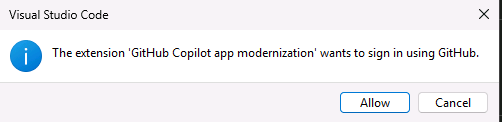
During these stages, you might be prompted to allow the GitHub Copilot app modernization extension to access GitHub. Allow it, and select your user account when asked.
Automated error detection and resolution:
The tool includes intelligent error detection capabilities that automatically identify and resolve common issues:
- Parses build output to detect compilation errors.
- Identifies root causes of test failures.
- Applies automated fixes for common migration issues.
- Continues through validation iterations (up to 10 iterations) until the build succeeds.
User Control: At any point during this validation process, you may interrupt the automated fixes and manually resolve issues if you prefer to handle specific problems yourself. The tool provides clear feedback on what it’s attempting to fix and allows you to take control when needed at any time.
This systematic approach ensures your Spring Boot application is successfully modernized for Azure PostgreSQL with Entra ID authentication while maintaining full functionality.