Task 01 - Create a Sample Node.js Application
Introduction
In this Task, the goal is to create a sample Node.js application to serve as a sample workload that can be used to migrate to AKS.
Description
After you complete this task, you will be able to:
- Create a sample Node.js application
- Validate the application works correctly
Success Criteria
- Successfully test the Node.js application
Requirements
You will use your own Windows 10 or Windows 11 local machine to simulate the creation of the workload to containerize and deploy to AKS. Make sure the following resources are installed on your local machine
Step-by-Step Instructions
Create a simple Node.js application
You will create a Node.js + Express to establish an easy, standard and quick workload to use as for migrating to AKS later.
-
Create a folder and name it
aks_demo_appon your local machineIMPORTANT: You must run Docker Desktop on your local machine to complete this task.
- From your terminal, change directory to this empty folder
- Create a new file in the directory and name it
app.js -
Copy the following code to the
app.jsfileconst express = require('express'); const app = express(); app.get('/', (req, res) => { res.send('Hello from Secure Workload Migration Workshop'); }); const port = 3000; app.listen(port, () => { console.log(`App running on port ${port}`); }); - Create a new file in the folder and name it
package.json -
Copy the following to the
package.jsonfile{ "name": "aks-demo", "version": "1.0.0", "main": "app.js", "dependencies": { "express": "^4.18.2" } } -
From the terminal at the
aks_demo_appdirectory, run the following to install the required npm dependencies:npm installIf you don’t have npm installed, please find the download and setup instructions here
-
After the dependencies are installed, run the following command to start the application:
node app.js -
To verify the app is running, open your browser and navigate to
[http://localhost:3000/](http://localhost:3000/). You should see a similar result as the the screenshot below: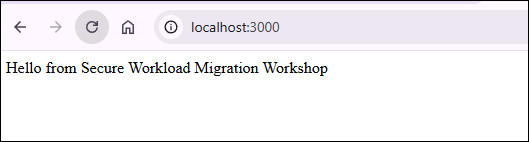
- Stop the application by going back to the terminal and pressing
CTRL + C.