Task 02 - Containerize the Node.js app
Introduction
In this task, you will be able to containerize the Node.js application created in the previous task to get it ready for registration in Azure Container Registry.
Description
In this task, you will be able to:
-
Create a dockerfile to setup the Node.js application for containerization.
-
Use Docker Desktop to build, tag and run the docker image.
Success Criteria
- Successfully creating a dockerfile for the Node.js application.
- Successfully building and tagging the the container image.
- Successfully runing the container image to validate the application running from a container.
Step-by-Step Instructions
- Create a Dockerfile in the
aks_demo_appfolder. The file name should beDockerfilewith no extension -
Copy the following docker instructions to the
DockerfileFROM node:18-alpine WORKDIR /app COPY package*.json ./ RUN npm install --production COPY . . EXPOSE 3000 CMD ["node", "app.js"] -
Build and tag the container image with the tag
aks-demo:1.0using the following command from the terminal:Note: Before issuing any of the docker commands, make sure that
Docker Desktopis up and running on your local machinedocker build -t aks-demo:1.0 . -
Run the container image in Docker Desktop by issuing the following command from the terminal:
docker run -p 3000:3000 aks-demo:1.0 -
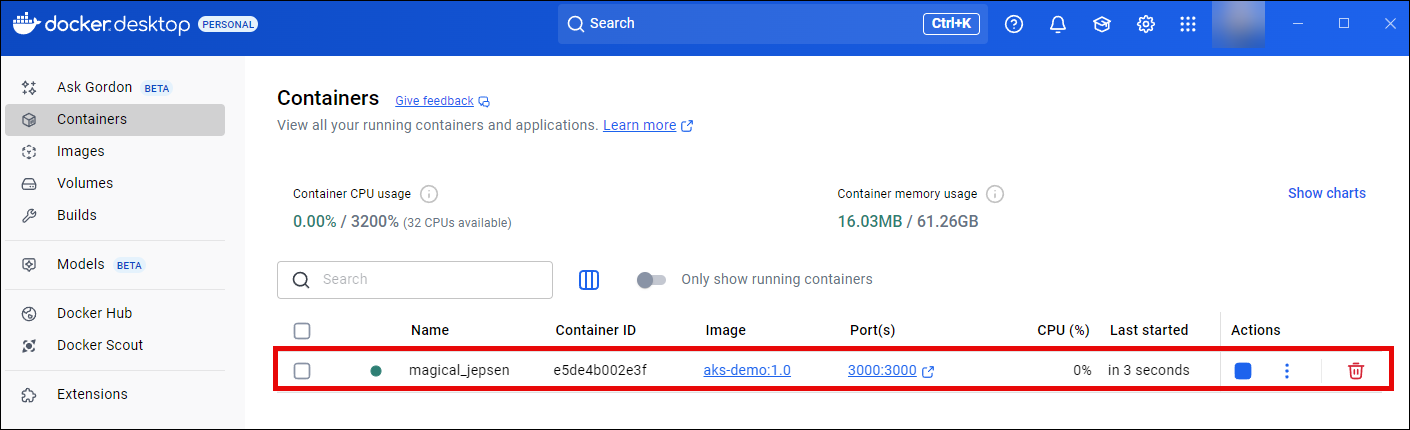
Open Docker Desktop and verify that the container image is running
-
Finally, open the browser and navigate to
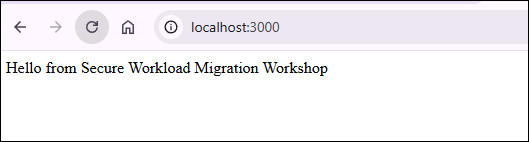
[http://localhost:3000/](http://localhost:3000/)you should be able to see the message that verifies the container image is running correctly.