Task 01 - Enable Azure Arc on Windows VM
Introduction
Tailspin Toys has certain Windows servers that must continue running on‑premises to support workloads that cannot be fully migrated to the cloud. They want to connect their on-premises Windows Server and SQL Server workloads to Azure Arc to enable Extended Security Updates (ESU) capabilities.
Description
In this task, you will create the Azure Arc resource and the script to run.
The key tasks are as follows:
- Create the Azure Arc resource.
- Generate the script to run in the on-prem VM.
Success Criteria
- Azure Arc resource created.
- Onboarding script generated with correct parameters.
- ESU-related options (e.g., Connect SQL Server) selected.
Solution
Expand this section to view the solution
-
Sign in to the Azure Portal. Ensure that you’re using a subscription associated with the same resources you created during the lab set up.
-
In the Search resources, services, and docs box at the top of the portal, search for Azure Arc, then select the Azure Arc service.
-
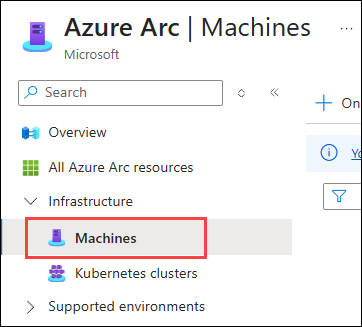
Under Infrastructure, select Machines in the left-hand menu.
-
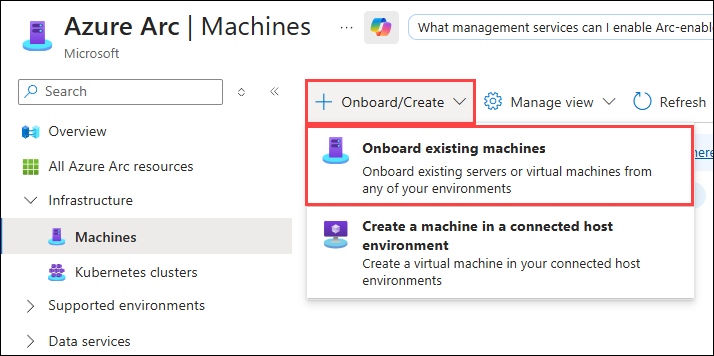
On the Azure Arc Machines pane, select the + Onboard/Create option and then the Onboard existing machines option.
-
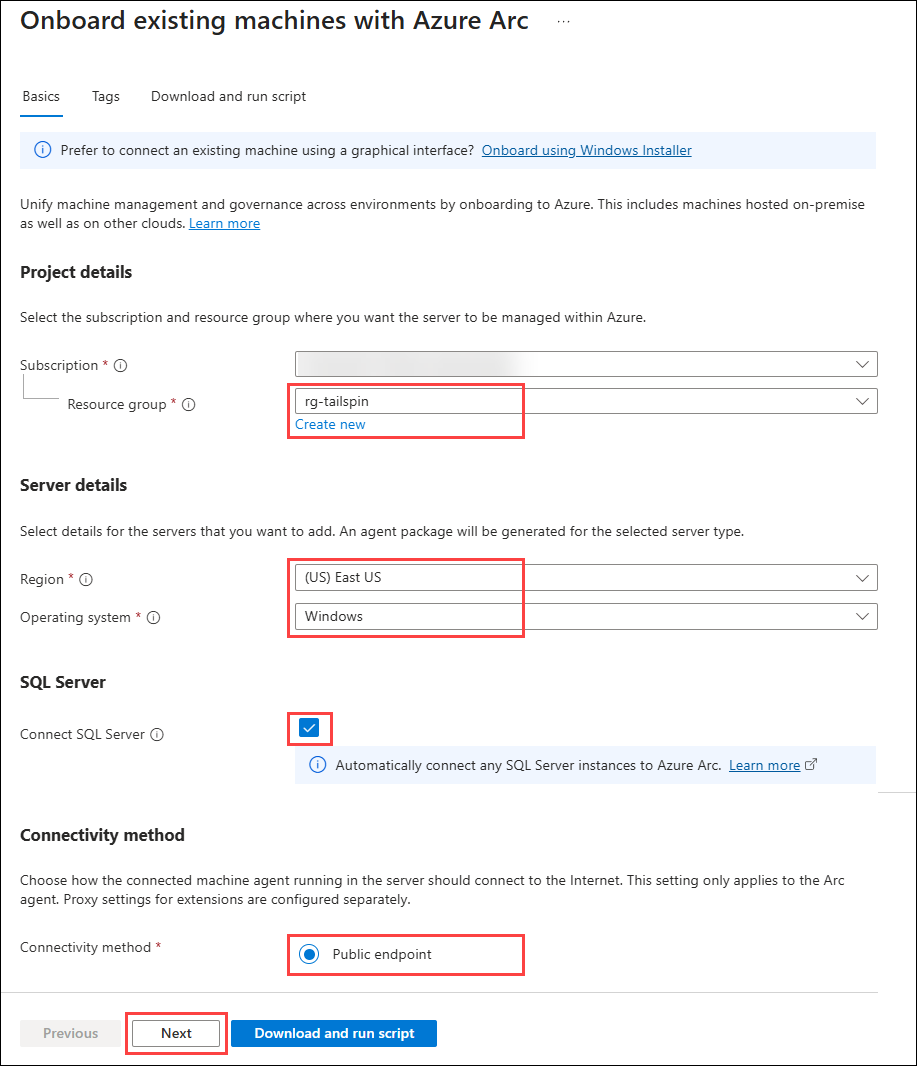
On the Onboard existing machines with Azure Arc pane, enter the following values, then select Next.
- Resource group: Select the Resource Group created for this lab. For example:
rg-tailspin. - Region: Select the region to which the
tailspinxx-onprem-win-vmis deployed. For example:East US. - Operating system:
Windows - Connectivity method:
Public endpoint
- Resource group: Select the Resource Group created for this lab. For example:
-
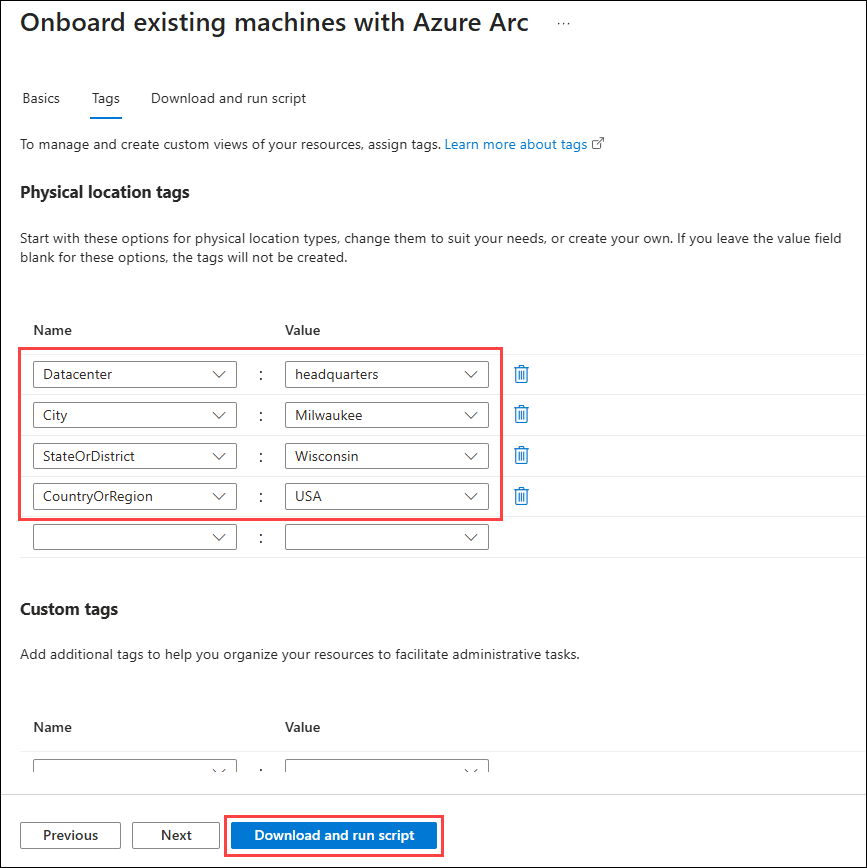
On the Tags tab, enter the following tag values to identify this server, then select Download and run script:
- Datacenter:
headquarters - City:
Milwaukee - StateOrDistrict:
Wisconsin - CountryOrRegion:
USA
- Datacenter:
-
On the Download and run script tab, select Download to download the generated script. By default, the script named
OnboardingScript.ps1will be saved to theDownloadsfolder.IMPORTANT: Do not run the script locally. In the next task, you will update the script and copy it to the
tailspin<uniqueid>-onprem-win-vmVM for execution.